1. Introduktion
This user manual provides detailed instructions for the setup, operation, maintenance, and troubleshooting of your AOC Gaming 27G42E Full HD 27-inch monitor. Designed for an immersive gaming experience, this monitor features a 180Hz refresh rate, 1ms GtG response time, Fast IPS panel, AdaptiveSync technology, and HDR10 support.
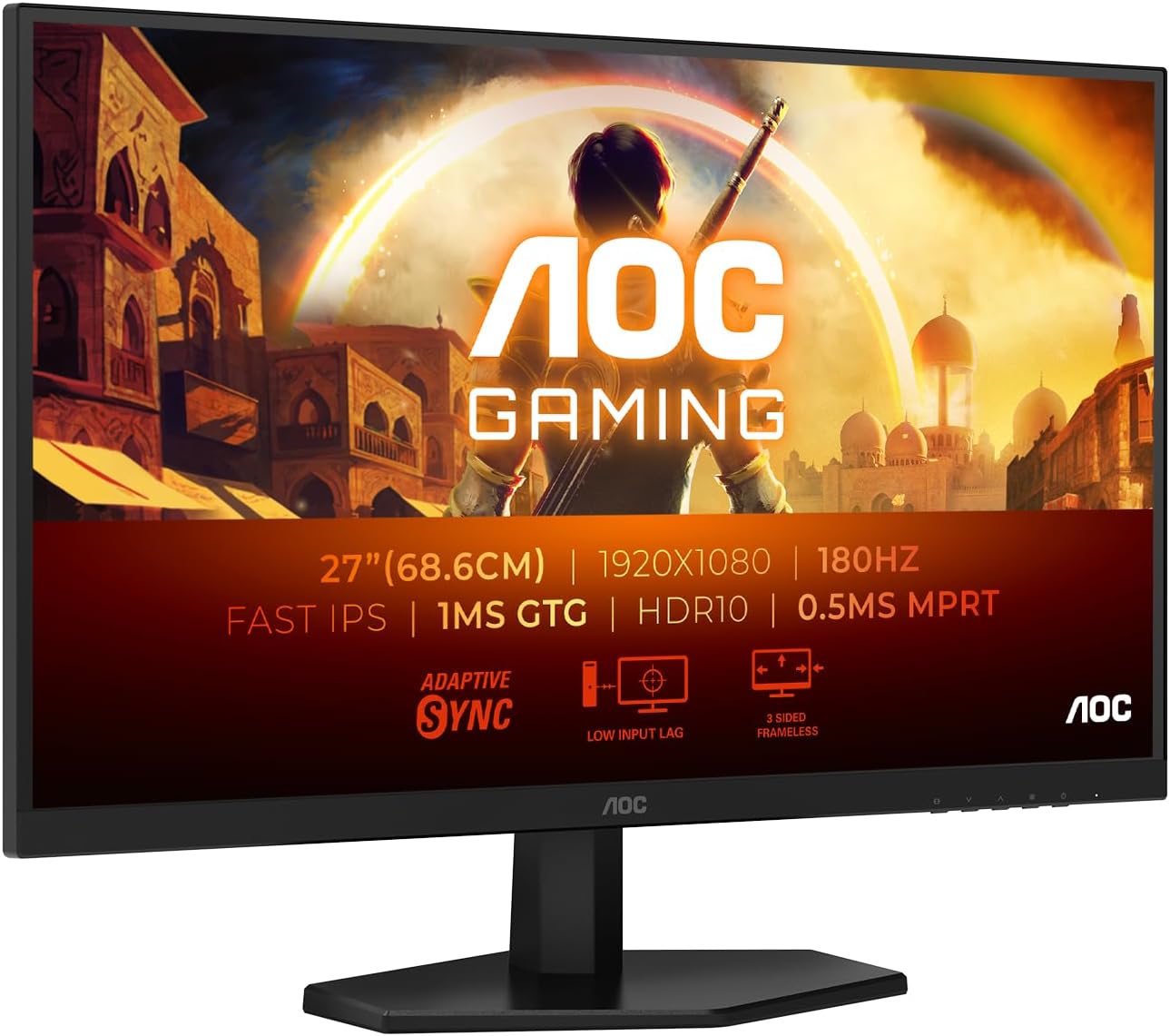
Figure 1.1: AOC Gaming 27G42E Monitor
The AOC Gaming 27G42E monitor is a 27-inch Full HD display, offering a 1920x1080 resolution, 180Hz refresh rate, and 1ms GtG response time for smooth and responsive visuals.
2. Sikkerhedsoplysninger
Læs venligst alle instruktioner omhyggeligt, inden du bruger skærmen. Gem denne manual til senere brug.
- Udsæt ikke skærmen for regn eller fugt.
- Åbn ikke skærmen casing; der er ingen dele indeni, som kan serviceres af brugeren.
- Brug kun den strømadapter, der følger med skærmen.
- Sørg for korrekt ventilation omkring skærmen.
- Clean the screen with a soft, lint-free cloth. Avoid using harsh chemicals.
3. Pakkens indhold
Bekræft at alle varer er til stede i din pakke:
- AOC Gaming 27G42E Monitor
- Strømkabel
- HDMI kabel
- DisplayPort-kabel
- Driver CD
- Garantikort
4. Opsætning
4.1 Samling af stativet
Carefully attach the monitor stand to the back of the display panel. Ensure it clicks securely into place or is fastened with the provided screws. For VESA mounting, remove the stand and attach a compatible 100x100mm VESA mount.

Figur 4.1: Forside view of the monitor, showing the display and stand.
This image displays the front of the AOC Gaming 27G42E monitor with its attached stand, ready for use.

Figur 4.2: Bagside view of the monitor, highlighting the VESA mount area and ports.
Bagsiden view of the AOC Gaming 27G42E monitor, showing the design and the central area for stand attachment or VESA mounting.
4.2 Tilslutning til en pc
Connect the monitor to your computer using either the HDMI or DisplayPort cable. For optimal performance, especially for 180Hz refresh rate, DisplayPort is recommended.
- HDMI-forbindelse: Connect one end of the HDMI cable to the HDMI 2.0 port on the monitor and the other end to the HDMI port on your computer.
- DisplayPort-forbindelse: Connect one end of the DisplayPort cable to the DisplayPort 1.4 port on the monitor and the other end to the DisplayPort on your computer.

Figure 4.3: Monitor Connectivity Ports
This diagram illustrates the available input ports on the AOC Gaming 27G42E monitor, including HDMI 1x2.0, DisplayPort, and Audio Out.
4.3 Strømtilslutning
Tilslut strømkablet til skærmens strømindgang, og sæt derefter den anden ende i en stikkontakt.
5. Betjening af monitoren
5.1 Tænd/sluk
Tryk på tænd/sluk-knappen på skærmen for at tænde eller slukke den. Strømindikatorlampen lyser, når skærmen er tændt.
5.2 Navigation på skærmen (OSD)
The monitor features an On-Screen Display (OSD) menu for adjusting various settings. Use the buttons on the monitor's bezel to navigate through the menu options. Alternatively, you can use the AOC G-Menu software for desktop control.

Figure 5.1: AOC G-Menu Software Interface
The AOC G-Menu software allows for convenient adjustment of monitor settings directly from your desktop, including game modes and display preferences.
5.3 Billedindstillinger
Adjust brightness, contrast, color temperature, and other visual settings through the OSD menu to optimize your viewing experience. The monitor supports HDR10 for enhanced dynamic range.
5.4 Spilfunktioner
- Opdateringshastighed (180Hz): Provides ultra-smooth motion for fast-paced games. Ensure your graphics card and connection support this refresh rate.
- Response Time (1ms GtG): Minimizes motion blur and ghosting for crisp visuals.
- AdaptiveSync: Synkroniserer skærmens opdateringshastighed med din GPU's billedhastighed for at eliminere skærmrivning og hakken.
- Lav inputforsinkelse: Reduces the delay between your input and the on-screen action, providing a more responsive gaming experience.
- Spiltilstande: Switch between pre-set modes for FPS, racing, or RTS games, or customize and save your own ideal settings.
- Flicker Free & Low Blue Mode: Technologies designed to reduce eye strain during extended use.

Figure 5.2: 1ms GtG Response Time
This image illustrates the benefit of a 1ms Gray-to-Gray (GtG) response time, showing significantly reduced motion blur compared to a 4ms response time.

Figure 5.3: Low Input Lag Advantage
This visual demonstrates the advantage of low input lag, showing a more immediate and precise response in gaming scenarios compared to higher input lag.
6. Vedligeholdelse
6.1 Rengøring af skærmen
Tør forsigtigt skærmen af med en blød, fnugfri klud. Fjern genstridige mærker ved atampen the cloth slightly with water or a mild, non-abrasive screen cleaner. Never spray liquid directly onto the screen.
6.2 Generel pleje
Keep the monitor away from direct sunlight, excessive heat, and humidity. Avoid placing heavy objects on the monitor or its cables. Disconnect the power cable before cleaning or moving the monitor.
7. Fejlfinding
- Ingen visning: Ensure the power cable is securely connected and the monitor is turned on. Check that the video cable (HDMI/DisplayPort) is firmly connected to both the monitor and your computer. Verify the correct input source is selected in the OSD menu.
- Flimrende skærm: Check the video cable connection. Ensure your graphics card drivers are up to date. Try adjusting the refresh rate in your computer's display settings.
- Forkert opløsning/opdateringshastighed: Ensure your computer's display settings are configured to 1920x1080 resolution and 180Hz refresh rate. Update your graphics card drivers.
- No Audio from Headphone Out: Ensure the audio cable from your PC is connected to the monitor's audio input (if applicable, or ensure audio is routed via HDMI/DP) and that the volume is not muted on the monitor or PC.
8. Specifikationer
| Feature | Specifikation |
|---|---|
| Mærke | AOC |
| Modelnummer | 27G42E |
| Skærmstørrelse | 27 tommer |
| Opløsning | 1920 x 1080 (Fuld HD) |
| Aspektforhold | 16:9 |
| Paneltype | Næsten IPS |
| Opdateringshastighed | 180 Hz |
| Svartid | 1 ms (GtG) |
| Kontrastforhold | 1000:1 |
| Lysstyrke | 300 cd/m² |
| Surface Description | Mat |
| Forbindelse | 1 x HDMI 2.0, 1 x DisplayPort 1.4, Audio Out |
| VESA-kompatibilitet | 100 x 100 mm |
| HDR-understøttelse | HDR10 |
| Adaptiv synkronisering | Ja |
| Strømforbrug (SDR) | 21.0 W |
| Strømforbrug (HDR) | 28.0 W |
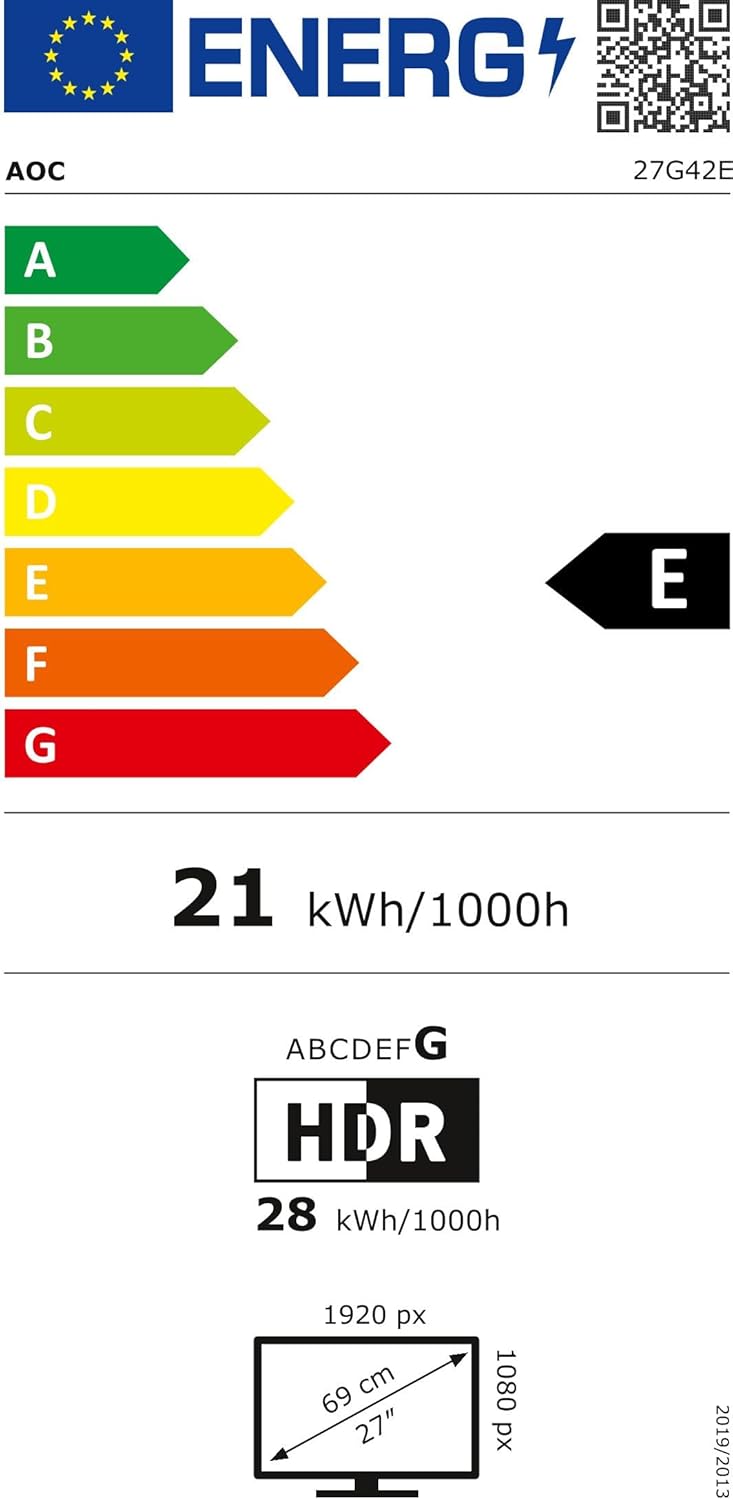
Figure 8.1: AOC Gaming 27G42E Energy Label
The energy label for the AOC Gaming 27G42E monitor, indicating its energy efficiency class and power consumption. More details can be found at https://eprel.ec.europa.eu/qr/2125815.
9. Garanti og support
Your AOC Gaming 27G42E monitor comes with a general guarantee of 3 years. Additionally, minimum guaranteed product support is available for 8 years from the date of placement on the market.
For technical support, warranty claims, or further assistance, please visit the official AOC webhjemmeside eller kontakt deres kundeservice:
- Fabrikant: AOC International
- Webwebsted: https://eu.aoc.com


