1. Introduktion
Thank you for choosing the RAINPOINT Wi-Fi Irrigation Computer. This smart irrigation system is designed to provide efficient and automated watering for your garden, ensuring optimal plant health while conserving water. With its advanced features, including app and voice control, a robust antenna gateway, and precise water flow monitoring, managing your irrigation has never been easier.

Image 1.1: The RAINPOINT Wi-Fi Irrigation Computer, its antenna gateway, and the accompanying smartphone application interface.
2. Pakkens indhold
Kontroller venligst, at alle nedenstående varer er inkluderet i din pakke:
- RAINPOINT Wi-Fi Irrigation Computer (2 Outlets)
- Wi-Fi Antenna Gateway
- Type-C USB-kabel
- Strømadapter
- Brugermanual
- Hurtig startvejledning
- PTFE tape

Image 2.1: All components included in the RAINPOINT Wi-Fi Irrigation Computer package.
3. Nøglefunktioner
- Gateway Upgrade: Equipped with the latest HWG023 antenna gateway for a more stable signal and reliable wireless coverage up to 150m. One gateway supports pairing with up to 39 timers.
- Ydeevneforbedring: Utilizes a solenoid valve for greater and more uniform water flow. Features a 100% brass water inlet for increased water pressure resistance, preventing thread wear and leaks, ensuring durability. IP65 waterproof design for enhanced weather resistance and longer lifespan.

Image 3.1: The irrigation computer demonstrating its IP65 waterproof and dustproof capabilities under water spray.
- Diverse Irrigation Options: Features 2 independent water valves, with up to 6 schedules configurable for each valve. Offers 3 irrigation modes: Normal Irrigation (1min–12h), Interval Irrigation (1s to 60min), and Cycle Irrigation (1min–12h). Provides 5 irrigation frequencies: daily, odd days, even days, weekly, or every 2 to 30 days, meeting various watering needs and improving irrigation efficiency.
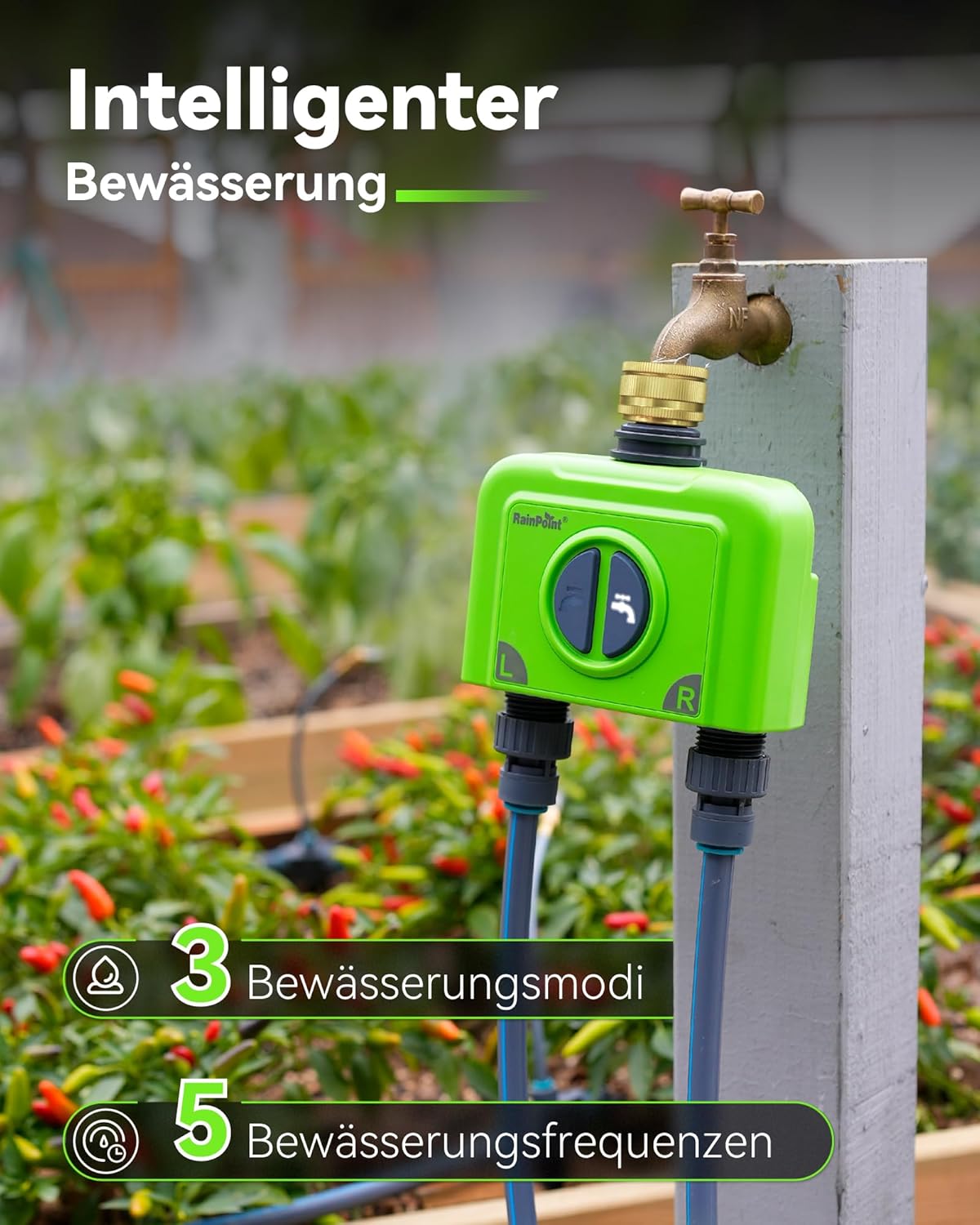
Image 3.2: Visual representation of the smart irrigation features, including 3 irrigation modes and 5 frequencies.
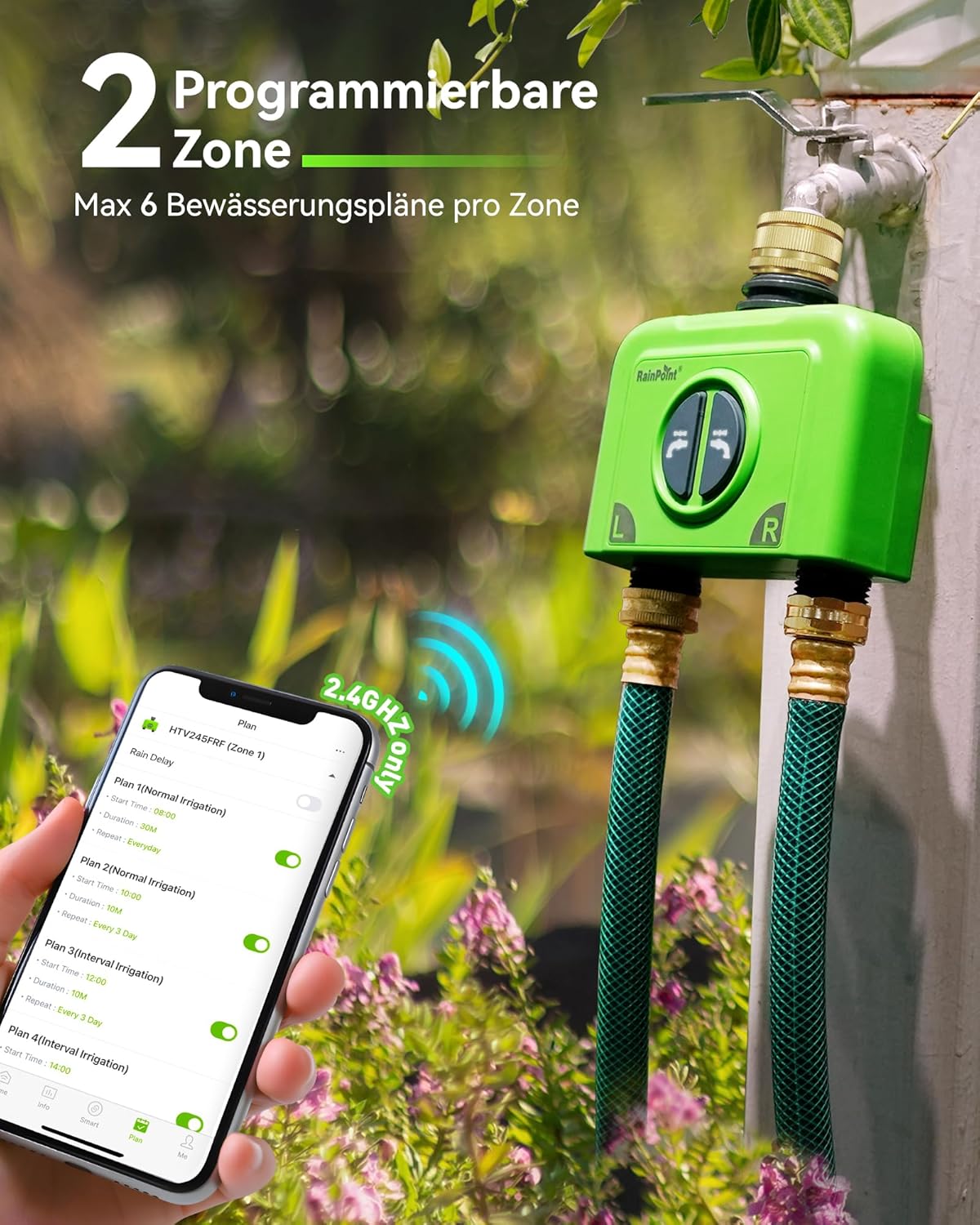
Image 3.3: The irrigation computer connected to a faucet, highlighting its two programmable zones and the app's scheduling interface.
- Weather-based Watering: The Wi-Fi irrigation computer can be set to synchronize with your local weather, automatically adjusting and executing the irrigation plan. For example, you can set delayed irrigation on rainy days or increased irrigation during high temperatures, ensuring worry-free watering and saving water and money.

Image 3.4: The irrigation computer in a garden setting, illustrating its ability to intelligently delay watering based on weather conditions like rain, snow, or cloudiness.
- APP Remote Control & Smart Voice Control: With the RainPoint app, you can remotely control the irrigation system from home or on the go, ensuring stable irrigation operation even when you are away. Compatible with Alexa and Google Assistant for hands-free voice control.

Image 3.5: A user interacting with a smart speaker to control the irrigation system via voice commands, compatible with Google Assistant and Amazon Alexa.
- Water Flow Monitoring: The irrigation controller features a built-in high-precision water flow meter, supporting water consumption query for 30 days/last 12 months. This allows you to understand daily/monthly water usage and duration, enabling you to create and adjust irrigation plans based on actual water consumption.

Image 3.6: The irrigation computer installed, with a graphical representation of water consumption data over time, indicating the built-in flow meter feature.
- Real-time Alarm Reminder Function: Through 24-hour flow monitoring, you will receive real-time app reminders for valve failure and low battery. You can check the device status (online/weak signal/offline) at any time via the app to prevent interruption of irrigation plans and waste of water resources.
4. Opsætning og installation
4.1 Strømforsyning til gatewayen
- Connect the Type-C USB cable to the Wi-Fi Antenna Gateway.
- Sæt strømadapteren i en almindelig stikkontakt.
- Ensure the gateway is placed within Wi-Fi range of your home router (2.4 GHz Wi-Fi only) and within effective range of the irrigation computer (up to 150m).
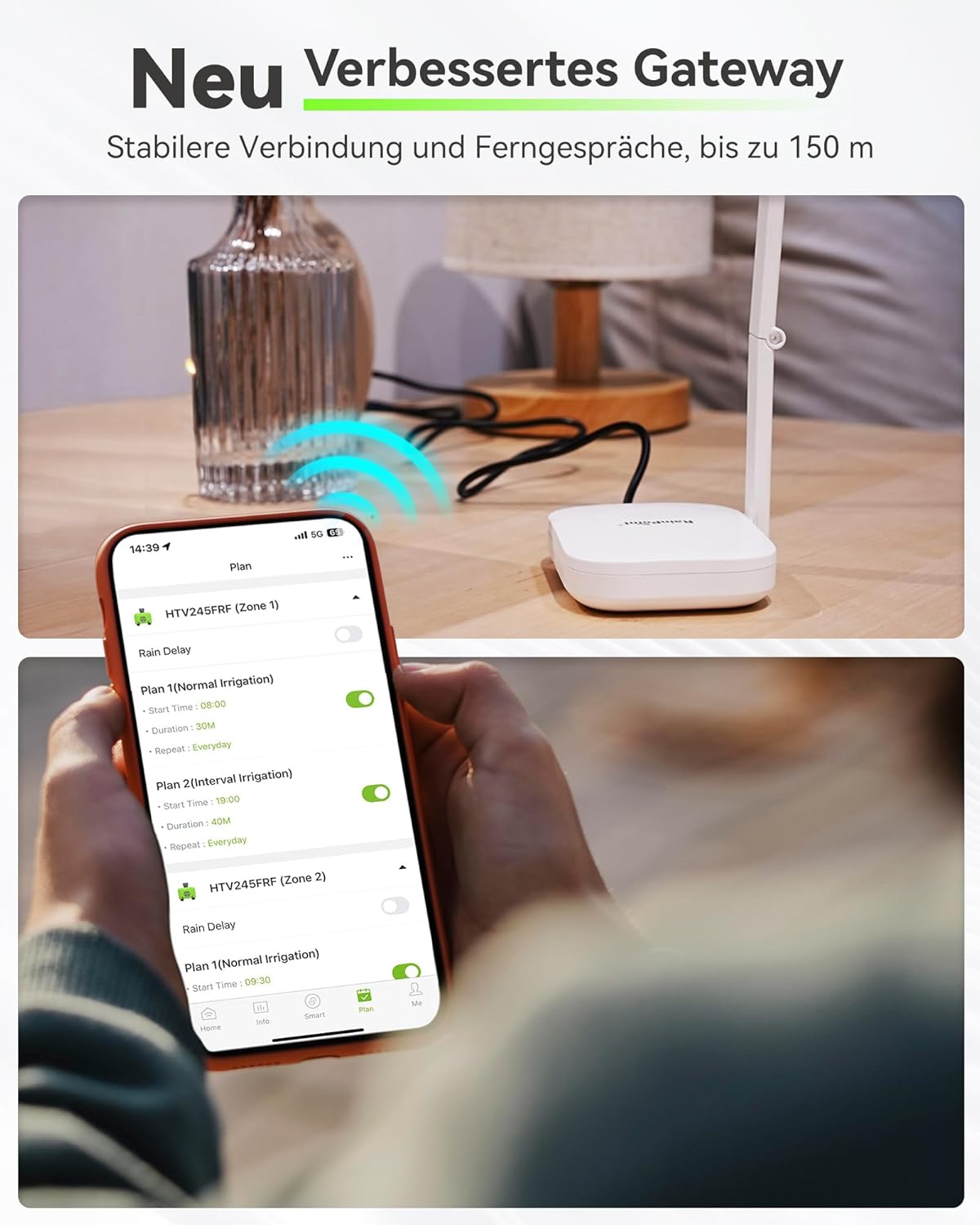
Image 4.1: The new improved gateway, demonstrating its stable connection and long-range communication capabilities.
4.2 Installing Batteries in the Irrigation Computer
The irrigation computer requires 4 AA batteries (not included). Ensure correct polarity when inserting the batteries.
4.3 Appinstallation og parring
- Download appen "RainPoint Home" fra din smartphones appbutik (iOS eller Android).
- Register or log in to your RainPoint account.
- Follow the in-app instructions to add the gateway to your account.
- Once the gateway is connected, add the irrigation computer as a sub-device through the app's pairing process.
4.4 Attaching to Faucet
Attach the irrigation computer to your outdoor faucet. The brass inlet ensures a secure and leak-free connection. Use the provided PTFE tape if necessary to prevent leaks.
5. Betjeningsvejledning
5.1 Scheduling Irrigation via App
The RainPoint Home app allows you to create detailed watering schedules for each of the two independent zones. You can set up to 6 plans per zone, choosing from various modes and frequencies.
- Normal Irrigation: Set a specific duration for watering.
- Interval Irrigation: Water for short bursts with pauses in between.
- Cycle Irrigation: Repeat watering cycles with soak times.
- Frekvenser: Daily, odd/even days, weekly, or custom intervals (2-30 days).
5.2 Manuel vanding
You can initiate manual watering directly from the device or through the app. Manual watering will not interfere with your programmed schedules.
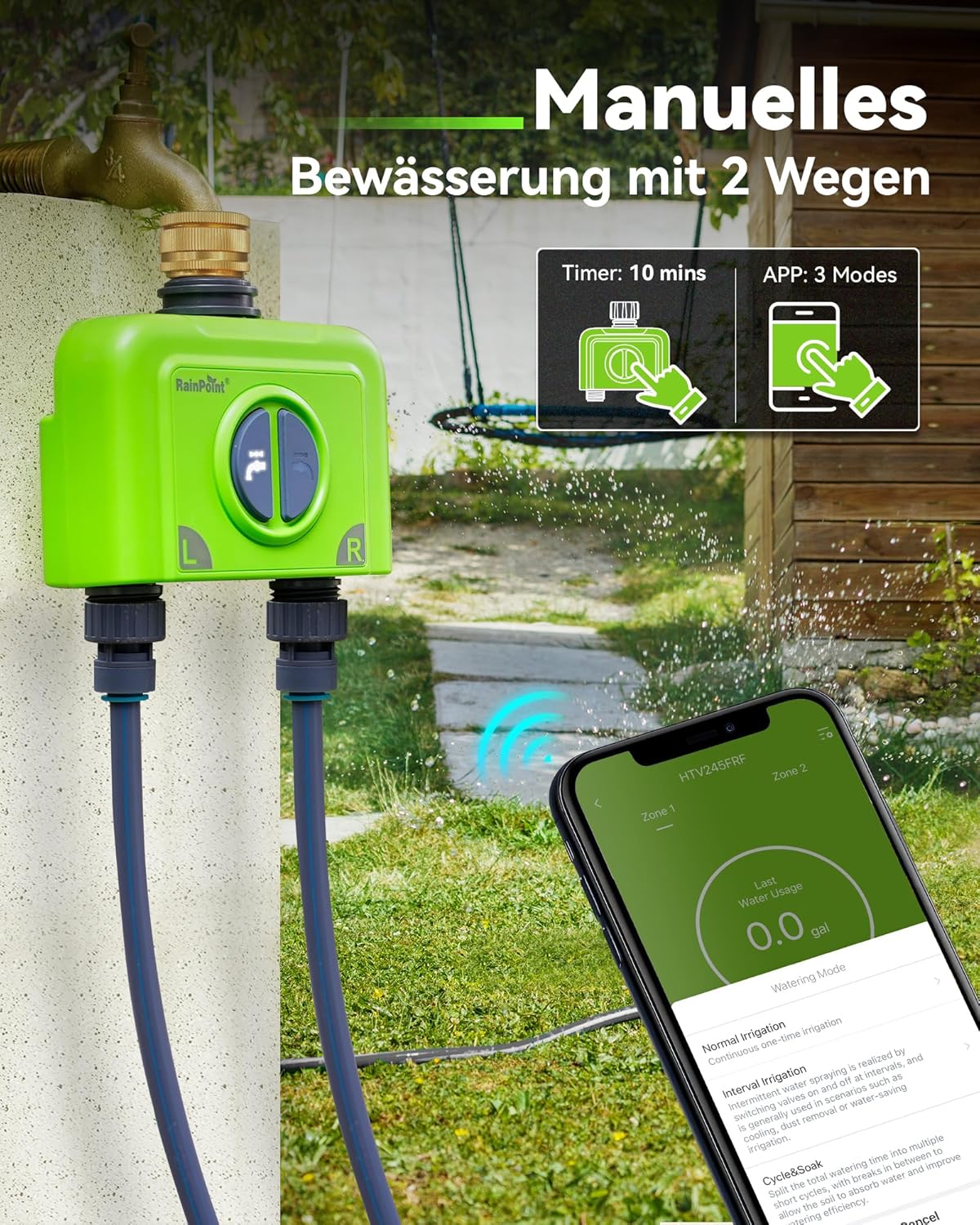
Image 5.1: The irrigation computer showing options for manual watering, either directly on the device or through the app.
5.3 Weather-Based Adjustments
Enable the weather-based watering feature in the app to automatically adjust schedules based on local weather forecasts. This can include delaying watering during rain or increasing it during hot periods.
5.4 Stemmekontrol
Integrate your RAINPOINT system with Amazon Alexa or Google Assistant for convenient voice control of your irrigation zones.
6. Vedligeholdelse
6.1 Udskiftning af batteri
When the app indicates a low battery warning, replace the 4 AA batteries in the irrigation computer promptly to ensure continuous operation. Access the battery compartment at the rear of the device.
6.2 Rengøring
Periodically clean the exterior of the irrigation computer with a damp cloth. Ensure no debris obstructs the water outlets or inlet.
6.3 Vinterisering
Before the first frost, disconnect the irrigation computer from the faucet. Remove batteries and store the device indoors in a dry, frost-free location to prevent damage from freezing water.
7. Fejlfinding
- Device Offline/Unstable Network:
- Ensure the gateway is powered on and within range of your 2.4 GHz Wi-Fi router.
- Verify the irrigation computer is within 150m of the gateway.
- Restart the gateway and the irrigation computer.
- Check your home Wi-Fi network stability.
- Hurtig batteriafladning:
- Ensure you are using high-quality alkaline batteries.
- Check for any leaks in your irrigation system that might cause the valve to open/close frequently.
- Ensure the gateway and timer have a strong signal connection to minimize communication power consumption.
- Irregular Valve Closure/No Water Flow:
- Kontroller batteriniveauet, og udskift det, hvis det er lavt.
- Ensure the water supply to the faucet is turned on.
- Inspect the brass inlet for any debris or blockages.
- Kontakt kundesupport, hvis problemet fortsætter.
- Water Consumption Reading is 0 (for drip irrigation):
- The built-in flow meter may have a minimum flow rate requirement. Very low flow rates typical of some drip irrigation systems might not be accurately registered. This is normal behavior for extremely low flow.
8. Specifikationer
| Attribut | Værdi |
|---|---|
| Mærke | REGNPUNKT |
| Modelnummer | B245-023-BSP |
| Farve | Grøn |
| Produktdimensioner | 14.3 x 18.8 x 8.2 cm |
| Varens vægt | 820 g |
| Materiale | Messing |
| Vandtæt vurdering | IP65 |
| Antal indstillinger | 20 (referring to programmable options) |
| Gateway Range | Op til 150 m (492 fod) |
| Wi-Fi-kompatibilitet | Kun 2.4 GHz |
9. Garanti og support
RAINPOINT offers a 5-year extended warranty for this product, exceeding the standard warranty period of many competitors. For technical support, troubleshooting assistance, or warranty claims, please refer to the contact information provided in your Quick Start Guide or visit the official RAINPOINT webwebsted.


