Indledning
The infiniity DM56 Sport Smartwatch is designed to enhance your active lifestyle by providing comprehensive fitness and health tracking capabilities. Featuring a vibrant 1.43-inch AMOLED HD display, built-in GPS, and extensive health monitoring, this smartwatch is a reliable companion for both daily wear and rigorous activities. This manual provides essential information for setting up, operating, and maintaining your DM56 smartwatch.
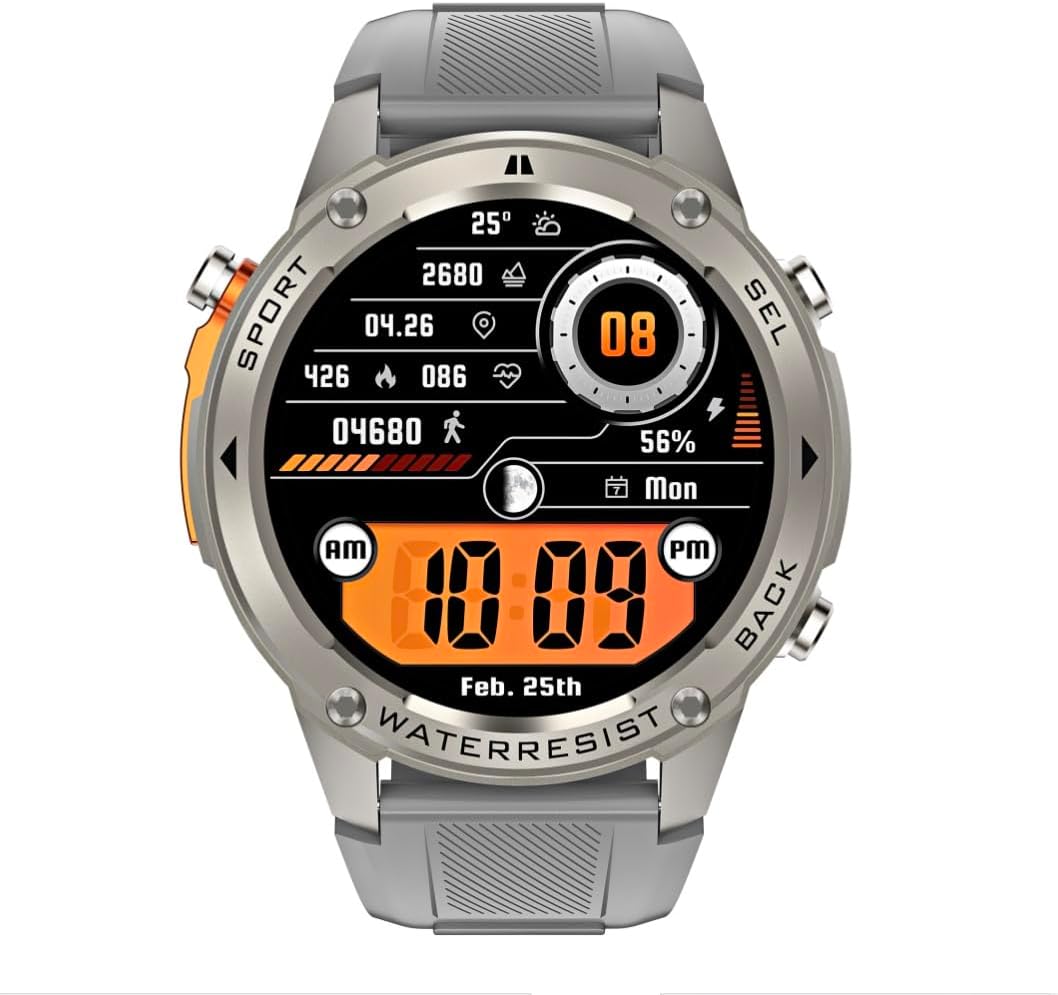
Billede: Forside view of the infiniity DM56 Sport Smartwatch, displaying a digital watch face with time, date, activity data, and battery level. The watch features a silver bezel and a light grey silicone strap.
Sikkerhedsoplysninger
- Forsøg ikke at skille enheden ad eller ændre den. Dette kan ugyldiggøre garantien og forårsage skade.
- Hold enheden væk fra ekstreme temperaturer, direkte sollys og ætsende væsker.
- Undgå at udsætte enheden for kraftige stød eller fald.
- Rådfør dig med en læge, før du starter et nyt træningsprogram, især hvis du har eksisterende helbredsproblemer.
- The device is 5ATM waterproof, suitable for swimming and showering, but not for diving or high-pressure water activities.
- Use only the provided charging cable and a compatible power adapter (5V, 0.5A) to prevent damage.
Hvad er der i æsken
- infiniity DM56 Sport Smartwatch
- Ladekabel
- Brugervejledning (dette dokument)
Opsætning
1. Opladning af smartwatchet
Before first use, fully charge your DM56 smartwatch. Connect the magnetic charging cable to the charging contacts on the back of the watch and plug the USB end into a power source (e.g., computer USB port or a 5V/0.5A USB power adapter).

Billede: Bagside view of the DM56 smartwatch, highlighting the optical heart rate sensor and magnetic charging contacts. The watch features a light grey silicone strap.
The watch display will show the charging status. A full charge typically takes approximately 2 hours.
2. Appinstallation og parring
To unlock the full functionality of your DM56 smartwatch, you need to download and install the companion application on your smartphone.
- Download appen: Søg efter the "infiniity Fit" app (or similar, check packaging for exact name) in the Apple App Store (for iOS 11 and above) or Google Play Store (for Android 5.0 and above).
- Opret konto: Åbn appen, og følg instruktionerne på skærmen for at oprette en ny brugerkonto eller logge ind, hvis du allerede har en.
- Aktiver Bluetooth: Sørg for, at Bluetooth er aktiveret på din smartphone.
- Par enhed: In the app, navigate to the "Device" or "Add Device" section. The app will scan for available smartwatches. Select "DM56" from the list of discovered devices.
- Bekræft parring: Der kan blive vist en parringsanmodning på både din telefon og dit smartwatch. Bekræft parringen på begge enheder.
- Komplet opsætning: Når parringen er afsluttet, vil appen guide dig gennem de indledende indstillinger, f.eks. personlig profile, notification preferences, and health monitoring permissions.
Betjeningsvejledning
1. Grundlæggende navigation
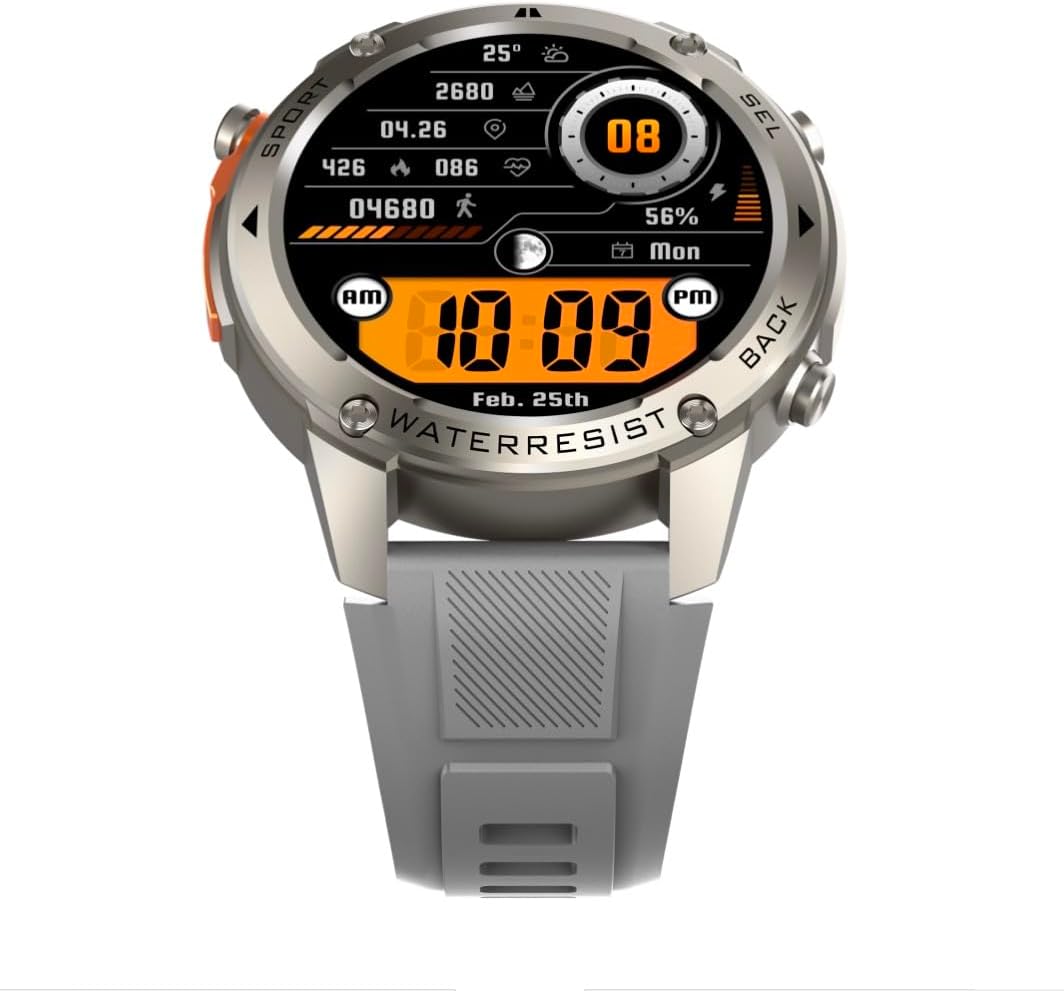
Billede: Forside view of the DM56 smartwatch, showcasing its 1.43-inch AMOLED display with a digital watch face showing time, date, steps, heart rate, and battery level. The watch has a silver bezel and light grey strap.
- Touchskærm: Swipe left/right to navigate between main screens (e.g., activity, heart rate, weather). Swipe up to access notifications. Swipe down to access quick settings. Tap to select an item or enter a menu.
- Sideknapper: The DM56 features multiple physical buttons.
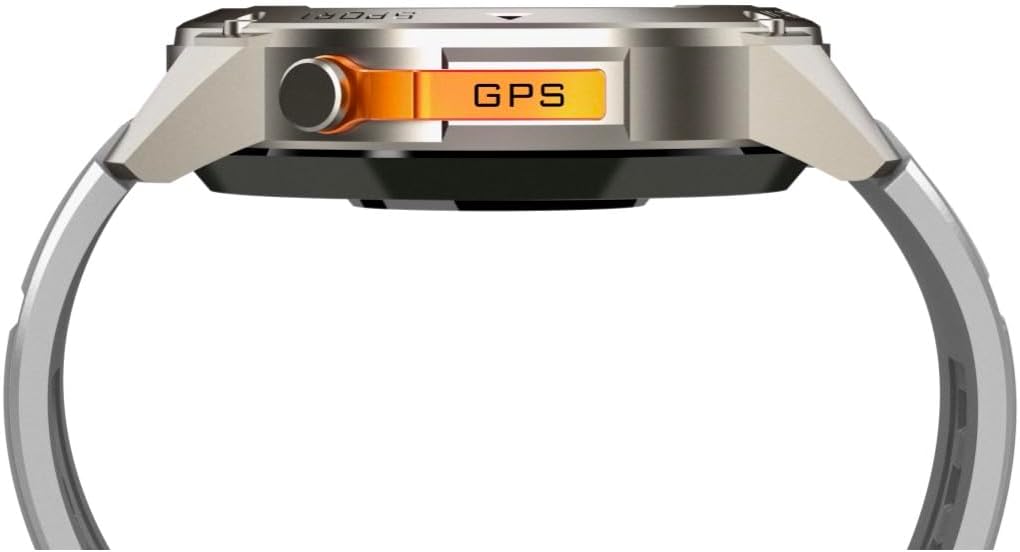
Billede: Side view of the DM56 smartwatch, highlighting the orange "GPS" button on the right side of the watch case. This button is used for quick access to GPS functions or sport modes.
- Tænd/Hjem-knap: Typically located on the top right. Press to wake/sleep the screen, or long-press to power on/off. From any screen, press to return to the watch face.
- Sport/GPS Button: Often highlighted (e.g., orange). Press to quickly launch sport modes or activate GPS.
- Select/Back Buttons: Used for navigating menus, confirming selections, or going back to the previous screen. Refer to the on-screen prompts for specific button functions.
2. Skærmfunktioner
The 1.43-inch AMOLED display offers vibrant colors and deep blacks. It supports an Always-On Display (AOD) mode, allowing you to see the time and essential information without raising your wrist or tapping the screen. AOD settings can be configured in the companion app.
3. Sundhedsovervågning
The DM56 smartwatch is equipped with the VC30F sensor for comprehensive health tracking:
- Heart Rate Monitoring: Kontinuerlig pulsmåling giver indsigt i din kardiovaskulære sundhed. View realtidsdata på uret eller detaljerede trends i appen.
- Overvågning af blodilt (SpO2): Måler iltmætningen i dit blod.
- Søvnovervågning: Automatically tracks your sleep stages (deep, light, REM) and provides a sleep quality score.
- Stresssporing: Overvåger dit stressniveau i løbet af dagen.
- Skridttæller: Tæller dine daglige skridt, distance og forbrændte kalorier.
Bemærk: Sundhedsovervågningsdata er kun til reference og bør ikke bruges til medicinsk diagnose eller behandling.
4. Sportstilstande og GPS
The DM56 supports over 170 sports modes, with 14 built-in modes and the ability to add more via the app. It features L1+L5 dual-frequency GPS and multi-system positioning (GPS, GLONASS, BDS, Galileo, NAVIC, QZSS) for accurate outdoor activity tracking.
- Start af træning: Press the Sport/GPS button or navigate to the "Workout" menu on the watch. Select your desired activity (e.g., Outdoor Running, Cycling).
- GPS-optagelse: For outdoor activities, ensure you are in an open area for faster GPS signal acquisition. The watch will indicate when GPS is ready.
- During Workout: The watch will display real-time metrics such as duration, distance, pace, heart rate, and calories burned.
- Ending a Workout: Press the appropriate button or swipe on the screen to pause or end the workout. Confirm to save the data. Detailed workout summaries are available in the app.
5. Smart Notifications and Calls
Once paired with your smartphone, the DM56 can receive notifications for calls, SMS messages, and various apps. You can answer or reject calls directly from the watch.
- Enabling Notifications: Configure which app notifications you wish to receive in the companion app settings.
- Viewing Notifications: Stryg opad på urskiven for at view nylige notifikationer.
- Besvarelse/afvisning af opkald: When an incoming call arrives, tap the green icon to answer or the red icon to reject. The watch uses its built-in microphone and speaker for calls.
6. Vandtæthed (5ATM)
The DM56 has a 5ATM waterproof rating, meaning it can withstand water pressures equivalent to a depth of 50 meters. It is suitable for swimming in pools or shallow water, showering, and daily use. It is not recommended for diving, snorkeling, or high-speed water sports.
- Betjen ikke knapper under vandet.
- Efter udsættelse for saltvand, skyl uret med ferskvand og tør det grundigt.
Opretholdelse
- Rensning: Rengør regelmæssigt urkassen og remmen med en blød, damp cloth. For the charging contacts and sensors on the back, use a dry cotton swab to remove any dust or debris.
- Udskiftning af rem: The silicone straps are replaceable. Refer to the quick-release pins on the underside of the strap for removal and attachment.
- Softwareopdateringer: Periodically check the companion app for firmware updates. Updates often include performance improvements, bug fixes, and new features. Ensure your watch is sufficiently charged before starting an update.
- Opbevaring: Hvis uret opbevares i længere tid, skal det oplades til ca. 50% og opbevares et køligt og tørt sted.
Fejlfinding
| Problem | Mulig løsning |
|---|---|
| Uret vil ikke tænde. | Sørg for, at uret er fuldt opladet. Tilslut det til opladningskablet og en strømkilde i mindst 30 minutter. |
| Kan ikke parres med smartphone. |
|
| Notifikationer ikke modtaget. |
|
| Unøjagtige sundhedsdata. |
|
| GPS signal acquisition is slow. |
|
Specifikationer
| Feature | Detalje |
|---|---|
| Modelnavn | DM 56 |
| Mærke | Uendelighed |
| Vise | 1.43 Inches AMOLED, 466x466 pixels |
| Sensorer | Heart Rate (VC30F), Accelerometer (STK8321), Magnetometer (Compass), Barometer+Altitude (SPL07-03) |
| Forbindelse | Bluetooth 5.3 |
| Batterikapacitet | 500 mAh (lithium-ion) |
| Vandtæt niveau | 5 ATM (op til 50 meter) |
| GPS | Built-in GPS (L1+L5 dual-frequency), Multi-System Positioning (GPS, GLONASS, BDS, Galileo, NAVIC, QZSS) |
| Kompatibilitet | Android 5.0+ and iOS 11 and above |
| Speciel funktion | AMOLED Always-On Display |
| Varens vægt | 0.65 ounce |
| Pakkedimensioner | 4.25 x 4.25 x 2.8 tommer |
Garanti og support
For warranty information and technical support, please refer to the official Infinity webwebstedet eller kontakt deres kundeservice direkte. Gem din købskvittering som købsbevis i tilfælde af garantikrav.
Fabrikant: Infiniity


