1. Introduktion
This user manual provides comprehensive instructions for the Callsky 10-inch Wi-Fi Tablet, Model Ctab 10. Please read this manual carefully before using your device to ensure proper operation and to maximize its features. Keep this manual for future reference.
2. Produktet er slutview
2.1 Pakkens indhold
Når du åbner pakken, skal du kontrollere, at alle nedenstående varer er til stede:
- Callsky Ctab 10 Tablet
- USB Type-C opladerkabel
- Strømadapter
- Brugermanual (japansk)

Image: Package contents including the tablet, charging cable, power adapter, and user manual.
2.2 Enhedskomponenter
Familiarize yourself with the physical layout and ports of your tablet:
- Forreste kamera: 5MP til videoopkald og selfies.
- Bagkamera: 8MP with autofocus for high-resolution photos.
- Power knap: Placeret på siden til at tænde/slukke enheden og låse skærmen.
- Lydstyrkeknapper: Juster lydniveauer.
- USB Type-C-port: Til opladning og dataoverførsel.
- 3.5 mm hovedtelefonstik: Til lydudgang.
- Dobbelte højttalere: For en forbedret lydoplevelse.
- MicroSD -kortplads: Til lagerudvidelse op til 2 TB.

Billede: Overview of tablet features including face recognition, wireless projection, and physical dimensions.
2.3 Nøglefunktioner
- Letvægtsdesign: Ultra-thin at 8.7mm and weighing 425g for easy portability.
- Android 14 OS: Enhanced privacy, personalized settings, and improved user experience.
- Høj ydeevne: 1.8GHz Allwinner A523 Octa-core processor and Mali-G57 GPU for smooth multitasking, gaming, and HD video.
- Hukommelse og opbevaring: 3GB RAM + 9GB virtual memory, 128GB internal storage, expandable up to 2TB via MicroSD.
- Levende skærm: 10.1-inch 1280x800 Incell IPS display with eye protection mode and Widevine L1 support for high-quality streaming.
- Forbindelse: Wi-Fi 6 and Bluetooth 5.4 for stable and high-speed connections.
- Avancerede funktioner: Wireless projection, face recognition, and split-screen functionality.
- Langtidsholdbart batteri: 6000mAh battery for extended use.

Image: Visual summary of the tablet's core specifications and features.
3. Opsætning
3.1 Første opstart og grundlæggende indstillinger
- Press and hold the Power button until the Callsky logo appears.
- Follow the on-screen prompts to select your language (e.g., English).
- Connect to a Wi-Fi network. Select your network from the list and enter the password if required.
- Review and accept the Google Services terms.
- Set up a screen lock (PIN, pattern, or password) for security. You can skip this step and set it up later.
- Complete the remaining setup steps as guided by the Android 14 interface.
3.2 Indsættelse af et MicroSD-kort
Sådan udvider du din tablets lagerplads:
- Find MicroSD-kortstikket på siden af tabletten.
- Sæt forsigtigt MicroSD-kortet i stikket, indtil det klikker på plads. Sørg for, at kortet vender korrekt.
- Tabletten vil registrere den nye lagerplads. Du bliver muligvis bedt om at formatere kortet for optimal brug med enheden.
4. Betjeningsvejledning
4.1 Grundlæggende navigation
- Berøringsbevægelser: Tryk for at vælge, swipe for at rulle, knib for at zoome.
- Startskærm: Få adgang til apps, widgets og notifikationer.
- Meddelelser: Stryg ned fra toppen af skærmen til view notifikationer og hurtigindstillinger.
4.2 Hukommelses- og lagerstyring
The tablet comes with 3GB of physical RAM and 9GB of virtual memory, totaling 12GB, along with 128GB of internal storage. You can expand storage up to 2TB using a MicroSD card.
- To check storage: Go to Indstillinger > Lager.
- To manage apps: Go to Indstillinger > Apps.

Image: Details on memory and storage, including RAM, internal storage, and MicroSD expansion.
4.3 Display og visuel oplevelse
The 10.1-inch 1280x800 Incell IPS display provides clear and vibrant visuals. It supports Widevine L1 for high-definition streaming from platforms like Netflix and YouTube.
- Øjenbeskyttelsestilstand: Activate this mode in settings to reduce blue light and eye strain during prolonged use.
- Opdelt skærm: Use two applications simultaneously for enhanced productivity.

Image: Tablet demonstrating Widevine L1 support for streaming services.
4.4 Forbindelse
The tablet supports Wi-Fi 6 and Bluetooth 5.4 for reliable and fast wireless connections.
- Wi-Fi: Connect to 2.4G or 5G networks. Go to Indstillinger > Netværk og internet > Wi-Fi at administrere forbindelser.
- Bluetooth: Pair with wireless devices like headphones or keyboards. Go to Indstillinger > Forbundne enheder > Bluetooth.
- Trådløs projektion: Share your screen with compatible displays. Access this feature from the quick settings panel.
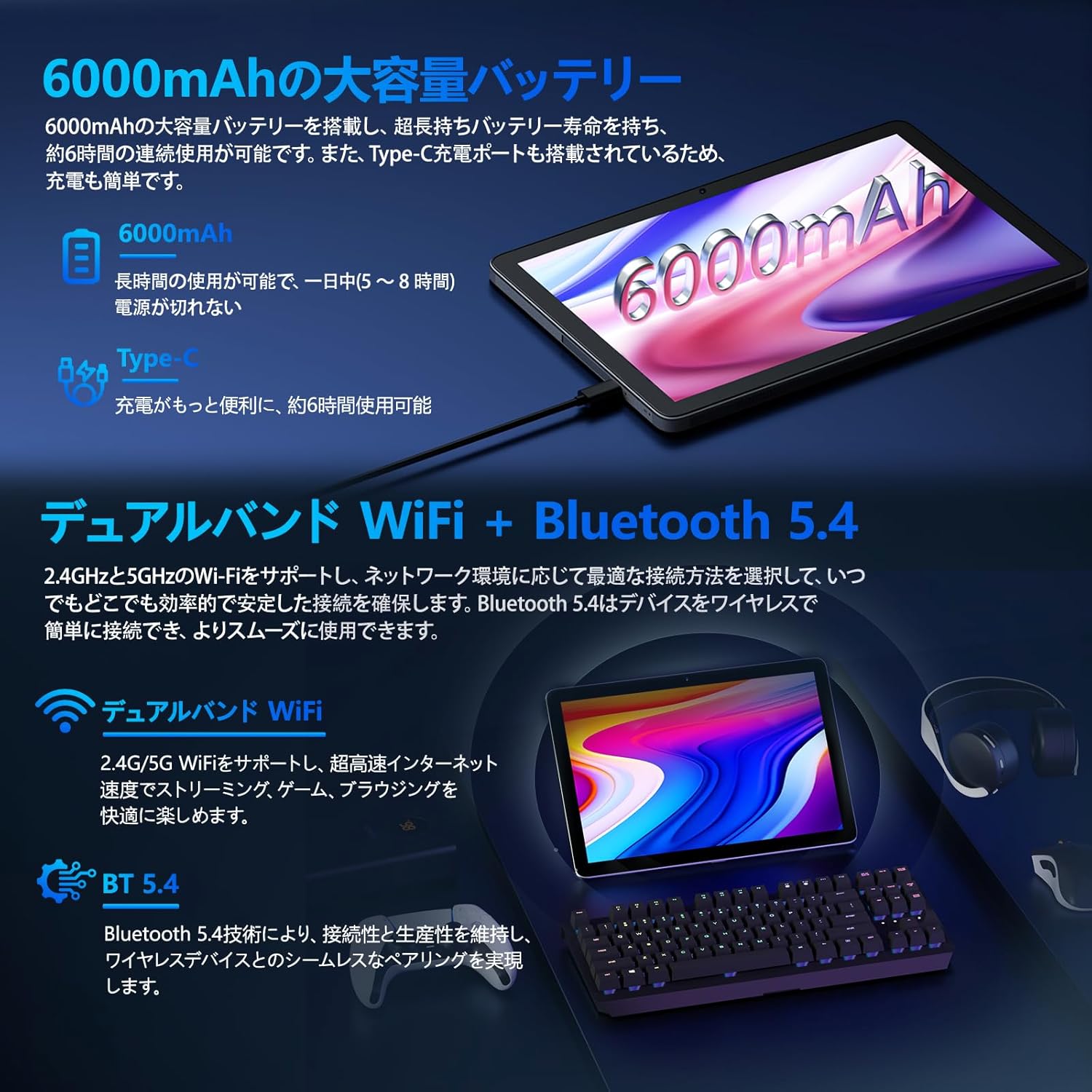
Image: Tablet highlighting battery capacity, Type-C charging, Wi-Fi, and Bluetooth features.
4.5 kameraer
The tablet features a 5MP front camera and an 8MP rear camera with autofocus, suitable for video calls and capturing photos.
- Åbn Kamera-appen for at tage billeder eller optage videoer.
- Ansigtsgenkendelse: Use the front camera for quick and secure unlocking. Set this up in Indstillinger > Sikkerhed og privatliv > Ansigtslåsning.

Image: Illustration of the tablet's front and rear cameras and their resolutions.
4.6 Kids Mode (Parental Controls)
The tablet includes a dedicated Kids Mode and parental control features to ensure a safe and controlled environment for children.
- Access Kids Mode to provide curated content and limit screen time.
- Parents can manage app usage and content access through parental control settings.
4.7 sensorer
The tablet is equipped with various sensors for enhanced functionality:
- GPS: Til lokationstjenester og navigation.
- Geomagnetisk sensor: Functions as a compass.
- Nærhedssensor: Prevents unintended screen operations.
- Omgivende lyssensor: Justerer automatisk skærmens lysstyrke.
- Gyroskop: For tilt operations and AR applications.
- Accelerometer: Detects tilt, shock, and movement.
5. Vedligeholdelse
5.1 Pleje af batterier
The 6000mAh battery provides long usage times. To prolong battery life:
- Undgå ekstreme temperaturer.
- Lad ikke batteriet aflades helt for ofte.
- Brug den medfølgende oplader og kabel.
- Optimize battery usage in Indstillinger > Batteri.

Image: Tablet connected to a Type-C charger, highlighting the 6000mAh battery.
5.2 Rengøring
Brug en blød, fnugfri klud til at rengøre skærmen og tablettens kabinet. Undgå at bruge skrappe kemikalier eller slibende materialer.
6. Fejlfinding
Hvis du støder på problemer med din tablet, kan du se følgende almindelige problemer og løsninger:
| Problem | Mulig årsag/løsning |
|---|---|
| Tabletten tænder ikke | Sørg for, at batteriet er opladet. Tilslut opladeren, og vent et par minutter, før du forsøger at tænde igen. |
| Skærmen reagerer ikke | Restart the tablet by holding the power button. If unresponsive, force restart by holding the power button for a longer duration (e.g., 10-15 seconds). |
| Problemer med Wi-Fi-forbindelse | Tjek om Wi-Fi er aktiveret i indstillingerne. Genstart din router. Glem netværket, og genopret forbindelse. |
| Device overheating / unexpected shutdowns | Close background applications. Avoid using the tablet in direct sunlight or hot environments. If the issue persists, contact customer support. |
| Apps går ned eller fryser | Ryd appens cache (Indstillinger > Apps > [Appnavn] > Lagerplads og cache > Ryd cache). Opdater appen. Geninstaller appen. |
| Langsom ydeevne | Luk unødvendige baggrundsapps. Ryd cache og midlertidige files. Ensure sufficient storage space. |
If the problem persists after trying these solutions, please contact Callsky customer support.
7. Specifikationer
| Feature | Detalje |
|---|---|
| Mærke | Callsky |
| Modelnavn | Ctab 10 |
| Operativsystem | Android 14 |
| Skærmstørrelse | 10.1 tommer |
| Skærmopløsning | 1280x800 pixels (Incell IPS) |
| CPU | Allwinner A523 Octa-core (1.8 GHz) |
| GPU | Mali-G57 (Integrated) |
| VÆDDER | 3GB Physical + 9GB Virtual (Total 12GB) |
| Intern opbevaring | 128 GB |
| Udvidelig opbevaring | Op til 2 TB via MicroSD-kort |
| Bagkamera | 8 MP |
| Forreste kamera | 5 MP |
| Wi-Fi | Wi-Fi 6 (802.11ac, 802.11b, 802.11g, 802.11n) |
| Bluetooth | Bluetooth 5.4 |
| Batterikapacitet | 6000mAh (22.8 Watt-hours, 1 Lithium Polymer cell) |
| Opladningsport | Type-C |
| Dimensioner | 32.4 x 20.3 x 3.4 cm |
| Vægt | 425 g |
| Certificeringer | GMS Certified, PSE Certified |
8. Garanti og support
The Callsky Ctab 10 tablet comes with a 2 års garanti. This warranty covers manufacturing defects and ensures long-term reliability.
8.1 Kundesupport
If you encounter any issues or have questions regarding your Callsky tablet, please contact our customer support team. We are committed to providing prompt assistance.
- Kontaktmetode: Refer to your purchase platform (e.g., Amazon) for specific contact details. Typically, you can find seller contact information through your order history.
- Svartid: We aim to respond to inquiries within 24 hours on weekdays and within 48-72 hours on weekends or holidays.
Please have your product model (Ctab 10) and purchase details ready when contacting support.


