1. Introduktion
Thank you for choosing the EWEADN GX710S Backlit Wired Computer Keyboard. This manual provides essential information for setting up, operating, and maintaining your new keyboard. Designed for comfort and efficiency, the GX710S features a simple white backlight, quiet water drop pudding keycaps, and a durable metal panel, ensuring a smooth and enjoyable typing experience.
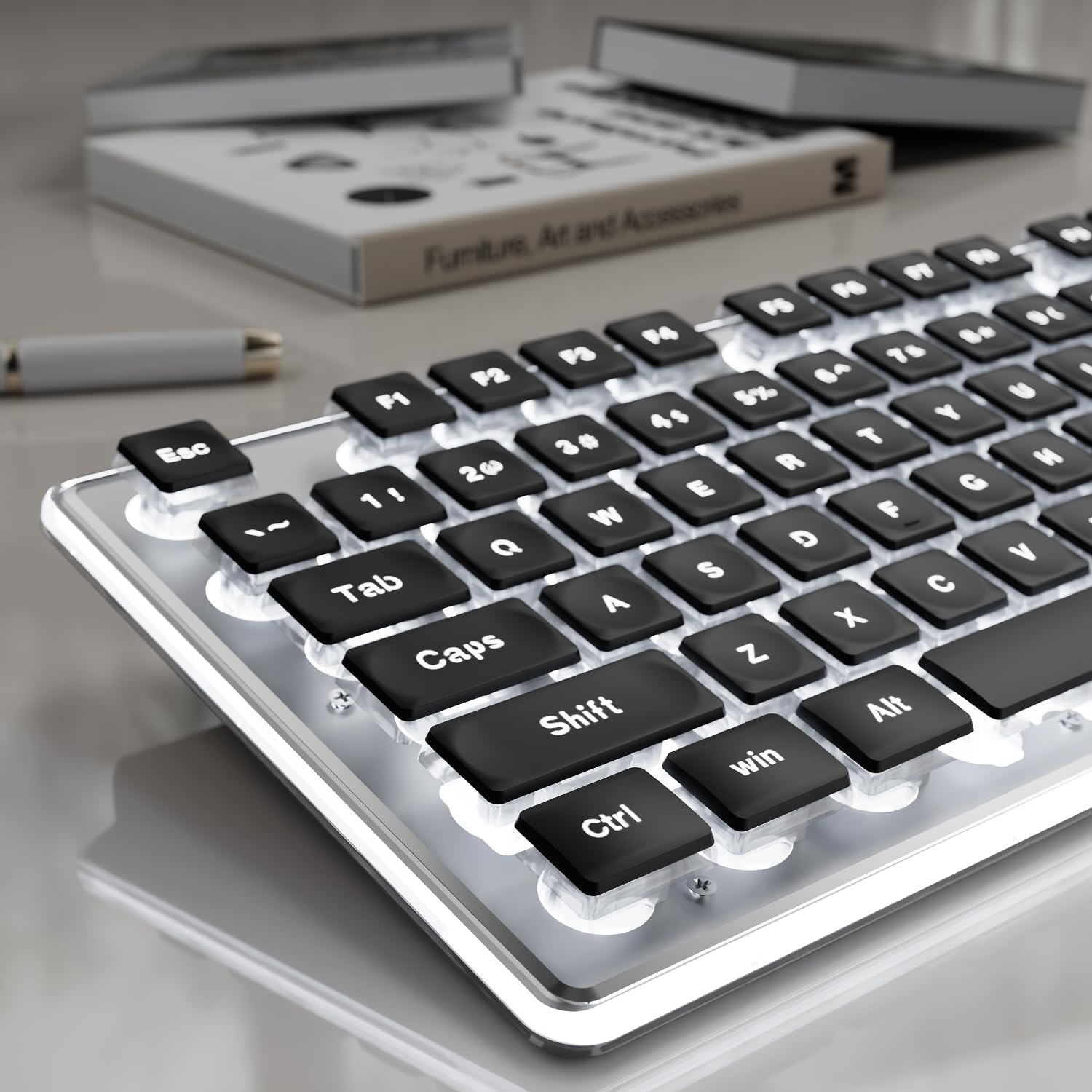
Figure 1: EWEADN GX710S Backlit Wired Computer Keyboard.
2. Opsætning
The EWEADN GX710S keyboard is designed for plug-and-play functionality, requiring no additional software installation.
- Locate the USB-A connector on the keyboard's cable.
- Plug the USB-A connector into an available USB port on your computer (PC, desktop, laptop, or notebook).
- The keyboard will automatically be recognized by your operating system (Windows, Linux, Chrome, Mac) and will be ready for use.
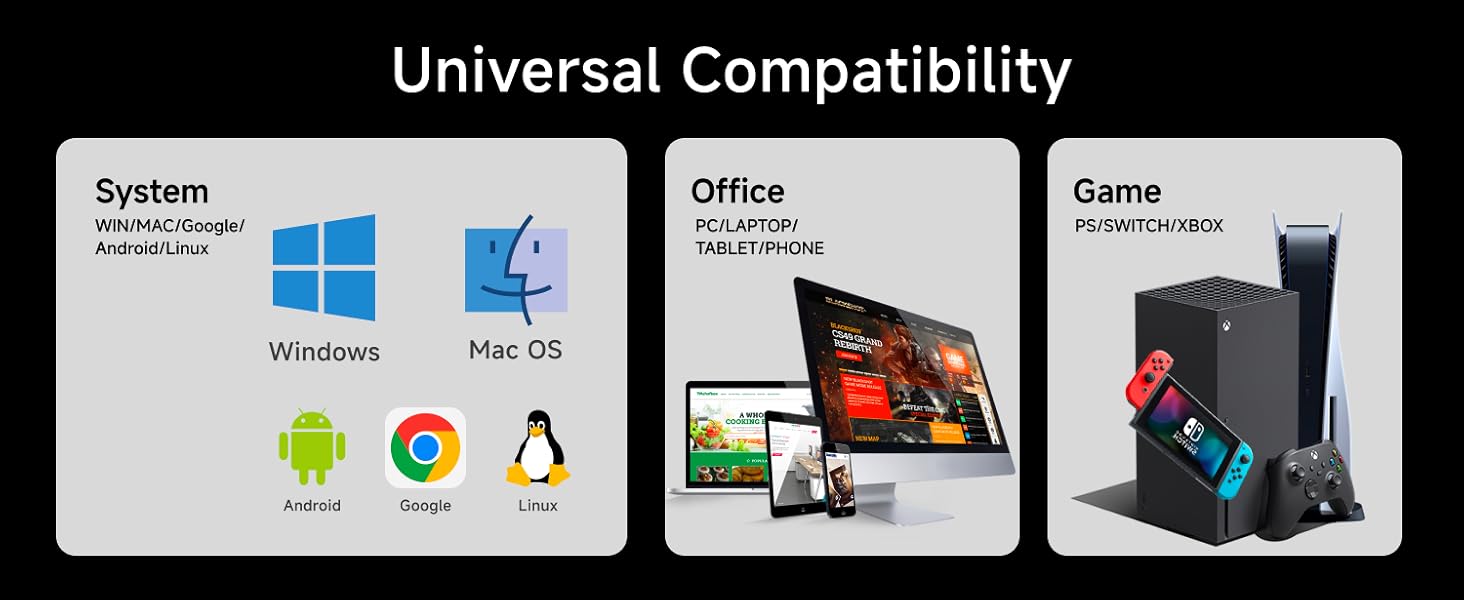
Figure 2: Keyboard connected to a computer via USB.
3. Betjeningsvejledning
3.1 Backlight Control
The GX710S features a simple white backlight with adjustable brightness and on/off functionality.
- Juster lysstyrke: Trykke FN + PU for at øge lysstyrken. Tryk på FN + PD to decrease brightness. There are 5 levels of brightness.
- Tænd/sluk baggrundslys: Trykke FN + Menu key for at tænde eller slukke baggrundsbelysningen.

Figure 3: Backlight adjustment keys (FN+PU/PD) and on/off (FN+Menu key).
3.2 Nøglefunktioner
- 26-nøgle Anti-ghosting: This feature allows up to 26 keys to be pressed simultaneously without conflict, ensuring accurate and responsive input, especially beneficial for gaming and fast typing.
- Multimedienøgler: The keyboard includes various function keys (F1-F12) that can be combined with the FN key to access multimedia controls and other shortcuts. Refer to your operating system's documentation for specific FN key combinations.
4. Funktioner
4.1 Water Drop Pudding Keycaps & Quiet Operation
The GX710S features upgraded suspended water drop pudding keycaps. This design enhances light transmittance, making the white backlight more prominent. The concave and convex surface of the keycaps is designed for comfortable fingertip placement, reducing typing fatigue. The membrane structure contributes to a quiet typing experience, reducing noise by approximately 95% (37db-48db).
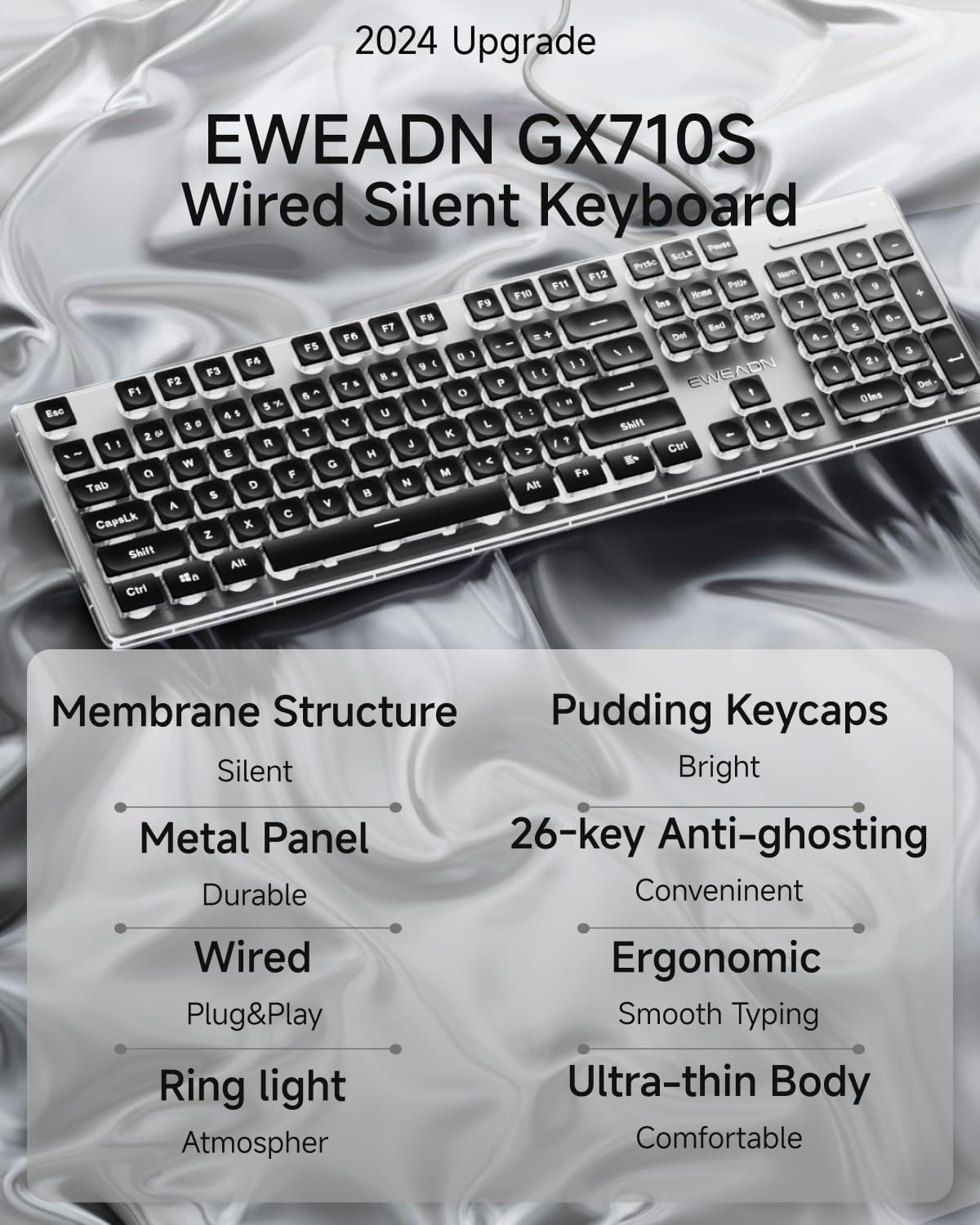
Figure 4: Water drop pudding keycaps with white backlight.
4.2 Ergonomisk design
The keyboard incorporates an ergonomic design to promote comfortable typing and reduce hand fatigue during extended use. It features concave and convex keys that conform to your fingertips. The bottom of the keyboard is equipped with two foldable footrests and four anti-slip stickers, allowing for a 7° tilt angle when adjusted, optimizing typing posture.

Figure 5: Ergonomic design with adjustable footrests.
4.3 Durable Metal Panel
The GX710S is constructed with a thickened metal panel featuring a frosted matte finish. This design provides enhanced durability and anti-scratch protection, contributing to the keyboard's longevity.
4.4 Universel kompatibilitet
This wired keyboard is compatible with a wide range of operating systems and devices, including Windows, Linux, Chrome, and Mac. It can be used with PCs, desktops, laptops, and notebooks.

Figure 6: Compatibility with multiple systems and devices.
5. Vedligeholdelse
To ensure the longevity and optimal performance of your EWEADN GX710S keyboard, follow these maintenance guidelines:
- Regelmæssig rengøring: Use a soft, lint-free cloth to wipe down the keycaps and keyboard surface. For deeper cleaning, a can of compressed air can be used to remove dust and debris from between the keys.
- Undgå væsker: Udsæt ikke tastaturet for væsker. I tilfælde af spild skal du straks tage stikket ud af tastaturet og lade det tørre helt, før du tilslutter det igen.
- Håndteres med forsigtighed: Avoid dropping the keyboard or subjecting it to excessive force, as this may damage internal components or the metal panel.
6. Fejlfinding
If you encounter any issues with your EWEADN GX710S keyboard, please refer to the following common troubleshooting steps:
- Tastaturet reagerer ikke:
- Sørg for, at USB-kablet er korrekt tilsluttet både tastaturet og computerens USB-port.
- Prøv at tilslutte tastaturet til en anden USB-port på din computer.
- Genstart din computer.
- Baggrundslys virker ikke:
- Trykke FN + Menu key for at sikre, at baggrundslyset ikke er slukket.
- Juster lysstyrken ved hjælp af FN + PU or FN + PD.
- Nøgler registreres ikke korrekt:
- Sørg for, at tastaturet er rent og fri for snavs, der kan blokere tastetryk.
- Test tastaturet på en anden computer for at afgøre, om problemet skyldes tastaturet eller computerens indstillinger.
Hvis disse trin ikke løser problemet, bedes du kontakte kundesupport for yderligere assistance.
7. Specifikationer
| Feature | Detalje |
|---|---|
| Modelnummer | GX710S |
| Produktdimensioner | 17.32 x 5.11 x 0.78 tommer |
| Varens vægt | 1.08 pund |
| Materiale | Metal, Plast |
| Forbindelsesteknologi | USB-A |
| Tastaturbeskrivelse | Quiet Wired Membrane Keyboard |
| Særlige funktioner | Backlit, Ergonomic, Foldable, Lightweight, Quiet |
| Baggrundslys type | Simple White Backlight (5 brightness levels) |
| Anti-Ghosting | 26-tasters anti-ghosting |
| Kompatibilitet | Windows, Linux, Chrome, Mac |
8. Officiel produktvideo
Video 1: En kort introduktionview demonstrating the EWEADN GX710S keyboard's backlight functionality.
9. Garanti og support
EWEADN provides 48-month brand support for the GX710S keyboard. For any questions, technical assistance, or warranty claims, please contact our customer support team. Our expert team is available to assist you.
Contact information can typically be found on the product packaging or the official EWEADN webwebsted.


