Indledning
This user manual provides detailed instructions for the Reacher R9BT-RA-DE, a versatile 4-in-1 device designed for convenience and functionality. It integrates a 15W magnetic wireless charger, a digital alarm clock with natural sound options, an FM radio with 40 presets, and a 10W Bluetooth 5.3 speaker. Please read this manual thoroughly to ensure proper setup, operation, and maintenance of your device.

Image: The Reacher R9BT-RA-DE highlighting its four core functionalities: wireless charging, Bluetooth speaker, FM radio, and alarm clock, presented as a stylish clock.
Produkt overview
The Reacher R9BT-RA-DE is engineered to simplify your daily routine by combining multiple essential functions into one elegant unit. Its design features a grey textile body with a wood-look top panel, suitable for various interior styles.
Nøglefunktioner:
- 15W magnetisk trådløs opladning: Fast and secure charging for compatible smartphones, especially iPhone 12-16 series with magnetic alignment.
- Digitalt vækkeur: Features a dimmable LED display (0-100%), 12/24-hour format, 6 natural alarm sounds (bird, sea, beep, wind chimes, piano, radio), and a 9-minute snooze function.
- FM-radio: Stable reception (87.5-108 MHz) with an extendable antenna, supporting up to 40 preset stations and both manual and automatic tuning.
- Bluetooth 5.3 højttaler: 10W stereo speakers deliver 360° sound, offering stable connection up to 10 meters for streaming music and podcasts. Automatic time synchronization upon phone connection.
- Brugervenligt design: Intuitive button layout on the top panel and rotary controls on the back for volume and display brightness.

Image: The Reacher R9BT-RA-DE in operation, showing a smartphone wirelessly charging on its magnetic pad and the digital clock display.
Opsætning
1. Udpakning og placering:
- Tag forsigtigt enheden ud af emballagen.
- Place the device on a stable, flat surface, such as a bedside table or office desk.
- Sørg for tilstrækkelig ventilation omkring enheden.
2. Strømtilslutning:
- Connect the provided power cable to the DC input port on the back of the device.
- Sæt den anden ende af strømkablet i en almindelig stikkontakt.
- Displayet lyser op, hvilket indikerer, at enheden er tændt.
3. Initial Time Setting:
- Upon initial power-on, the time may need to be set manually or will synchronize automatically when connected via Bluetooth to a smartphone.
- Refer to the "Alarm Clock and Display" section for manual time adjustment instructions.
Betjeningsvejledning
1. Trådløs opladning:
- Place your Qi-compatible smartphone (e.g., iPhone 12-16 series) on the magnetic charging pad located on the top surface of the device.
- The strong magnet will automatically align your phone for optimal charging.
- Charging will begin automatically. The device supports up to 15W fast charging.
- Ensure your phone case is compatible with MagSafe and is not thicker than 8mm for efficient charging.
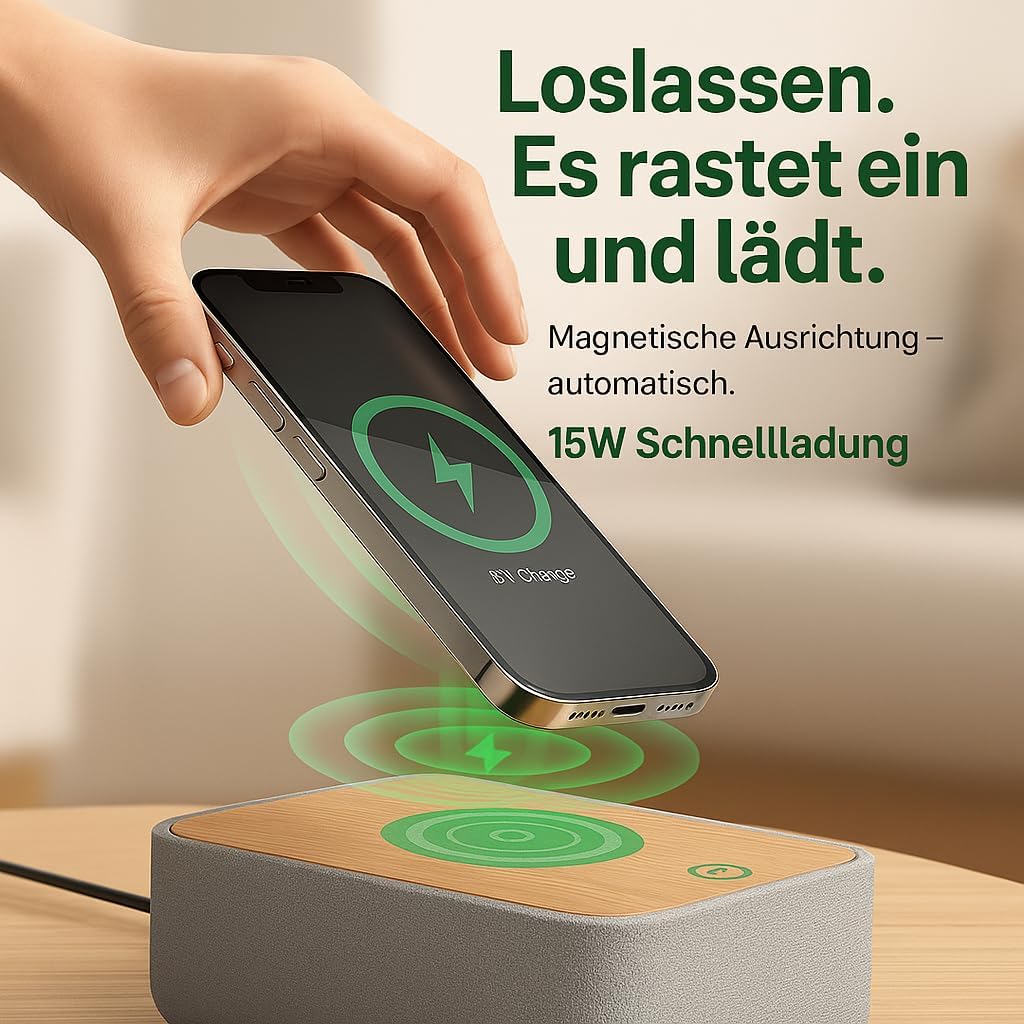
Image: Illustrates the magnetic alignment feature for wireless charging, showing a phone being placed on the charging pad.

Image: Demonstrates the 15W fast wireless charging capability of the device.
2. FM-radio:
- Extend the antenna located at the back of the device for optimal reception.
- Tryk på FM knappen for at skifte til FM-radiotilstand.
- Automatisk tuning: Tryk og hold på Scan button (or similar, refer to device buttons) to automatically scan and save available stations (up to 40 presets).
- Manuel indstilling: Brug Tune +/- buttons (or rotary knob) to manually adjust the frequency (87.5-108 MHz).
- Valg af forudindstillinger: Brug Preset +/- buttons to cycle through saved stations.
- Adjust the volume using the rotary knob on the back of the device.

Image: Visual guide to the FM radio features, showing options for manual and automatic tuning, and the capacity for 40 preset stations.
3. Bluetooth Speaker:
- Tryk på Bluetooth button to enter Bluetooth pairing mode. The Bluetooth icon on the display will flash.
- On your smartphone or other Bluetooth-enabled device, search for "R9BT-RA-DE" (or similar device name) in the Bluetooth settings.
- Select the device to pair. Once connected, the Bluetooth icon will stop flashing and remain solid.
- You can now stream audio from your connected device.
- The device features 10W stereo speakers for 360° sound and Bluetooth 5.3 for stable connection up to 10 meters.
- When connected, the device may automatically synchronize its time with your phone.
- Adjust the volume using the rotary knob on the back of the device (30 volume levels available).
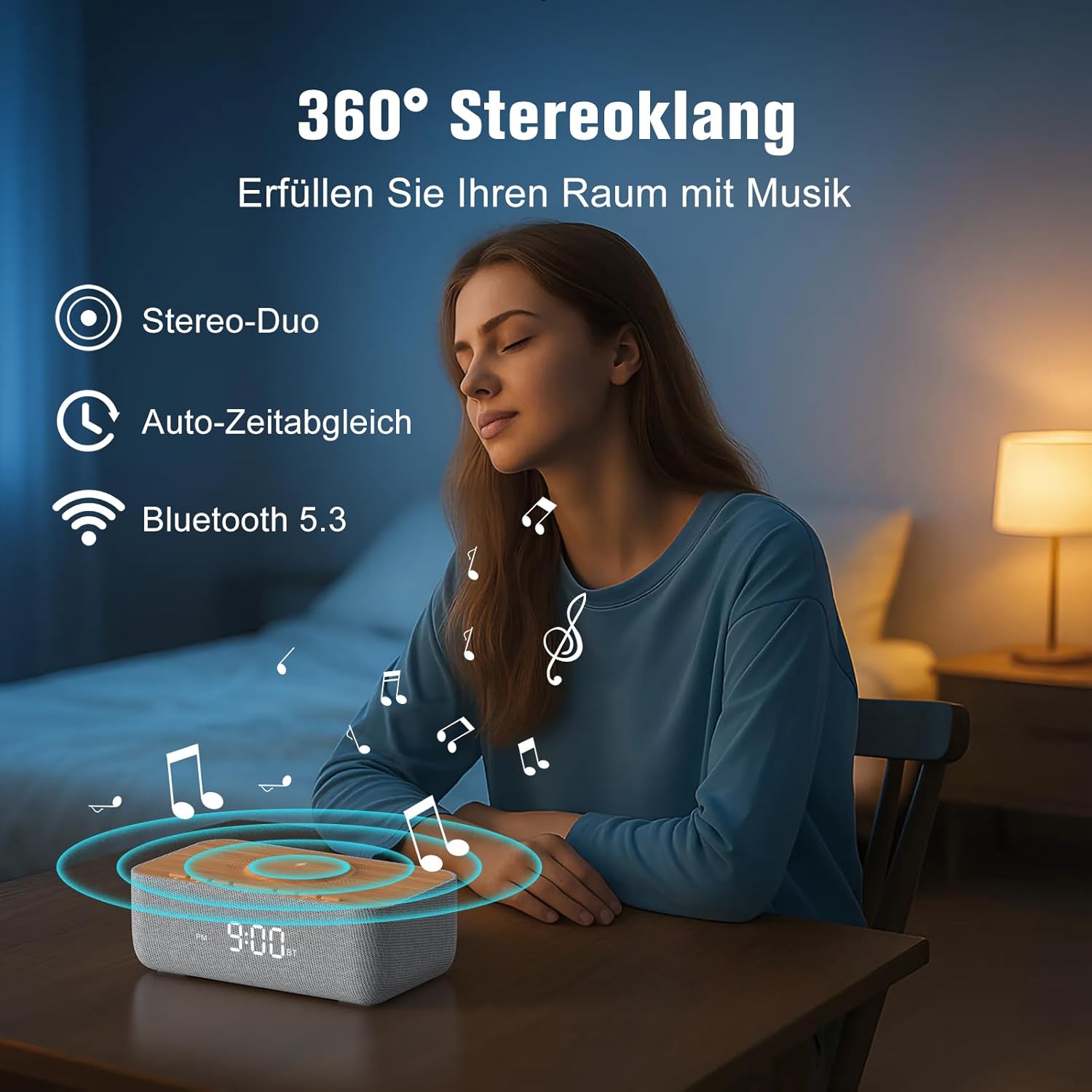
Image: Depicts the device's 360-degree stereo sound capability, Bluetooth 5.3 connectivity, and automatic time synchronization.
4. Alarm Clock and Display:
- Indstillingstid: Tryk på Indstil tid knap. Brug +/- buttons to adjust hours and minutes. Press Indstil tid igen for at bekræfte.
- 12/24 timers format: Tryk på 12/24H button to switch between 12-hour (with AM/PM indicator) and 24-hour formats.
- Indstilling af alarm: Tryk på Alarmsæt knap. Brug +/- for at indstille alarmtidspunktet. Tryk på Alarmsæt again. Then, use +/- to select one of the 6 alarm tones (bird, sea, beep, wind chimes, piano, or FM radio). Press Alarmsæt for at bekræfte.
- Aktivering/deaktivering af alarm: Tryk på Alarm Til/Fra button to toggle the alarm. An alarm icon will appear on the display when active.
- Snooze-funktion: Når alarmen lyder, skal du trykke på Snooze button (usually a large button on top) to temporarily silence it for 9 minutes.
- Stopper alarm: To turn off the alarm for the day, press any button other than Snooze.
- Skærmens lysstyrke: Use the rotary knob on the back of the device to adjust the LED display brightness from 0% (off) to 100%.

Image: Illustrates the 0-100% dimmable LED display, showing how the brightness can be adjusted.
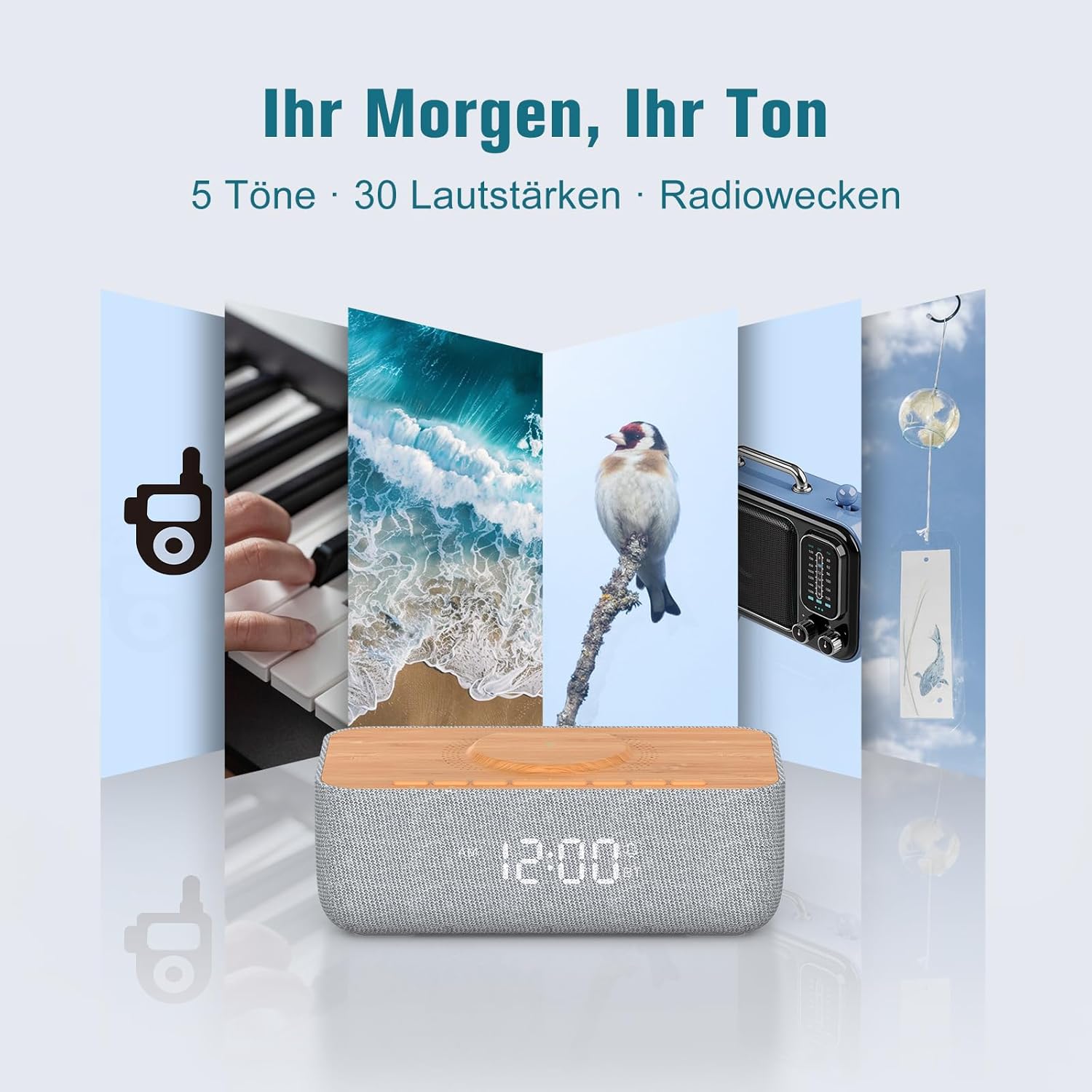
Image: Displays the variety of alarm tones, including natural sounds and FM radio, available on the device.
Opretholdelse
- Rensning: Use a soft, dry cloth to wipe the device. Do not use liquid cleaners or abrasive materials.
- Opbevaring: Hvis enheden opbevares i længere tid, skal den tages ud af stikkontakten og opbevares et køligt og tørt sted.
- Undgå vand: This device is for indoor use only and is not waterproof. Keep it away from water and high humidity.
- Strømforsyning: Only use the provided power adapter or a certified equivalent.
Fejlfinding
| Problem | Mulig årsag | Løsning |
|---|---|---|
| Enheden tænder ikke. | Strømkablet er ikke tilsluttet, eller stikkontakten virker ikke. | Ensure the power cable is securely connected to both the device and a functional power outlet. |
| Trådløs opladning virker ikke. | Phone not Qi-compatible, misaligned, or phone case too thick. | Ensure your phone supports Qi wireless charging. Realign the phone on the charging pad. Remove thick phone cases (over 8mm) or non-MagSafe cases. |
| Dårlig FM-radiomodtagelse. | Antenna not extended or environmental interference. | Fully extend the FM antenna. Try repositioning the device or antenna for better signal. |
| Bluetooth opretter ikke forbindelse. | Enheden er ikke i parringstilstand, uden for rækkevidde eller allerede forbundet til en anden enhed. | Ensure the device is in Bluetooth pairing mode (flashing icon). Move your phone closer. Disconnect from other Bluetooth devices. |
| Alarm volume too low/high. | Volume not adjusted correctly. | Adjust the volume using the rotary knob on the back of the device. Note that some alarm tones may have a gradual volume increase. |
| Skærmen er for lys/mørket. | Lysstyrkeindstillingen skal justeres. | Use the rotary knob on the back of the device to adjust the display brightness. |
Specifikationer
| Mærke | REACHER |
| Modelnummer | R9BT-RA-DE |
| Farve | Grå/brun |
| Produktmål (L x B x H) | 25 x 12.5 x 8.05 cm |
| Varens vægt | 700 gram |
| Trådløs opladningsoutput | Op til 15W |
| Trådløs opladning kompatibilitet | Qi-compatible smartphones, iPhone 12-16 series (magnetic alignment) |
| FM-radiofrekvensområde | 87.5 - 108 MHz |
| FM-radioforudindstillinger | Op til 40 stationer |
| Bluetooth version | 5.3 |
| Bluetooth rækkevidde | Op til 10 meter |
| Højttaler output | 10W stereo |
| Display Type | Digital LED |
| Displayets lysstyrke | 0-100% dæmpbar |
| Alarmtoner | 6 (Bird, Sea, Beep, Wind Chimes, Piano, FM Radio) |
| Snooze-varighed | 9 minutter |
| Strømkilde | El-kabel |
| Rammemateriale | Wood (top panel) |
| Batterier medfølger | Ingen |
Garanti og support
For warranty information and customer support, please refer to the documentation included with your purchase or visit the official REACHER website. If you encounter any issues not covered in this manual, please contact REACHER customer service for assistance.
Product is certified CE and RoHS compliant, with integrated overcurrent and short-circuit protection.


