Indledning
Thank you for choosing the Olafus Floodlight Camera Outdoor. This manual provides detailed instructions for the installation, operation, and maintenance of your new security camera system. Please read this manual thoroughly before installation and retain it for future reference.
The Olafus Floodlight Camera is designed to provide comprehensive outdoor surveillance with advanced features including 2K QHD video resolution, motion-activated floodlights, customizable detection zones, color night vision, and two-way audio communication.
Pakkens indhold
Før installation skal du kontrollere, at alle komponenter er til stede:
- Olafus Floodlight Camera Unit
- Monteringsbeslag
- Instruktionsmanual (dette dokument)
- (Additional mounting hardware may be included, refer to packaging)
Specifikationer
| Feature | Detalje |
|---|---|
| Modelnummer | 3-LBS60Q |
| Video opløsning | 2K QHD (3MP Effective Still Resolution) |
| Felt af View | 120 grader |
| Nattesyn | Color Night Vision, up to 16.4 feet |
| Floodlight Output | 55W, 5500 Lumens, Dimmable |
| Bevægelsesdetektion | PIR Motion Detection, Customizable Zones |
| Lyd | Two-Way Talk, 105dB Siren |
| Forbindelse | 2.4GHz Wi-Fi (IEEE 802.11b/g/n), Wired Power |
| Opbevaringsmuligheder | Micro SD-kort (op til 256 GB, medfølger ikke), Cloud-lagring |
| Vejrbestandighed | IP65 vandtæt |
| Strømindgang | 110 volt |
| Dimensioner | 8 x 5 x 9 tommer (L x B x H) |
| Vægt | 1.5 pund |
| Materiale | Aluminium |
| Kompatible enheder | Smartphone (Olafus App), Amazon Alexa |
Vigtige sikkerhedsoplysninger
- Elektrisk sikkerhed: Installation requires working with electrical wiring. If you are not comfortable with electrical work, consult a qualified electrician. Ensure power is turned off at the circuit breaker before installation.
- Montering: Mount the camera securely to a stable surface. Ensure the mounting location can support the weight of the device.
- Wi-Fi: This device supports 2.4GHz Wi-Fi networks only. It is not compatible with 5GHz Wi-Fi.
- Driftstemperatur: Ensure the camera is installed within its specified operating temperature range for optimal performance.
- Siren Use: When enabling the auto-alarm siren, consider your neighbors to avoid unnecessary disturbance.
Opsætningsvejledning
1. Download the Olafus App
The Olafus Floodlight Camera operates via the Olafus mobile application. Download the app from your device's app store or by scanning the QR code below.

Scan this QR code to download the Olafus app.
Alternativt kan du besøge: http://app.ubianet.com/app/ubox/
2. Fysisk installation
Before proceeding, ensure the power to the installation area is turned OFF at the circuit breaker.
- Vælg en placering: Vælg et udendørs sted med en klar view of the area you wish to monitor and access to existing electrical wiring.
- Monter beslaget: Securely attach the mounting bracket to the wall or eaves using appropriate screws and anchors.
- Tilslutning af kameraet: Connect the camera's electrical wires to your home's wiring according to local electrical codes. Typically, this involves connecting live, neutral, and ground wires.
- Fastgør kameraet: Mount the floodlight camera unit onto the secured bracket.
- Gendan strøm: Once the camera is securely installed and wired, turn the power back ON at the circuit breaker.
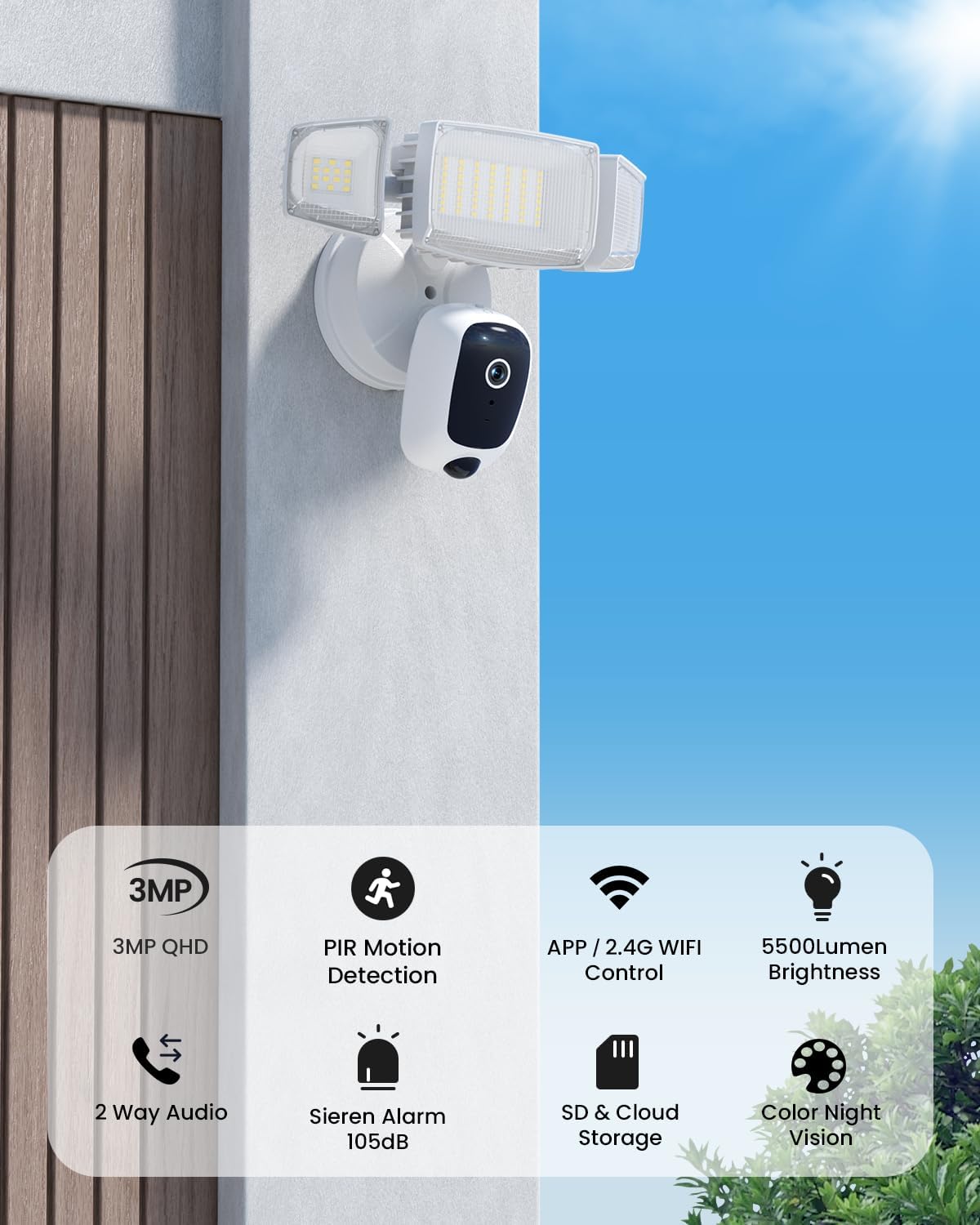
Image showing the Olafus Floodlight Camera mounted on an exterior wall, providing surveillance over an outdoor area.
3. App-parring og Wi-Fi-forbindelse
After physical installation and restoring power, the camera will enter pairing mode.
- Open the Olafus app on your smartphone.
- Følg instruktionerne i appen for at tilføje en ny enhed.
- Select your 2.4GHz Wi-Fi network and enter the password. The camera does not support 5GHz Wi-Fi.
- The app will guide you through connecting the camera to your Wi-Fi network. This often involves scanning a QR code displayed on your phone with the camera lens.
- Once connected, the camera will be online and accessible through the app.

Image illustrating the Olafus app interface on a smartphone, showing live camera feed and control options.
Betjeningsvejledning
Levende View og optagelse
Access the live video feed from your camera through the Olafus app. You can manually record video or capture screenshots directly from the live view.
Tovejs-samtale
Utilize the two-way audio feature to communicate with visitors or deter intruders. Press the microphone icon in the app to speak, and release to listen.

Image demonstrating the two-way talk feature, where a user communicates with a delivery person via the camera's audio.
For optimal two-way audio quality, maintain a distance of at least 10 feet (3 meters) between the camera and your smartphone during communication to prevent feedback or noise.
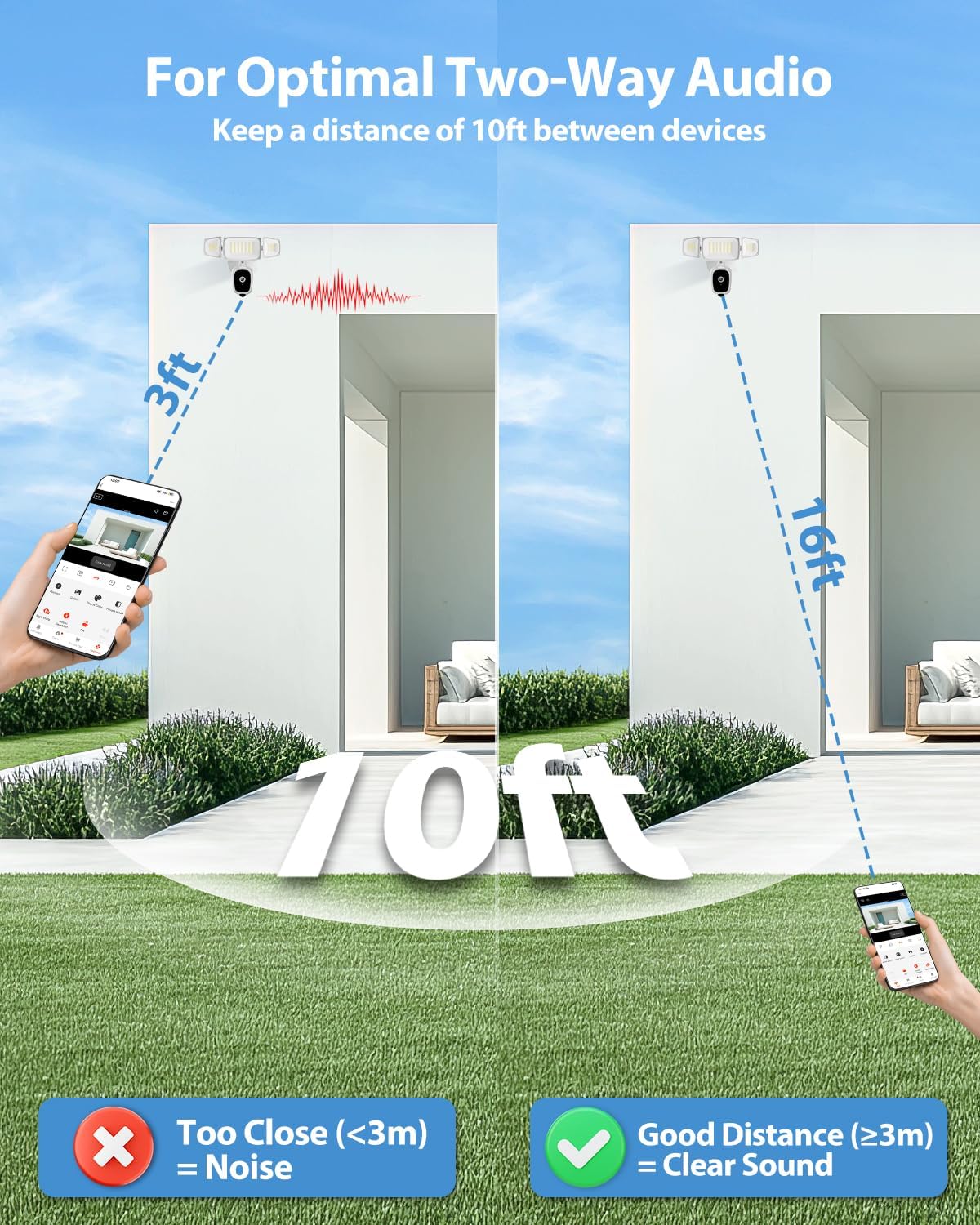
Diagram illustrating recommended distances for clear two-way audio communication, showing that being too close can cause noise.
Bevægelsesdetektering og advarsler
The camera uses PIR motion detection to identify movement. When motion is detected, you will receive real-time alerts on your smartphone.
- Tilpasselige registreringszoner: In the app settings, you can define specific areas within the camera's view where motion detection should be active. This helps reduce false alarms from irrelevant areas.
- Følsomhedsjustering: Adjust the motion detection sensitivity to suit your environment.
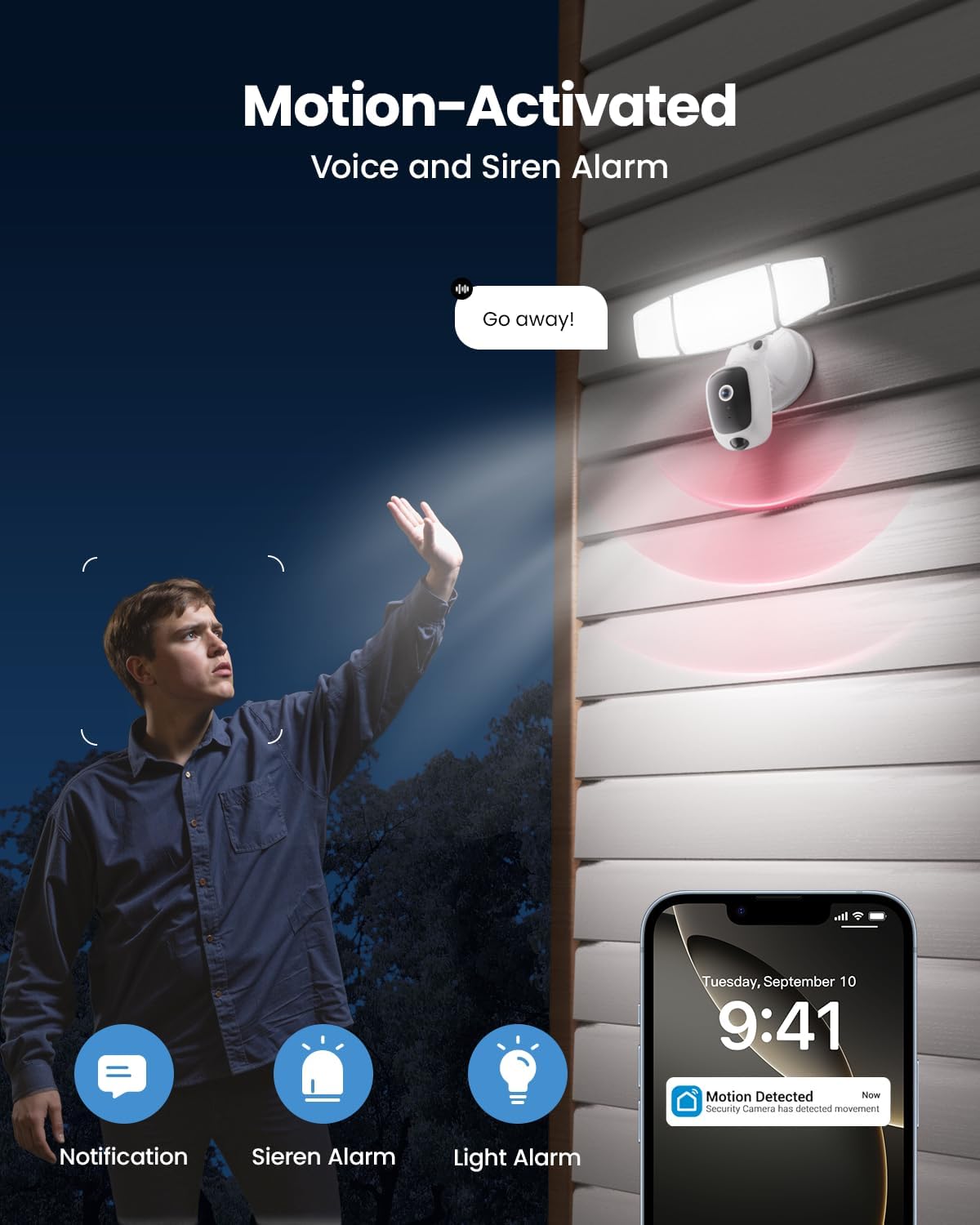
Image depicting the motion-activated features, including floodlight illumination, siren activation, and a smartphone notification for detected movement.
Floodlight Control
The 55W floodlights provide 5500 lumens of dimmable outdoor lighting. You can control the floodlights via the app:
- Manuel kontrol: Turn the lights on/off or adjust brightness manually.
- Bevægelsesaktiveret: Configure the lights to turn on automatically when motion is detected.
- Planlægning: Set schedules for the lights to operate at specific times.
- Justerbare hoveder: The three light heads can be physically adjusted to direct illumination where needed.

Image showing the Olafus Floodlight Camera with its three adjustable light heads, allowing for flexible illumination direction.
Sirenealarm
The integrated 105dB siren can be activated manually through the app or configured to trigger automatically upon motion detection. Use this feature to deter unwanted visitors.
Farve Nattesyn
The camera provides enhanced color night vision, offering clear and detailed footage even in low-light conditions, surpassing traditional black and white night vision.
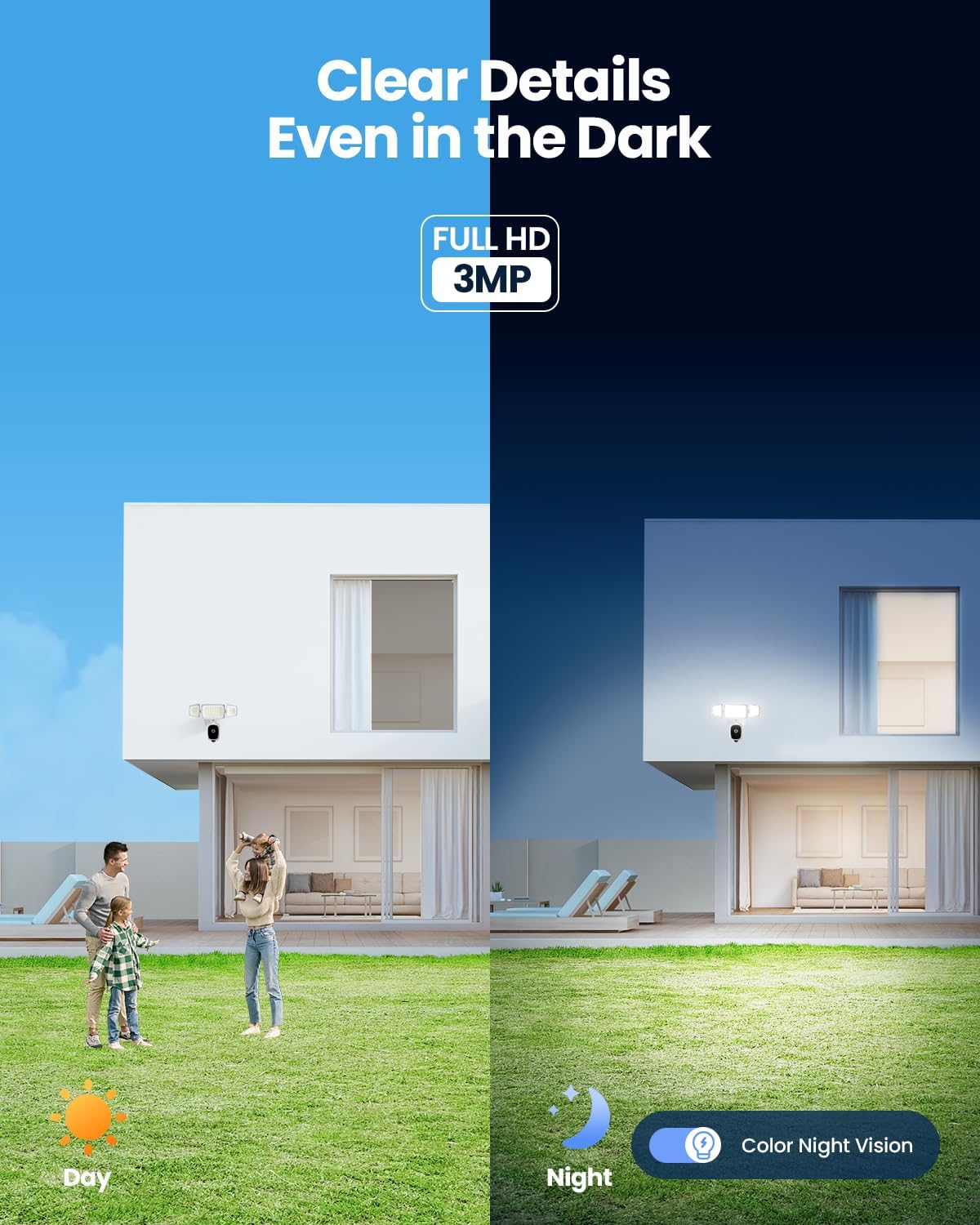
Image comparing the camera's view during the day and its color night vision capability at night, showing clear details in darkness.
Opbevaringsmuligheder
Your recordings can be stored in two ways:
- Micro SD-kort: Indsæt et Micro SD-kort (op til 256 GB, medfølger ikke) i den dertil beregnede plads på kameraet til lokal lagring.
- Cloud Storage: Subscribe to the optional cloud storage service via the Olafus app for secure, remote storage of your footage.

Close-up image of the Olafus Floodlight Camera showing the Micro SD card slot, indicating local storage capability.
Smart Home Integration
The Olafus Floodlight Camera is compatible with Amazon Alexa, allowing for voice control of certain functions. Refer to the Olafus app for instructions on linking your camera with Alexa.
Opretholdelse
- Rensning: Rengør kameralinsen og projektørdækslerne med jævne mellemrum med en blød klud.amp klud for at sikre klart udsyn og optimal lysudbytte. Brug ikke skrappe kemikalier.
- Firmwareopdateringer: Check the Olafus app regularly for firmware updates. Keeping your camera's firmware updated ensures optimal performance and security.
- SD-kortadministration: If using an SD card, periodically review og administrere gemt fodertage to prevent the card from becoming full.
Fejlfinding
| Problem | Mulig løsning |
|---|---|
| Kameraet opretter ikke forbindelse til Wi-Fi |
|
| Ingen advarsler om bevægelsesdetektering |
|
| Dårlig videokvalitet |
|
| Two-way audio feedback/noise |
|
| Projektørerne tænder ikke |
|
Garanti og support
For warranty information and technical support, please refer to the official Olafus website or contact their customer service directly. Details are typically provided on the product packaging or within the Olafus app.
Fabrikant: Olafus
Dato først tilgængelig: 28. april 2025
For yderligere hjælp, besøg venligst Olafus Store on Amazon.


