Indledning
This manual provides comprehensive instructions for the assembly, operation, maintenance, and troubleshooting of your FLEXISPOT One-Piece Electric Standing Desk. Please read this manual thoroughly before assembly and use to ensure proper function and safety. Keep this manual for future reference.

Image: The FLEXISPOT One-Piece Electric Standing Desk, featuring a black desktop and black frame, set up with a laptop and monitor.
Opsætning og montering
Your FLEXISPOT Electric Standing Desk is designed for straightforward assembly. The desk ships in two separate packages, which may arrive at different times. Please ensure all components are present before beginning assembly.
Nødvendige værktøjer (ikke inkluderet):
- Electric drill (recommended for faster assembly)
Monteringstrin:
- Pak alle komponenter ud, og verificer dem i forhold til delelisten i den separate samlevejledning.
- Attach the desk legs to the desktop frame. The main bracket and motor are pre-attached for convenience.
- Secure the desktop to the frame. The desktop is a single, seamless piece, 1 inch thick, providing enhanced stability.
- Connect the control panel and power cables according to the wiring diagram in the assembly guide.
- Install any optional accessories, such as the headphone hooks, if desired.
Vigtig: Always follow the detailed assembly instructions included in your product packaging. Ensure all screws are tightened securely to prevent instability. Do not exceed the maximum weight recommendation of 132 pounds.

Billede: Et nærbillede view highlighting the seamless, one-piece desktop with rounded edges, emphasizing its solid construction.
Betjeningsvejledning
The FLEXISPOT Electric Standing Desk features an intuitive control panel for easy height adjustment and memory presets.
Højdejustering:
- Brug Up og Ned arrow buttons on the control panel to adjust the desk height.
- Skrivebordet kan justeres fra en minimumshøjde på 28.1 tommer til en maksimal højde på 45.7 tommer.
- The motor operates quietly, under 50 dB, ensuring minimal disruption to your workspace.
Hukommelsesforudindstillinger:
The desk includes four programmable memory height presets, allowing you to save and recall your preferred sitting and standing positions instantly.
- Juster skrivebordet til den ønskede højde ved hjælp af Op/Ned-knapperne.
- Tryk på M button (or similar memory set button, refer to your control panel diagram).
- Tryk straks på en af de nummererede forudindstillede knapper (1, 2, 3 eller 4) to save the current height to that position.
- To recall a saved height, simply press the corresponding numbered preset button. The desk will automatically move to the saved position.

Billede: En detaljeret view of the smart control panel, showing the LED display for height, up/down buttons, and four memory preset buttons.

Image: A visual representation of the desk's height adjustment range, indicating minimum (28.1 inches) and maximum (45.7 inches) heights.
Opretholdelse
Regelmæssig vedligeholdelse sikrer dit hæve- og sænkebords lange levetid og optimal ydeevne.
- Rensning: Tør skrivebordet og rammen af med en blød kludamp klud. Undgå slibende rengøringsmidler eller barske kemikalier, der kan beskadige overfladen.
- Kabelstyring: Periodically check and organize cables to prevent tangles and ensure smooth operation during height adjustments.
- Vægtgrænse: Do not exceed the maximum weight capacity of 132 pounds. Overloading can strain the motor and frame.
- Miljøforhold: Keep the desk away from direct heat sources and excessive moisture.
- Fastgørelseskontrol: Kontrollér lejlighedsvis alle skruer og fastgørelseselementer for at sikre, at de forbliver stramme. Efterspænd om nødvendigt.
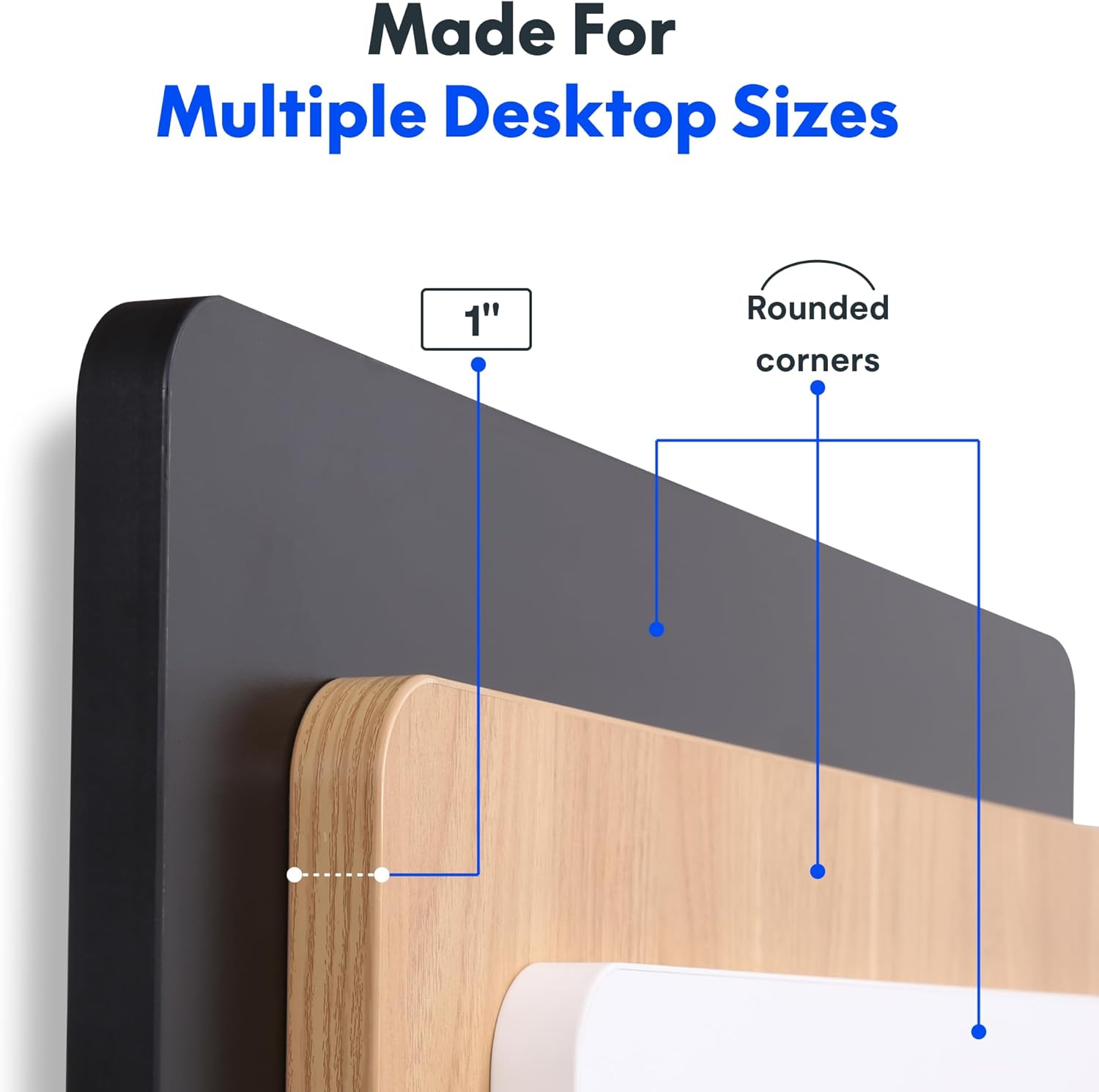
Image: The desk in operation, illustrating its smooth and quiet movement, ideal for maintaining concentration.
Fejlfinding
If you encounter issues with your FLEXISPOT Electric Standing Desk, refer to the following common problems and solutions.
Desk Not Adjusting Height:
- Strømtilslutning: Ensure the power cord is securely plugged into both the desk and a working electrical outlet.
- Kabelforbindelser: Check all cables connecting the control panel to the motor and power supply for secure connections.
- Overbelaste: Verify that the weight on the desk does not exceed the maximum capacity of 132 pounds. Remove excess weight and try again.
- Nulstillingsprocedure: Consult your specific assembly guide for any factory reset procedures for the control panel.
Unusual Noises During Adjustment:
- Kliklyd: A clicking sound, particularly when lowering, may indicate an issue with the motor or leg mechanism. Ensure the desk is not overloaded. If the issue persists, contact customer support.
- Wobling: Ensure all assembly screws are tightly secured. Check that the desk is on a level surface.
Hvis disse trin ikke løser problemet, henvises der til afsnittet om garanti og support for yderligere assistance.
Specifikationer
Detailed specifications for the FLEXISPOT One-Piece Electric Standing Desk (48x24 inch model).

Image: A diagram illustrating the key dimensions of the desk: 48 inches in width, 24 inches in depth, and a 1-inch desktop thickness.
| Feature | Detalje |
|---|---|
| Mærke | FLEXISPOT |
| Model | One-Piece Electric Standing Desk 48x24 |
| Desktop Dimensions (W x D) | 48 tommer x 24 tommer |
| Desktop tykkelse | 1 tommer |
| Højdejusteringsområde | 28.1 tommer (min.) til 45.7 tommer (maks.) |
| Motorstøjniveau | Under 50 dB |
| Hukommelsesforudindstillinger | 4 |
| Maksimal vægtkapacitet | 132 pund |
| Rammemateriale | Legeret stål |
| Skrivebordsmateriale | Konstrueret træ |
| Farve | Black Top + Black Frame |
| Særlige funktioner | One-Piece Desktop, Headphone Hook |
| Montering påkrævet | Ja |

Billede: Et nærbillede view of the desk's underside, highlighting the two convenient headphone hooks for storage.
Garantioplysninger
FLEXISPOT provides the following warranty for your Electric Standing Desk:
- Frame, Motor, and Mechanical Parts: 5 års begrænset garanti.
- Elektroniske komponenter: 2 års begrænset garanti.
This warranty covers defects in materials and workmanship under normal use. Please retain your proof of purchase for warranty claims. For specific terms and conditions, refer to the warranty documentation included with your product or visit the official FLEXISPOT webwebsted.
Kundesupport
For further assistance, technical support, or warranty claims, please contact FLEXISPOT customer service. You can typically find contact information on the official FLEXISPOT webhjemmeside eller gennem den forhandler, hvor du købte produktet.
Når du kontakter support, bedes du have følgende oplysninger klar:
- Product Model: One-Piece Electric Standing Desk 48x24
- ASIN: B0DRFZWN7X
- Købsdato
- En detaljeret beskrivelse af problemet
Besøg FLEXISPOT Butik på Amazon for yderligere produktinformation og supportressourcer.


