1. Produktet er slutview
The SwanScout 504 Dual Wireless Charger Stand is designed to efficiently charge two devices simultaneously. It features a foldable design for portability and includes a dimmable LED clock display. This device is compatible with a wide range of wireless charging-enabled smartphones and earbuds.
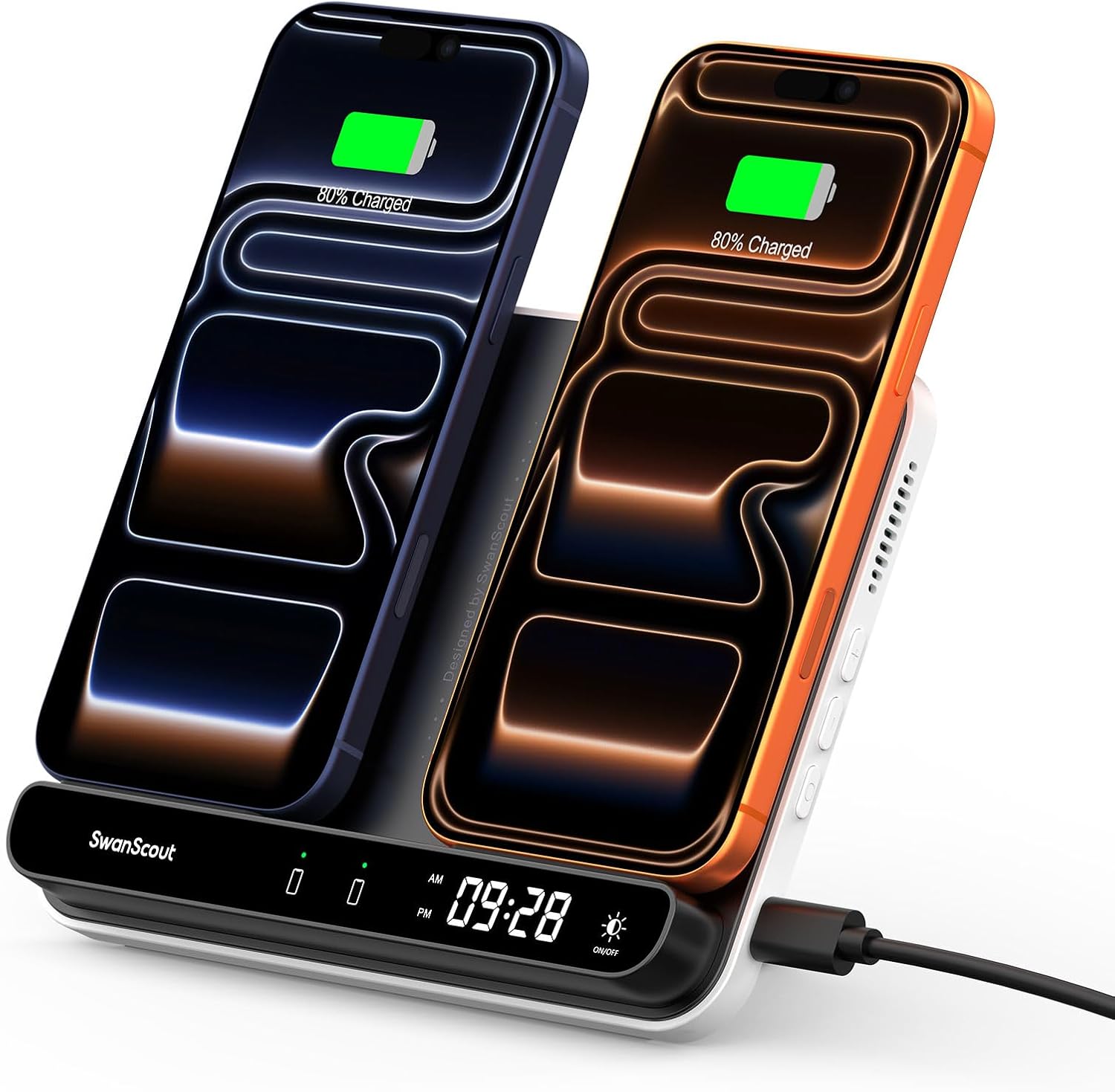
Image 1.1: The SwanScout 504 Dual Wireless Charger Stand in upright mode, charging two smartphones.
For a visual introduction to the product, please watch the video below:
Video 1.1: Produkt overståetview of the SwanScout 504 Dual Wireless Charger Stand, demonstrating its dual charging capability and foldable design.
2. Hvad er der i æsken
Bekræft at alle varer er til stede i pakken:
- SwanScout 504 Dual Wireless Charging Station
- USB C to USB C Charging Cable (1x)
- 30W Charging Brick (1x)
- Brugermanual
- Garantikort

Image 2.1: All components included with the SwanScout 504 Dual Wireless Charger Stand.
3. Opsætningsvejledning
- Tilslut strøm: Insert the USB-C end of the provided charging cable into the port on the SwanScout 504 charging station. Connect the other end of the cable to the included 30W charging brick, then plug the brick into a wall outlet.
- Placer stativet: The charger can be used in two modes:
- Upright Stand Mode: Fold out the kickstand from the back of the unit to position it vertically. This mode is ideal for charging two phones simultaneously while viewindhold.
- Flat Pad Mode: Fold the kickstand back into the unit for a flat charging pad. This mode is suitable for charging phones horizontally or for charging wireless earbuds.

Image 3.1: The SwanScout 504 in both flat and upright configurations.
- Indstil uret:
- Indtast tidsindstilling: Long press the 'Set' button (usually indicated by a clock icon or 'O') for 3 seconds to enter hour setting mode.
- Adjust Hour/Minute: Use the '+' and '-' buttons to adjust the hour. Short press the 'Set' button to switch to minute setting, then use '+' and '-' to adjust minutes.
- Afslut indstilling: Long press the 'Set' button for 3 seconds to exit the time setting mode.
- Switch 12/24H Format: Short press the 'Set' button once (outside of setting mode) to toggle between 12-hour and 24-hour time formats.

Image 3.2: Controls for setting the clock and adjusting its display.
4. Betjeningsvejledning
- Opladning af smartphones:
- Place your wireless charging-compatible smartphone on one of the designated charging areas. Ensure the phone is centered over the charging coil for optimal performance.
- The raised charging area design assists with precise alignment.
- The LED display on the charger will indicate charging status.
- The charger supports up to 10W fast charging for each phone, allowing two phones to charge simultaneously.

Image 4.1: Two phones charging simultaneously on the SwanScout 504.
- Opladning af trådløse øretelefoner:
- For wireless earbuds (e.g., AirPods, Galaxy Buds), use the flat pad mode. Place the earbud case on one of the charging areas, ensuring it is correctly positioned over the induction coil.

Image 4.2: Charging a smartphone and earbuds in flat mode.
- Dæmpbar urvisning:
- Tap the light icon button on the surface of the charger to cycle through four levels of clock brightness (100%, 50%, 20%, Off).
- This allows adjustment for different environments, such as a bedroom at night.

Image 4.3: Adjusting the clock display brightness.
5. Kompatibilitet
The SwanScout 504 is compatible with most Qi-enabled devices. Refer to the tables below for specific device compatibility.
5.1. Compatible Phone Models (10W Output)

Image 5.1: List of compatible phone models for wireless charging.
Note: This list is not exhaustive. Any phone supporting Qi wireless charging is generally compatible.
5.2. Compatible Wireless Earbuds (3.5W Output)

Image 5.2: List of compatible wireless earbud models.
Note: This list is not exhaustive. Any earbuds with a wireless charging case supporting Qi wireless charging are generally compatible.
5.3. Phone Case Compatibility
The charger is designed to work with phone cases up to 0.2 inches (5mm) thick. However, certain types of cases and attachments may interfere with wireless charging:
- Magnetiske puder
- Metalkasser
- Kreditkort
- Metal rings or pop sockets
Remove these items before placing your device on the charger to ensure proper function.

Image 5.3: Visual guide for phone case compatibility.
6. Vigtige sikkerhedsoplysninger
- Use only the provided 30W charging brick and USB-C cable. Using an inadequate power source may result in slow charging or malfunction.
- Do not place foreign objects (e.g., metal, magnets, credit cards) on the charging surface, as this may interfere with charging or cause damage.
- Undgå at udsætte enheden for ekstreme temperaturer, direkte sollys eller fugt.
- Do not disassemble, modify, or attempt to repair the device yourself. Contact customer support for assistance.
- Hold enheden utilgængeligt for børn og kæledyr.
- Sørg for ordentlig ventilation omkring opladeren under brug.
7. Fejlfinding
- Enheden oplader ikke:
- Ensure the charging station is properly connected to the included 30W power adapter and a working wall outlet.
- Verify your device is placed correctly on the charging coil. Adjust its position if necessary.
- Remove any thick or metallic phone cases, magnetic pads, or credit cards from your device.
- Confirm your device supports Qi wireless charging.
- Langsom opladning:
- Ensure you are using the provided 30W power adapter. Lower wattage-adaptere kan resultere i langsommere opladningshastigheder.
- Check for proper device alignment on the charging coil.
- Avoid charging in excessively hot environments, as this can reduce charging efficiency.
- Clock display is off or incorrect:
- If the clock display is off, tap the light icon button to adjust brightness.
- If the time is incorrect, follow the "Set the Clock" instructions in Section 3.
- The clock has a backup battery that retains time for up to 15 days without external power. If the device has been unplugged for longer, the time may need to be reset.
8. Specifikationer
| Feature | Detalje |
|---|---|
| Modelnummer | S10031 |
| Produktdimensioner | 6.97 x 5.31 x 1.31 tommer |
| Varens vægt | 9.2 ounce |
| Input bindtage | 9 volt |
| Samlet USB-porte | 1 (USB type C) |
| Wattage | 30 watt (maks.) |
| Særlige funktioner | Charging Indicator, Multi-Device Charging, Travel-Friendly, Wireless Charging, Dimmable Clock |
| Farve | Sort |
| Fabrikant | Shenzhen Swanscout Innovations Technology Co., Ltd. |
9. Garanti og support
The SwanScout 504 Dual Wireless Charger Stand comes with a warranty. Please refer to the included Warranty Card for details regarding coverage and duration.
For technical support, troubleshooting assistance, or warranty claims, please contact SwanScout customer service through their official channels or the retailer where the product was purchased.


