1. Introduktion
This user manual provides comprehensive instructions for the Headwolf WPad7 Tablet. It covers setup, operation, maintenance, and troubleshooting to ensure optimal performance and user experience. Please read this manual thoroughly before using your device.
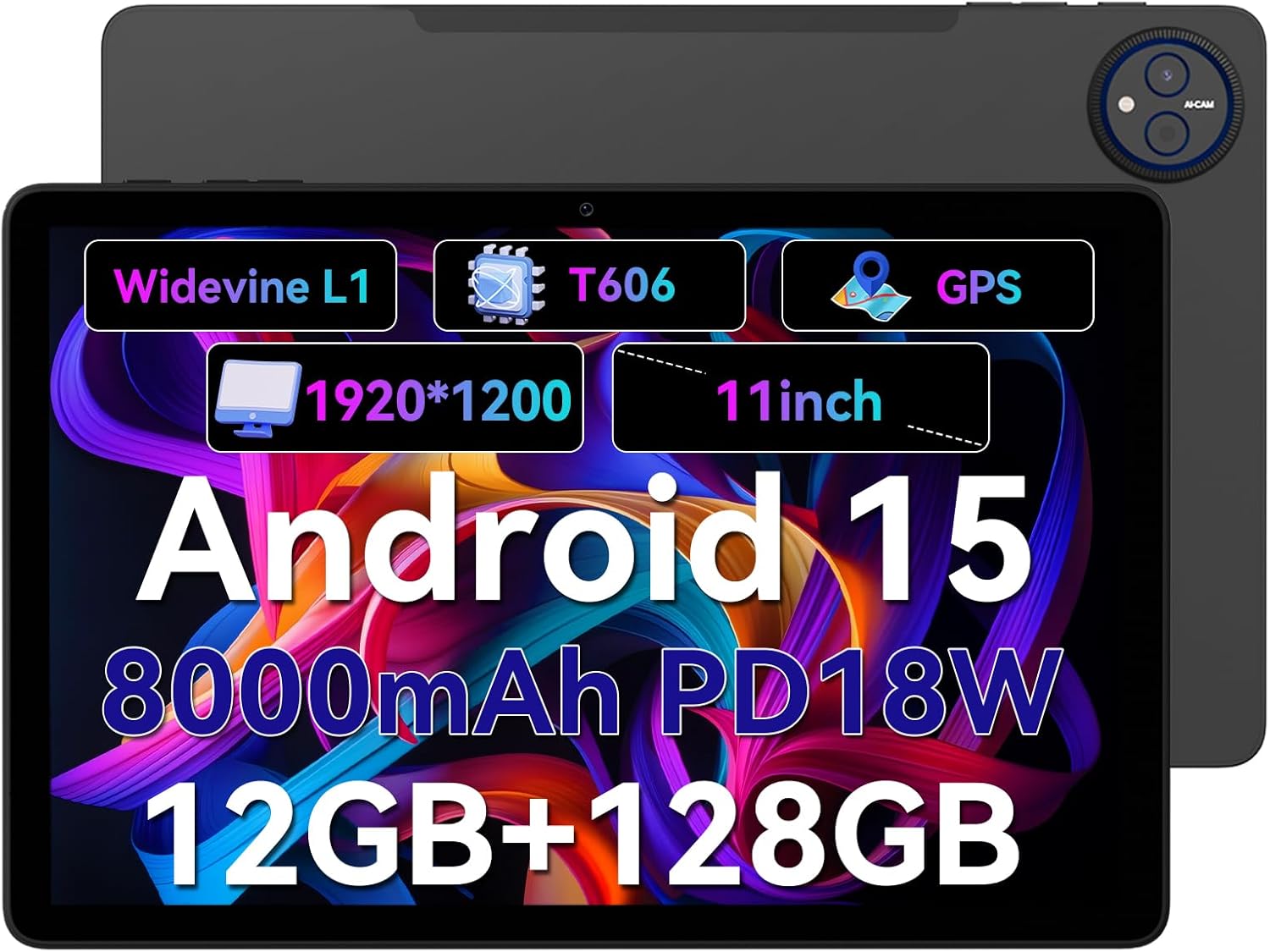
Figure 1.1: Headwolf WPad7 Tablet showcasing its 11-inch display, Android 15, 8000mAh battery, 12GB RAM, 128GB ROM, Widevine L1, T606 processor, and GPS capabilities.
2. Pakkens indhold
Når du åbner pakken, skal du kontrollere, at alle nedenstående varer er til stede og i god stand:
- 1 x Headwolf WPad7 Tablet
- 1 x oplader
- 1 x Type-C kabel
- 1 x Card Pin (for SIM/SD card tray)
- 1 x brugermanual
3. Produktet er slutview
3.1 Fysiske egenskaber
Familiarize yourself with the physical components of your Headwolf WPad7 Tablet:
- Vise: 11-inch IPS In-Cell screen with 1920x1200 resolution.
- Forreste kamera: 8MP, placeret på den øverste ramme, når den holdes vandret.
- Bagkamera: 13MP, placeret på bagpanelet.
- Power knap: Typically on the side, used to power on/off or wake/sleep the device.
- Lydstyrketaster: Placeret i nærheden af tænd/sluk-knappen til justering af lydniveauer.
- USB Type-C-port: Til opladning og dataoverførsel.
- 3.5 mm hovedtelefonstik: For connecting wired audio devices.
- Kortplads: For inserting a SIM card (if supported) and a microSD card for expandable storage.
- Nulstil hul: A small pinhole for force restarting the device if unresponsive.

Figure 3.1: Physical aspects of the Headwolf WPad7 Tablet, showing its 8mm thickness, 495g weight, 13MP rear camera, 8MP front camera, and 3.5mm earphone jack.

Figure 3.2: Key features of the Headwolf WPad7 Tablet, including Android 15 OS, 12GB+128GB memory, T606-8 core processor, 8000mAh battery, GPS navigation, 1920x1200 FHD display, face recognition, dual cameras, 2.4G/5Ghz Wi-Fi, Widevine L1, and 300nit brightness.
4. Opsætning
4.1 Indledende opladning
Before first use, fully charge the tablet. Connect the provided Type-C cable to the tablet's USB-C port and the charger to a power outlet. The battery indicator on the screen will show charging status. A full charge typically takes several hours.

Figure 4.1: The 8000mAh battery of the Headwolf WPad7 Tablet, highlighting its safety and stability features, and showing typical usage times for processing, video playback, reading, and music playback.
4.2 Tænd/sluk
- For at tænde: Press and hold the Power button until the Headwolf logo appears on the screen.
- For at slukke: Press and hold the Power button until a power-off menu appears. Select "Power off".
- At sove/vågne: Briefly press the Power button to put the tablet to sleep or wake it up.
4.3 Installation af microSD-kort
The Headwolf WPad7 supports microSD card expansion up to 2TB. To install:
- Find kortåbningen på siden af tabletten.
- Sæt den medfølgende kortstift i det lille hul ved siden af bakken for at skubbe det ud.
- Placer microSD-kortet i den dertil beregnede plads på bakken, og sørg for at det vender korrekt.
- Skub forsigtigt bakken tilbage i tabletten, indtil den klikker på plads.

Figure 4.2: Details of the Unisoc T606 Octa-core Processor and memory configuration, showing 12GB RAM (6GB physical + 6GB virtual) and 128GB ROM, expandable up to 2TB via SD card.
5. Betjening af din tablet
5.1 Android 15-funktioner
Your Headwolf WPad7 Tablet runs on Android 15, offering enhanced AI capabilities, improved privacy, optimized performance, and a refined user interface. Explore features like:
- AI Dynamic Adjustment: Adapts to your usage patterns for optimized performance.
- Multilingual Real-time Translation: Facilitates communication across languages.
- AI Automatic Scene Recognition: Enhances camera performance.
- Intelligent Audio Switching: Seamlessly manages audio output.
- AI Battery Saving Optimization: Extends battery life based on usage.
- Skærmopdeling: Brug to apps samtidig side om side.
- Ansigtsgenkendelse: Securely unlock your device with your face.

Figur 5.1: Overview of Android 15's intelligent AI features, including dynamic adjustment, real-time translation, automatic scene recognition, portrait mode processing, intelligent audio switching, accurate speech recognition, battery saving, game mode, and document auto summary.
5.2 Forbindelse
- Wi-Fi: Supports high-speed AC 2.4G/5G Wi-Fi for stable internet connection. Navigate to Settings > Network & internet > Wi-Fi to connect to available networks.
- Bluetooth: Connect to Bluetooth headphones, speakers, and other devices. Go to Settings > Connected devices > Bluetooth.
- GPS: The tablet supports GPS, GLONASS, BDS, and GALILEO satellite systems for precise location services and navigation.

Figure 5.2: The Headwolf WPad7 Tablet's 2.4G/5G Dual Band Wi-Fi and Bluetooth capabilities, demonstrating its versatility for work, presentations, and video calls.

Figure 5.3: The tablet's Four-In-One Satellite Positioning System, supporting GPS, Beidou, Galileo, and Glonass for accurate real-time location tracking and navigation.
5.3 Kamerabrug
The tablet features an 8MP front camera and a 13MP rear camera. Open the Camera app to capture photos and videos. Utilize AI scene recognition for optimized shots.
5.4 Skærmfunktioner
The 11-inch IPS in-cell display provides vivid colors and deep contrasts. It features Widevine L1 certification, enabling secure streaming of high-definition content from platforms like Netflix, Prime Video, and Disney+.

Figure 5.4: The 11-inch Widevine L1-compatible FHD display, showcasing its 1920x1200 resolution, 224 PPI, IPS incell technology, 300 nit brightness, 1500:1 contrast, and 75% NTSC color gamut, ideal for streaming services.
6. Vedligeholdelse
6.1 Rengøring
Brug en blød, fnugfri klud til at rengøre din tablet. Tør let ved genstridige pletter.ampRengør kluden med vand eller et skærmrensemiddel. Undgå at bruge skrappe kemikalier, slibende materialer eller for meget fugt.
6.2 Pleje af batterier
- Undgå at udsætte tabletten for ekstreme temperaturer (varme eller kolde).
- Lad ikke batteriet aflades helt for ofte.
- Use the original charger and cable for optimal charging and battery longevity.
- If storing the tablet for an extended period, charge it to about 50% before turning it off.
7. Fejlfinding
7.1 Tabletten tænder ikke
- Sørg for, at batteriet er opladet. Tilslut opladeren, og vent et par minutter, før du forsøger at tænde.
- Tryk og hold tænd/sluk-knappen nede i mindst 10-15 sekunder for at fremtvinge en genstart.
7.2 Problemer med Wi-Fi-forbindelse
- Slå Wi-Fi til og fra i Indstillinger.
- Genstart din Wi-Fi-router.
- Glem netværket og genopret forbindelsen, og indtast adgangskoden igen.
7.3 Apps der går ned eller fryser
- Luk den problematiske app, og åbn den igen.
- Ryd appens cache (Indstillinger > Apps > [Appnavn] > Lagerplads og cache > Ryd cache).
- Genstart tabletten.
- Ensure the app and Android system are updated to the latest versions.
8. Specifikationer
| Feature | Specifikation |
|---|---|
| Mærke | Hovedulv |
| Modelnavn | W7 |
| Operativsystem | Android 15 |
| Skærmstørrelse | 11 tommer |
| Skærmopløsning | 1920x1200 Pixels (FHD In-Cell) |
| Processor | Unisoc T606 Octa-core |
| VÆDDER | 12 GB (6 GB fysisk + 6 GB virtuel) |
| Intern opbevaring | 128 GB |
| Udvidelig opbevaring | Op til 2 TB via MicroSD-kort |
| Bagkamera | 13 MP |
| Forreste kamera | 8 MP |
| Batterikapacitet | 8000mAh |
| Opladningsport | USB Type-C (supports 18W fast charge) |
| Trådløs forbindelse | 802.11a/b/g/n/ac/ax (2.4G/5G Wi-Fi), Bluetooth |
| Navigation | GPS, GLONASS, BDS, GALILEO (with A-GPS) |
| Lydstik | 3.5 mm |
| Dimensioner (LxBxH) | 11 x 2 x 8 tommer |
| Varens vægt | 1.98 pund (ca. 495 g) |
| Farve | Grå |
| Widevine-certificering | L1 |
9. Garanti og support
Headwolf provides a standard warranty for the WPad7 Tablet. For detailed warranty terms and conditions, please refer to the warranty card included in your package or visit the official Headwolf webwebsted.
For technical support, troubleshooting assistance, or service inquiries, please contact Headwolf customer support through their official channels. Keep your purchase receipt and product serial number handy when contacting support.
Online ressourcer:


