Indledning
Thank you for choosing the Cygnett ChargePro Fast Charging Power Bank 20K. This manual provides essential information for the safe and efficient use of your new power bank. Please read these instructions carefully before use and retain them for future reference.
Pakkens indhold
- Cygnett ChargePro Fast Charging Power Bank 20K
- USB-C to USB-C Charging Cable (may vary by region)
- Brugermanual
Produkt overview
The Cygnett ChargePro 20K is a high-capacity portable power bank designed for fast charging of various devices. It features multiple output ports and a digital display to indicate battery status.

This image displays the Cygnett ChargePro Power Bank 20K in Midnight, highlighting its compact design, digital display, and various ports.
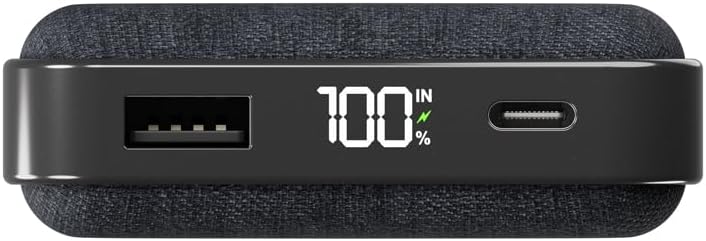
En detaljeret view of the power bank's top edge, illustrating the USB-A output, the digital percentage display, and the USB-C port for both input and output.
Nøglefunktioner:
- 30W hurtig opladning: Delivers rapid power to compatible devices.
- 20,000 mAh Kapacitet: Provides multiple charges for smartphones and other gadgets.
- Dobbelte USB-C-porte: For versatile input and output.
- USB-A-port: Additional output for various devices.
- Digital skærm: Viser den resterende batteriprocenttage.
Opsætning
Første opladning af powerbanken
Before first use, it is recommended to fully charge your Cygnett ChargePro Power Bank. This ensures optimal performance and battery longevity.
- Connect the provided USB-C cable to one of the USB-C ports on the power bank.
- Tilslut den anden ende af USB-C-kablet til en kompatibel USB-vægoplader (medfølger ikke).
- Det digitale display viser opladningsstatus. Powerbanken er fuldt opladet, når displayet viser 100%.
Betjeningsvejledning
Opladning af dine enheder
The ChargePro Power Bank can charge up to three devices simultaneously using its USB-C and USB-A ports.
- Identify the appropriate charging cable for your device (USB-C to USB-C, USB-A to USB-C, USB-A to Lightning, etc.).
- Connect one end of the charging cable to your device.
- Connect the other end of the charging cable to an available USB-C or USB-A output port on the power bank.
- Your device should begin charging automatically. The power bank's digital display will show its remaining charge.

This image demonstrates the power bank actively charging a smartphone, connected by a USB-C cable, with the phone indicating a full charge.
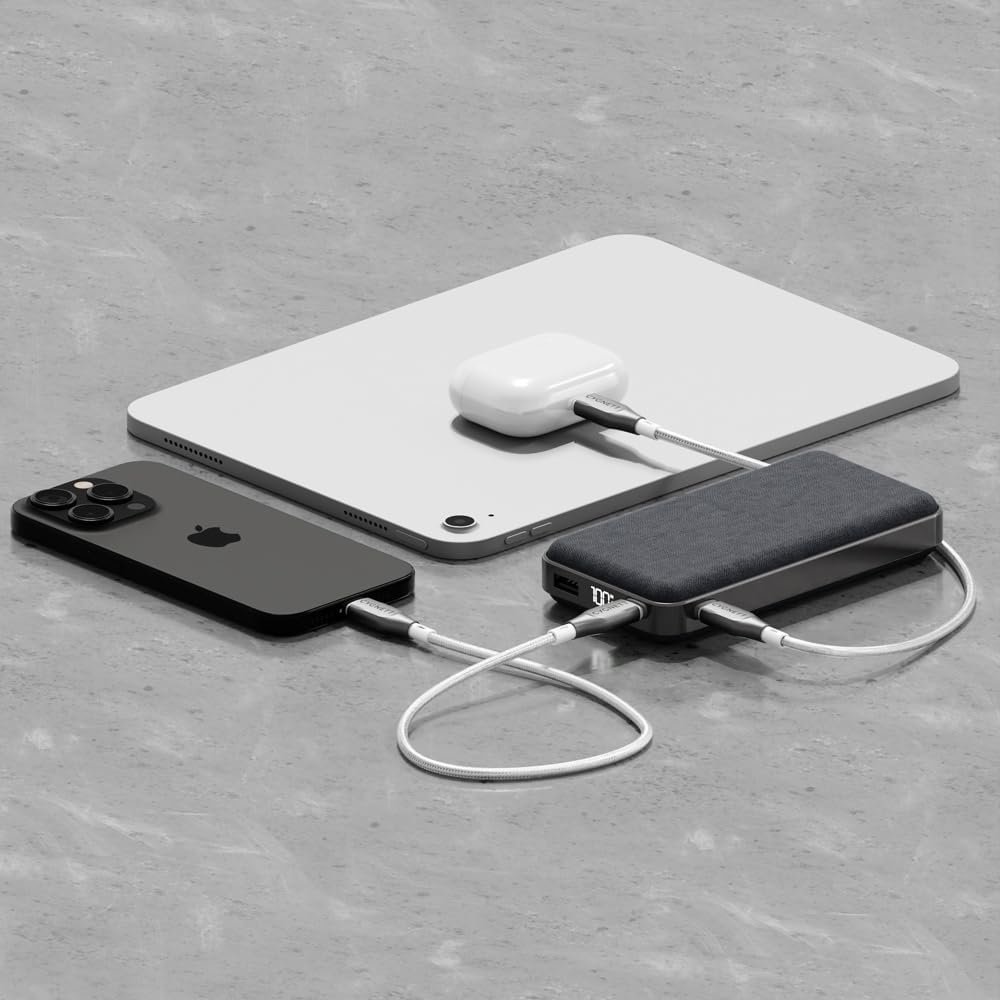
An illustration of the power bank's multi-device charging capability, showing it connected to an iPhone, an iPad, and a pair of wireless earbuds.
Forståelse af det digitale display
Det integrerede digitale display viser den nøjagtige procentdeltage of remaining battery life in the power bank. This allows you to monitor its charge level and know when it needs to be recharged.
Vedligeholdelse og pleje
- Rensning: Brug en blød, tør klud til at rengøre powerbanken. Undgå at bruge skrappe kemikalier eller slibende materialer.
- Opbevaring: Opbevar powerbanken et køligt, tørt sted væk fra direkte sollys og ekstreme temperaturer.
- Batteriets sundhed: For at opretholde batteriets sundhedstilstand skal powerbanken oplades og aflades helt mindst én gang hver tredje måned, hvis den ikke er i regelmæssig brug.
- Undgå dråber: Beskyt enheden mod fald og stød, som kan beskadige de interne komponenter.
Fejlfinding
- Power Bank oplader ikke:
Ensure the USB-C cable is securely connected to both the power bank and the wall charger. Verify that the wall charger is functioning correctly and provides sufficient power (e.g., 30W compatible). Try a different cable or charger. - Enhed oplades ikke fra powerbank:
Check that the charging cable is securely connected to both the power bank and your device. Ensure the power bank has sufficient charge (check the digital display). Try a different cable or port on the power bank. Some devices may require specific charging protocols; ensure compatibility. - Langsom opladning:
Ensure you are using a fast-charging compatible cable and that your device supports fast charging. If charging multiple devices, the output power may be distributed, potentially slowing down individual device charging. - Digitalt display virker ikke:
Attempt to charge the power bank to see if the display reactivates. If the issue persists, contact customer support.
Specifikationer
| Modelnavn | ChargePro |
| Varemodelnummer | CY5181PBCHE, CY5182PBCHE, CY5183PBCHE |
| Batterikapacitet | 20,000 mAh |
| Connector Type | USB Type C, USB Type A |
| Særlige funktioner | 30W fast charging for phones & tablets, Approved for carry-on, Charge 3 devices simultaneously, Pre-charged & ready for use out of the box, Up to 4.1 phone charges* |
| Voltage | 3.7 volt |
| Produktdimensioner | 14 x 7 x 3 cm |
| Varens vægt | 200 g |
| Farve | Midnat |
*Based on iPhone 15 Pro.
Sikkerhedsoplysninger
- Du må ikke skille powerbanken ad, åbne den eller ødelægge den.
- Udsæt ikke powerbanken for varme eller ild. Undgå opbevaring i direkte sollys.
- Kortslut ikke powerbanken.
- Udsæt ikke powerbanken for mekaniske stød.
- In case of a battery leak, do not allow the liquid to come into contact with skin or eyes. If contact has been made, wash the affected area with copious amounts of water and seek medical advice.
- Hold powerbanken utilgængeligt for børn.
- Ensure proper disposal of the power bank according to local regulations.
Garanti og support
Cygnett products are designed and manufactured to the highest quality standards. For information regarding warranty coverage, technical support, or to register your product, please visit the official Cygnett webwebstedet eller kontakt deres kundeserviceafdeling. Gem venligst din købsbevis til garantikrav.