1. Introduktion
Thank you for choosing the YI Smart Security Camera 360° PTZ Dome Camera. This camera provides comprehensive surveillance with its 360° pan and tilt capabilities, delivering crystal-clear 1080p Full HD video. Designed for indoor use, it features advanced motion detection, smart auto-tracking, enhanced night vision, and two-way audio communication. This manual will guide you through the setup, operation, and maintenance of your new security camera.
Nøglefunktioner:
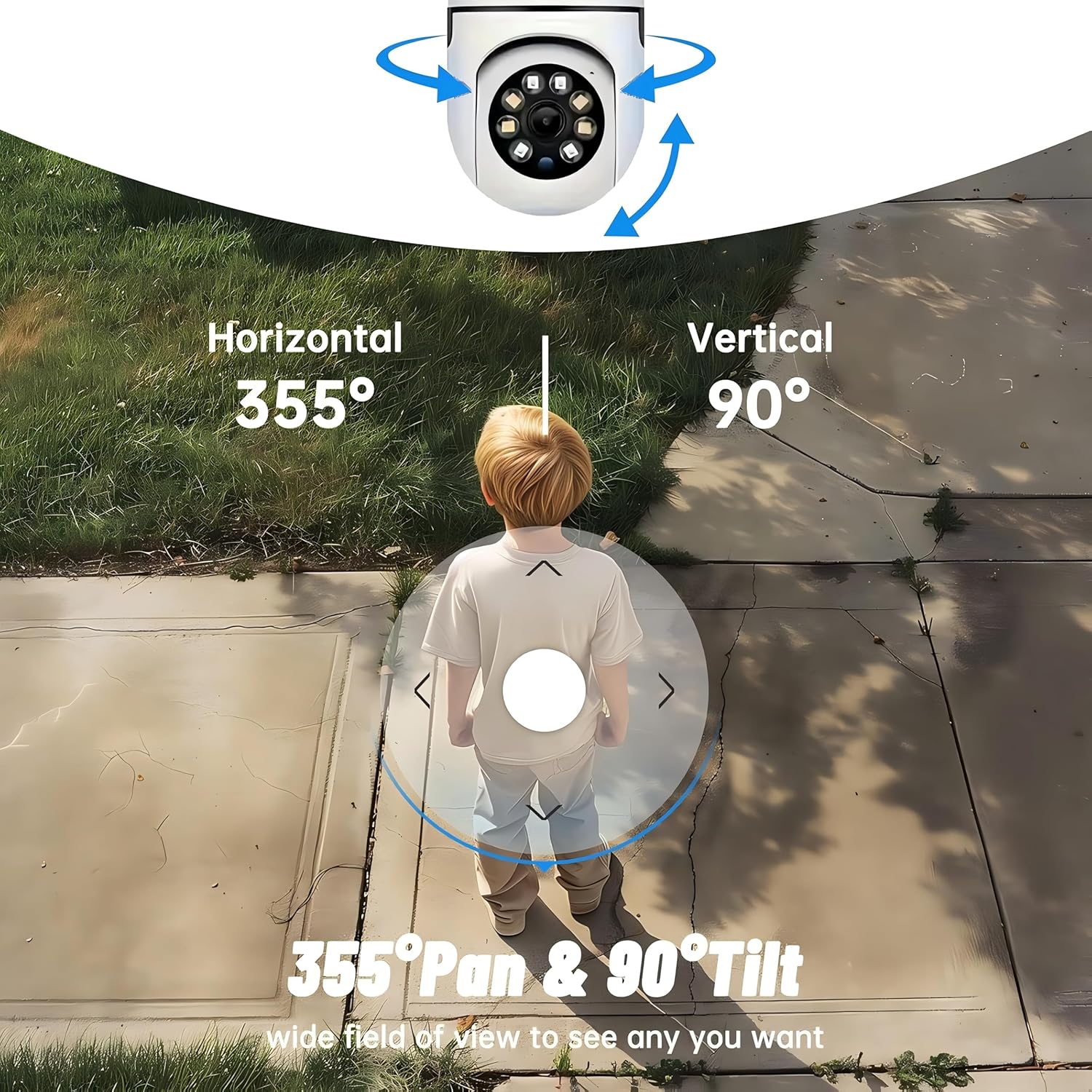
- 360° dækning: 355° horizontal and 90° vertical rotation for zero blind spots.
- 1080p fuld HD: High-definition video for clear monitoring.
- Bevægelsesdetektion og automatisk sporing: Alerts and tracks moving objects automatically.
- Forbedret nattesyn: Multiple modes including full-color night vision.
- Tovejs lyd: Indbygget mikrofon og højttaler til kommunikation i realtid.
- Fleksibel opbevaring: Supports Cloud storage and local storage via microSD card (up to 128GB).
2. Pakkens indhold
Tjek venligst pakken for følgende varer:
- YI Smart Security Camera x1
- USB-kabel x1
- Brugermanual x1 (Dette dokument)
3. Produktet er slutview
Familiarize yourself with the components of your YI Smart Security Camera.

Figur 3.1: Forside view of the YI Smart Security Camera, showing the lens, LED lights, and two antennas.

Figure 3.2: Dimensions of the YI Smart Security Camera, indicating a height of 180mm (7.08in), width of 102mm (4.0in), and depth of 85mm (3.34in).
4. Opsætning og installation
4.1 Indledende opstart
- Connect the provided USB cable to the camera's power port and plug the other end into a compatible USB power adapter (not included).
- Kameraet tændes og starter sin selvtestsekvens. Vent på, at indikatorlampen blinker, hvilket indikerer, at det er klar til opsætning.
4.2 Download af app og oprettelse af konto
- Download YI IOT App fra App Store (iOS) eller Google Play Store (Android).
- Åbn appen, og følg instruktionerne på skærmen for at oprette en ny konto eller logge ind, hvis du allerede har en.
4.3 Adding Your Camera to the App
- In the YI IOT App, tap the "+" icon to add a new device.
- Vælg din kameramodel fra listen.
- Follow the app's instructions to connect the camera to your 2.4GHz Wi-Fi network. This typically involves scanning a QR code generated by the app with the camera's lens.
- Når du har oprettet forbindelse, kan du navngive dit kamera og begynde live viewing.
4.4 Montering af kameraet
The camera is designed for indoor use and can be placed on a flat surface or wall-mounted. For wall mounting, use the included mounting accessories (if applicable) and ensure the camera is securely fastened.
Figur 4.1: Eksamples of multi-scene applications, including wall and ceiling mounting, and placement in living rooms, bedrooms, and studies.
5. Betjening af dit kamera
5.1 Pan-Tilt-kontrol
The YI Smart Security Camera offers extensive pan and tilt capabilities, allowing you to monitor a wide area.
- Vandret rotation: 355°
- Lodret rotation: 90°
In the YI IOT App, use the directional controls on the live view screen to remotely adjust the camera's viewvinkel.

Figure 5.1: Illustration of the camera's 355° horizontal pan and 90° vertical tilt capabilities, providing a wide field of view.
5.2 Motion Detection & Smart Auto Tracking
The camera can detect movement and automatically track objects, sending alerts to your smartphone.
- Bevægelsesdetektion: When motion is detected, the camera will send an instant push notification with a 6-second video clip to your phone via the YI IOT App.
- Smart Auto Tracking: If enabled, the camera will automatically follow moving objects for up to 10 seconds after detection, ensuring continuous monitoring of the activity.
Adjust sensitivity settings and notification preferences within the app.

Figure 5.2: Real-time alarm notification on the YI IOT app, showing an intruder detected by the camera.
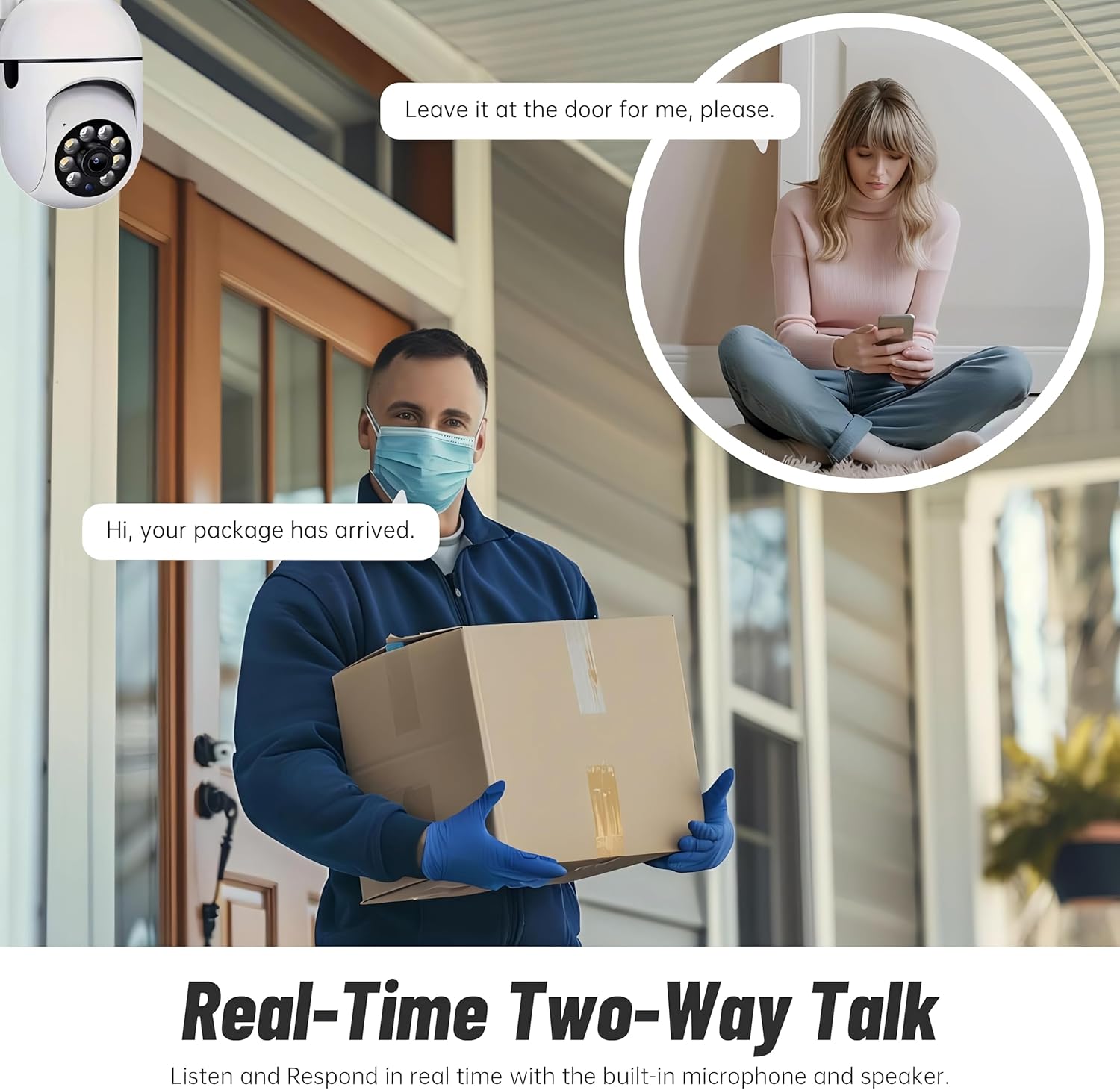
Figure 5.3: The camera's motion tracking feature focusing on a moving pet.

Figure 5.4: Visual representation of a motion detection alert, showing the camera capturing movement and sending notifications.
5.3 Forbedret nattesyn
The camera is equipped with ultra-long-distance infrared LEDs and floodlight LEDs, offering multiple night vision modes for clear visibility in low-light conditions.
- Normalt nattesyn: Standard sort-hvid infrarød view.
- Intelligent nattesyn: Automatically switches between infrared and full-color based on detected activity.
- Nattesyn i fuld farve: Provides a color image even in low light, utilizing the built-in floodlight.
You can switch between these modes directly from the YI IOT App.

Figure 5.5: Comparison illustrating the difference between standard infrared night vision (monochrome) and 1080p full-color night vision.
5.4 Tovejslyd
Communicate through the camera using its built-in microphone and high-power speaker.
- Intercom Mode: Press and hold the microphone icon in the app to speak, and release to listen. Ideal for giving commands to pets or deterring unwanted visitors.
- Håndfri tilstand: Allows for a continuous two-way conversation, similar to a phone call.
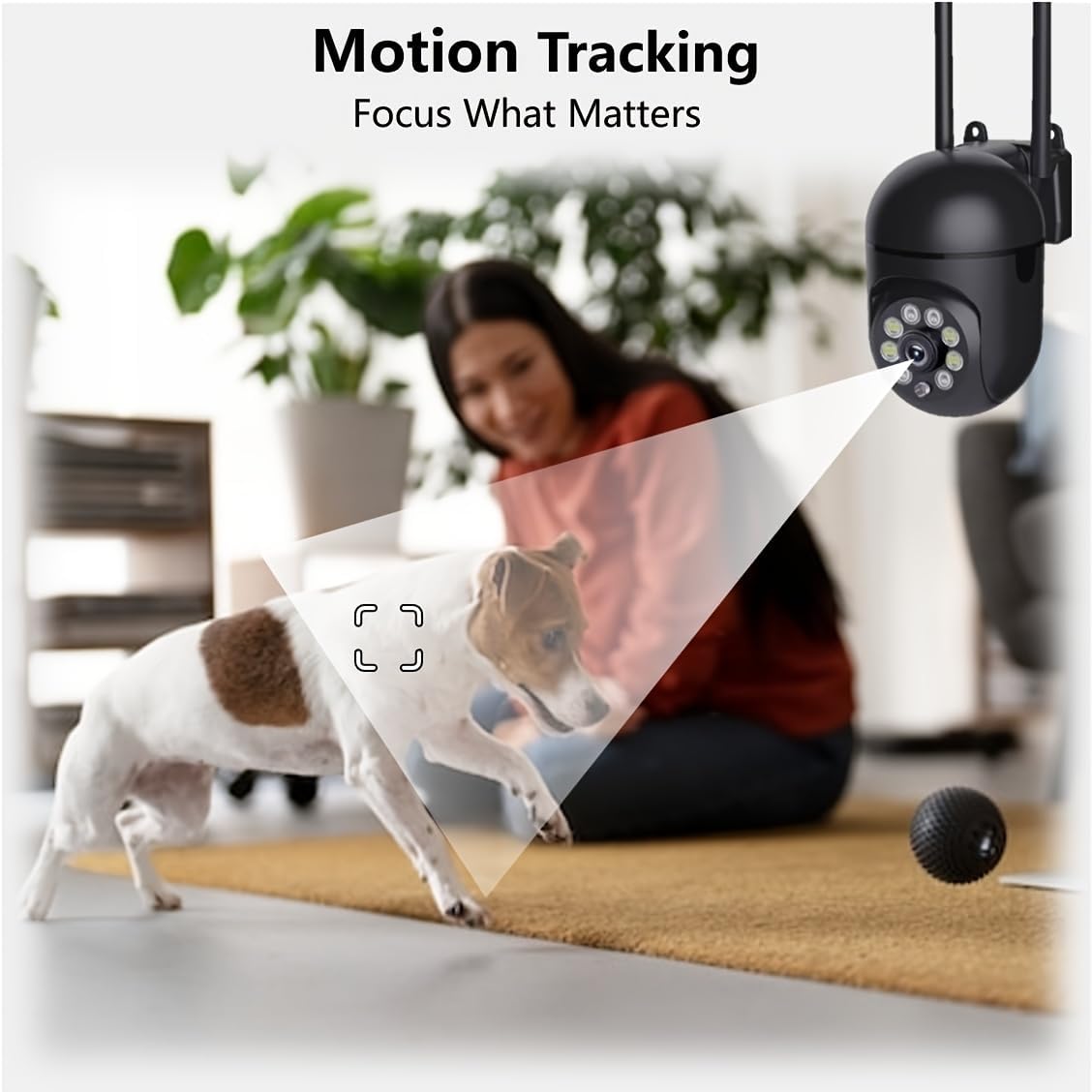
Figure 5.6: Demonstration of real-time two-way talk, allowing communication between the camera's location and the app user.
5.5 Cloud & Local Storage
Your camera offers flexible storage options for your video footage.
- YI Cloud Storage: Securely store 6-second video clips triggered by motion or sound detection. This ensures your footage is safe from loss, theft, or damage to local storage. Available for both iOS and Android.
- Lokal opbevaring: The camera supports microSD cards up to 128GB (not included) for continuous recording or event-triggered recordings.
6. Vedligeholdelse
For at sikre optimal ydeevne og levetid for dit kamera skal du følge disse retningslinjer for vedligeholdelse:
- Rensning: Tør forsigtigt kameralinsen og huset af med en blød, tør klud. Undgå at bruge skrappe kemikalier eller slibende materialer.
- Firmwareopdateringer: Regularly check for and install firmware updates via the YI IOT App. Updates often include performance improvements, new features, and security enhancements.
- Power Cycle: If the camera becomes unresponsive, unplug it from the power source for 10 seconds, then plug it back in to restart it.
7. Fejlfinding
Hvis du støder på problemer med dit kamera, kan du se følgende almindelige problemer og løsninger:
| Problem | Mulig årsag | Løsning |
|---|---|---|
| Kamera offline | Ingen strøm; Wi-Fi afbrudt; Routerproblem | Check power connection; Restart camera and router; Reconnect camera to Wi-Fi via app. |
| Dårlig billedkvalitet | Dirty lens; Insufficient lighting; Network bandwidth | Clean the lens; Ensure adequate lighting or enable night vision; Check Wi-Fi signal strength. |
| Bevægelsesdetektion virker ikke | Feature disabled; Incorrect sensitivity; Obstruction | Enable motion detection in app; Adjust sensitivity; Ensure clear view. |
| Problemer med tovejslyd | Microphone/speaker muted; App permissions; Network delay | Check app settings; Grant microphone permissions; Ensure stable network connection. |
| MicroSD-kort genkendes ikke | Card not inserted correctly; Incompatible card; Corrupted card | Reinsert card; Use a compatible card (Class 10 or higher); Format card in app or replace. |
If the problem persists, please contact YI customer support.
8. Specifikationer
Detailed technical specifications for the YI Smart Security Camera.
| Feature | Specifikation |
|---|---|
| Modelnavn | CB201-1X-W |
| Indendørs/Udendørs brug | Indendørs |
| Videooptagelsesopløsning | 1080p fuld HD |
| Forbindelsesteknologi | Trådløs (Wi-Fi 2.4 GHz) |
| Pan/tilt rækkevidde | Vandret 355°, Lodret 90° |
| Night Vision Range | 10 meter |
| To-vejs lyd | Ja |
| Opbevaringsmuligheder | Cloud Storage, MicroSD Card (up to 128GB) |
| Strømkilde | Elektrisk med ledning |
| Kompatible enheder | Smartphone (iOS/Android) |
| Produktmål (L x B x H) | 4 x 3.35 x 7.09 tommer |
| Inkluderede komponenter | Security Camera x1, USB Cable x1 |
9. Garanti og support
For warranty information and technical support, please refer to the official YI website or contact their customer service directly. Details can typically be found on the product packaging or within the YI IOT App's 'About' or 'Support' section.
Online support: Visit the official YI webwebsted med ofte stillede spørgsmål, fejlfindingsvejledninger og kontaktmuligheder.
App Support: Access support resources directly within the YI IOT App.