1. Introduktion
This manual provides essential instructions for the safe and efficient operation, maintenance, and troubleshooting of your Vexilar T6T7T8 Robot Vacuum. Please read this manual thoroughly before using the product and retain it for future reference.
2. Vigtige sikkerhedsinstruktioner
- Læs alle instruktioner, før du bruger dette apparat.
- Brug ikke robotstøvsugeren i våde omgivelser eller i nærheden af vand.
- Sørg for, at strømadapteren er kompatibel med dit lokale lydniveau.tage.
- Hold hår, løstsiddende tøj, fingre og alle dele af kroppen væk fra åbninger og bevægelige dele.
- Saml ikke store eller skarpe genstande, væsker eller brændende/rygende materialer op.
- Hold opsyn med børn og kæledyr, når robotstøvsugeren er i brug.
- Brug kun tilbehør og tilbehør, der er specificeret af producenten.
- Tag stikket ud af opladningsdokken, når den ikke er i brug i længere perioder.
3. Pakkens indhold
Kontroller, at alle varer er til stede og i god stand:
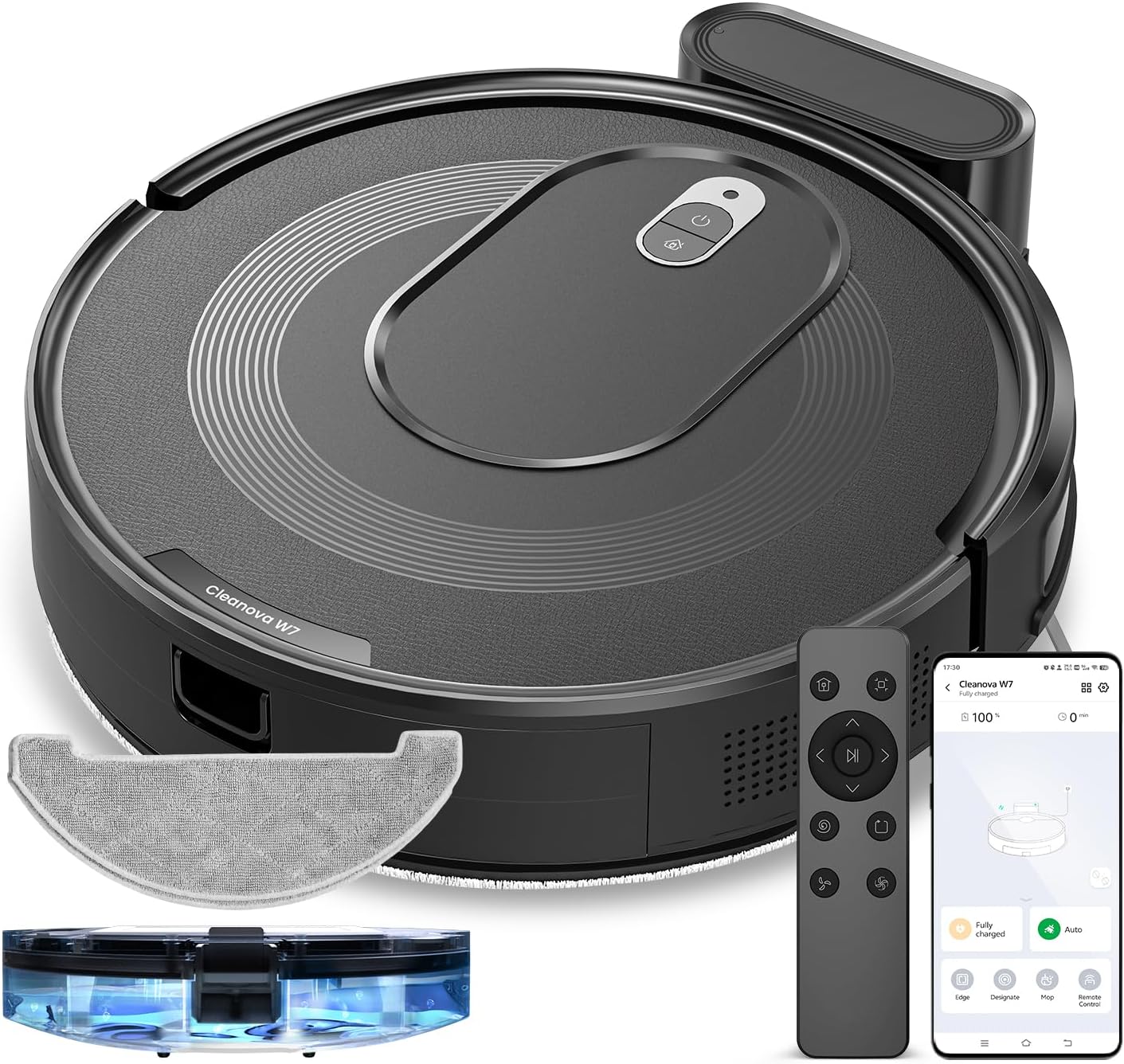
- 1 x Vexilar T6T7T8 Robot Vacuum
- 1 x ladestation
- 1 x vekselstrømsadapter
- 1 x fjernbetjening
- 2 x HEPA-filtre
- 1 x Rengøringsværktøj
- 4 x sidebørster
- 1 x Brugermanual (dette dokument)

Figur 3.1: Vexilar T6T7T8 Robot Vacuum with its charging dock, remote control, and other accessories.
4. Produktet er slutview
4.1 Robot Vacuum Components (Top View)
Figur 4.1: Top view of the Vexilar T6T7T8 Robot Vacuum, showing the power button and dustbin cover.
4.2 Robot Vacuum Components (Bottom View)
Figur 4.2: Bund view of the Vexilar T6T7T8 Robot Vacuum, illustrating the side brushes, main brush, and wheels.
4.3 Slim Design and Navigation
The robot's ultra-thin design (2.89 inches height) allows it to easily navigate under furniture and in tight spaces, ensuring comprehensive cleaning.

Figur 4.3: The Vexilar T6T7T8 Robot Vacuum demonstrating its ability to clean under low-clearance furniture.
5. Opsætningsvejledning
5.1 Placering af ladestation
- Placer opladningsdokken op ad en væg i et åbent og ryddeligt område.
- Ensure there is at least 0.5 meters (1.6 feet) of clear space on both sides of the dock and 1.5 meters (4.9 feet) in front.
- Tilslut strømadapteren til opladningsdocken, og sæt den i en stikkontakt.
5.2 Indledende opladning
Before first use, fully charge the robot vacuum. Place the robot onto the charging dock, ensuring the charging contacts align. The indicator light will show charging status. A full charge typically takes 4-5 hours.
5.3 App Connection and Smart Control
For enhanced control and scheduling features, download the Vexilar app from your smartphone's app store. The app supports 2.4GHz WiFi networks only (5G WiFi is not supported).
- Download and install the Vexilar app.
- Registrer en konto og log ind.
- Følg instruktionerne i appen for at forbinde din robotstøvsuger til dit Wi-Fi-hjemmenetværk.
- Once connected, you can control the robot via the app, or integrate with voice assistants like Siri, Google Home, or Alexa.
- Alternatively, use the included remote control or Bluetooth for basic operations without Wi-Fi.

Figur 5.1: Example of the Vexilar app interface for controlling the robot vacuum.
6. Betjening
6.1 Start og pause af rengøring
- Press the power button on the robot or the "Clean" button on the remote/app to start cleaning.
- Press the button again to pause cleaning.
- To send the robot back to the charging dock, press the home button on the remote/app.
6.2 Rengøringstilstande
The Vexilar T6T7T8 offers four cleaning modes:
- Autorengøring: The robot intelligently navigates using gyroscope technology to cover the entire floor area in an efficient zig-zag pattern.
- Spot Clean: Fokuserer på et specifikt snavset område og rengør i et spiralmønster.
- Kantrensning: Rengør langs vægge og møbelkanter.
- Mop -tilstand: Engages the mopping function for hard floors.
6.3 2-i-1 fejning og mopping
The robot can simultaneously vacuum and mop. To use the mopping function:
- Fill the water tank (200ml capacity) with clean water.
- Fastgør moppekluden til vandtanken.
- Insert the water tank assembly into the robot.
- Select Mop Mode via the app or remote control. The electronically controlled water pump allows for adjustable four-level water output.
- Note: For carpeted areas, remove the mop holder before cleaning to prevent wetting the carpet. The robot automatically recognizes carpets and switches to max suction mode when the mop holder is removed.

Figur 6.1: The Vexilar T6T7T8 Robot Vacuum simultaneously vacuuming and mopping a hard floor.
7. Vedligeholdelse
Regelmæssig vedligeholdelse sikrer optimal ydeevne og forlænger levetiden på din robotstøvsuger.
7.1 Rengøring af støvbeholder og filter
- Tryk på udløserknappen til skraldespanden, og fjern skraldespanden.
- Tøm indholdet af skraldespanden i en skraldespand.
- Remove the HEPA filter and sponge filter. Tap them gently to remove dust. Do not wash HEPA filters with water.
- Skyl støvbeholderen med vand om nødvendigt, og sørg for, at den er helt tør, inden den sættes på igen.
- Geninstaller filtrene og støvbeholderen.
7.2 Side Brush and Main Brush Cleaning
- Periodically check side brushes for tangled hair or debris. Remove and clean them using the provided cleaning tool.
- Fjern hovedbørstens dæksel, og løft hovedbørsten ud. Brug rengøringsværktøjet til at fjerne hår og snavs.
7.3 Sensorrensning
Wipe the cliff sensors, wall sensors, and charging contacts on the robot and charging dock with a clean, dry cloth to ensure proper function.
7.4 Vedligeholdelse af vandtank og moppeklud
- Efter hver moppesession tømmes eventuelt resterende vand fra tanken.
- Remove and wash the mop cloth. Allow it to air dry completely before reuse.
8. Fejlfinding
| Problem | Mulig årsag | Løsning |
|---|---|---|
| Robotten starter ikke | Lavt batteri; Sluk for strømmen | Oplad robotten; Tænd for strømafbryderen |
| Robotten sidder ofte fast | Obstacles; Dirty sensors | Clear obstacles; Clean sensors |
| Dårlig rengøringsydelse | Full dustbin; Clogged filters/brushes | Empty dustbin; Clean/replace filters and brushes |
| Robotten kan ikke finde opladningsstationen | Dock obstructed; Dock unplugged | Ensure clear path to dock; Plug in dock |
| Problemer med appforbindelse | Incorrect Wi-Fi band; Network issues | Ensure 2.4GHz Wi-Fi; Restart router/robot |
9. Specifikationer
| Feature | Detalje |
|---|---|
| Modelnavn | T6T7T8 |
| Mærke | Veksilar |
| Produktdimensioner | 16 cm L x 13 cm B x 4.5 cm H |
| Varens vægt | 7 pund (3.17 kg) |
| Sugekraft | Up to 3000Pa (Max Mode) |
| Batterilevetid | Op til 120 minutter (lydløs tilstand) |
| Skraldespandskapacitet | 0.5 liter (500 ml) |
| Vandtankkapacitet | 200 ml |
| Filtertype | Sponge, HEPA (H10 Grade with 95% filtration above 3 microns) |
| Kontrolmetoder | App, Siri, Google Home, Alexa, Remote Control, Bluetooth |
| Navigationstype | Gyroscope Smart Navigation |
| Opladningstid | Cirka 4-5 timer |
| Støjniveau | Under 60 dB |
| Strømkilde | Batteridrevet (10.8 volt) |
10. Garanti og support
The Vexilar T6T7T8 Robot Vacuum comes with a 12 måneders garanti fra købsdatoen, dækker fabrikationsfejl. Gem venligst din købsbevis i tilfælde af garantikrav.
For technical support, troubleshooting assistance, or warranty inquiries, please visit our support page or contact customer service:
- Online support: http://www.utenic.com/qr/support/vactidy/
- E-mail support: support@gracevacuum.com


