1. Vigtige sikkerhedsinstruktioner
Please read all instructions carefully before using the AMEIFU PC450A Dehumidifier. Retain this manual for future reference.
- Sørg for, at strømadapteren er kompatibel med dit lokale lydniveau.tage (100-240V AC, 50/60Hz).
- Do not immerse the dehumidifier, power cord, or plug in water or other liquids.
- Tag altid stikket ud af enheden, før du rengør eller udfører vedligeholdelse.
- Hold enheden væk fra varmekilder, direkte sollys og brandfarlige materialer.
- Do not block the air inlet or outlet. Ensure proper ventilation around the unit.
- Dette apparat er ikke beregnet til brug af personer (inklusive børn) med nedsatte fysiske, sensoriske eller mentale evner, eller mangel på erfaring og viden, medmindre de har fået opsyn eller instruktion i brugen af apparatet af en person, der er ansvarlig for deres sikkerhed.
- Only use the original power adapter provided with the unit.
- Hvis netledningen er beskadiget, skal den udskiftes af producenten, dennes serviceagent eller lignende kvalificerede personer for at undgå en fare.
2. Produktet er slutview
The AMEIFU PC450A Dehumidifier utilizes advanced semiconductor technology to efficiently remove excess moisture from the air, creating a more comfortable environment. It features a 135 oz (4000 ml) water tank and is suitable for areas up to 900 sq.ft.
Pakkeindhold:
- AMEIFU PC450A Dehumidifier x 1
- Vandtank x 1
- Strømadapter x 1
- Brugervejledning x 1
Enhedskomponenter:
Familiarize yourself with the main parts of your dehumidifier.
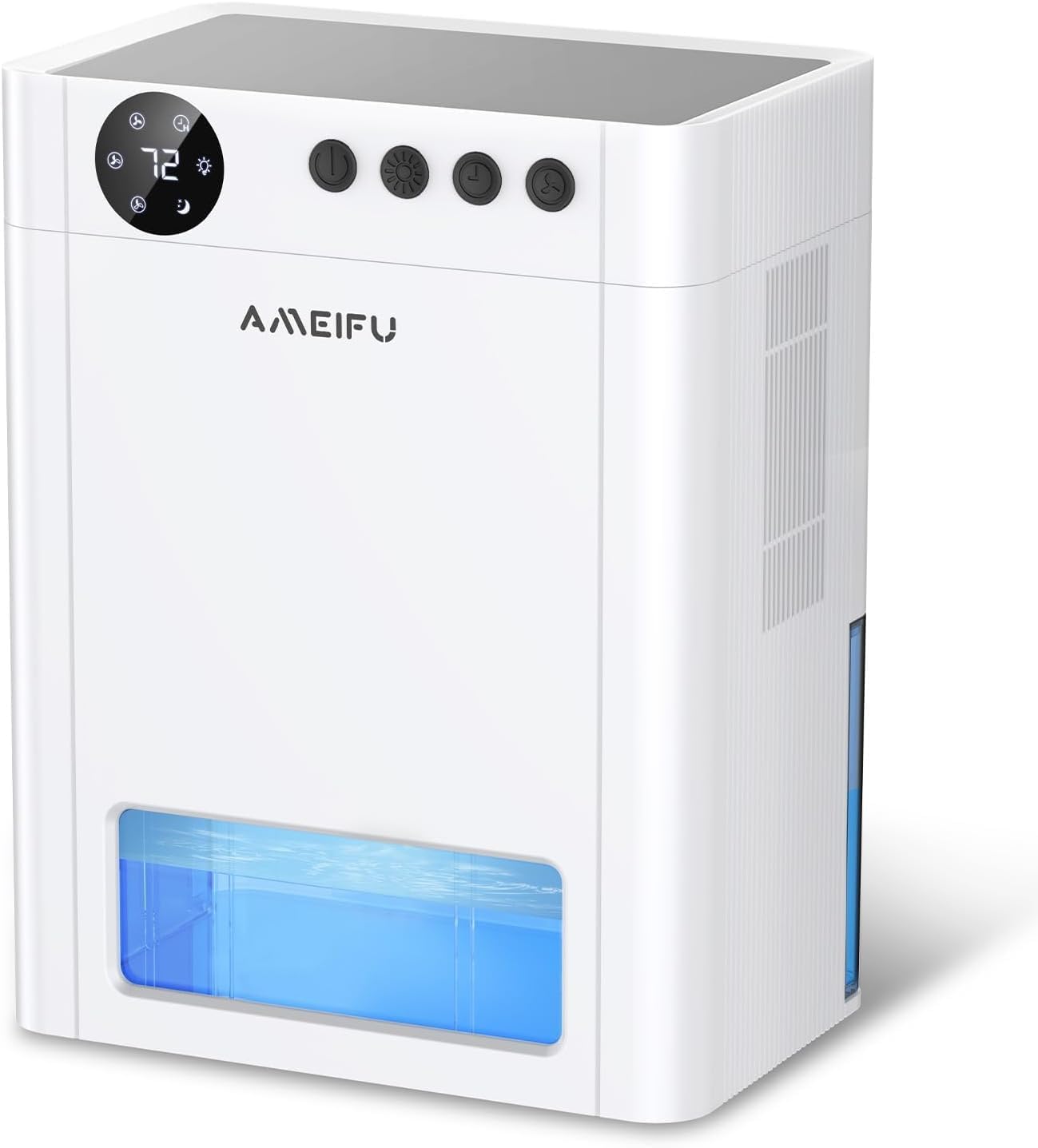
Billede 2.1: Front view of the AMEIFU PC450A Dehumidifier, showing the digital display, control buttons, and the transparent water tank.

Billede 2.2: An internal diagram illustrating the dual semiconductor components responsible for efficient moisture removal.
Kontrolpanel:
The control panel is located on the top of the unit and features a digital display and several buttons for easy operation.

Billede 2.3: Detaljeret view of the control panel, indicating the Power, Night Light, Timer, and Speed buttons, along with their respective functions and display indicators.
- Power knap: Tænder eller slukker for enheden.
- Natlys knap: Activates or deactivates the 7-color LED ambient light. Long press to turn off the light.
- Timer knap: Sets the operating timer for 1H, 2H, 4H, 8H, 12H, 24H, 48H, or 72H.
- Hastighedsknap: Adjusts the fan speed between 1-speed (low), 2-speed (medium), and 3-speed (high) modes.
- Indikator for dvaletilstand: Activates a quiet operation mode.
- Fugtighedsdisplay: Shows the current humidity level.
3. Opsætning
Unboxing:
- Tag forsigtigt affugteren og alt tilbehør ud af emballagen.
- Undersøg enheden for tegn på skader. Hvis den er beskadiget, må den ikke anvendes, og du skal kontakte kundesupport.
- Fjern eventuelle beskyttelsesfilm eller emballagematerialer fra enheden.
Placering:
For optimal performance, place the dehumidifier in an area where humidity is highest and air circulation is good. Ensure there is at least 8 inches (20 cm) of space around the air inlet and outlet for unrestricted airflow.
- Anbefalede steder: Basements, bedrooms, bathrooms, closets, RVs, kitchens, cabinets, garages.
- Avoid placing the unit near sources of water splashes or in direct sunlight.
- Place the unit on a flat, stable surface to prevent tipping and ensure proper water collection.
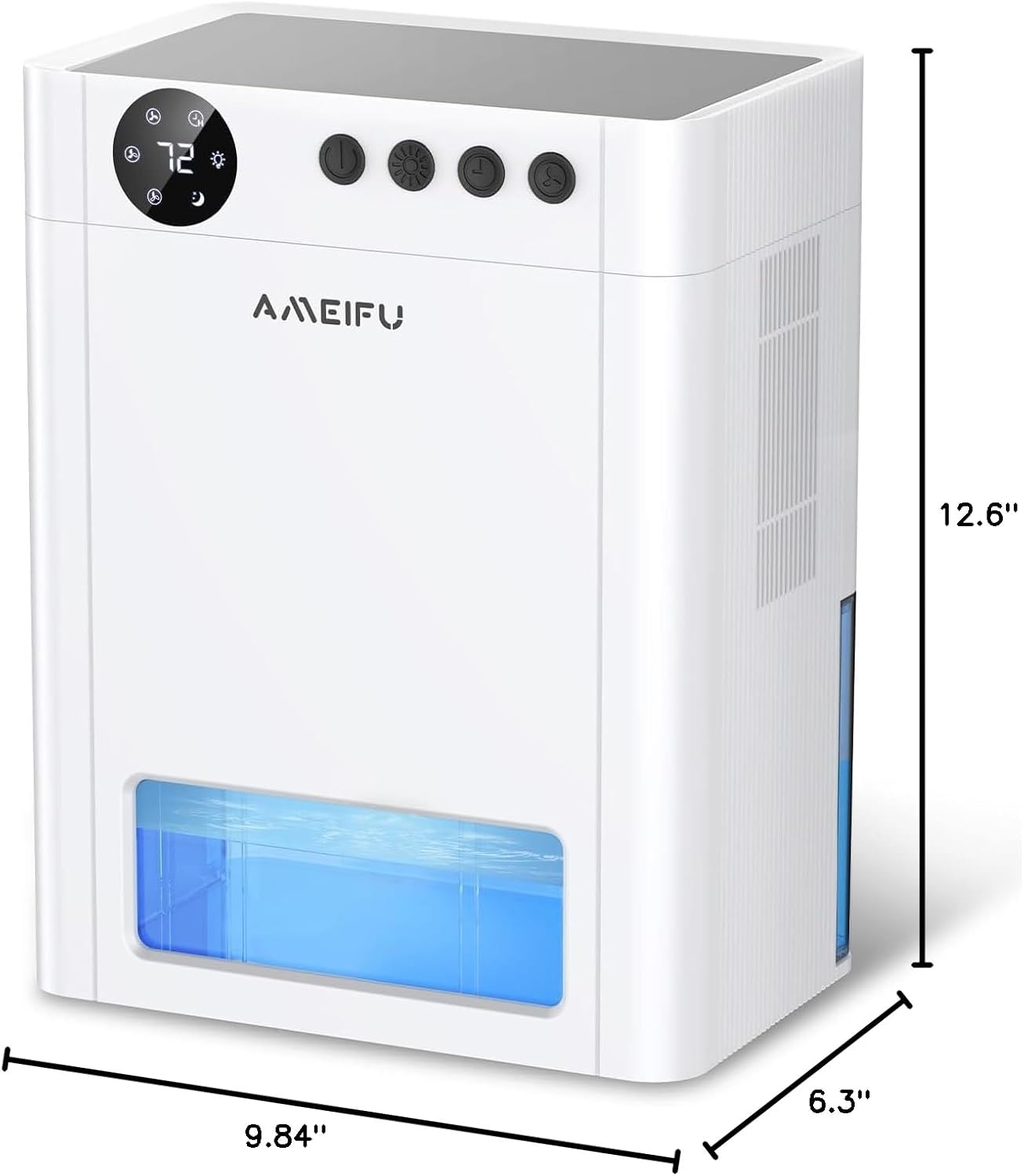
Billede 3.1: The physical dimensions of the dehumidifier, measuring 6.3 inches deep, 9.84 inches wide, and 12.6 inches high, useful for planning placement.
Strømtilslutning:
- Sørg for, at vandtanken er korrekt isat i enheden.
- Connect the power adapter to the power input port on the dehumidifier.
- Plug the power adapter into a suitable electrical outlet. The unit will enter standby mode.
4. Betjening
Tænd/sluk:
- Tryk på Power knap once to turn the dehumidifier on. The display will light up, and the fan will start operating.
- Tryk på Power knap igen for at slukke for enheden.
Adjusting Fan Speed (Operating Modes):
The dehumidifier offers different fan speeds to suit your needs.
- Tryk på Hastighedsknap to cycle through the available fan speeds: 1-speed (low), 2-speed (medium), and 3-speed (high).
- Sove mode: The unit features a quiet sleep mode (approximately 35dB) for undisturbed operation during rest or study. This mode is typically activated by selecting the lowest fan speed or a dedicated sleep mode setting if available on the control panel.
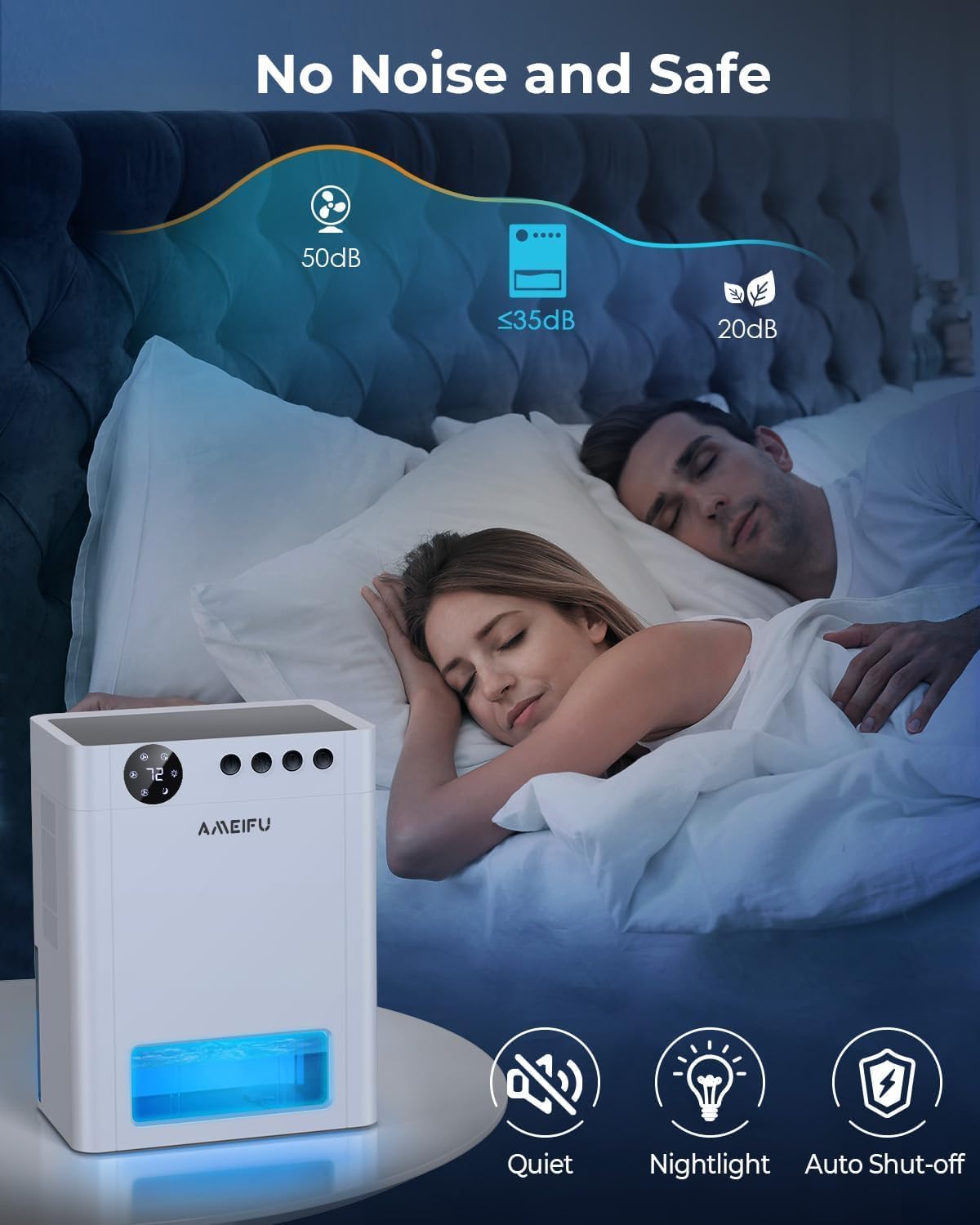
Billede 4.1: The dehumidifier operating quietly in a bedroom, demonstrating its suitability for sleep environments with noise levels below 35dB.
Indstilling af timeren:
Use the timer function to set a specific operating duration.
- Tryk på Timer knap repeatedly to select the desired operating time: 1H, 2H, 4H, 8H, 12H, 24H, 48H, or 72H.
- Enheden slukker automatisk, når den indstillede tid er udløbet.
LED omgivende lys:
The dehumidifier includes a 7-color LED light feature.
- Tryk på Natlys knap to cycle through the 7 available colors or to set it to auto-cycle.
- Tryk længe på Natlys knap to turn the LED light off.
Automatisk slukning:
For safety and convenience, the unit is equipped with an automatic shut-off feature.
- When the water tank is full, the dehumidifier will automatically turn off to prevent overflow.
- A red indicator light will flash to alert you that the tank needs to be emptied.
- The unit will resume operation once the water tank has been emptied and reinserted correctly.

Billede 4.2: Visual representation of the dehumidifier operating with a partially filled water tank (left) and the automatic shut-off state when the tank is full, indicated by a red warning (right).
Automatisk afrimning:
The dehumidifier includes an automatic defrost function to prevent frost accumulation on the internal components, ensuring continuous and efficient operation, especially in cooler environments.
5. Vedligeholdelse
Regelmæssig vedligeholdelse sikrer din affugters levetid og optimale ydeevne.
Tømning af vandtanken:
- When the water tank is full, the unit will automatically shut off, and the red indicator light will flash.
- Carefully pull out the water tank from the front of the dehumidifier.
- Hæld det opsamlede vand ud.
- Slide the empty water tank back into the unit until it clicks into place. The dehumidifier will resume operation.
Rengøring af enheden:
- Tag altid stikket ud af affugteren inden rengøring.
- Tør ydersiden af enheden af med en blød, damp klæde. Brug ikke slibende rengøringsmidler eller opløsningsmidler.
- Clean the air inlet and outlet grilles regularly to prevent dust buildup, which can impede airflow. Use a soft brush or vacuum cleaner attachment.
- Clean the water tank with mild soap and water periodically to prevent mold or mildew growth. Rinse thoroughly and dry before reinserting.
Filtervedligeholdelse:
While this model is designed with semiconductor technology for dehumidification, it may include a basic dust filter to protect internal components. If your unit has a removable filter, it is typically located behind the air inlet grille. Gently remove and clean it with a soft brush or vacuum. If you are unable to locate a removable filter or require further assistance, please refer to the troubleshooting section or contact customer support.
6. Fejlfinding
If you encounter any issues with your dehumidifier, please refer to the following common problems and solutions:
| Problem | Mulig årsag | Løsning |
|---|---|---|
| Affugteren tænder ikke. | No power supply; Power adapter not connected; Water tank full or incorrectly inserted. | Check power connection and outlet; Ensure power adapter is securely plugged in; Empty and correctly reinsert the water tank. |
| Enheden kører, men opsamler ikke vand. | Ambient humidity is too low; Room temperature is too low; Air inlet/outlet blocked. | Dehumidifiers are most effective in environments with relative humidity above 40% and temperatures above 50°F (10°C); Ensure proper clearance around the unit; Clean any obstructions. |
| Enheden er støjende. | Unit not on a flat surface; Fan speed set too high. | Place the unit on a stable, flat surface; Select a lower fan speed (e.g., Sleep Mode). |
| Rød indikatorlampe blinker. | Vandbeholderen er fuld. | Tøm vandtanken, og sæt den korrekt i igen. |
| Unpleasant odor from the unit. | Water tank needs cleaning; Dust buildup. | Clean the water tank thoroughly; Clean the air inlet/outlet and any accessible filters. |
If the problem persists after trying these solutions, please contact AMEIFU customer support for further assistance.
7. Specifikationer
| Feature | Detalje |
|---|---|
| Mærke | AMEIFU |
| Modelnavn | 135OZ Dehumidifier |
| Varemodelnummer | PC450A |
| Dækningsområde | Op til 900 kvadratmeter |
| Vandtankkapacitet | 135 væskeouncer (ca. 4000 ml) |
| Produktmål (D x B x H) | 6.3" D x 9.84" B x 12.6" H |
| Varens vægt | 6.74 pund |
| Materiale | Acrylonitril Butadien Styren (ABS) |
| Driftstilstand | Sammenhængende |
| Særlige funktioner | Quiet Operation (35dB), Sleep Mode, Automatic Shutoff, Automatic Defrost, Timing settings, 7 Color LED Light |
| Anbefalede anvendelser | Home, Bedroom, Basement, Bathroom, Closet, RV |
8. Garanti og support
Your AMEIFU PC450A Dehumidifier comes with a manufacturer's warranty. Please refer to the warranty card included in your packaging or contact AMEIFU customer support for specific details regarding warranty coverage and terms.
Kundesupport:
For any questions, technical assistance, or warranty claims, please contact AMEIFU customer support through the retailer where the product was purchased or visit the official AMEIFU webwebsted for kontaktoplysninger.
Please have your model number (PC450A) and purchase details ready when contacting support.


