1. Introduktion
This manual provides essential information for the safe and efficient use of your MESWAO 15.6 Inch Pro Android 14 Tablet. Please read this manual thoroughly before operating the device and retain it for future reference.
2. Sikkerhedsoplysninger
- Udsæt ikke tabletten for ekstreme temperaturer, direkte sollys eller høj luftfugtighed.
- Avoid dropping or subjecting the tablet to severe impact.
- Use only the provided power adapter and Type-C cable for charging.
- Hold tabletten væk fra vand og andre væsker.
- Forsøg ikke selv at skille tabletten ad eller reparere den. Kontakt kundesupport for at få hjælp.
- Ensure proper ventilation when using the tablet for extended periods.
3. Pakkens indhold
Bekræft at alle varer er til stede i pakken:
- 1 x MESWAO 15.6 tommer Android-tablet
- 1 x strømadapter
- 1 x Type C kabel
- 1 x brugermanual
- 1 x Type-C til USB-adapter
- 1 x Stuck pin
4. Enhed overview
Familiarize yourself with the physical components of your MESWAO tablet.
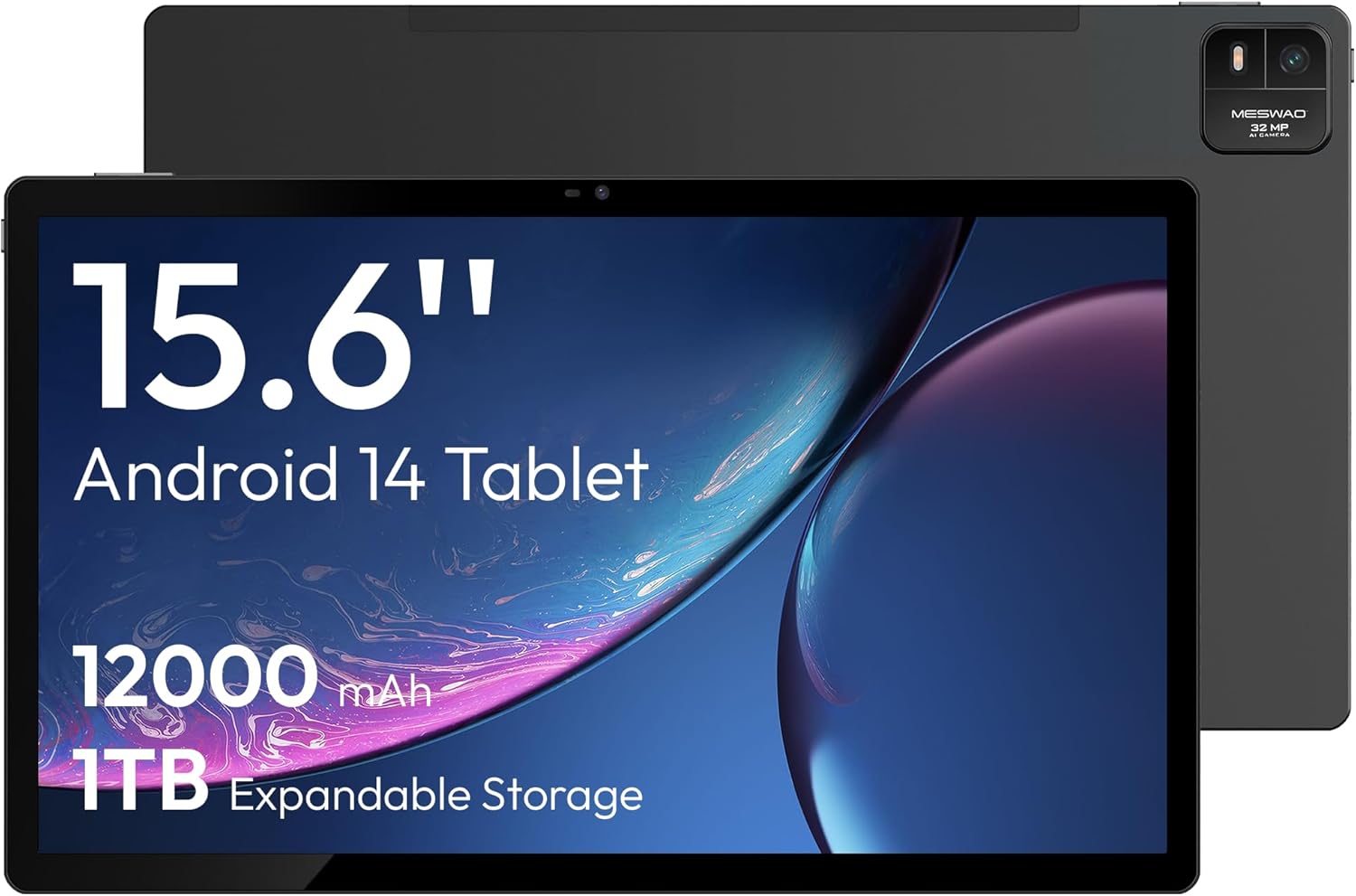
Figur 4.1: Front view of the MESWAO 15.6-inch Android 14 Tablet, highlighting the large display and key specifications such as 12000mAh battery and 1TB expandable storage.
Figur 4.2: Side og bag view of the tablet, indicating the location of the quad speakers, Type-C port, TF card slot, power button, volume controls, and front/rear cameras.
Nøglekomponenter:
- 15.6-tommer FHD IPS-skærm: Large screen for immersive viewing.
- Forreste kamera: Til videoopkald og selfies.
- Bagkamera (32 MP): Til optagelse af fotos og videoer.
- Power knap: To turn the tablet on/off or put it to sleep.
- Lydstyrkeknapper: For at justere lydniveauer.
- Type-C port: Til opladning og dataoverførsel.
- TF-kortslot: For expandable storage (MicroSD card).
- Fire højttalere: Til lydudgang.
5. Opsætning
5.1 Indledende opladning
Before first use, fully charge the tablet. Connect the provided Type-C cable to the tablet's Type-C port and the power adapter to a wall outlet. The tablet supports 30W fast charging.

Figur 5.1: The tablet connected to its charger, showing the charging indicator on the screen.
5.2 Tænd/sluk
- For at tænde: Tryk og hold tænd/sluk-knappen nede, indtil skærmen lyser.
- For at slukke: Tryk på tænd/sluk-knappen og hold den nede, og vælg derefter 'Sluk' fra indstillingerne på skærmen.
- At sove/vågne: Tryk kort på Power-knappen.
5.3 Indledende konfiguration
Upon first power-on, follow the on-screen prompts to set up your Android 14 operating system. This includes selecting your language, connecting to Wi-Fi, and signing in with your Google account.
5.4 Wi-Fi-forbindelse
- Gå til Indstillinger > Netværk og internet > Wi-Fi.
- Slå Wi-Fi til/fra On.
- Vælg det ønskede netværk fra listen.
- Indtast adgangskoden, hvis du bliver bedt om det, og tryk på Forbinde. The tablet supports dual-band Wi-Fi (2.4GHz and 5GHz).
5.5 Indsættelse af et MicroSD-kort
To expand storage up to 1TB, insert a MicroSD card:
- Find TF-kortstikket på siden af tabletten.
- Brug den medfølgende fastsiddende nål til forsigtigt at trykke ind i det lille hul ved siden af åbningen for at skubbe bakken ud.
- Place the MicroSD card into the tray with the gold contacts facing down.
- Sæt forsigtigt bakken tilbage i tabletten.

Figur 5.2: Illustration of the tablet's internal storage and the option for expandable storage via MicroSD card.
6. Betjening af tabletten
6.1 Grundlæggende navigation
The Android 14 operating system uses touch gestures for navigation:
- Tryk på: Vælg et element, eller åbn en app.
- Stryg: Rul gennem skærme eller lister.
- At klemme: Zoom ind eller ud på billeder og web sider.
- Langt tryk: Få adgang til kontekstmenuer eller flyt ikoner.
6.2 Skærmfunktioner
The 15.6-inch FHD IPS display offers a resolution of 1920 x 1080 pixels, providing clear and vibrant visuals for various applications.

Figur 6.1: Comparison of the MESWAO 15.6-inch display size to an A4 sheet of paper and a smaller tablet, emphasizing its expansive viewing område.
6.3 Ydelse
Powered by the Helio G99 octa-core processor and 8GB RAM, the tablet delivers efficient performance for multitasking, gaming, and media consumption.

Figur 6.2: An illustration of the Helio G99 Octa-Core chipset, detailing its technical specifications and performance benefits.
6.4 Kamerabrug
The tablet features a 32MP rear camera and a 5MP front camera. Open the Camera app to capture photos and videos.
6.5 Lyd
The quad speakers provide clear audio. You can connect Bluetooth headphones or use the Type-C port for audio output with a suitable adapter.
6.6 Android 14-funktioner
The tablet runs on Android 14, offering features such as:
- Smooth Multitasking: Efficiently switch between applications.
- Forældrekontrol: Manage content and usage for children.
- Enhanced Privacy & UI: Improved security and user interface experience.

Figur 6.3: The Android 14 operating system interface, showcasing various applications and system features.
7. Vedligeholdelse
7.1 Rengøring af enheden
Brug en blød, fnugfri klud til at rengøre skærmen og tablettens kabinet. Undgå at bruge skrappe kemikalier eller slibende materialer.
7.2 Softwareopdateringer
Tjek regelmæssigt for systemopdateringer for at sikre optimal ydeevne og sikkerhed. Gå til Indstillinger > System > Systemopdatering.
7.3 Pleje af batterier
For at forlænge batterilevetiden:
- Undgå at aflade batteriet helt ofte.
- Do not expose the tablet to high temperatures.
- Tag stikket ud af opladeren, når batteriet er fuldt opladet.
8. Fejlfinding
8.1 Tablet tænder ikke
- Sørg for, at batteriet er opladet. Tilslut opladeren, og vent et par minutter, før du forsøger at tænde.
- Tryk og hold tænd/sluk-knappen nede i mindst 10-15 sekunder for at fremtvinge en genstart.
8.2 Problemer med Wi-Fi-forbindelse
- Genstart din Wi-Fi-router.
- Glem netværket i tabletindstillingerne, og genopret forbindelsen.
- Sørg for, at tabletten er inden for Wi-Fi-signalets rækkevidde.
8.3 Langsom ydeevne
- Luk unødvendige baggrundsapplikationer.
- Ryd cachedata for apps.
- Sørg for tilstrækkelig ledig opbevaringsplads.
8.4 Skærmen reagerer ikke
- Genstart tabletten.
- Sørg for, at skærmen er ren og fri for snavs.
9. Specifikationer
| Feature | Specifikation |
|---|---|
| Modelnavn | MES-B3 |
| Operativsystem | Android 14 |
| Skærmstørrelse | 15.6 tommer |
| Skærmopløsning | 1920 x 1080 pixels (FHD) |
| Processor | MediaTek Helio G99 Octa-Core |
| Grafik coprocessor | Mali-G75 |
| VÆDDER | 8 GB |
| Internt lager (ROM) | 256 GB |
| Udvidelig opbevaring | Op til 1 TB via MicroSD-kort |
| Bagkamera | 32 MP |
| Forreste kamera | 5 MP |
| Batterikapacitet | 12000mAh |
| Opladning | 30W hurtig opladning |
| Trådløs forbindelse | Dual-Band Wi-Fi (802.11a/b/ac/ad/ax), Bluetooth |
| Varens vægt | 4.55 pund |
| Produktdimensioner | 14.49 x 8.66 x 0.39 tommer |
10. Garanti og support
10.1 Garantioplysninger
Your MESWAO tablet comes with a 12 måneders garanti dækker fabrikationsfejl. Gem venligst din købsbevis til garantikrav.
10.2 Kundesupport
For technical assistance, troubleshooting, or warranty inquiries, please contact MESWAO customer support. Our support team is available to assist you.
- 24-timers kundesupport: Der er hjælp til rådighed døgnet rundt.
- Lokale eftersalgscentre: Service centers are available in regions including the US, Germany, Japan, and more.
- Quick Response Flow: Issues reported receive a team response within 24 hours, aiming for prompt problem resolution or replacement.


