1. Introduktion
Thank you for choosing the MESWAO 15.6 inch Android 14 Tablet Pro. This tablet is designed to provide a superior visual and performance experience with its large Full HD display, powerful octa-core processor, and extended battery life. This manual will guide you through the setup, operation, maintenance, and troubleshooting of your new device, ensuring you get the most out of its advanced features.
2. Hvad er der i æsken
Kontroller venligst indholdet af din pakke. Hvis der mangler eller er beskadigede varer, skal du kontakte kundesupport.
- 1 x MESWAO 15.6 tommer Android-tablet
- 1 x strømadapter
- 1 x Type-C kabel
- 1 x brugermanual
- 1 x Type-C til USB-adapter
- 1 x Stuck pin (SIM ejector tool)

Image: Visual representation of the MESWAO tablet and its included accessories.
3. Produktet er slutview
3.1 Nøglefunktioner
- 15.6-inch 1080P FHD IPS Display: Large screen with 1920x1080p resolution, 16:9 aspect ratio, 85% screen-to-body ratio, and 350 nits adjustable brightness for clear visuals.
- Android 14 OS: Latest Android version for faster app launches, intuitive user interface, split-screen multitasking, and GMS certification for Google Play access.
- MediaTek Helio G99 CPU: Octa-core processor (6nm, up to 2.2GHz) and ARM Mali-G57 GPU for smooth performance in multitasking, streaming, and gaming.
- 12,000mAh Mega Battery & 30W Fast Charging: Provides up to 15 hours of video playback and 12+ hours of daily use, with 90% charge in 3 hours.
- 6GB RAM + 128GB ROM (Expandable to 1TB): Ample storage for apps, photos, and videos, with expandable memory via microSD card (FAT32 format).
- Dual-band Wi-Fi & Bluetooth 5.0: High-speed 2.4G/5G Wi-Fi and efficient Bluetooth connectivity for peripherals.
- 5MP Front + 32MP Rear Cameras: Capture moments and conduct clear video calls.
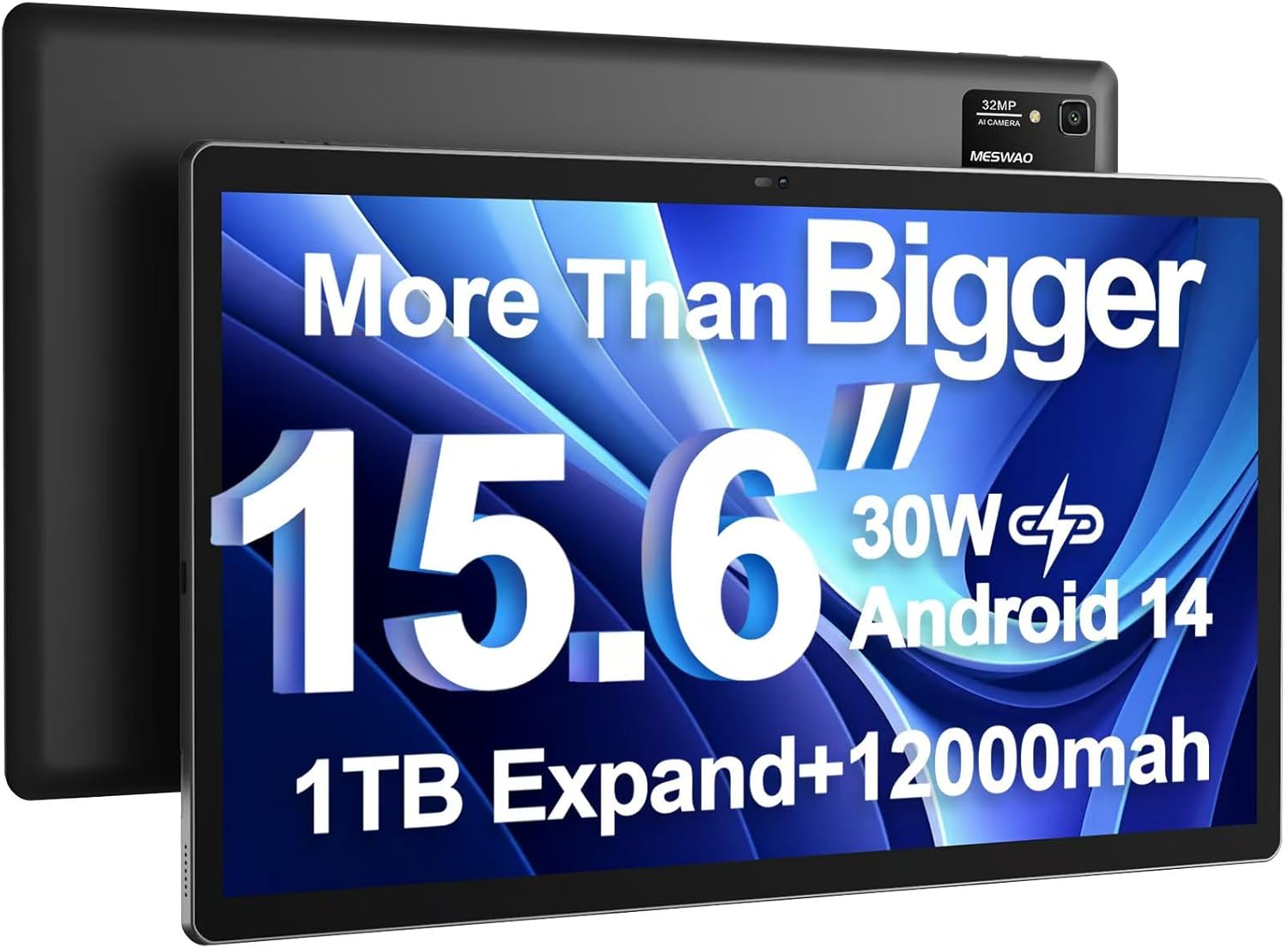
Image: The MESWAO 15.6 inch Android 14 Tablet Pro, showcasing dens store skærm og bagkameramodul.

Image: Visual comparison highlighting the significantly larger screen area of the 15.6-inch tablet compared to a standard 10-inch tablet.

Image: Illustration of the tablet's 12,000mAh ultra-large capacity battery and 30W fast charging, indicating quick charge times and extended usage.
3.2 Tabletkomponenter
Familiarize yourself with the physical components of your MESWAO tablet:
- Power knap: Located on the side, used to turn the tablet on/off or wake/sleep the screen.
- Lydstyrkeknapper: Juster lydudgangsniveauerne.
- Forreste kamera: 5MP kamera til videoopkald og selfies.
- Bagkamera: 32MP camera with flash for high-resolution photos and videos.
- Type-C port: Til opladning og dataoverførsel.
- TF-kortslot: Til udvidelse af lagerplads med et microSD-kort.
- Stereo højtalere: Quad speakers for enhanced audio experience.
- 3.5 mm headsetstik: For wired audio connection (requires included Type-C to 3.5mm adapter).
4. Opsætning
4.1 Indledende tænding
- Tryk og hold på Power knap until the MESWAO logo appears on the screen.
- Følg vejledningen på skærmen for at vælge dit sprog og din region og oprette forbindelse til et Wi-Fi-netværk.
- Sign in with your Google account or create a new one to access Google Play Store and other services.
4.2 Opladning af tabletten
Before first use, fully charge the tablet. Use the provided power adapter and Type-C cable.
- Connect the Type-C cable to the tablet's Type-C port.
- Sæt strømadapteren i en stikkontakt.
- The charging indicator will appear on the screen. A full charge takes approximately 3 hours with the 30W fast charger.
4.3 Indsættelse af et MicroSD-kort
To expand storage, insert a microSD card (FAT32 format, up to 1TB, sold separately).
- Locate the TF card slot on the side of the tablet.
- Use the provided stuck pin to gently press into the small hole next to the slot to eject the tray.
- Placer microSD-kortet i bakken med de gyldne kontakter nedad.
- Sæt forsigtigt bakken tilbage i åbningen, indtil den klikker på plads.
5. Betjeningsvejledning
5.1 Grundlæggende navigation
- Startskærm: Stryg til venstre eller højre for at navigere mellem startskærme.
- App Skuffe: Access all installed applications (if using a launcher with an app drawer, otherwise apps are on home screens).
- Notifikationer og hurtige indstillinger: Swipe down from the top of the screen to access notifications and quick settings toggles (Wi-Fi, Bluetooth, Brightness, etc.).
- Seneste apps: Tryk på det firkantede ikon (eller stryg opad og hold nede fra bunden, hvis du bruger bevægelsesnavigation) for at view og skift mellem senest brugte programmer.
5.2 Multitasking med delt skærm
The Android 14 OS supports split-screen functionality for enhanced productivity.
- Åbn den første app, du vil bruge.
- Go to the Recent Apps view.
- Tap the app icon at the top of the first app's card and select 'Split screen'.
- Choose the second app from your recent apps or app drawer to open it in the other half of the screen.
- Juster størrelsen på hver app ved at trække i skillelinjen i midten.

Billede: Overview of key features of the Android 14 operating system on the tablet, including multitasking capabilities.
5.3 Forbindelse
- Wi-Fi: Gå til Indstillinger > Netværk og internet > Wi-Fi to connect to available networks. Supports 2.4Ghz and 5Ghz bands.
- Bluetooth: Gå til Indstillinger > Forbundne enheder > Forbindelsespræferencer > Bluetooth to pair with Bluetooth headphones, keyboards, or other devices.
- Skærmcasting: The tablet supports wireless screen casting to compatible displays. Access this feature from Quick Settings or Indstillinger > Forbundne enheder > Forbindelsespræferencer > Cast.

Image: Depiction of the tablet's stable dual-band Wi-Fi and Bluetooth 5.0 capabilities, enabling seamless wireless connections.
6. Vedligeholdelse
6.1 Pleje af batterier
- Undgå ekstreme temperaturer (varme eller kolde), da de kan forringe batteriets levetid.
- Lad ikke batteriet aflades helt for ofte. Oplad det, før det når 0%.
- Use only the provided charger or a certified 30W PD fast charger.
6.2 Rengøring
- Brug en blød, fnugfri klud til at rengøre skærmen og kabinettet.
- Til genstridige pletter, let dampRengør kluden med vand eller et skærmrensemiddel. Undgå skrappe kemikalier.
- Do not spray liquids directly onto the tablet.
6.3 Softwareopdateringer
Søg regelmæssigt efter og installer systemopdateringer for at sikre optimal ydeevne og sikkerhed.
- Connect your tablet to a stable Wi-Fi network.
- Gå til Indstillinger > System > Systemopdatering.
- Følg instruktionerne på skærmen for at downloade og installere alle tilgængelige opdateringer.
7. Fejlfinding
Hvis du støder på problemer med din tablet, kan du bruge følgende almindelige løsninger:
| Problem | Mulig årsag | Løsning |
|---|---|---|
| Tabletten tænder ikke | Lavt batteri; Systemnedbrud | Oplad tabletten i mindst 30 minutter. Tryk på tænd/sluk-knappen og hold den nede i 10-15 sekunder for at tvinge genstart. |
| Langsom ydeevne/forsinkelse | For mange apps kører; Lav lagerplads; Forældet software | Luk baggrundsapps. Ryd cache. Frigør lagerplads. Søg efter systemopdateringer. |
| Problemer med Wi-Fi-forbindelse | Incorrect password; Router issue; Tablet Wi-Fi off | Ensure Wi-Fi is on. Re-enter password. Restart router. Forget and reconnect to network. |
| Batteriet aflades hurtigt | High screen brightness; Background apps; Heavy usage | Reduce screen brightness. Close unused apps. Limit background data. Check battery usage in settings. |
| Touchscreen unresponsive/Phantom touches | Temporary software glitch; Defective unit | Restart the tablet. If the issue persists, contact MESWAO customer support for assistance. |
If the problem persists after trying these solutions, please contact MESWAO customer support for further assistance.
8. Specifikationer
| Feature | Detalje |
|---|---|
| Modelnavn | MES-B3 Pro |
| Operativsystem | Android 14 |
| Skærmstørrelse | 15.6 tommer |
| Skærmopløsning | 1920 x 1080 pixels (Full HD IPS) |
| Processor | MediaTek Helio G99 Octa-core (op til 2.2 GHz) |
| Grafik coprocessor | ARM Mali-G57 |
| VÆDDER | 6 GB |
| Internt lager (ROM) | 128 GB |
| Udvidelig opbevaring | Up to 1TB via MicroSD card (FAT32 format) |
| Batterikapacitet | 12,000mAh |
| Batterilevetid (gennemsnitlig) | 13 timer (op til 15 timers videoafspilning) |
| Opladning | 30W PD hurtigopladning |
| Trådløs forbindelse | 802.11a/b/ac/ax (2.4G/5G Dual-band Wi-Fi), Bluetooth 5.0 |
| Forreste kamera | 5 MP |
| Bagkamera | 32 MP |
| Varens vægt | 4.42 pund (ca. 2 kg) |
| Produktdimensioner | 14.49 x 8.66 x 0.39 tommer (36.8 x 22 x 1 cm) |
9. Garanti og support
MESWAO products come with a standard manufacturer's warranty. Please refer to the warranty card included in your package for specific terms and conditions. For technical support, troubleshooting assistance, or warranty claims, please contact MESWAO customer service through the contact information provided on the official MESWAO webwebsted eller din købsplatform.
Kontaktoplysninger: Please visit the official MESWAO website or refer to the support card included in your product packaging for the most up-to-date contact details.


