1. Introduktion
This manual provides essential instructions for the proper use and maintenance of your SAMCOM BTEAR-02 Wireless Radio Earpiece. Please read this manual thoroughly before operating the device to ensure optimal performance and safety. The BTEAR-02 is designed for seamless wireless communication with compatible two-way radios.
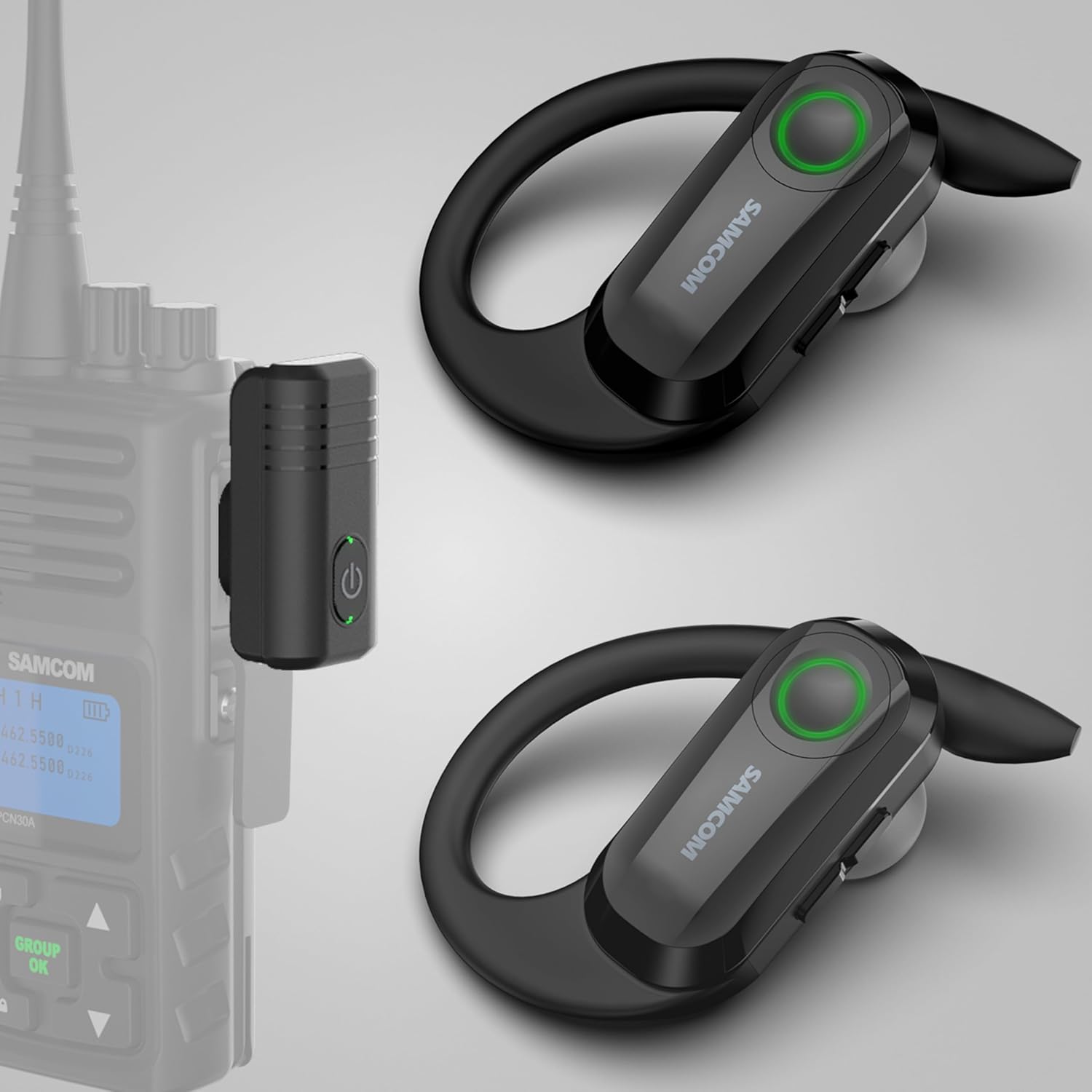
Image 1.1: SAMCOM BTEAR-02 Wireless Radio Earpiece and K-Head Dongle. This image displays the two wireless earpieces and the K-Head dongle, which connects to a walkie-talkie, along with the charging cable and various ear cap sizes.
2. Hvad er der i æsken
Bekræft, at alle nedenstående varer er inkluderet i din pakke:
- Single Wireless Earpiece (Left)
- Backup Earpiece (Right)
- Replaceable Clear Ear Caps (various sizes)
- New Add In-Ear Caps (various sizes)
- K Head Plug Dongle
- 2-in-1 USB Charger Cable

Image 2.1: Package contents including two earpieces, a K-head dongle, a charging cable, and multiple sets of ear caps.
3. Opsætningsvejledning
3.1 Charging the Earpiece and Dongle
Before initial use, ensure both the wireless earpiece and the K-Head dongle are fully charged. Use the provided 2-in-1 USB charger cable.
- Earpiece Charging: Connect the magnetic end of the charging cable to the charging contacts on the earpiece.
- Dongle Charging: Connect the Type-C end of the charging cable to the Type-C port on the K-Head dongle.
- Charging time for each earpiece is approximately 1.5 hours.
- Charging time for the 2 Pin Dongle is approximately 1.5 hours.

Image 3.1: Illustration of the 2-in-1 USB charging cable connected to both the earpiece via magnetic contacts and the dongle via a Type-C port.
3.2 Attaching Ear Caps and Ear Hooks
Select the appropriate size ear caps for a comfortable and secure fit. The ear hooks are freely removable and replaceable for either left or right ear use.
- Gently attach the chosen ear cap to the earpiece nozzle.
- Adjust the ear hook to fit comfortably over your ear.

Billede 3.2: Nærbillede view of the earpiece showing how to attach the ear caps and highlighting the replaceable ear hooks.
3.3 Connecting the Dongle to Your Walkie-Talkie
The K-Head dongle features a two-pin plug design (2.5mm and 3.5mm diameter, 11mm space between pins) compatible with SAMCOM FPCN10A/FPCN30A/FWCN30A walkie-talkies and most 2-pin K-head walkie-talkies.
- Insert the K-Head dongle's two pins into the corresponding ports on your walkie-talkie.
- Sørg for en sikker forbindelse.

Image 3.3: Diagram illustrating the K-Type connector dimensions and showing incompatible M-Type and Y-Type connectors. This helps users verify their walkie-talkie's port type.
Compatibility Notice: This earpiece is not compatible with Midland/Motorola walkie-talkies or other wireless devices like computers, phones, or laptops.
4. Betjeningsvejledning
4.1 Tænd/sluk og parring
- Tænd: Press and hold the PTT/Power button on the earpiece until the indicator light illuminates.
- Sluk: Press and hold the PTT/Power button until the indicator light turns off.
- The earpiece and dongle are designed for auto-pairing. Once both are powered on and within range, they should connect automatically.

Image 4.1: A close-up of the earpiece highlighting the PTT/Power button, indicating clear sound and noise cancellation features, and auto-pairing connection.
4.2 Using the Push-to-Talk (PTT) Function
The earpiece features an integrated PTT microphone for hands-free communication.
- To transmit, press and hold the PTT button on the earpiece or the PTT button on your connected walkie-talkie.
- Slip PTT-knappen for at lytte.
- If the PTT button is not held down during transmission, others will only hear muffled audio or nothing at all.

Image 4.2: Two individuals in uniform wearing the earpiece, demonstrating hands-free communication with their walkie-talkies.
4.3 Removable Ear Hooks
The ear hooks are designed for user comfort and can be removed and replaced to suit either the left or right ear, ensuring a secure fit for various users.

Image 4.3: Four different individuals wearing the SAMCOM BTEAR-02 earpiece in various professional settings, highlighting its versatility and comfortable fit.
5. Vedligeholdelse
5.1 Rengøring
Regular cleaning helps maintain the device's performance and hygiene.
- Wipe the earpiece and dongle with a soft, dry cloth.
- For ear caps, remove them and clean with mild soap and water, then dry thoroughly before reattaching.
- Brug ikke hårde kemikalier eller slibende rengøringsmidler.
5.2 Opbevaring
When not in use, store the earpiece and dongle in a cool, dry place away from direct sunlight and extreme temperatures.
6. Fejlfinding
6.1 No Audio or Muffled Transmission
- Ensure the earpiece and dongle are fully charged.
- Verify that the K-Head dongle is securely connected to the walkie-talkie.
- Confirm that the earpiece and dongle are powered on and successfully paired.
- When transmitting, ensure the PTT button on the earpiece or walkie-talkie is held down firmly. Releasing it too early or not pressing it completely can result in muffled or no transmission.
6.2 Earpiece Not Staying On/Comfort Issues
- Experiment with different sizes of ear caps to find the most secure and comfortable fit.
- Adjust the ear hook position to ensure it sits properly over your ear.
6.3 Kort batterilevetid
- Sørg for, at enheden er fuldt opladet før hver brug.
- The earpiece has a work time of approximately 4 hours, and the dongle has a work time of approximately 10 hours. If you require extended use, utilize the backup earpiece provided in the upgraded package.
7. Specifikationer
| Feature | Specifikation |
|---|---|
| Modelnummer | BTEAR-02 |
| Varens vægt | 3.2 ounce |
| Pakkedimensioner | 5.28 x 3.39 x 1.65 tommer |
| Batterier | 2 Lithium Polymer batterier (medfølger) |
| Earpiece Battery Life | 4 timer |
| Dongle Battery Life | 10 timer |
| Stemmekommando | Knapper |
| Connector Type | 2 Pin K Head (2.5mm & 3.5mm, 11mm space) |

Image 7.1: Diagram showing the physical dimensions of the SAMCOM BTEAR-02 earpiece and K-head dongle in centimeters.
8. Officielle produktvideoer
8.1 Wireless Radio Earpiece for Walkie Talkies Upgrade Version
Video 8.1: Denne video giver en oversigtview of the SAMCOM BTEAR-02 wireless radio earpiece, highlighting its upgraded features and compatibility with walkie-talkies.
8.2 SAMCOM Wireless Headsets for Walkie Talkies 2 Pin Plug
Video 8.2: A detailed video demonstrating the SAMCOM wireless headsets, focusing on the 2-pin plug connection and its use with walkie-talkies.
8.3 SAMCOM BTEAR-02B Upgraded Wireless Radios Earpiece with MIC
Video 8.3: This video showcases the upgraded SAMCOM BTEAR-02B wireless earpiece, emphasizing its microphone capabilities and overall design.
8.4 BTEAR-02B Wireless headsets for two way radios
Video 8.4: A concise video demonstrating the BTEAR-02B wireless headsets in action with two-way radios, focusing on practical use.
9. Garanti og support
9.1 Garantioplysninger
The SAMCOM BTEAR-02 Wireless Radio Earpiece comes with a 1-Year Warranty from the date of purchase. This warranty covers manufacturing defects and ensures the product is free from defects in material and workmanship under normal use.
Gem venligst dit købsbevis for garantikrav.
9.2 Kundesupport
For technical assistance, troubleshooting, or warranty inquiries, please contact SAMCOM customer support through the Amazon platform. Provide your product model number (BTEAR-02) and a detailed description of the issue for efficient service.


