Indledning
This manual provides essential information for the setup, operation, and maintenance of your NIMO 15.6" FHD IPS Business Gaming Laptop. Designed for both productivity and light gaming, this laptop features an AMD Ryzen 5 6600H processor, 32GB DDR5 RAM, and a 1TB PCIe SSD, ensuring fast performance and ample storage. Please read this manual thoroughly to ensure proper use and longevity of your device.
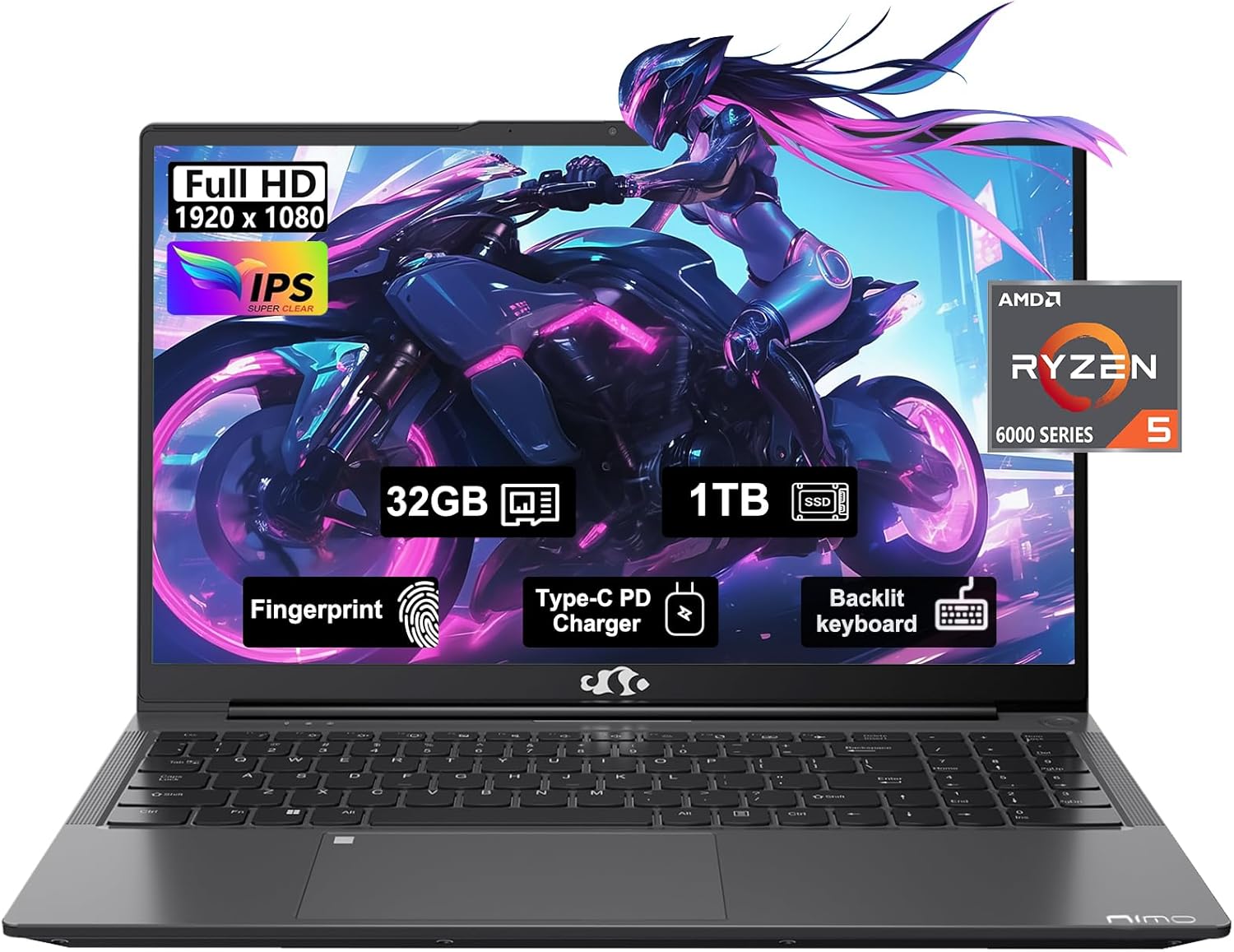
Figure 1: NIMO 15.6" FHD IPS Business Gaming Laptop overview.
Opsætning
1. Udpakning og indledende inspektion
Fjern forsigtigt alle komponenter fra emballagen. Kassen skal indeholde:
- 1 x Nimo N153 bærbar computer
- 1 x Type-C 100W PD hurtigoplader
- 1 x brugermanual
Inspect the laptop and accessories for any signs of damage. If any components are missing or damaged, contact customer support immediately.
2. Første opstart og opladning
Before first use, it is recommended to fully charge the laptop.
- Connect the Type-C 100W PD Fast Charger to the laptop's Type-C port (Multifunction) and to a power outlet.
- The charge LED indicator will illuminate. Allow the laptop to charge until the LED indicates a full charge.
- Tryk på tænd/sluk-knappen for at tænde for den bærbare computer.

Figure 2: Connecting the Type-C 100W PD Fast Charger.
3. Opsætning af operativsystem (Windows 11)
Follow the on-screen prompts to complete the initial setup of Windows 11. This typically includes:
- Valg af region og tastaturlayout.
- Opretter forbindelse til et Wi-Fi-netværk.
- Log ind med eller opret en Microsoft-konto.
- Opsætning af en pinkode eller adgangskode.
- Konfiguration af privatlivsindstillinger.
Betjening af din bærbare computer
1. Tastatur og touchpad
The NIMO laptop features a full-size backlit keyboard and a large touchpad for comfortable and efficient input.
- Baggrundsbelyst tastatur: Use the function keys (Fn + F-key combination, typically F3 or F4) to adjust keyboard backlight brightness.
- Touchpad: Understøtter multi-touch-bevægelser til navigation. Se Windows-indstillinger for tilpasning.
- Fingeraftrykslæser: Located on the touchpad, allows for secure login via Windows Hello.

Figure 3: Laptop keyboard layout with backlit keys and integrated fingerprint reader.
2. Porte og tilslutningsmuligheder
Your NIMO laptop is equipped with various ports for versatile connectivity:
- USB 2.0-porte: 1 port for connecting peripherals.
- USB 3.0-porte: 2 porte til højhastigheds dataoverførsel.
- Type-C Ports (Multifunction): 2 ports supporting power delivery (PD) and data.
- HDMI-port: Til tilslutning til eksterne skærme.
- Hovedtelefonstik: Til lydudgang.
- Micro SD -kortplads: Til udvidelse af lagerplads eller overførsel af data fra hukommelseskort.
- Kensington Lock Slot: For fysisk sikkerhed.
- Trådløs forbindelse: Supports Wi-Fi 802.11a/b/g/n/ac and Bluetooth 5.2.

Figur 4: Overview of laptop ports for various connections.
3. Display
The laptop features a 15.6" FHD IPS (1920x1080) Anti-Glare Display with an 85% screen-to-body ratio. This display is designed to provide clear visuals and reduce eye strain during extended use.

Figure 5: The 15.6-inch Full HD IPS display.
4. Præstation
Powered by an AMD Ryzen 5 6600H processor (6 Cores, 12 Threads, up to 4.5 GHz) and 32GB DDR5 RAM, the laptop delivers robust performance for business tasks, content creation, and light gaming. The integrated AMD Radeon 660M GPU handles graphics processing efficiently.

Figure 6: AMD Ryzen 5 6600H processor, central to the laptop's performance.
The 1TB PCIe SSD provides fast boot times and rapid data access, enhancing overall system responsiveness.
Opretholdelse
1. Rengøring af din bærbare computer
- Brug en blød, fnugfri klud lidt dampskylles med vand eller en skærmrens for at rengøre skærmen.
- Brug en blød klud til tastatur og kabinet. Undgå skrappe kemikalier eller slibende materialer.
- Brug trykluft til at fjerne støv fra ventilationsåbninger og porte med jævne mellemrum.
2. Softwareopdateringer
Søg regelmæssigt efter og installer Windows-opdateringer og driveropdateringer for at sikre optimal ydeevne og sikkerhed.
- Gå til Indstillinger > Windows-opdatering to check for OS updates.
- Visit the NIMO support webwebsted for de seneste driveropdateringer.
3. Lagerstyring
To maintain performance, regularly manage your 1TB SSD storage:
- Slet unødvendigt files og applikationer.
- Brug cloud-lagring til store files.
- Periodically run Disk Cleanup (built-in Windows tool).
4. Batteripleje
For at maksimere batteriets levetid:
- Undgå ekstreme temperaturer.
- Lad ikke den bærbare computer være tilsluttet 100% opladet i længere perioder, hvis den ikke er i brug.
- Calibrate the battery occasionally by fully discharging and recharging it.
5. Memory and Storage Upgrades
The NIMO laptop supports dual-channel memory upgrades (up to 2 x 16GB DDR5 RAM) and features an upgradable PCIe SSD. Consult a qualified technician for hardware upgrades to avoid voiding your warranty.
Fejlfinding
Dette afsnit omhandler almindelige problemer, du kan støde på.
Den bærbare computer tænder ikke
- Sørg for, at opladeren er korrekt tilsluttet både den bærbare computer og en fungerende stikkontakt.
- Kontroller, at stikkontakten fungerer ved at tilslutte en anden enhed.
- Prøv at holde tænd/sluk-knappen nede i 15-20 sekunder for at udføre en hård nulstilling.
- Hvis batteriet er helt afladet, skal du lade det oplade i mindst 30 minutter, før du forsøger at tænde det.
Screen Remains Blank
- Kontroller, om den bærbare computer er tændt (lyt efter blæserstøj eller indikatorlamper).
- Connect an external monitor via the HDMI port to check if the display output works.
- Genstart den bærbare computer.
Langsom ydeevne
- Luk unødvendige programmer, der kører i baggrunden.
- Søg efter og installer eventuelle ventende Windows-opdateringer.
- Sørg for, at der er tilstrækkelig ledig plads på din SSD.
- Kør en virusscanning.
Problemer med Wi-Fi-forbindelse
- Sørg for, at Wi-Fi er aktiveret i Windows-indstillingerne.
- Genstart din router og dit modem.
- Opdater driverne til dit trådløse netværkskort.
- Glem netværket og genopret forbindelsen.
For problemer, der ikke er dækket her, henvises til afsnittet Garanti og support for kontaktoplysninger.
Specifikationer
| Feature | Detalje |
|---|---|
| Mærke | NIMO |
| Modelnavn | Nimo N153G |
| Skærmstørrelse | 15.6 tommer |
| Skærmopløsning | 1920 x 1080 pixels (FHD IPS Anti-Glare) |
| Processor | AMD Ryzen 5 6600H (6 kerner, 12 tråde, op til 4.5 GHz) |
| VÆDDER | 32GB DDR5 (Dual-channel, upgradable to 2x16GB) |
| Harddisk | 1TB PCIe SSD |
| Grafik coprocessor | AMD Integrated graphics (Radeon 660M GPU) |
| Operativsystem | Windows 11 |
| Trådløs type | 802.11a/b/g/n/ac (Wi-Fi 5), Bluetooth 5.2 |
| Havne | 1x USB 2.0, 2x USB 3.0, 2x Type-C (Multifunction), 1x HDMI, 1x Headphone Jack, 1x Micro SD Slot |
| Særlige funktioner | Fingerprint Reader, HD Audio, Backlit Keyboard, Numeric Keypad |
| Strømkilde | Battery Powered, Type-C 100W PD Fast Charger |
| Gennemsnitlig batterilevetid | 5 timer |
| Varens vægt | 6 pund |
| Produktdimensioner | 14.07 x 8.98 x 0.76 tommer |
| Farve | Space Grey |
Garanti og support
Producentens garanti
Din NIMO-bærbare computer er dækket af en omfattende forsikring 2 års producentgaranti offered by Nimo Direct Inc. This warranty covers defects in materials and workmanship under normal use.
Additionally, Nimo Direct Inc. offers 90-dages problemfri returnering. If you encounter any concerns or issues with your product within this period, please contact customer support for assistance with resolution or replacement.
Kontakt support
For technical assistance, warranty claims, or return inquiries, please contact NIMO customer support. Refer to the contact information provided on the official NIMO webwebstedet eller den dokumentation, der følger med dit produkt.
Please have your product model number (Nimo N153) and purchase details ready when contacting support.


