Indledning
The Technoline WT175 is a compact and versatile quartz alarm clock designed for convenience and portability. It features a clear digital display and offers multiple functions including time, date, temperature, humidity, and various alarm settings. Its magnetic casing makes it suitable for travel and everyday use.

Figur 1: Front view of the Technoline WT175 Mini Travel Alarm Clock, displaying the time and control buttons.
Nøglefunktioner
- 12/24 timers tidsvisning
- Datovisning
- Temperature display (in Celsius)
- Fugt display
- Alarm med snooze funktion
- Configurable alarm settings: Weekday, Weekend, or Daily
- Timer with countdown and stop function
- Indikator for lavt batteri
- Magnetisk casing for versatile placement
Pakkens indhold
- Technoline WT175 Mini Travel Alarm Clock
- Brugervejledning (dette dokument)
- Bemærk: Batterier er ikke inkluderet og skal købes separat.

Figur 2: Product packaging for the Technoline WT175, detailing specifications and features.
Opsætning
1. Batteriinstallation
- Find batterirummet på bagsiden af vækkeuret.
- Åbn batterirummets dæksel.
- Insert 1x AAA Micro LR03 battery, ensuring correct polarity (+/-).
- Luk batterirummets dæksel forsvarligt.
2. Første opstart
Upon successful battery installation, the display will activate. You may need to press the SÆT button to begin initial time and date configuration.
Betjeningsvejledning
The Technoline WT175 features several control buttons: SÆT, START/STOP/RESET, ZZ (Snooze/Light), AL SET ON-OFF, +, og MODE.
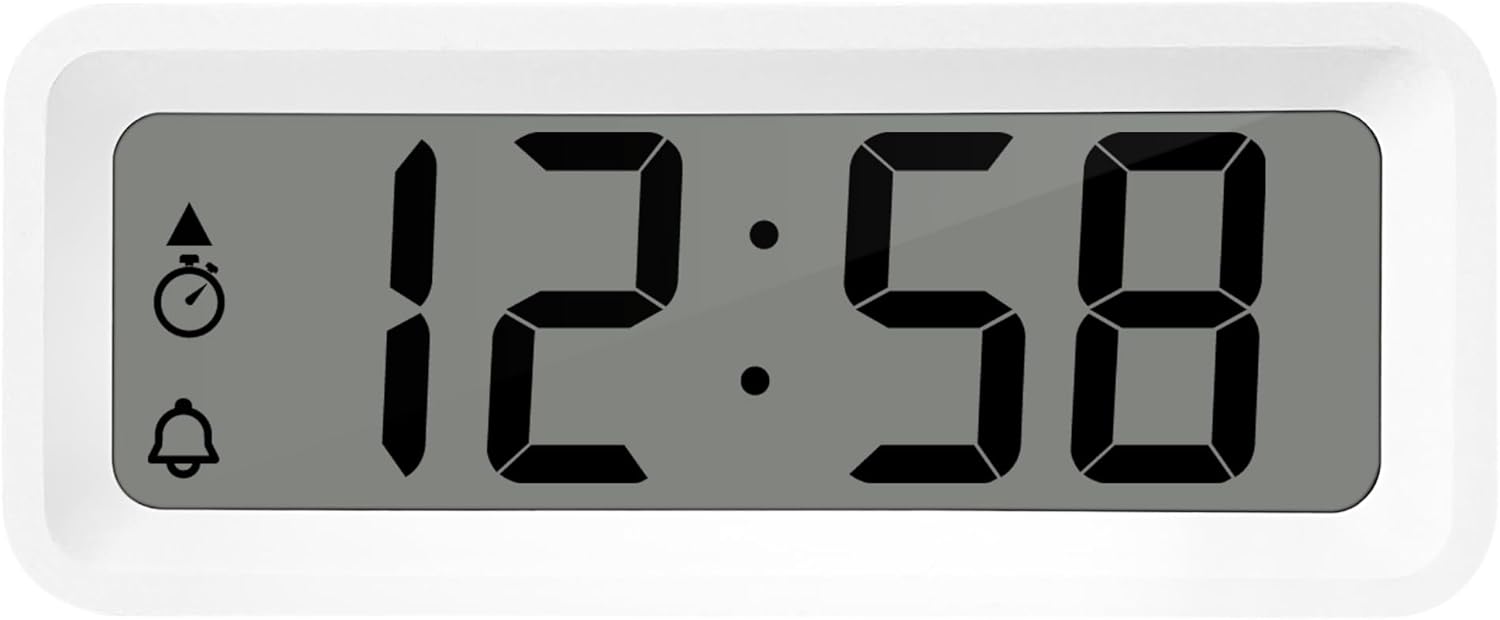
Figur 3: Detaljeret view of the alarm clock's display and control buttons.
1. Indstilling af tid og dato
- Tryk og hold på SÆT knappen, indtil tidsvisningen begynder at blinke.
- Brug + or - knapper for at justere timen.
- Trykke SÆT igen for at bekræfte timen og gå til minutterne.
- Bruge + or - for at justere minutterne.
- Fortsæt med at trykke SÆT to cycle through and set the year, month, and day using the + or - knapper.
- Trykke SÆT en sidste gang for at afslutte indstillingstilstanden.
2. Valg af 12/24 timers format
I normal tidsvisningstilstand skal du trykke på MODE button to toggle between 12-hour and 24-hour time formats.
3. Indstilling af alarmen
- Tryk på AL SET ON-OFF button once to enter alarm setting mode. The alarm time will flash.
- Brug + or - knapper for at justere alarmtiden.
- Trykke AL SET ON-OFF again to confirm the hour and move to alarm minutes.
- Bruge + or - for at justere alarmminutterne.
- Trykke AL SET ON-OFF again to confirm and exit alarm setting mode.
4. Activating/Deactivating Alarm and Snooze
- For at slå alarmen til ON or SLUKKET, tryk på AL SET ON-OFF button while in normal time display mode. An alarm icon will appear/disappear on the display.
- Når alarmen lyder, skal du trykke på ZZ (Snooze) button to activate the snooze function. The alarm will temporarily stop and sound again after a few minutes.
- For at stoppe alarmen helt, tryk på en hvilken som helst anden knap (f.eks. SÆT or MODE).
5. Weekday/Weekend/Daily Alarm Settings
The WT175 allows for flexible alarm scheduling. While in alarm setting mode (after pressing AL SET ON-OFF), you can cycle through alarm types by pressing the + or - buttons after setting the alarm time. Look for indicators on the display for:
- Daglig alarm: Alarmen lyder hver dag.
- Weekday Alarm: Alarmen lyder mandag til fredag.
- Weekend Alarm: Alarm sounds Saturday and Sunday.
6. Timer and Countdown Function
- Tryk på MODE button repeatedly until the timer display appears (often indicated by a stopwatch icon).
- To set the countdown timer, press and hold SÆT. Bruge + or - to set the desired hours, minutes, and seconds. Press SÆT to confirm each segment.
- Trykke START/STOP/RESET for at begynde nedtællingen.
- Trykke START/STOP/RESET igen for at sætte nedtællingen på pause/genoptage den.
- Tryk på og hold nede for at nulstille timeren START/STOP/RESET.
7. Temperatur- og fugtighedsvisning
The Technoline WT175 continuously displays the current indoor temperature (in Celsius) and humidity levels. These readings are typically shown alongside the time and date on the main display.

Figur 4: The WT175 alarm clock displaying time, temperature, and humidity in a bedroom setting.
Opretholdelse
1. Udskiftning af batteri
When the low battery indicator appears on the display, it is time to replace the battery. Follow the battery installation steps outlined in the Opsætning section. Ensure to dispose of old batteries responsibly according to local regulations.
2. Rensning
To clean the alarm clock, use a soft, dry cloth. Do not use abrasive cleaners, solvents, or immerse the device in water. Avoid spraying cleaning solutions directly onto the unit.
Fejlfinding
- Skærmen er tom eller svag:
- Kontroller om batteriet er korrekt installeret.
- Udskift batteriet med et nyt.
- Alarmen lyder ikke:
- Ensure the alarm is activated (alarm icon visible on display).
- Kontroller, at alarmtidspunktet er indstillet korrekt.
- Check the alarm type (Daily, Weekday, Weekend) matches your desired schedule.
- Forkert tidspunkt eller dato:
- Re-enter the time and date following the instructions in the Betjeningsvejledning afsnit.
- Ensure the 12/24 hour format is set as desired.
- Knapperne reagerer ikke:
- Fjern og sæt batteriet i igen for at udføre en soft nulstilling.
- Ensure the device is not in a specific setting mode that locks other buttons.
Specifikationer
| Feature | Detalje |
|---|---|
| Model | WT175 |
| Mærke | Technoline |
| Dimensioner (L x B x H) | 8.8 x 3.81 x 3.7 cm |
| Vægt | 120 gram |
| Strømkilde | 1x AAA Micro LR03 Battery (not included) |
| Display Type | Digital |
| Særlige funktioner | Alarm, Snooze, Temperature, Humidity, Date, Timer, Countdown, Magnetic Casing, Low Battery Indicator |
| Farve | Hvid (som i den nuværende produktvariant) |
| Indendørs/Udendørs brug | Indendørs |

Figur 5: Dimensions of the Technoline WT175 alarm clock.
Garanti og support
For warranty information or technical support regarding your Technoline WT175 Mini Travel Alarm Clock, please refer to the warranty card included with your purchase or visit the official Technoline webwebsted.
Official Technoline Webwebsted: http://www.technoline.de


