1. Introduktion
Thank you for choosing the Lubluelu SL60 Pro Robot Vacuum Cleaner and Mop. This manual provides essential information for the safe operation, maintenance, and troubleshooting of your device. Please read it thoroughly before use and retain it for future reference.
2. Vigtige sikkerhedsinstruktioner
For at mindske risikoen for personskade eller beskadigelse skal du læse disse sikkerhedsinstruktioner omhyggeligt og opbevare dem tilgængelige under brug af produktet.
- Dette apparat kan bruges af børn i alderen 8 år og derover og personer med nedsatte fysiske, sensoriske eller mentale evner eller mangel på erfaring og viden, hvis de har fået opsyn eller instruktion i brugen af apparatet på en sikker måde og forstår de involverede farer. .
- Børn skal være under opsyn for at sikre, at de ikke leger med apparatet.
- Rengøring og brugervedligeholdelse må ikke udføres af børn uden opsyn.
- Brug kun den strømadapter, der er leveret af producenten.
- Brug ikke apparatet i områder med åben ild eller skrøbelige genstande.
- Sørg for, at robotten er slukket og taget ud af stikket, før du rengør eller udfører vedligeholdelse.
- Nedsænk ikke robotten eller opladningsbasen i vand.
- Hold hår, løstsiddende tøj, fingre og alle dele af kroppen væk fra åbninger og bevægelige dele.
3. Pakkens indhold
Kontroller, at alle komponenter er til stede og i god stand ved udpakning. Hvis der mangler eller er beskadigede dele, bedes du kontakte kundesupport.
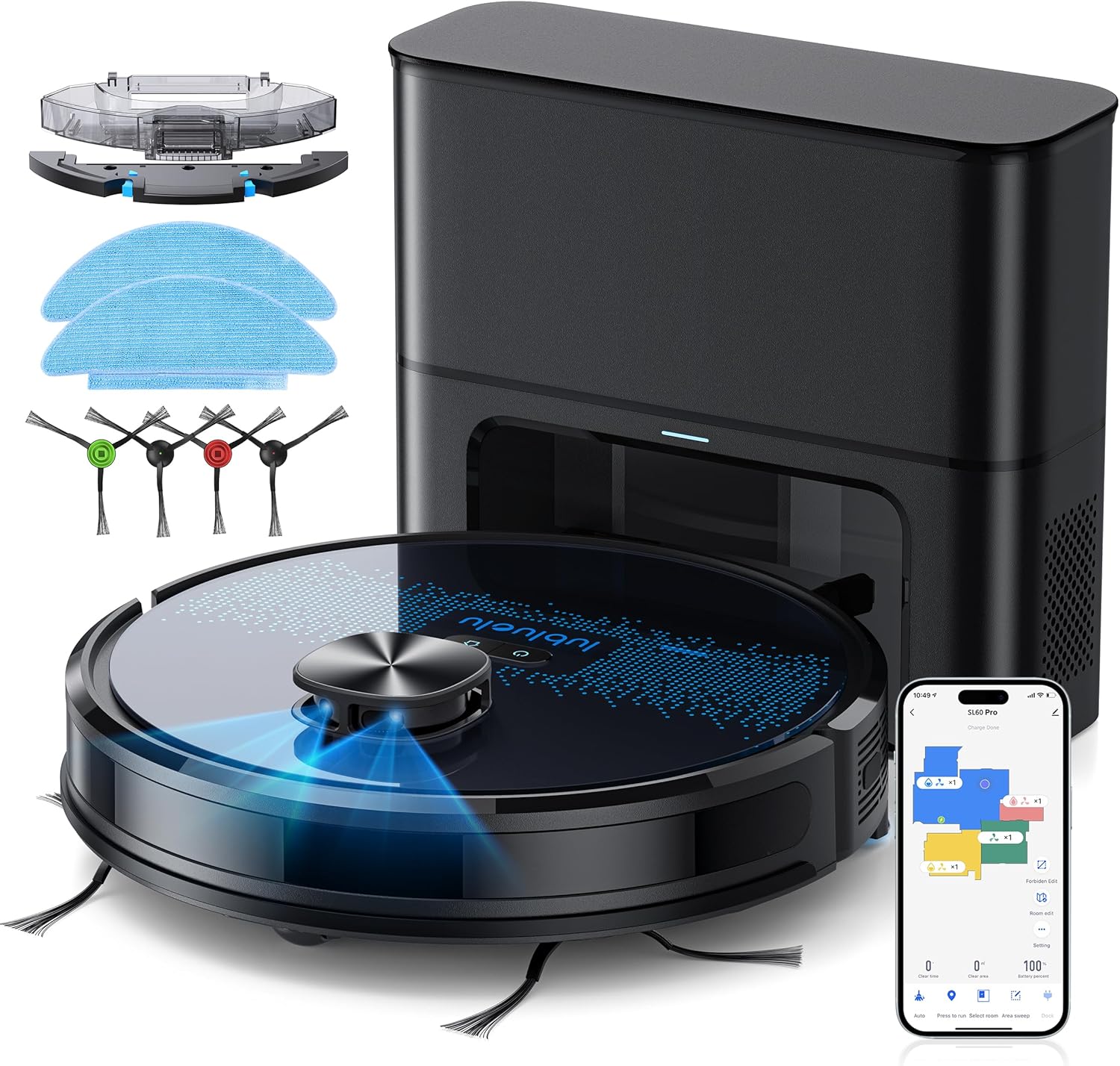
- Lubluelu SL60D Robot Vacuum Cleaner
- D3 Self-Emptying Station
- Extra Dust Bag (2.5L capacity)
- Mop Pad (2 pieces)
- Rengøringsværktøj
- Sidebørster (2 par)
- Ekstra HEPA filter
- Brugermanual
4. Produktet er slutview
The Lubluelu SL60 Pro is an advanced robot vacuum and mop designed for efficient home cleaning. It features LIDAR navigation, 4000Pa suction power, a 2.5L self-emptying dust station, and smart app control.
4.1 Nøglefunktioner
- LIDAR-navigation: Equipped with 8-meter laser range and SLAM algorithm for accurate mapping and efficient route planning.
- Selvtømmende station: Automatically empties the robot's dustbin into a 2.5L disposable bag, requiring manual emptying only every 60 days.
- 4000Pa sugekraft: Powerful brushless motor with three adjustable suction levels for effective cleaning on various surfaces, including carpets.
- 3-i-1 rengøring: Sweeps, vacuums, and mops simultaneously with electronic water control and Y-shaped mopping patterns.
- Kortlægning af flere etager: Stores up to 5 maps for multi-level homes, allowing for customized cleaning plans.
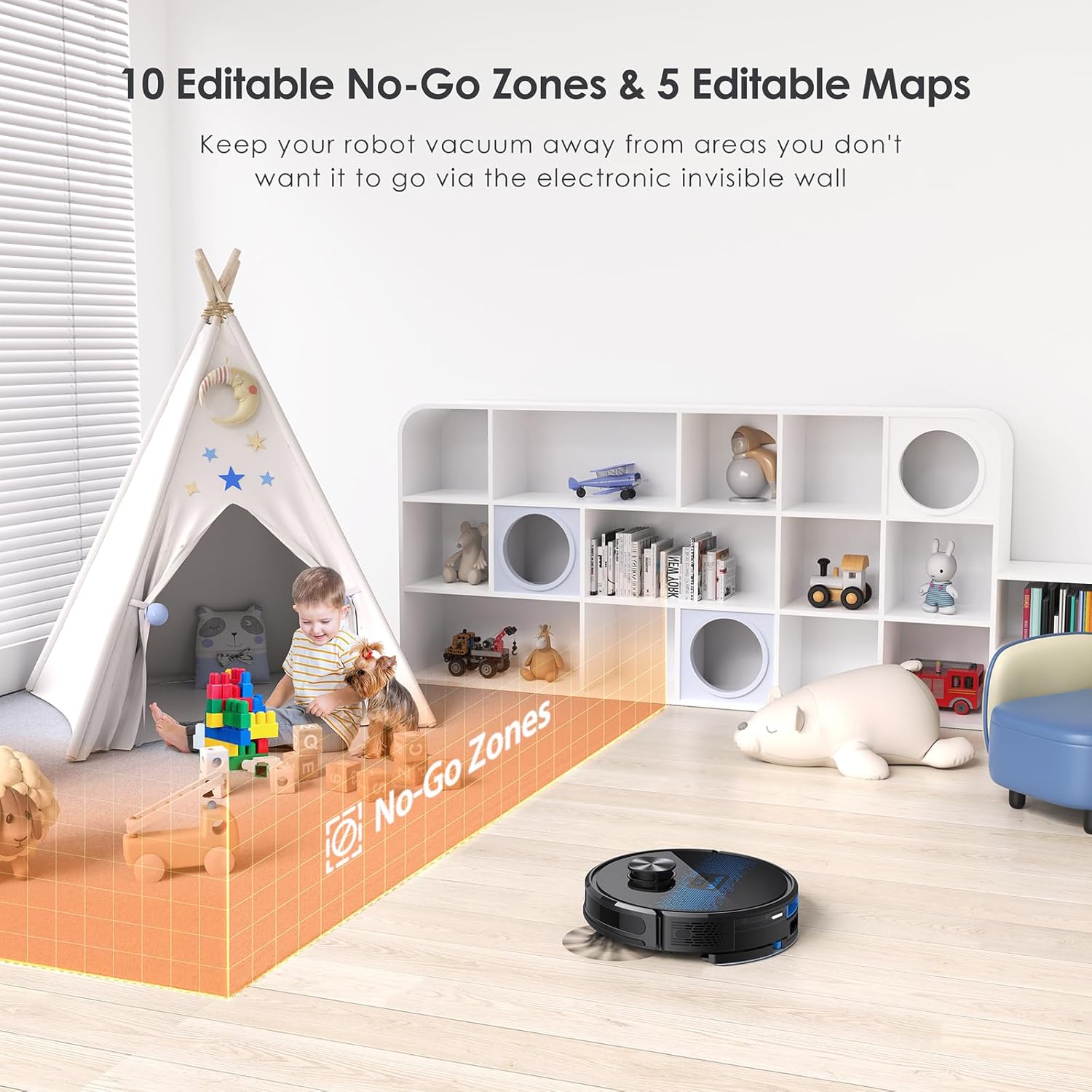
- Brugerdefineret rengøring: Set no-go zones, virtual walls, spot cleaning, edge cleaning, and scheduled cleaning via the app.
- Automatisk genopladning: Returns to the charging base when battery is low (below 15%) and resumes cleaning from where it left off once charged to 80%.
- Støjsvag drift: Fungerer ved cirka 55 dB.

5. Opsætning
5.1 Opladning af robotten
Before first use, fully charge the robot. Place the self-emptying station against a wall with at least 0.5 meters of clear space on either side and 1.5 meters in front. Ensure the power cable is securely connected.

5.2 Montering af sidebørster
Attach the side brushes by pressing them onto the square posts at the bottom of the robot until they click into place.
5.3 Installing the Dust Bin/Water Tank
The robot comes with a combined dust bin and water tank. Fill the water tank with clean water (do not use cleaning solutions that may clog the system). Attach the mop pad to the bottom of the tank. Insert the assembly into the robot until it locks.
5.4 Forbindelse til Wi-Fi og app
To unlock all smart features, connect your robot to the Lubluelu app (Smartlife app). Ensure your Wi-Fi network is 2.4GHz.
- Download the 'Smartlife' app from your mobile app store.
- Registrer eller log ind på din konto.
- Press and hold the power button on the robot for 3-5 seconds until the Wi-Fi indicator light blinks rapidly.
- In the app, tap 'Add Device' and select 'Robot Vacuum (Wi-Fi)' under 'Small Home Appliances'.
- Follow the in-app instructions to connect the robot to your 2.4GHz Wi-Fi network.
6. Betjening
6.1 Start/pause af rengøring
- Starte: Press the power button on the robot or tap 'Start' in the app.
- Pause: Press the power button again or tap 'Pause' in the app.
- Tilbage til basen: Press the home button on the robot or tap 'Recharge' in the app.
6.2 Rengøringstilstande
The robot offers various cleaning modes accessible via the Smartlife app:
- Auto rengøring: The robot intelligently maps and cleans your home using its LIDAR navigation.
- Rengøring af pletter: Instruerer robotten til intensiv rengøring af et specifikt lille område.
- Zone rengøring: Definer specifikke områder på kortet, som robotten skal rengøre.
- Kantrensning: Robotten rengør langs vægge og møbelkanter.
- Planlagt rengøring: Indstil specifikke tidspunkter for robottens automatiske rengøring.

6.3 Using the Mopping Function
Ensure the water tank is filled and the mop pad is attached. The app allows you to adjust water flow levels for different floor types.
6.4 Managing Maps and No-Go Zones
The SL60 Pro can store up to 5 different maps, useful for multi-level homes. You can also define up to 10 no-go zones or virtual walls to restrict the robot from certain areas.
6.5 Stemmekontrol
The robot is compatible with Amazon Alexa and Google Assistant. Follow the instructions in the Smartlife app to link your device for voice commands.
7. Vedligeholdelse
Regelmæssig vedligeholdelse sikrer optimal ydeevne og forlænger levetiden på din robotstøvsuger.
7.1 Tømning af støvbeholderen
The self-emptying station automatically handles dust collection. The 2.5L dust bag in the station should be replaced approximately every 60 days, depending on usage.

7.2 Rengøring af hovedbørsten
Periodically remove the main brush and clean it using the provided cleaning tool to remove tangled hair and debris.
7.3 Rengøring af sidebørster
Check side brushes for wear and tear. Remove any tangled hair or debris. Replace if damaged.
7.4 Rengøring af filteret
Tap the filter to remove loose dirt. Rinse the filter with water if necessary, ensuring it is completely dry before reinstallation.
7.5 Rengøring af vandtanken og moppepuden
Efter hver moppebehandling skal du tømme eventuelt resterende vand fra tanken og rengøre moppepuden. Moppepuden kan håndvaskes eller maskinvaskes.
7.6 Rengøring af sensorer og opladningskontakter
Wipe all sensors and charging contacts on both the robot and the charging station with a clean, dry cloth to ensure proper function.
8. Fejlfinding
If you encounter issues with your Lubluelu SL60 Pro, refer to the following common problems and solutions:
| Problem | Mulig årsag | Løsning |
|---|---|---|
| Robotten tænder ikke. | Lavt batteri eller strømafbryder slukket. | Ensure the power switch is on and charge the robot. |
| Robotten kan ikke oprette forbindelse til Wi-Fi. | Incorrect Wi-Fi band (not 2.4GHz), wrong password, or router too far. | Ensure 2.4GHz Wi-Fi, verify password, move robot closer to router, or reset Wi-Fi on robot. |
| Robotten sidder ofte fast. | Obstacles, tangled cables, or uneven surfaces. | Clear the cleaning area of obstacles, cables, and small items. Use no-go zones for problematic areas. |
| Dårlig rengøringsevne. | Full dustbin, dirty brushes/filter, or low suction setting. | Empty dustbin, clean brushes and filter, increase suction power via the app. |
| Moppefunktionen virker ikke. | Empty water tank, dry mop pad, or clogged water nozzle. | Fill water tank, moisten mop pad, clean water nozzle. |
For further assistance, please contact Lubluelu customer support.
9. Specifikationer
| Feature | Detalje |
|---|---|
| Mærke | Lubluelu |
| Modelnavn | SL60 Pro |
| Farve | Blå Sort |
| Produktdimensioner (robot) | 32 x 32 x 10 cm |
| Varens vægt | 4.4 kilo |
| Sugekraft | Op til 4000 Pa |
| Støvposekapacitet (station) | 2.5 liter |
| Vandtankkapacitet | 250 milliliter |
| Voltage | 14.4 volt |
| Støjniveau | 55 decibel |
| Runtime | Op til 2 timer og 30 minutter |
| Navigationstype | LIDAR |
| Kompatible enheder | Smartphone (Wi-Fi 2.4GHz), Amazon Alexa, Google Assistant |
| Særlige funktioner | LIDAR Navigation, Smart Mapping, Obstacle Avoidance, Edge Cleaning, Wet/Dry Mopping, App Control, No-Go Zones, Continuous Breakpoint Cleaning, Multi-Stage Mapping |
10. Garanti og support
Lubluelu is committed to customer satisfaction. For any issues with your robot vacuum, please contact our customer service team. We provide lifetime technical support.
- Garanti: Se venligst din købsdokumentation for specifikke garantioplysninger.
- Kontakt support: For technical assistance or service inquiries, please email us or visit our official webwebsted.