1. Introduktion
This manual provides essential instructions for the setup, operation, and maintenance of your AKAI AKTV407QM 40-inch HD Smart TV. Please read this manual thoroughly before using your television to ensure proper functionality and safety. Keep this manual for future reference.
2. Sikkerhedsoplysninger
Overhold altid følgende sikkerhedsforanstaltninger for at forhindre elektrisk stød, brand eller beskadigelse af fjernsynet.
- Udsæt ikke TV'et for regn eller fugt.
- Åbn ikke tv'etasing; overlad al service til kvalificeret personale.
- Sørg for korrekt ventilation omkring tv'et.
- Tag stikket ud af tv'et under tordenvejr eller når det ikke bruges i længere perioder.
- Hold tv'et væk fra direkte sollys og varmekilder.
3. Pakkens indhold
Kontroller, at alle varer er til stede i emballagen:
- AKAI AKTV407QM 40-inch HD Smart TV
- Fjernbetjening (med batterier)
- Strømledning
- Bordstativ (2 stk.)
- Skruer til montering af stativ
- Brugervejledning (dette dokument)
4. Opsætning
4.1 Udpakning
Carefully remove the television from its packaging. It is recommended to retain the packaging materials for future transport or servicing.
4.2 Montering af stativ
Sådan monteres bordstativet:
- Placer tv'et med forsiden nedad på en blød, flad overflade for at forhindre, at skærmen beskadiges.
- Juster hvert stativstykke med de tilsvarende riller i bunden af tv'et.
- Fastgør stativerne med de medfølgende skruer. Sørg for, at de er spændt godt fast.
4.3 Vægmontering (valgfrit)
If you choose to wall mount your TV, remove the table stands. Use a VESA-compatible wall mount kit (not included) appropriate for a 40-inch television. Consult a professional for wall mounting to ensure safety and proper installation.
4.4 Tilslutning af eksterne enheder
Tilslut dine enheder til tv'et ved hjælp af de tilgængelige porte:
- Antenne/kabel: Connect your DVB-T/T2 or DVB-S2 antenna/cable to the RF input ports.
- HDMI-enheder: Use HDMI cables to connect Blu-ray players, game consoles, or other devices to the HDMI ports (3 available).
- USB-enheder: Insert USB drives for media playback into the USB 2.0 ports (2 available).
- Ethernet: For en kablet internetforbindelse skal du tilslutte et Ethernet-kabel til RJ-45-porten.
- Digital lydudgang: Connect a soundbar or audio receiver via the optical digital audio output.
4.5 Første opstart og førstegangsopsætning
- Tilslut netledningen til tv'et og derefter til en stikkontakt.
- Tryk på tænd/sluk-knappen på fjernbetjeningen eller på tv'et.
- Follow the on-screen instructions to complete the initial setup, which includes language selection, network connection (Wi-Fi or Ethernet), and channel scanning for DVB-T/T2 and DVB-S2 signals.
- The TV operates on the VIDAA operating system. During setup, you will be guided through connecting to your home network and accessing smart features.
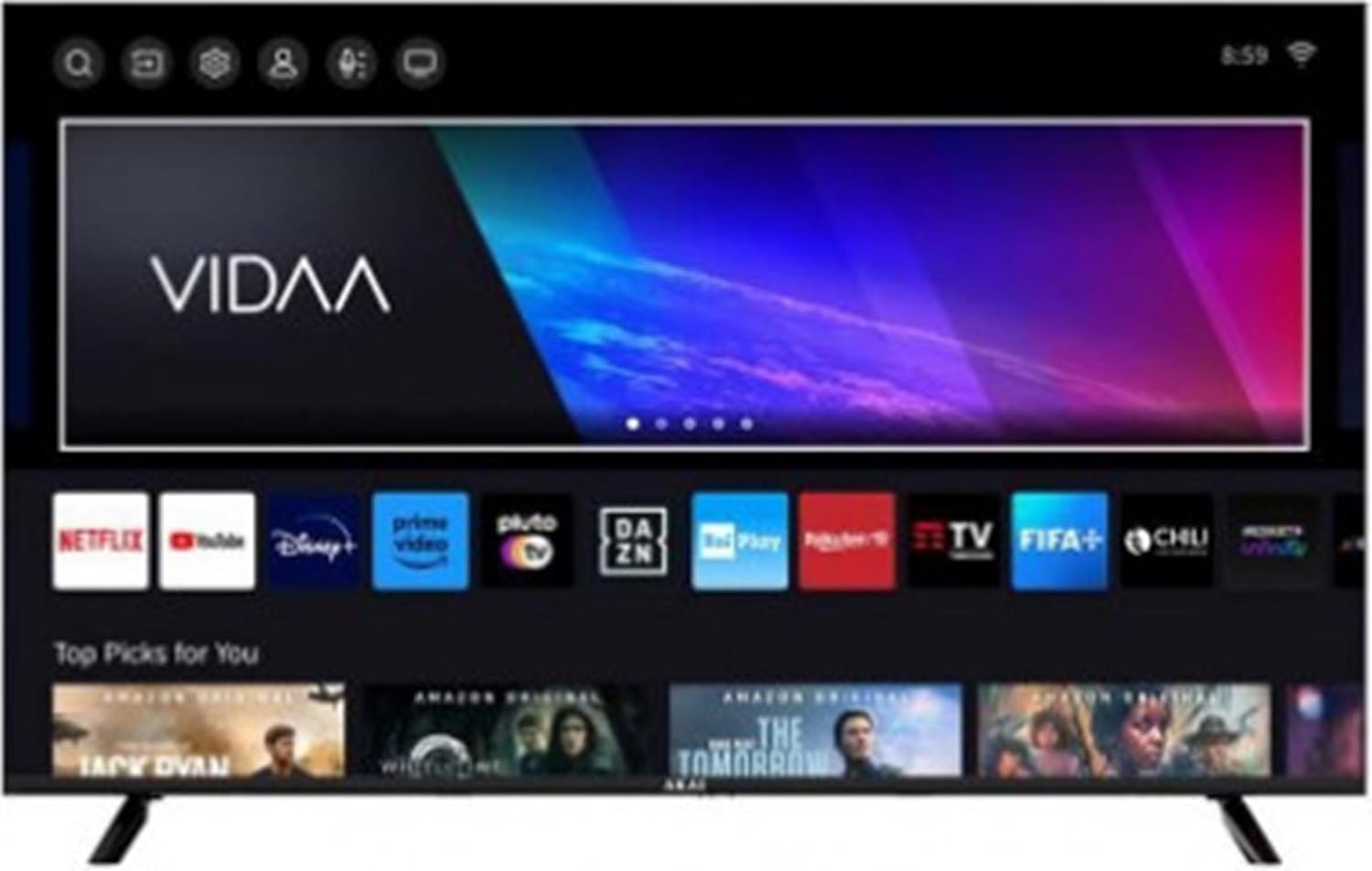
Image 1: The AKAI AKTV407QM Smart TV displaying its VIDAA operating system interface, showing various streaming application icons and content recommendations.
5. Betjening af dit TV
5.1 Fjernbetjening overview
Familiarize yourself with the remote control buttons for navigation and function access. Common buttons include Power, Volume Up/Down, Channel Up/Down, Input Source, Home (for Smart TV interface), Navigation (arrow keys), OK, Back, and dedicated app buttons (if present).
5.2 Grundlæggende funktioner
- Tænd/sluk: Tryk på Magt knap.
- Lydstyrkejustering: Brug Volumen +/- knapper.
- Kanalvalg: Brug Kanal +/- knapper eller numerisk tastatur.
- Inputkilde: Tryk på Input -knappen for at skifte mellem HDMI, TV og andre tilsluttede kilder.
5.3 Smart TV-funktioner (VIDAA OS)
Your AKAI AKTV407QM runs on the VIDAA operating system, providing access to various streaming services and applications.
- Startskærm: Tryk på Hjem button to access the main VIDAA interface, where you can find installed apps, recommended content, and settings.
- Appadgang: Navigate to and select applications like Netflix, YouTube, Amazon Prime Video, Disney+, DAZN, Rai Play, Rakuten TV, FIFA+, and Pluto TV.
- Web Browser: Use the integrated web browser til at surfe på internettet.
- Netværks forbindelse: Ensure your TV is connected to Wi-Fi or Ethernet for full Smart TV functionality. Go to Indstillinger > Netværk at administrere forbindelser.
5.4 Billed- og lydindstillinger
Tilpas din viewlytte- og lytteoplevelse:
- Billedtilstande: Adjust brightness, contrast, color, and sharpness. Select from preset modes (e.g., Standard, Dynamic, Movie) or customize your own.
- Lydtilstande: Choose from various audio presets (e.g., Standard, Music, Movie, Speech) or adjust equalizer settings.
6. Vedligeholdelse
6.1 Rengøring af tv'et
- Tag altid stikket ud af tv'et inden rengøring.
- Brug en blød, tør klud til at tørre skærmen og kabinettet af.
- For genstridige mærker, gnid letampRengør kluden med vand eller et mildt, ikke-slibende skærmrensemiddel. Spray ikke rengøringsmiddel direkte på skærmen.
- Undgå at bruge alkohol, benzen, fortyndermidler eller andre flygtige stoffer.
6.2 Softwareopdateringer
Your TV may receive software updates to improve performance and add new features. Ensure your TV is connected to the internet. You can usually check for updates in the Indstillinger > System > Softwareopdatering menu.
7. Fejlfinding
Se dette afsnit for løsninger på almindelige problemer. Hvis problemet fortsætter, skal du kontakte kundesupport.
| Problem | Mulig løsning |
|---|---|
| Ingen strøm | Kontroller, om netledningen er korrekt tilsluttet til tv'et og stikkontakten. Sørg for, at stikkontakten fungerer. |
| Intet billede, men der er lyd | Bekræft, at den korrekte inputkilde er valgt. Kontroller kabelforbindelser til eksterne enheder. |
| Ingen lyd, men der er billede | Check the volume level and mute status. Ensure audio cables are correctly connected. |
| Fjernbetjening virker ikke | Udskift batterierne. Sørg for, at der ikke er nogen forhindringer mellem fjernbetjeningen og tv'ets IR-sensor. |
| Kan ikke oprette forbindelse til Wi-Fi | Ensure Wi-Fi is enabled on the TV. Check your router and modem. Re-enter the Wi-Fi password. |
| Smart TV-apps indlæses ikke | Check your internet connection. Try restarting the TV. Ensure apps are updated. |
8. Specifikationer
Technical specifications for the AKAI AKTV407QM Smart TV:
- Modelnavn: AKTV407QM
- Skærmstørrelse: 40 tommer (100 cm)
- Skærmopløsning: 1366 x 768 pixels (HD-klar)
- Displayteknologi: LED
- Skærmform: Flad
- Aspektforhold: 16:9
- Indbygget opdateringshastighed: 60 Hz
- Operativsystem: VIDAA
- Digital tuner: DVB-T/T2, DVB-S2
- Lydudgang: 2 x 8 W
- HDMI-porte: 3
- USB 2.0-porte: 2
- Ethernet LAN (RJ-45) porte: 1
- Digital lydudgang: 1 (optisk)
- Wi-Fi: Ja
- Power Consumption (Stand-by): 0.5 W
- Energieffektivitetsklasse: F (Scale A to G)
- AC -indgang Voltage: 100 - 240 V
- AC-indgangsfrekvens: 50/60 Hz
- Dimensioner (med stativ): 892 mm (B) x 207 mm (D) x 559 mm (H)
- Dimensioner (uden stativ): 892 mm (B) x 85 mm (D) x 508 mm (H)
- Vægt: 28 kilo
- Understøttede internettjenester: Netflix, YouTube, Amazon Prime Video
9. Garanti og support
For garantioplysninger og teknisk support henvises til garantikortet, der følger med dit produkt, eller besøg den officielle AKAI-side. webwebsted. Gem din købsbevis til garantikrav.


