1. Introduktion
This manual provides detailed instructions for the setup, operation, and maintenance of your ATTACK SHARK X98PRO Wireless Mechanical Keyboard. The X98PRO features tri-mode connectivity (Bluetooth, 2.4GHz wireless, USB-C wired), hot-swappable switches, a customizable TFT screen, and a multi-function CNC knob, designed for both gaming and productivity across various operating systems.
2. Pakkens indhold
- ATTACK SHARK X98PRO Mechanical Keyboard
- USB-C to USB-A Braided Cable
- 2.4 GHz trådløs modtager
- Keycap aftrækker
- Aftrækker
- Brugervejledning (dette dokument)
3. Keyboard Layout and Components
The X98PRO features a compact 98-key layout, integrating a numeric keypad while maintaining a smaller footprint than a full-size keyboard. Key components include:
- 1.14-tommer TFT-skærm: Located above the numeric keypad, this screen displays various information and allows for customization.
- CNC Multi-Function Knob: Positioned next to the TFT screen, this knob controls volume, brightness, RGB effects, and connection modes.
- USB-C-port: Til kabelforbindelse og opladning.
- 2.4GHz Wireless Receiver Storage: Typically located in a dedicated slot on the keyboard for safekeeping.


4. Opsætning
4.1. Opladning af tastaturet
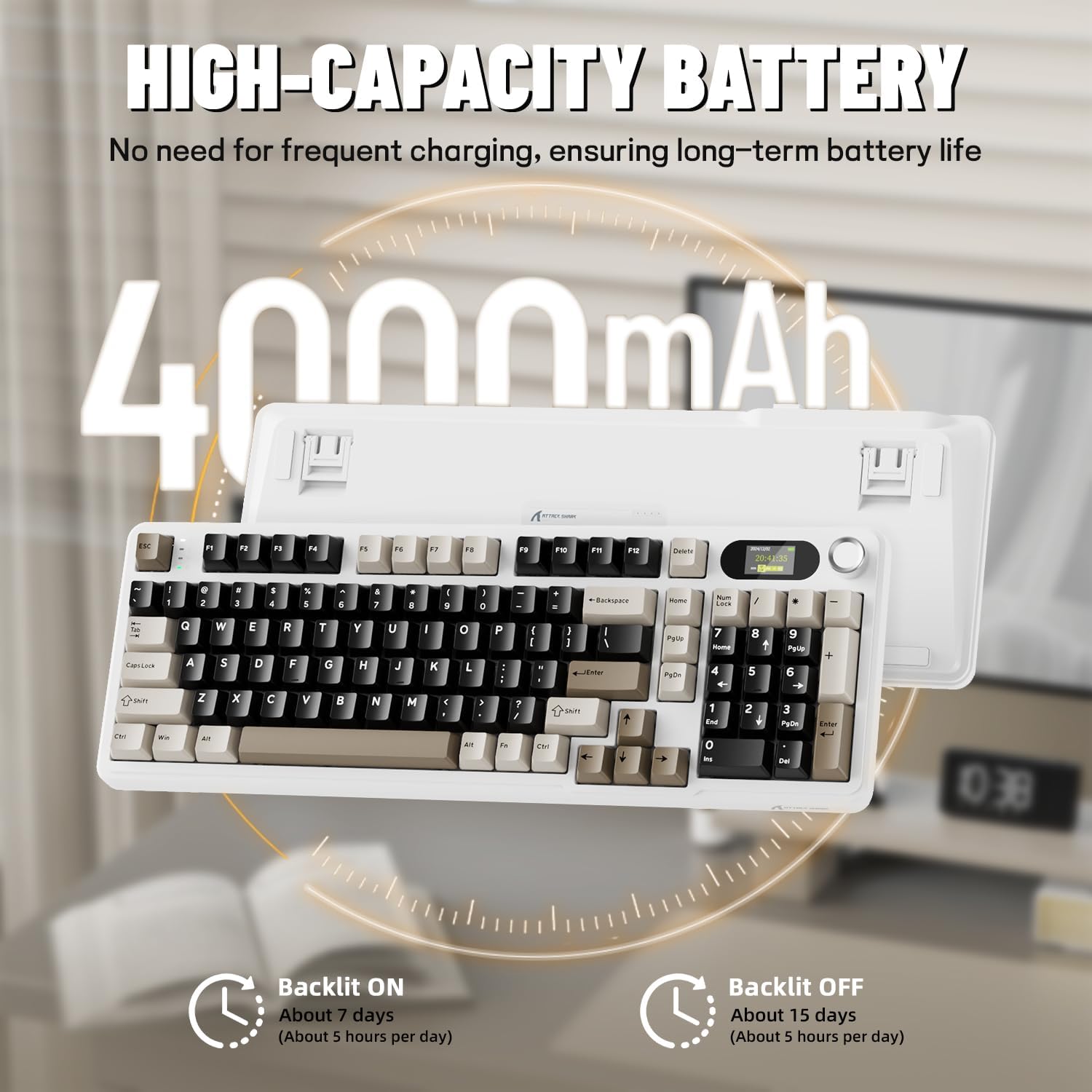
Before first use, it is recommended to fully charge the keyboard. Connect the provided USB-C cable to the keyboard's USB-C port and the other end to a USB-A power source (e.g., computer, wall adapter). The TFT screen will indicate charging status. The keyboard features a 4000mAh battery for extended wireless use.
4.2. Forbindelsestilstande
The X98PRO supports three connection modes:
- USB-C kablet tilstand: Connect the keyboard directly to your device using the USB-C cable. This mode also charges the keyboard.
- 2.4 GHz trådløs tilstand:
- Insert the 2.4GHz wireless receiver into an available USB port on your computer.
- Switch the keyboard's mode selector to 2.4G. The keyboard should automatically connect.
- Bluetooth 5.0-tilstand: Tastaturet kan parres med op til tre Bluetooth-enheder.
- Skift tastaturets tilstandsvælger til Bluetooth.
- Tryk og hold Fn + 1, Fn + 2, eller Fn + 3 for 3-5 seconds until the indicator light flashes, indicating pairing mode.
- On your device (PC, Mac, Tablet), search for Bluetooth devices and select "ATTACK SHARK X98PRO" to pair.
- For at skifte mellem parrede Bluetooth-enheder skal du trykke på Fn + 1, Fn + 2, eller Fn + 3 kort.

4.3. Indledende konfiguration (Web-based Driver)
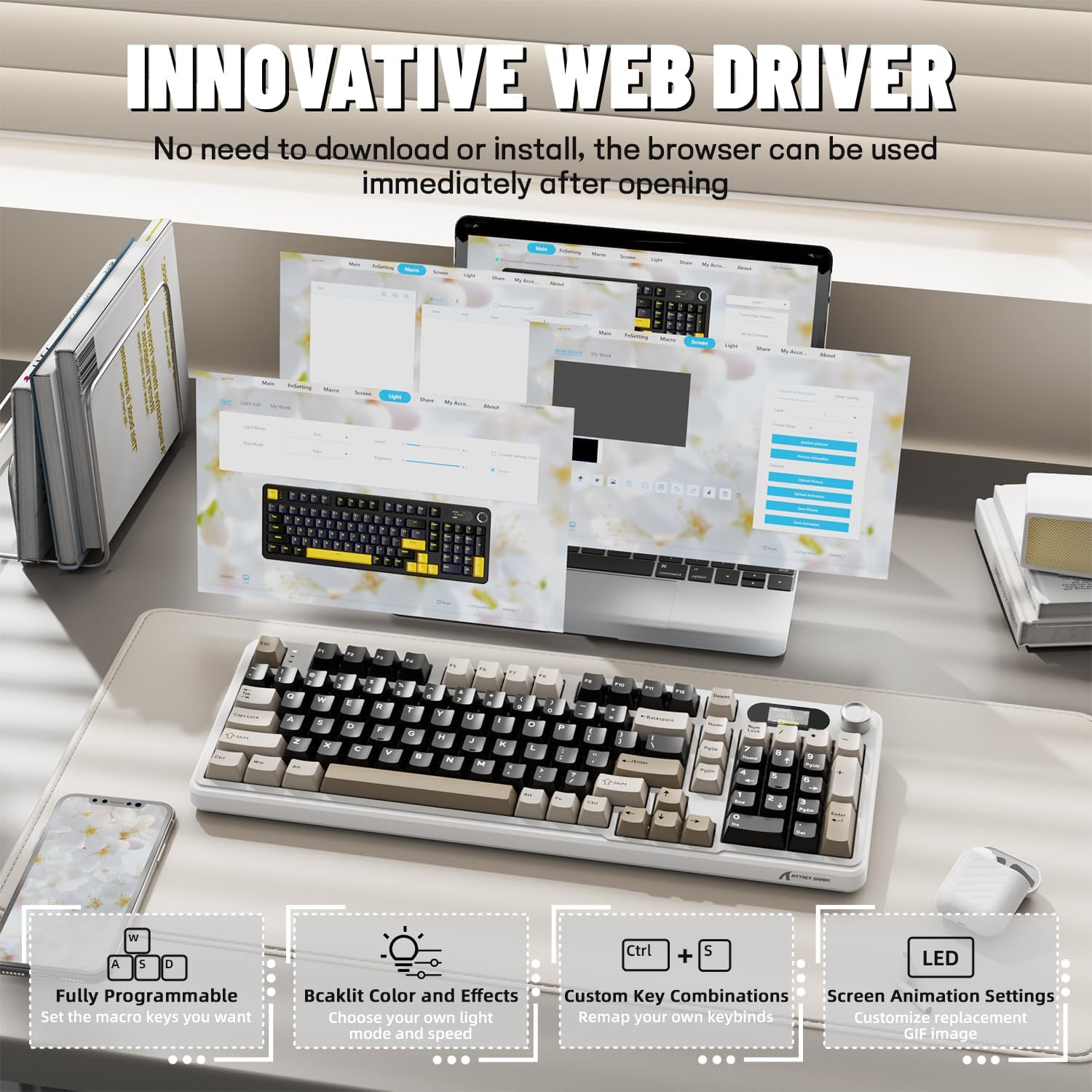
The X98PRO utilizes an intuitive web-based driver for advanced customization. This allows you to edit, upload, and switch display content for the TFT screen, customize RGB lighting, remap keys, and set macros without installing dedicated software. Access the official ATTACK SHARK webwebsted for web driver interface.
5. Betjeningsvejledning
5.1. TFT Screen Functions
The 1.14-inch TFT screen can display various information:
- Systemstatus: Connection mode (wired, 2.4G, BT1/2/3), operating system (Win/Mac).
- Batterilevetid: Real-time battery level.
- Tid: Aktuel tid.
- Brugerdefinerede GIF'er: Upload personalized animations via the web chauffør.
To navigate the TFT screen menu, rotate the CNC knob to scroll through options and press the knob to confirm a selection.
5.2. CNC Multi-Function Knob
The CNC knob provides intuitive control over several keyboard features:
- Lydstyrkekontrol: By default or after switching, rotate to adjust system volume.
- Lysstyrkekontrol: Juster baggrundsbelysningens lysstyrke.
- RGB-effekter: Skift mellem forskellige RGB-lyseffekter.
- Forbindelsestilstande: Switch between wired, 2.4GHz, and Bluetooth modes.
To switch the knob's function (e.g., between volume and RGB control), press Fn + Knap (press the knob down).
5.3. RGB-baggrundsbelysning
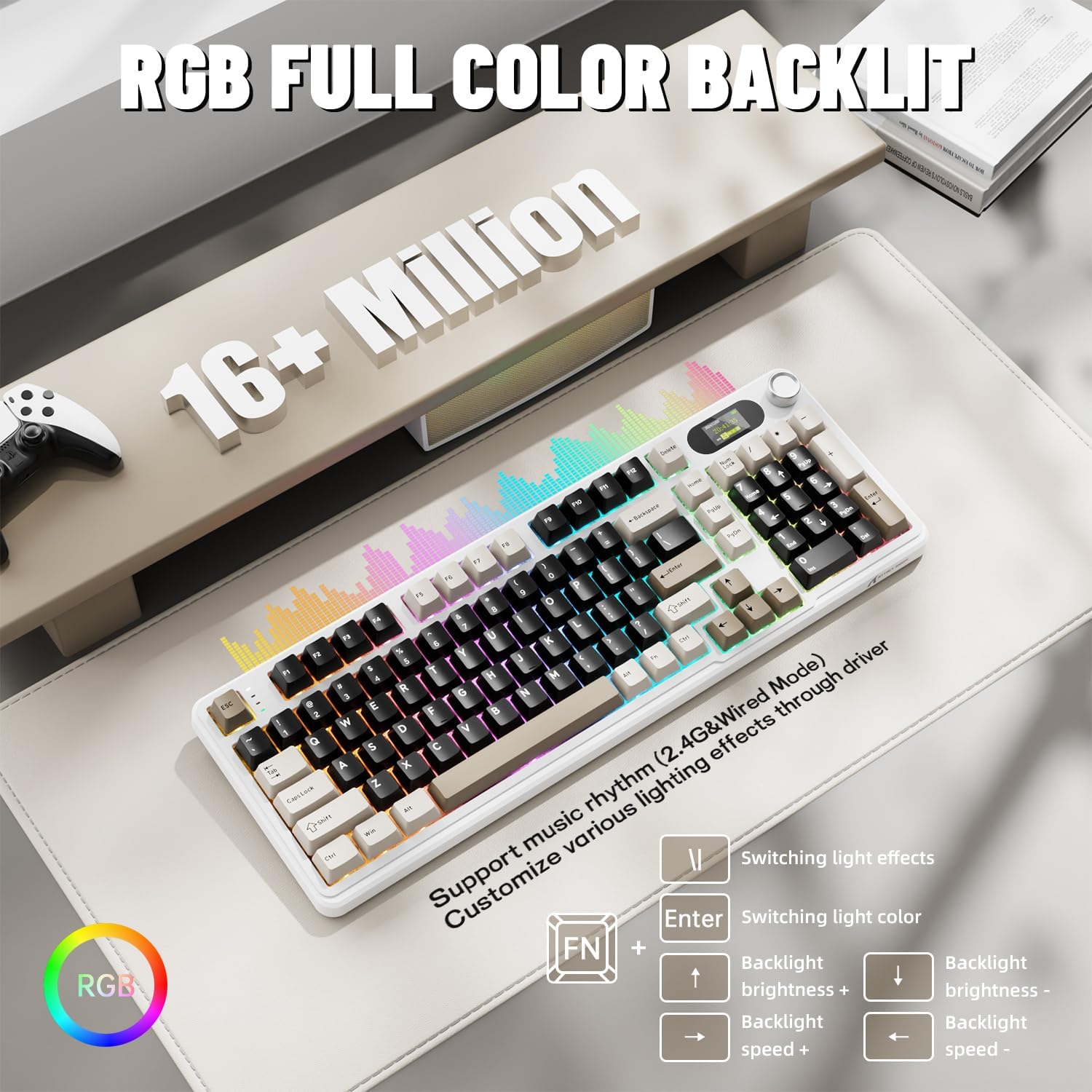
The X98PRO features full RGB backlighting with multiple effects. Control options include:
- Skiftende lyseffekter: Trykke Fn + Enter.
- Switching Light Color: Trykke Fn + \|.
- Baggrundsbelysningens lysstyrke: Trykke Fn + Pil op (stigning) eller Fn + pil ned (formindske).
- Baggrundslyshastighed: Trykke Fn + venstre pil (fald) eller Fn + højre pil (øge).
Further customization of RGB lighting, including per-key lighting and custom profiles, is available through the web-based driver.
5.4. Hot-swap-kontakter
The X98PRO features a hot-swappable PCB, allowing you to easily change mechanical switches without soldering. It is compatible with most 3-pin and 5-pin mechanical switches.
- Using the provided switch puller, carefully grip the switch and pull it straight up to remove it.
- Juster stifterne på den nye kontakt med hullerne på printkortet. Sørg for, at stifterne er lige.
- Gently press the new switch into place until it clicks. Do not force it.

6. Vedligeholdelse
6.1. Rensning
- Frakobl tastaturet fra alle strømkilder før rengøring.
- Brug en tastehætteaftrækker til at fjerne tastehætterne for grundig rengøring.
- Wipe the keyboard surface with a soft, damp klæde. Undgå skrappe kemikalier.
- Brug trykluft til at fjerne støv og snavs mellem tasterne.
6.2. Udskiftning af kontakt og tastatur
Refer to Section 5.4 for instructions on replacing switches. Keycaps can be removed using the provided keycap puller and replaced with compatible sets.
7. Fejlfinding
- Tastaturet reagerer ikke: Ensure the keyboard is charged. Check the connection mode (wired, 2.4G, BT) and ensure it matches your device. For 2.4GHz, ensure the receiver is properly inserted. For Bluetooth, re-pair if necessary.
- TFT screen not updating/syncing: Ensure the keyboard is connected to a device. For time synchronization or custom GIFs, use the web-based driver.
- Kort batterilevetid: Ensure the keyboard is fully charged. Reduce backlight brightness or disable RGB effects to conserve battery.
- Nøgler registreres ikke: If a specific key is not working, try removing and re-inserting its switch. If the issue persists, consider replacing the switch.
- Tilpasningsproblemer: Sørg for at du bruger den officielle web-based driver. Clear browser cache or try a different browser if experiencing issues.
8. Specifikationer
| Mærke | ANGREDE HAJ |
| Model | X98PRO |
| Forbindelsesteknologi | 2.4GHz, Bluetooth 5.0, USB-C Wired |
| Tastaturbeskrivelse | Mekanisk |
| Switch Type | Linear (Blueberry switches) |
| Hot-swappable | Ja (3-bens og 5-bens kompatibel) |
| Batterikapacitet | 4000mAh |
| Særlige funktioner | Customizable TFT Display, Multi-Function CNC Knob, RGB Backlit, Gasket Mount |
| Kompatible enheder | Laptop, PC, Tablet (Windows, Mac, Linux) |
| Dimensioner | 16.4 x 5.8 x 1.8 tommer (ca.) |
| Varens vægt | 2.9 pund |
9. Garanti og support
For garantioplysninger og teknisk support henvises til den officielle ATTACK SHARK webwebstedet eller kontakt deres kundeservice. Gem din købskvittering til garantikrav.


