1. Introduktion
Thank you for choosing the Vormooi V71 Digital Voice Recorder. This device is designed for high-quality audio recording, offering extensive storage, long battery life, and intuitive operation. Please read this manual carefully to understand its features and ensure optimal performance.

Figure 1: Vormooi V71 Digital Voice Recorder with accessories.
2. Produktet er slutview
2.1. Hvad er der i æsken
- 1x Vormooi V71 Digital Voice Recorder
- 1x 3.5mm External Microphone
- 1x USB-C Data Cable
- 1x 64GB TF Memory Card (pre-installed)
- 1x 3.5mm Transcription Cable
- 1 x snor
- 1x brugermanual

Figure 2: Package contents of the Vormooi V71 recorder.
2.2. Enhedslayout og kontroller
Familiarize yourself with the buttons and ports on your Vormooi V71 recorder:

Figure 3: Labeled components of the Vormooi V71 recorder.
- USB-C-port: Til opladning og dataoverførsel.
- Lås/lås op kontakt: Prevents accidental button presses. Slide up to lock, down to unlock.
- Previous / Fast Rewind Button: Navigate backward or fast rewind during playback.
- TF-kortslot: For inserting a microSD (TF) card to expand storage.
- Menu / Settings Button: Access device settings and menu options.
- Power / Play / Pause / OK Button: Long press to power on/off, short press to play/pause or confirm selections.
- 3.5 mm jack: For connecting headphones or the external microphone.
- Record / Save Switch: Slide up to start recording, slide down to save the recording.
- Lydstyrke +/- knapper: Juster afspilningslydstyrken.
- Next / Fast Forward Button: Naviger fremad eller spol hurtigt frem under afspilning.
- Back / Delete Files Button: Go back in menus or delete selected files.
3. Opsætning
3.1. Første opladning
Before first use, fully charge the device using the provided USB-C cable connected to a computer or a compatible USB power adapter. A full charge takes approximately 2 hours and provides up to 110 hours of continuous recording at 512kbps.

Figure 4: The recorder's display showing battery status and recording time.
3.2. Hukommelseskort
The Vormooi V71 comes with 32GB of built-in memory and a pre-installed 64GB TF card, providing a total of 96GB storage. This allows for approximately 7000 hours of recording at 32kbps. The device supports TF cards up to 128GB. If using an additional TF card, it must be formatted within the recorder for proper functionality.
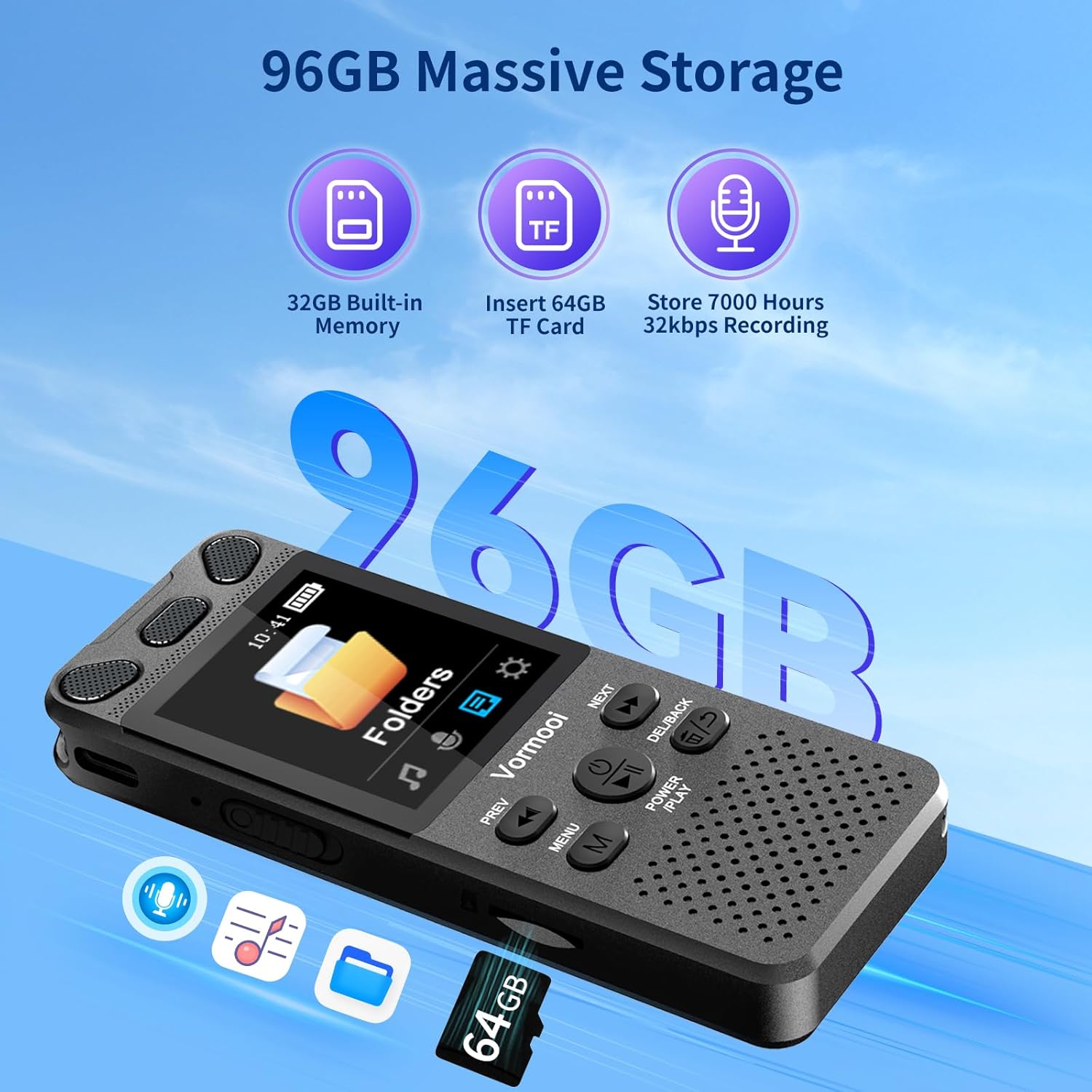
Figure 5: Illustration of the recorder's 96GB storage capacity.
4. Betjeningsvejledning
4.1. Grundlæggende optagelse
To start recording, simply slide the red button on the right side of the recorder upwards. The device will begin recording immediately. To save the recording, slide the button downwards. This one-touch operation ensures you can capture audio quickly and efficiently.

Figure 6: One-touch record/save functionality.
4.2. Recording Methods
The V71 offers multiple recording options:
- Indbyggede dobbelte mikrofoner: For general recording, utilizing automatic noise reduction.
- Ekstern mikrofon: Connect the included 3.5mm external microphone for close-range audio capture, reducing friction noise and improving clarity.
- Line-in-optagelse: Use the 3.5mm transcription cable to connect to a mobile phone, computer, or MP3 player for direct audio recording.

Figure 7: Using the external microphone for recording.
4.3. Voice Activated Recording (AVR)
Enable Voice Activated Recording (AVR) in the settings. The recorder will automatically start recording when sound is detected and pause when there is no sound or the sound level is too low. This feature helps conserve memory and battery life.
4.4. Afspilning
Use the built-in speaker or connect headphones to the 3.5mm jack for audio playback. Adjust the volume using the +/- buttons. The device supports variable speed playback and A-B repeat functions, which are useful for transcription or language learning.
4.5. Menu navigation
The V71 features a 2.15-inch color screen with four main UI interfaces: Music, Recording, Folders, and Settings. Use the 'MENU' button to access options and the 'PREV'/'NEXT' buttons to navigate. The 'POWER/PLAY' button confirms selections, and 'DEL/BACK' returns to the previous screen.
4.6. Adgangskodebeskyttelse
Set a 6-digit password in the settings to protect your recordings and privacy. Once enabled, the password will be required to access the device or connect it to a computer.
5. File Ledelse
5.1. Overførsel Files til pc
Connect the recorder to your computer using the USB-C cable. The device will appear as a removable disk, allowing you to easily transfer recording files to your PC. Recordings are automatically named with the date and time for easy organization.
5.2. Sletning Files
Du kan slette files directly from the device using the 'DEL/BACK' button during playback or within the file management menu. The device supports one-click deletion for convenience.
6. Vedligeholdelse
To ensure the longevity of your Vormooi V71 recorder:
- Hold enheden tør og væk fra ekstreme temperaturer.
- Rengør skærmen og kabinettet med en blød, tør klud. Undgå slibende rengøringsmidler.
- Undgå at tabe enheden eller udsætte den for kraftige stød.
- Oplad batteriet regelmæssigt, selvom det ikke bruges ofte, for at opretholde batteriets tilstand.
7. Fejlfinding
If you encounter issues with your Vormooi V71, consider the following:
- Enheden tænder ikke: Sørg for, at batteriet er opladet. Tilslut til en strømkilde, og prøv igen.
- Kan ikke optage: Check if the 'Record/Save' switch is in the correct position. Ensure there is sufficient storage space. Verify the microphone input setting (internal, external, line-in) is correct.
- Dårlig lydkvalitet: Check recording bitrate settings. Ensure the microphone is not obstructed. Reduce background noise in the recording environment.
- Enheden reagerer ikke: Try performing a soft reset by long-pressing the power button. If the issue persists, you may consider restoring factory settings (note: this will not delete files).
- Formatting TF card: If you insert a new TF card and it's not recognized, format it directly on the device via the System Settings menu. This ensures compatibility.
8. Specifikationer
| Mærke | Vormooi |
| Model | V71 |
| Dimensioner | 10 x 3.9 x 1.26 cm |
| Vægt | 98 g |
| Hukommelseskapacitet | 96 GB (32GB internal + 64GB TF card) |
| Skærmstørrelse | 2.15 tommer |
| Batterilevetid | Op til 110 timer (ved 512 kbps) |
| Optagelsesformater | MP3, WAV (PCM 32-1536Kbps) |
| Musik formater | MP3, WMA, WAV, FLAC, APE, OGG |
| Interface | USB-C |
| Kompatible enheder | PC, MP3 Player, Smartphone |
9. Garanti og support
Vormooi offers comprehensive after-sales support for your product:
- 2-års garanti: If the device fails due to non-human factors within 2 years of purchase, please contact Vormooi for a replacement or refund.
- Teknisk support: Livstids teknisk support er tilgængelig.
- Svartid: Forvent svar på henvendelser inden for 24 timer.
For support, please contact us via Amazon's station letter or the after-sales email provided with your purchase. We appreciate your support and understanding.


