Indledning
The Lytmi CozyClip D1 Open Clip Earbuds are designed for comfortable, all-day listening while maintaining awareness of your surroundings. Featuring an ultra-light open-ear design, Hi-Fi sound, AI-powered clear calls, and IP54 waterproof rating, these earbuds offer a unique audio experience. This manual provides essential information for setting up, operating, and maintaining your CozyClip D1 earbuds.
Hvad er der i æsken
- Lytmi CozyClip D1 Open-Ear Clip-on Earphones (1 pair)
- Opladningsetui (1)
- Brugervejledning (1)
- Type-C ladekabel (1)

Image: Lytmi CozyClip D1 packaging and included accessories.
Produkt overview
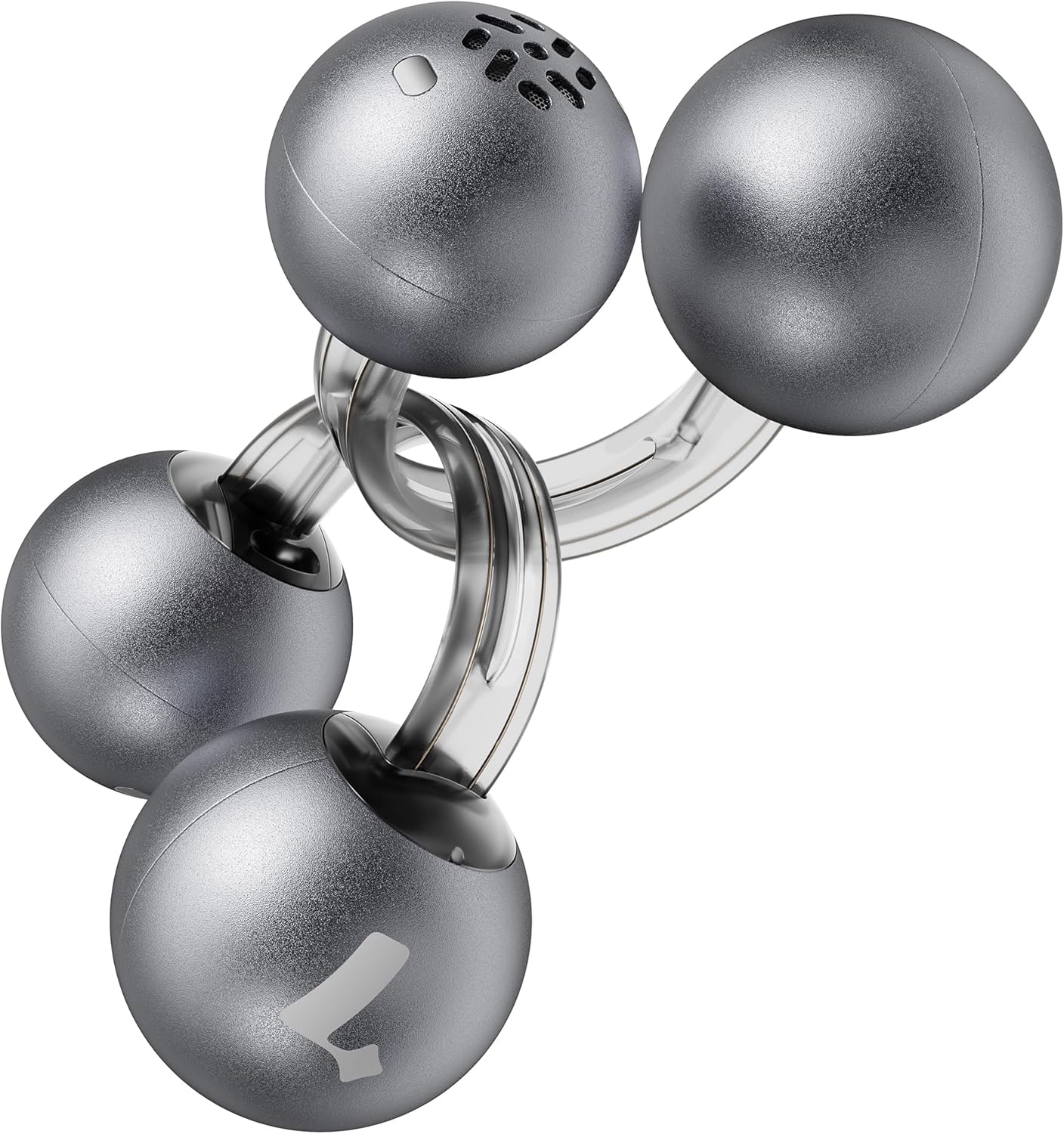
Image: Lytmi CozyClip D1 Earbuds, showcasing their open-ear clip design.

Image: Earbud resting on a feather, illustrating its ultra-lightweight design.
Nøglefunktioner:
- Design med åbent øre: Weighing just 5.4g each, these earbuds clip onto your ear, providing comfort and allowing you to remain aware of your surroundings.
- Hi-Fi-lyd: Experience immersive audio with enhanced bass and clear highs.
- AI Noise Reduction for Calls: Ensures crystal-clear calls by reducing environmental noise, even in windy conditions.
- Auto Left-Right Recognition: Earbuds are interchangeable; wear either earbud on either ear without manual configuration.
- Lang batterilevetid: Up to 9 hours of playtime on a single charge, and up to 30 hours with the charging case.
- IP54 vandtæt og støvtæt: Designed to withstand sweat and water splashes, suitable for various activities and weather conditions.
- Bluetooth 5.4: Provides stable and efficient wireless connectivity with faster data transfer and extended signal range.
- Dual-Connection: Opret forbindelse til to enheder samtidigt, og skift problemfrit mellem dem.
Opsætning
1. Opladning af øretelefoner og etuiet
Oplad ørepropperne og opladningsetuiet helt inden første brug.
- Placer ørepropperne i opladningsetuiet. Sørg for, at de sidder korrekt.
- Connect the Type-C charging cable to the charging port on the case and the other end to a USB power source.
- Indikatorlampen på etuiet viser opladningsstatus. Når den er fuldt opladet, ændres eller slukkes indikatoren.

Image: Charging case and earbuds, illustrating battery life.
2. Parring med en enhed
- Åbn opladningsetuiet. Ørepropperne går automatisk i parringstilstand.
- Aktiver Bluetooth på din enhed (smartphone, tablet osv.) og søg efter tilgængelige enheder.
- Select "Lytmi CozyClip D1" from the list of devices.
- Når forbindelsen er oprettet, vil en stemmemeddelelse bekræfte den gennemførte parring.

Image: Quick pairing process with a smartphone.
3. Sådan tager du ørepropperne på
The CozyClip D1 earbuds feature an auto left-right recognition system, allowing you to wear either earbud on either ear.
- Gently clip the earbud onto your earlobe, positioning the speaker component near your ear canal.
- Adjust for a comfortable and secure fit. The flexible design ensures stability during movement.
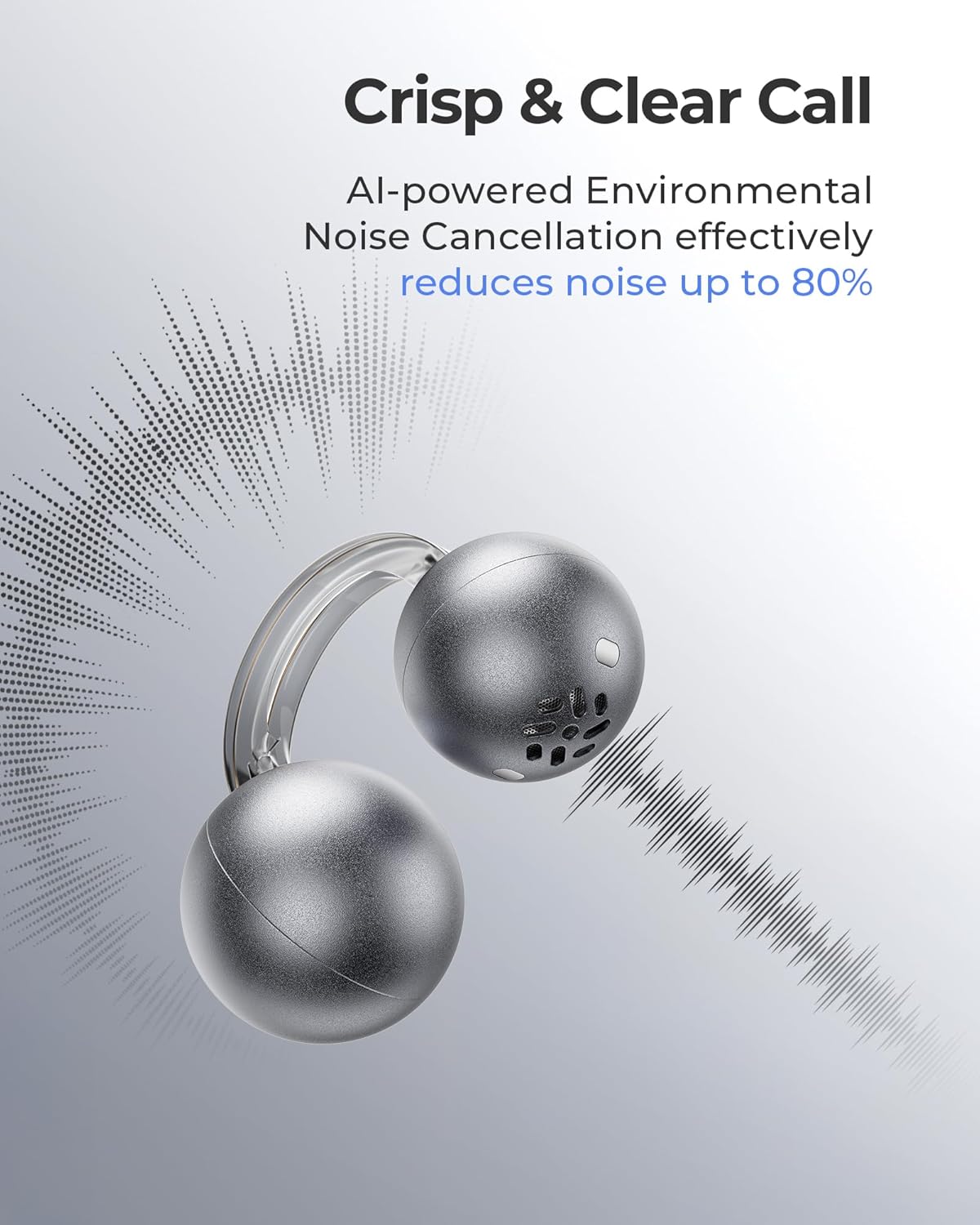
Image: Earbud worn on an ear, showing the secure fit.

Image: Wearing styles for awareness or full sound.
Betjeningsvejledning
Tryk på kontrolelementer
Ørepropperne har intuitive berøringsknapper til styring af lydafspilning og opkald.
- Double Tap (Left or Right Earbud): Answer a call, End a call, Play/Pause music.
- Triple Tap (Left or Right Earbud): Next track, Reject a call.

Image: Touch control gestures for playback and calls.
Dual-Connection
The CozyClip D1 earbuds support simultaneous connection to two devices.
- Pair the earbuds with your first device (e.g., smartphone).
- Frakobl ørepropperne fra den første enheds Bluetooth-indstillinger.
- Pair the earbuds with your second device (e.g., laptop).
- Reconnect the earbuds to the first device from its Bluetooth settings. The earbuds will now be connected to both devices.
- Lyden skifter automatisk til den enhed, der afspiller indhold eller modtager et opkald.

Image: Seamless switching between two connected devices.
Officiel produktvideo
Video: En overview of the Lytmi CozyClip D1 Open Ear Clip-on Earbuds, demonstrating their design, fit, and key features in various usage scenarios.
Opretholdelse
- Rensning: Tør regelmæssigt ørepropperne og opladningsetuiet af med en blød, tør klud. Undgå at bruge skrappe kemikalier eller slibende materialer.
- Opbevaring: Når ørepropperne ikke er i brug, skal de opbevares i deres opladningsetui for at beskytte dem mod støv og skader.
- Vandeksponering: While IP54 rated for water splashes and sweat, avoid submerging the earbuds in water. Ensure they are dry before placing them back in the charging case.
Fejlfinding
| Problem | Løsning |
|---|---|
| Øretelefoner parrer ikke | Ensure earbuds are charged. Turn off and on Bluetooth on your device. Forget "Lytmi CozyClip D1" from your device's Bluetooth list and re-pair. |
| Ingen lyd eller lav lydstyrke | Check device volume. Ensure earbuds are properly seated on your ears. Reconnect the earbuds to your device. |
| Ørepropper falder ud | Adjust the clip for a more secure fit around your earlobe. Experiment with different positioning for optimal stability. |
| Ladeetui oplader ikke | Verify the charging cable and power adapter are working correctly. Ensure the Type-C cable is fully inserted into the charging port. |
| Berøringskontroller reagerer ikke | Sørg for, at dine fingre er rene og tørre. Prøv at genstarte ørepropperne ved at lægge dem i etuiet og tage dem ud igen. |
Specifikationer
| Feature | Detalje |
|---|---|
| Modelnavn | Lytmi CozyClip D1 |
| Forbindelsesteknologi | Trådløs (Bluetooth 5.4) |
| Bluetooth rækkevidde | 10 meter |
| Batterilevetid (ørepropper) | Op til 9 timer |
| Samlet spilletid (med etui) | Op til 30 timer |
| Opladningstid | 1 time (for ørepropper) |
| Vandmodstandsniveau | IP54 (Vandtæt og støvtæt) |
| Vægt (ørepropper) | 0.17 ounces (ca. 5.4 g) |
| Audio driver størrelse | 12 millimeter |
| Impedans | 32 Ohm |
| Frekvensrespons | 20 KHz (Øvre grænse, typisk område 20Hz-20kHz) |
| Støjkontrol | Adaptive Noise Cancellation (for calls) |
| Materiale | ABS+PC (for carrying case) |
| Kontrolmetode | Røre |
Garanti og support
For warranty information, technical support, or further assistance, please refer to the official Lytmi webwebstedet eller kontakt deres kundeservice direkte. Gem din købskvittering til garantikrav.
You can visit the Lytmi Store for more information: Lytmi Official Store


