Indledning
This manual provides detailed instructions for the safe and effective use of your Picun B8 Bluetooth Headphones. Please read this manual thoroughly before using the product and retain it for future reference.

Billede: Picun B8 Bluetooth-hovedtelefoner, vistasing their sleek black over-ear design with metallic earcups and a visible blue indicator light.
Hvad er der i æsken
- 1 x Picun B8 Headphone
- 1 x 3.5 mm lydkabel
- 1 x USB ladekabel
- 1 x brugermanual
Produktegenskaber
- Ultralang batterilevetid: Equipped with a 1000mAh battery, providing up to 120 hours of playtime on a single charge. Supports wired mode via 3.5mm audio cable for continuous use.

Image: Headphones next to a smartphone, highlighting the 120-hour battery life for extended music, movie, and meeting playback.
- Hi-Fi Sound & 3 EQ Modes: Features 40mm dynamic drivers for high-resolution stereo sound. Includes Pop, Rock, and Bass Boost EQ modes for customized audio experience.

Image: A woman enjoying music with the headphones, demonstrating the availability of Pop, Bass-Boost, and Rock equalizer modes.
- All-Day Comfort & Foldable Design: Constructed with skin-friendly PU leather and high-elastic memory cotton for breathable comfort. Adjustable headband and ergonomic design ensure a pressure-free fit. Foldable for easy storage.

Billede: Detaljeret view of the headphones' comfort features, including 60-degree adjustable earcups, an adjustable headband, and a foldable design for portability.
- Bluetooth 5.4 & Smart Control: Equipped with a Bluetooth 5.4 chip for fast and stable connections up to 33 feet. Features touch controls and a built-in microphone for hands-free calls and voice assistant activation. Supports dual-device connectivity.

Image: A visual representation of the advanced Bluetooth 5.4 chip, highlighting its benefits of lower latency and extended battery life.
- Indbygget mikrofon: Enables clear hands-free communication.
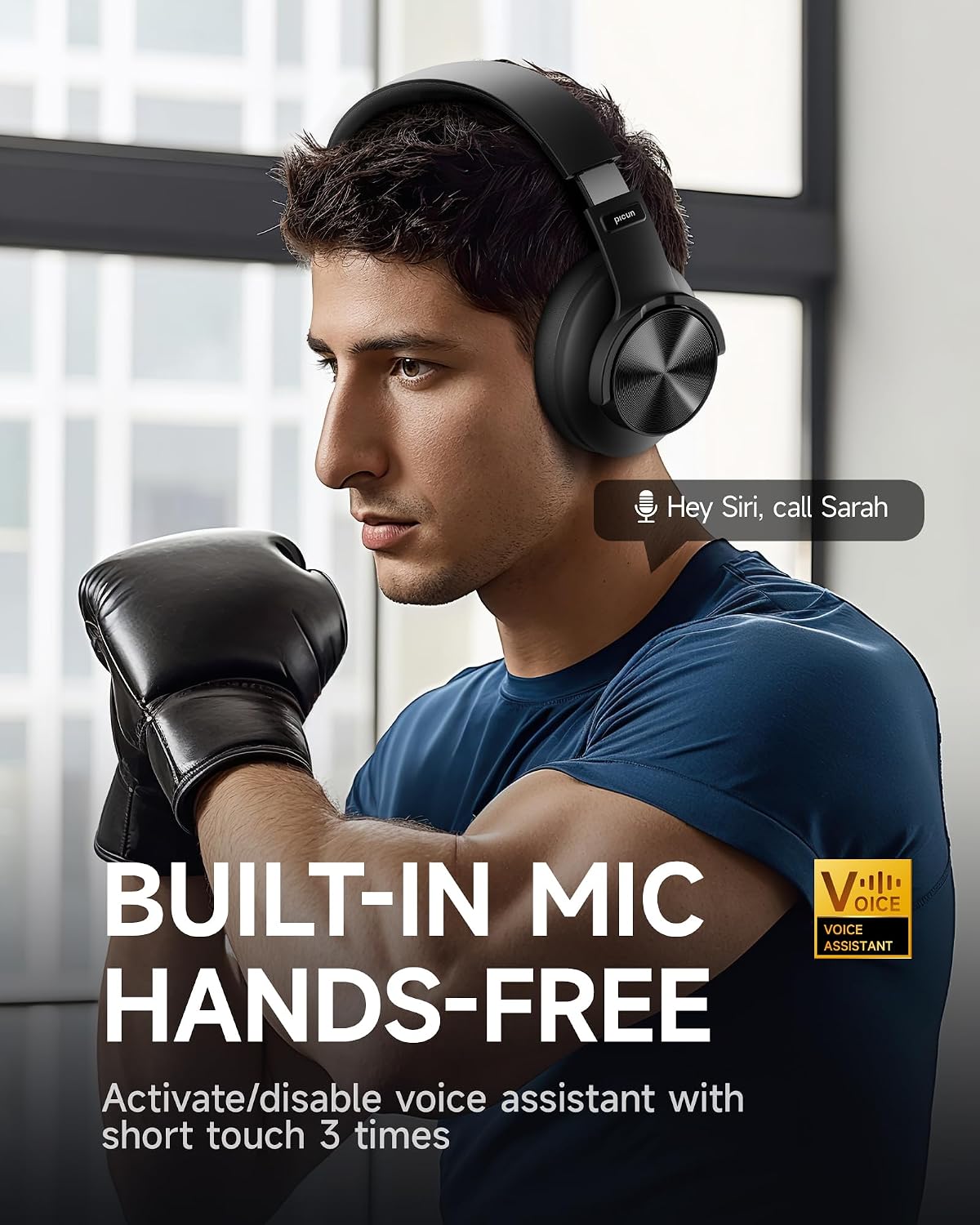
Image: A man using the headphones, demonstrating the built-in microphone and hands-free voice assistant capabilities.
- Lav latenstilstand: Offers 50ms ultra-low latency for a smoother gaming and video experience.

Image: Headphones depicted with a gaming theme, emphasizing the 50ms ultra-low latency for an enhanced gaming and video experience.
Opsætning
1. Opladning af hovedtelefonerne
Before first use, fully charge your Picun B8 headphones. Connect the provided USB charging cable to the USB-C charging port on the headphones and the other end to a compatible USB power source (e.g., computer USB port, wall adapter). The indicator light will show charging status and turn off when fully charged.
2. Tænd/sluk
- Tænd: Press and hold the Power/EQ button for approximately 3 seconds until the indicator light illuminates.
- Sluk: Press and hold the Power/EQ button for approximately 3 seconds until the indicator light turns off.
3. Bluetooth-parring
- Sørg for, at hovedtelefonerne er slukket.
- Press and hold the Power/EQ button for approximately 5 seconds until the indicator light flashes blue and red, indicating pairing mode.
- Aktiver Bluetooth på din enhed (smartphone, tablet, bærbar computer), og søg efter tilgængelige enheder.
- Select "Picun B8" from the list of found devices.
- Once connected, the indicator light on the headphones will turn solid blue.
4. Kablet forbindelse
To use the headphones in wired mode, connect one end of the provided 3.5mm audio cable to the 3.5mm audio port on the headphones and the other end to the audio output jack of your device. The headphones will automatically switch to wired mode, and Bluetooth will be disabled.
Betjeningsvejledning

Image: A detailed diagram illustrating the location and function of all controls on the Picun B8 headphones, including touch controls, ports, and buttons.
Musikafspilningskontroller
- Afspil/pause: Tap the Touch Area once.
- Næste sang: Swipe forward on the Touch Area or press the 'Next Song' button.
- Forrige sang: Swipe backward on the Touch Area or press the 'Previous Song' button.
- Lydstyrke op: Tryk på knappen Lydstyrke +.
- Skrue ned for lyden: Tryk på Lydstyrke-knappen.
Opkaldsstyring
- Besvar/afslut opkald: Tap the Touch Area once.
- Afvis opkald: Press and hold the Touch Area for 3 seconds.
Skift af EQ-tilstand
Double-tap the Power/EQ button to cycle through the 3 available EQ modes: Pop, Rock, and Bass Boost. Select the mode that best suits your audio preference.
Aktivering af stemmeassistent
Triple-tap the Touch Area to activate your device's voice assistant (e.g., Siri, Google Assistant).
Dual-Device Connectivity
The Picun B8 headphones can connect to two Bluetooth devices simultaneously. After pairing with the first device, put the headphones back into pairing mode and connect to the second device. The headphones will intelligently switch between devices for calls and audio playback.

Image: Headphones shown connected to both a smartphone and a tablet, illustrating simultaneous Bluetooth connectivity.
Opretholdelse
- Rensning: Brug en blød, tør klud til at rengøre hovedtelefonerne. Brug ikke slibende rengøringsmidler eller opløsningsmidler.
- Opbevaring: Når hovedtelefonerne ikke er i brug, skal de opbevares køligt og tørt, væk fra direkte sollys og ekstreme temperaturer. Brug det foldbare design til kompakt opbevaring.
- Batteripleje: For at forlænge batterilevetiden bør du undgå at aflade hovedtelefonerne helt ofte. Oplad dem regelmæssigt, selvom de ikke er i konstant brug.
- Undgå fugt: Hovedtelefonerne er ikke vandafvisende. Undgå udsættelse for vand, regn eller for høj luftfugtighed.
Fejlfinding
| Problem | Mulig årsag | Løsning |
|---|---|---|
| Hovedtelefonerne tændes ikke. | Lavt batteri. | Oplad hovedtelefonerne helt. |
| Kan ikke parres med enheden. | Hovedtelefoner er ikke i parringstilstand; Bluetooth slukket på enheden; enheden er for langt væk. | Ensure headphones are in pairing mode (flashing blue/red). Turn on Bluetooth on your device. Move device closer to headphones (within 33 feet). |
| Ingen lyd eller lav lydstyrke. | Lydstyrken er for lav; forkert lydkilde; hovedtelefoner er ikke tilsluttet. | Increase volume on headphones and connected device. Ensure headphones are properly paired or 3.5mm cable is fully inserted. Check audio output settings on your device. |
| Dårlig opkaldskvalitet. | Weak signal; microphone obstruction. | Flyt tættere på din tilsluttede enhed. Sørg for, at mikrofonen ikke er dækket. |
Specifikationer
| Feature | Detalje |
|---|---|
| Modelnavn | PC-B8 PRO |
| Forbindelsesteknologi | Kablet, trådløs (Bluetooth) |
| Bluetooth version | 5.4 |
| Bluetooth rækkevidde | 33 fod (ca. 10 meter) |
| Batterilevetid | 120 timer |
| Batterikapacitet | 1000mAh |
| Audio driver størrelse | 40 mm dynamiske drivere |
| Frekvensrespons | 20 Hz - 20000 Hz (20 kHz) |
| Følsomhed | 42 dB |
| Impedans | 32 Ohm |
| Hovedtelefonstik | 3.5 mm Jack |
| Støjkontrol | Lydisolering |
| Kontroltype | Lydstyrkekontrol, berøringskontrol |
| Materiale | Acrylonitrile Butadiene Styrene (ABS), Stainless Steel, PU Leather, Memory Cotton |
| Varens vægt | 0.34 kilo (12 ounce) |
| Vandmodstandsniveau | Ikke vandafvisende |
Garanti og support
Picun offers the following support for your B8 Bluetooth Headphones:
- 30-dages returpolitik: For returnering inden for 30 dage efter købet.
- 1-års garanti: Dækker fabrikationsfejl i et år fra købsdatoen.
- Lifetime Worry-Free User Support: For any product-related questions or assistance, please contact Picun customer service. They aim to reply within 12 hours.
For support, please refer to the contact information provided in the packaging or visit the official Picun webwebsted.


