Indledning
This manual provides comprehensive instructions for the installation, operation, and maintenance of your Abysm Gaming Oceanic 360 White ARGB Liquid Cooling System. This advanced cooling solution features a customizable 2.8-inch LCD display for real-time monitoring of critical system parameters such as CPU temperature, fan speed, and more. Please read this manual thoroughly before installation and use to ensure optimal performance and longevity of your product.
Opsætningsvejledning
1. Pakkens indhold
Før installationen påbegyndes, skal du kontrollere, at alle komponenter er til stede i pakken:
- Oceanic 360 Liquid Cooler (Radiator, Pump with LCD Display, and Fans pre-attached or separate)
- Mounting hardware for compatible CPU sockets (AMD AM5, AM4; Intel LGA 2066 / 2011 / 1156 / 1155 / 1151 / 1150 / 1200 / 1700 / 1851)
- Brugervejledning (dette dokument)

Figure 1: Abysm Gaming Oceanic 360 White ARGB Liquid Cooling System. This image shows the complete liquid cooling unit, including the radiator, three ARGB fans, and the pump block with its integrated LCD display.
2. Installationstrin (generelt)
De følgende trin giver en generel overview of the installation process. Refer to the detailed diagrams and instructions included with your physical product for specific mounting procedures for your CPU socket type.
- Forbered CPU-sokkelen: Install the appropriate backplate and standoffs for your motherboard's CPU socket (AMD or Intel).
- Påfør termisk pasta: Påfør et tyndt, jævnt lag termisk pasta på midten af din CPU's integrerede varmespreder (IHS).
- Mount the Pump Block: Carefully place the pump block onto the CPU, aligning it with the standoffs. Secure it with the provided thumb screws or mounting brackets.
- Install the Radiator: Mount the radiator to an available fan mounting location in your PC case (e.g., top, front, or rear). Ensure adequate airflow.
- Install the Fans: Attach the 120mm ARGB PWM fans to the radiator. The fans feature a click system for efficient cable management.
- Tilslut kabler:
- Connect the pump's 3-pin connector to the CPU_FAN or AIO_PUMP header on your motherboard.
- Connect the fans' 4-pin PWM connectors to available fan headers on your motherboard or a fan controller.
- Connect the ARGB lighting cables to a compatible 5V ARGB header on your motherboard or an ARGB controller.
- Kabelstyring: Før alle kabler pænt for at sikre korrekt luftgennemstrømning i kabinettet.

Figure 2: Radiator Fins. This image provides a detailed view of the radiator's aluminum fins, designed for efficient heat dissipation.
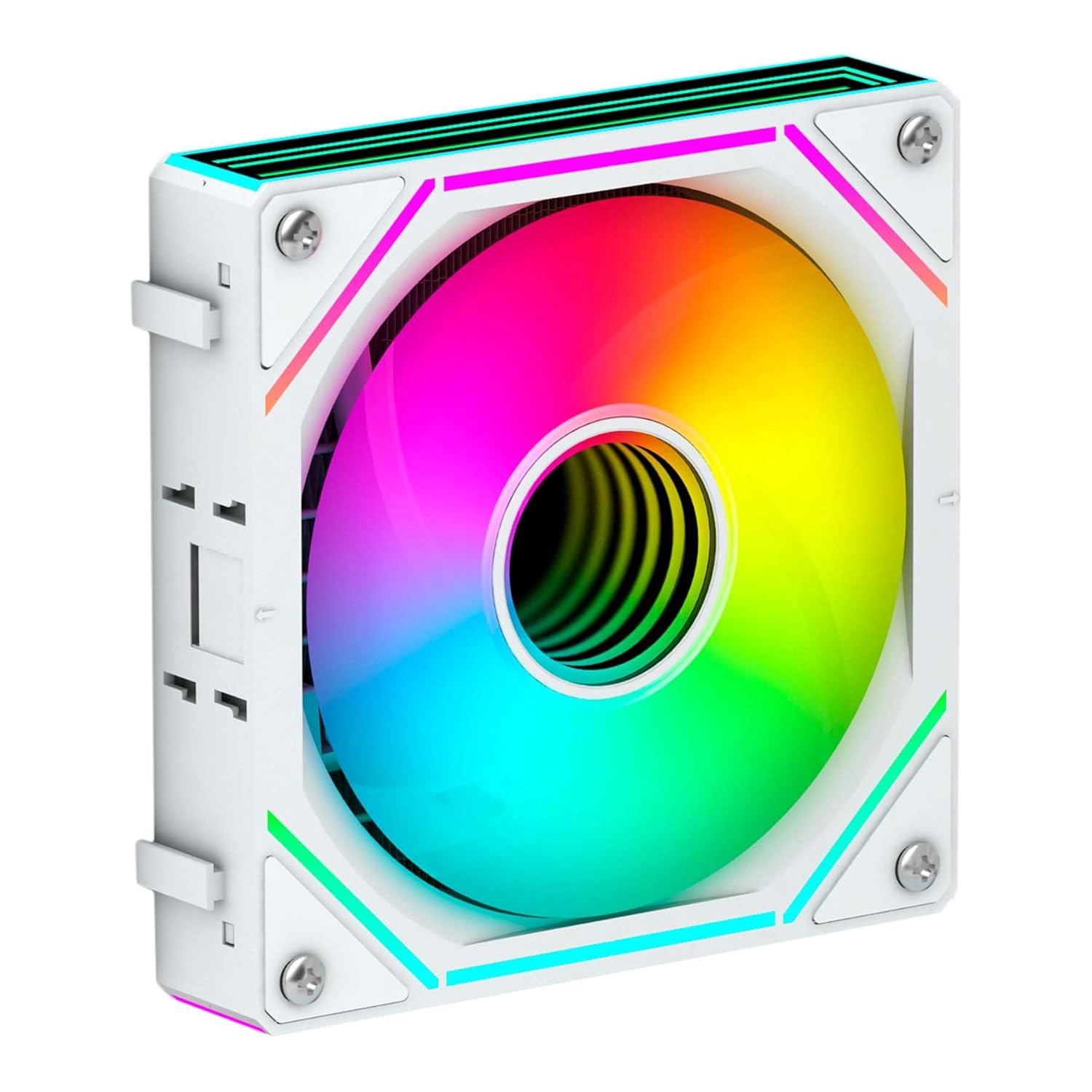
Figure 3: ARGB Fan. This image shows a single 120mm ARGB fan, highlighting its design and lighting capabilities.
Betjeningsvejledning
1. Første opstart
Upon initial power-on, the LCD display on the pump block will activate. It will typically show default system information such as CPU temperature and fan speed. Ensure all fans are spinning and the pump is operating silently.
2. Customizable LCD Display
The 2.8-inch IPS LCD display is a key feature, allowing for real-time monitoring and personalization.
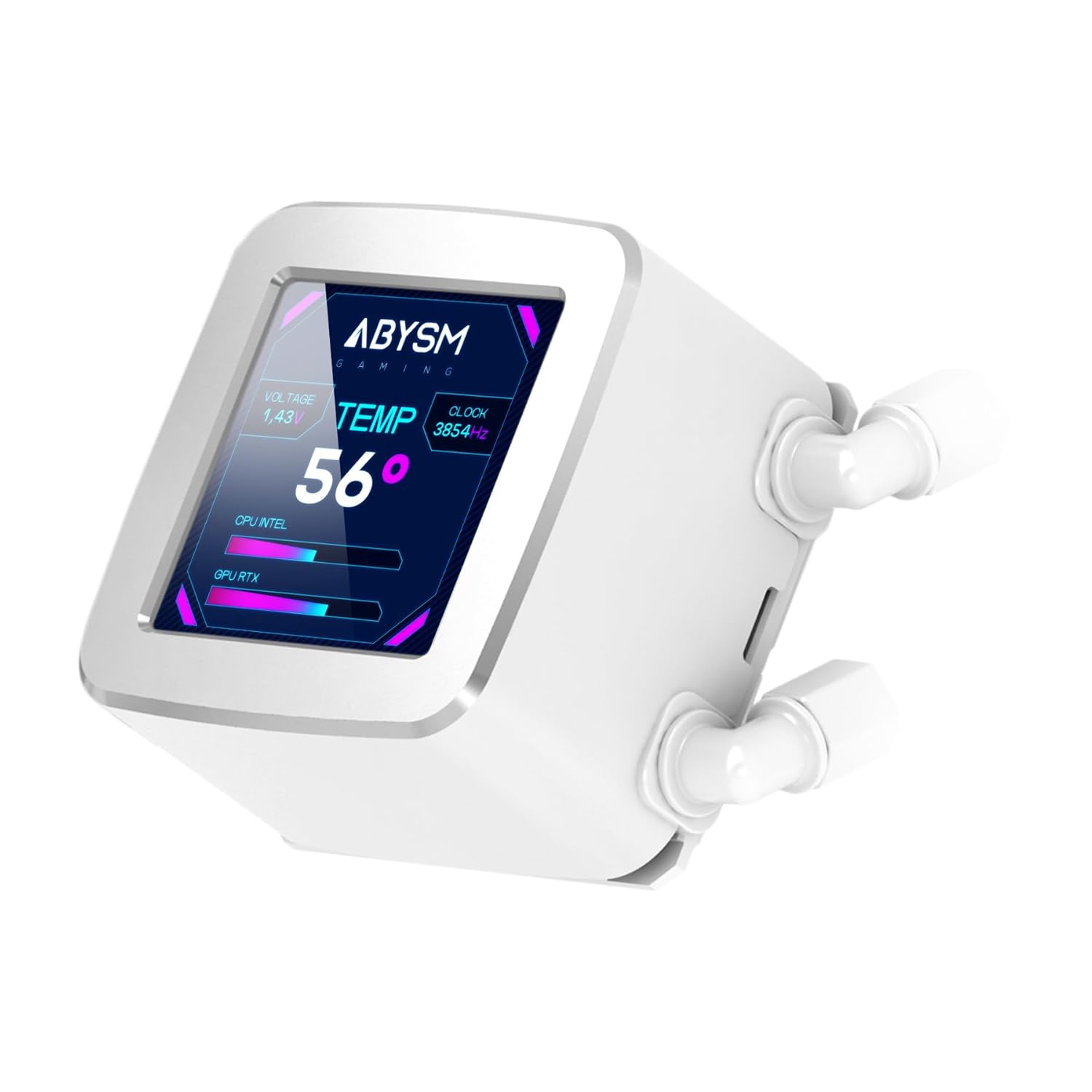
Figure 4: LCD Display. This image highlights the customizable 2.8-inch LCD screen on the pump, displaying real-time system information like CPU temperature, voltage, and clock speed.
- Overvågningsparametre: The display can show various PC hardware parameters, including:
- CPU temperatur
- GPU Load
- CPU-belastning
- Blæserhastighed
- Netværkshastighed
- Voltage
- Urhastighed
- Tilpasning: The screen supports displaying custom content such as:
- Billeder
- Animerede GIF'er
- Logoer
- MP4 videos
To customize the display, you will need to download and install the dedicated software from the Abysm Gaming official website. Follow the software's instructions for uploading and managing custom content and selecting monitoring layouts.
3. ARGB-lysstyring
The ARGB fans can be controlled via your motherboard's ARGB software (if connected to a compatible header) or a dedicated ARGB controller. This allows for synchronization with other ARGB components in your system.
Opretholdelse
Regular maintenance ensures optimal performance and extends the lifespan of your liquid cooling system.
- Støvrensning: Rengør kølerribberne og ventilatorbladene med jævne mellemrum for at forhindre støvophobning, som kan hæmme luftstrømmen og køleeffektiviteten. Brug trykluft eller en blød børste.
- Ventilator inspektion: Check fan blades for any obstructions or signs of wear. The FDB (Fluid Dynamic Bearing) fans are designed for durability and quiet operation.
- Rørinspektion: Inspect the Teflon-coated tubes for any kinks, leaks, or damage. While designed for durability, regular checks are recommended.
- Pumpedrift: Listen for any unusual noises from the pump, which could indicate an issue. The pump is designed for quiet operation.
- Termisk pasta: Reapplying thermal paste every few years, or if the cooler is re-seated, can help maintain optimal thermal transfer.
Fejlfinding
If you encounter issues with your Abysm Gaming Oceanic 360 liquid cooler, refer to the following common problems and solutions:
- Høje CPU-temperaturer:
- Ensure the pump is running and connected correctly to the motherboard's CPU_FAN or AIO_PUMP header.
- Verify that fans are spinning and oriented correctly for airflow (pushing air through the radiator).
- Check if the pump block is securely seated on the CPU with adequate thermal paste.
- Clean any dust buildup on the radiator and fans.
- Ventilatorer drejer ikke, eller ARGB lyser ikke:
- Check all fan and ARGB cable connections to the motherboard or controller.
- Ensure the motherboard's ARGB header is enabled in the BIOS/UEFI.
- Verify that the ARGB software is installed and configured correctly.
- LCD Display Not Working or Showing Incorrect Information:
- Ensure the display's power and data cables are securely connected.
- Install or update the Abysm Gaming display software.
- Check for any software conflicts with other monitoring utilities.
- Usædvanlig pumpestøj:
- Ensure the pump is receiving stable power.
- Check for air bubbles in the loop (often resolves itself after some operation).
- If noise persists and performance is affected, contact customer support.
Specifikationer
| Modelnummer | AB336012 |
| Mærke | Abysm Gaming |
| Produktdimensioner | 15.63 cm L x 2.05 cm B x 4.72 cm H |
| Varens vægt | 4.84 pund |
| Afkølingsmetode | Flydende |
| Kompatible enheder | CPU |
| Materiale | Aluminium (radiator) |
| Maksimal rotationshastighed | 1800 o/min (ventilatorer) |
| Støjniveau | 19 decibel |
| Strømstik type | 3-benet (pumpe), 4-benet PWM (blæsere) |
| Voltage | 12 volt |
| Wattage | 3 watt (pumpe) |
| LCD Display | 2.8-inch IPS, Customizable |
| Rørmateriale | Teflon-coated |
Garanti og support
For warranty information, please refer to the documentation included with your product or visit the official Abysm Gaming website. The manufacturer, Abysm Gaming, provides support for this product.
If you require technical assistance or have questions not covered in this manual, please contact Abysm Gaming customer support through their official channels.


