KLIM K8

KLIM K8 Cassette Player Instruction Manual

Model: K8

1. Vigtige sikkerhedsinstruktioner

2. Pakkens indhold

Kontroller, at alle varer er til stede og i god stand:

3. Produktet er slutview

KLIM K8 Cassette Player with included earbuds and a cassette tape inserted

Billede 3.1: The KLIM K8 Cassette Player, showing the cassette compartment, main controls, and included earbuds.

3.1. Betjeningselementer og porte

4. Opsætning

4.1. Strømforsyning til enheden

The KLIM K8 can be powered by two AA batteries or via a USB Type-C cable connected to a compatible AC-DC adapter (not included) or USB power source.

  1. Batteri installation:
    • Åbn batterirummets dæksel på bagsiden af ​​enheden.
    • Isæt to AA-batterier, og sørg for at polerne (+/-) vender korrekt som angivet i batterirummet.
    • Luk batterirummets dæksel forsvarligt.
    KLIM K8 Cassette Player showing 2x AA batteries and a USB Type-C cable

    Billede 4.1: Powering options for the KLIM K8, including AA batteries and USB Type-C cable.

  2. Ekstern strøm:
    • Connect the provided USB Type-C cable to the DC IN port on the device.
    • Tilslut den anden ende af USB-kablet til en kompatibel USB-strømkilde (f.eks. en vægadapter eller en computers USB-port).

4.2. Inserting a Cassette Tape

  1. Gently slide open the cassette compartment door.
  2. Insert a standard audio cassette tape with the open edge facing the playback head and the desired side (A or B) facing outwards.
  3. Close the cassette compartment door until it clicks securely.

5. Betjeningsvejledning

5.1. Cassette Playback

  1. Ensure a cassette tape is properly inserted.
  2. Set the AM/FM/TAPE selector to "TAPE".
  3. Tryk på SPIL knappen for at starte afspilningen.
  4. Juster BIND control to your desired listening level.
  5. Tryk på for at spole frem F.FWD button. To rewind, press the REW knap. Trykke STOP to resume playback after fast forwarding or rewinding.
  6. Tryk på STOP knappen for at afslutte afspilningen.

5.2. Cassette Recording

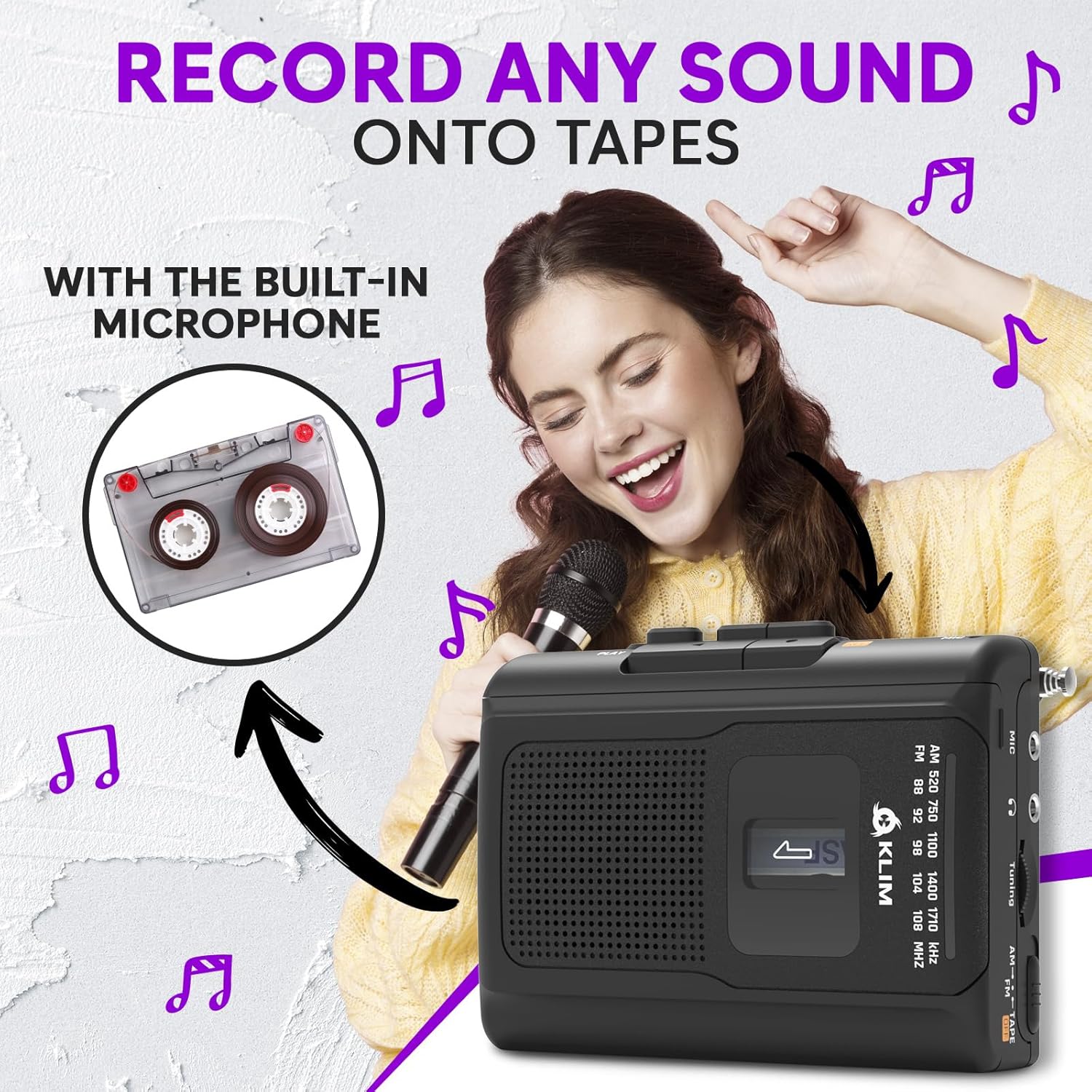
The KLIM K8 allows recording audio directly onto a cassette tape using its built-in microphone.

  1. Insert a blank or recordable cassette tape. Ensure the tape's erase protection tabs are intact if you intend to record over existing content.
  2. Set the AM/FM/TAPE selector to "TAPE".
  3. Tryk på REC button simultaneously with the SPIL button. The tape will start moving, and recording will begin.
  4. Speak clearly into the built-in microphone (MIC).
  5. Tryk på STOP knappen for at afslutte optagelsen.
Woman smiling and holding a microphone, with an inset image of a cassette tape, illustrating the recording function of the KLIM K8

Billede 5.1: Recording audio onto a cassette tape using the integrated microphone.

5.3. AM/FM-radiobetjening

  1. Set the AM/FM/TAPE selector to "AM" or "FM".
  2. Extend the telescopic antenna for optimal FM reception. For AM reception, rotate the unit for best signal.
  3. Drej på Tuningknap to scan for radio stations.
  4. Juster BIND control to your desired listening level.
KLIM K8 Cassette Player with an extended antenna, showing the AM/FM tuning dial, indicating radio functionality

Billede 5.2: Tuning into AM/FM radio stations with the KLIM K8.

5.4. Brug af hovedtelefoner

For private listening, connect the included KLIM Fusion earbuds or any standard 3.5mm headphones to the headphone jack on the side of the device. The built-in speaker will automatically mute when headphones are connected.

Person listening to music with headphones connected to the KLIM K8, highlighting the 3.5mm jack port

Billede 5.3: Enjoying audio privately with headphones.

6. Vedligeholdelse

7. Fejlfinding

ProblemMulig årsagLøsning
No power / Device does not turn on.
  • Batterierne er døde eller isat forkert.
  • USB power cable is not connected or faulty.
  • Udskift batterierne eller kontroller polariteten.
  • Sørg for, at USB-kablet er korrekt tilsluttet, og at strømkilden er aktiv.
Poor sound quality from cassette.
  • Tape heads are dirty.
  • Cassette tape is old or damaged.
  • Lydstyrken er for lav.
  • Clean tape heads and pinch rollers.
  • Try a different cassette tape.
  • Øg volumen.
Dårlig radiomodtagelse.
  • Antenne ikke strakt ud (FM).
  • Interferens eller svagt signal.
  • Træk teleskopantennen helt ud.
  • Rotate the device for AM reception.
  • Try moving to a different location.
Optagelsen virker ikke.
  • REC and PLAY buttons not pressed simultaneously.
  • Cassette tape is write-protected (tabs removed).
  • Ensure both buttons are pressed together.
  • Use a recordable tape or cover the write-protect tabs with adhesive tape.

8. Specifikationer

MærkeKLIM
ModelK8
FunktionerCassette Player, Cassette Recorder, AM/FM Radio
MikrofonIndbygget
Hovedtelefonstik3.5mm Universal
Strømkilde2x AA Batteries (included) or USB Type-C (DC IN)
FarveSort
Dimensioner (ca.)4.7" x 3.4" x 1.5" (based on image PT06)
Vægt (ca.)6.8 oz (based on image PT06)
KLIM K8 Cassette Player showing dimensions of 4.7 inches by 3.4 inches by 1.5 inches and a weight of 6.8 ounces

Billede 8.1: Approximate dimensions and weight of the KLIM K8.

9. Garanti og support

The KLIM K8 Cassette Player comes with a 5 års garanti. This warranty covers manufacturing defects and ensures the quality and durability of your device.

For technical support, warranty claims, or any questions regarding your KLIM K8, please contact KLIM Technologies France, the seller, through your purchase platform or visit the official KLIM webwebsted for kontaktoplysninger.

Gem venligst din købsbevis af garantihensyn.

Relaterede dokumenter - K8

Preview KLIM Journey CD-afspiller brugermanual
Omfattende brugermanual til den bærbare KLIM Journey CD-afspiller, der dækker opsætning, betjening, funktioner og fejlfinding. Lær, hvordan du afspiller CD'er og TF-kort, tilslutter Bluetooth-enheder, bruger FM-senderen og meget mere.
Preview KLIM Højttaler Brugermanual: Bærbar CD-afspiller med høj kvalitet og genopladeligt batteri
Omfattende brugermanual til KLIM-højttaleren, en bærbar CD-afspiller med hi-fi-lydgengivelse. Lær om dens funktioner, betjening, opladning, afspilningsmuligheder og fejlfinding. Indeholder pakkens indhold, tekniske specifikationer og sikkerhedsretningslinjer.
Preview KLIM Discman Brugermanual: Guide til bærbar CD-afspiller
Omfattende brugermanual til den bærbare KLIM Discman CD-afspiller, der dækker opsætning, betjening, funktioner og fejlfinding. Indeholder sikkerhedsinstruktioner og tekniske specifikationer.
Preview KLIM Nomad Portable CD Player User Manual
Comprehensive user manual for the KLIM Nomad portable CD player, covering safety instructions, product features, specifications, operation, troubleshooting, and more. Includes multilingual support.
Preview Brugervejledning til KLIM Discover bærbar cd-afspiller
Comprehensive user manual for the KLIM Discover portable CD player, covering setup, playback options, features, FM transmitter, Bluetooth connectivity, and troubleshooting.
Preview KLIM Boombox User Manual: Features, Setup, and Operation
Comprehensive user manual for the KLIM Boombox, covering safety warnings, controls, specifications, setup, CD playback, Bluetooth connectivity, FM radio, AUX input, USB playback, and troubleshooting.