1. Introduktion
This manual provides essential instructions for the setup, operation, and maintenance of your GOBOULT Drift+ Smart Watch. Please read this guide thoroughly to ensure proper use and to maximize the device's features.

Image 1.1: The GOBOULT Drift+ Smart Watch.
The GOBOULT Drift+ Smart Watch features a 1.85-inch HD display, Bluetooth calling capabilities, IP68 water resistance, and comprehensive health monitoring functions.

Billede 1.2: Overview of GOBOULT Drift+ Smart Watch features.
2. Hvad er der i æsken
Bekræft, at alle følgende varer er inkluderet i din produktemballage:
- GOBOULT Drift+ Smart Watch
- Ladekabel
- Brugervejledning (dette dokument)
- Garantikort
3. Opsætning
3.1 Indledende opladning
Before first use, fully charge your GOBOULT Drift+ Smart Watch. Connect the provided charging cable to the charging port on the back of the watch and to a standard USB power adapter (not included). The watch typically takes approximately 2.5 hours to fully charge.

Image 3.1: Charging the GOBOULT Drift+ Smart Watch.
3.2 Parring med din smartphone
- Download den officielle GOBOULT-applikation fra din smartphones appbutik (kompatibel med iOS og Android).
- Sørg for, at Bluetooth er aktiveret på din smartphone.
- Open the GOBOULT app and follow the on-screen instructions to create an account or log in.
- Select 'Add Device' or a similar option within the app and choose 'Drift+' from the list of available devices.
- Bekræft parringsanmodningen på både din smartphone og smarturet.
4. Betjeningsvejledning
4.1 Grundlæggende navigation
The GOBOULT Drift+ Smart Watch features a 1.85-inch HD touchscreen display. Swipe left, right, up, or down to navigate through menus and functions. Press the side button to return to the home screen or access the app list.
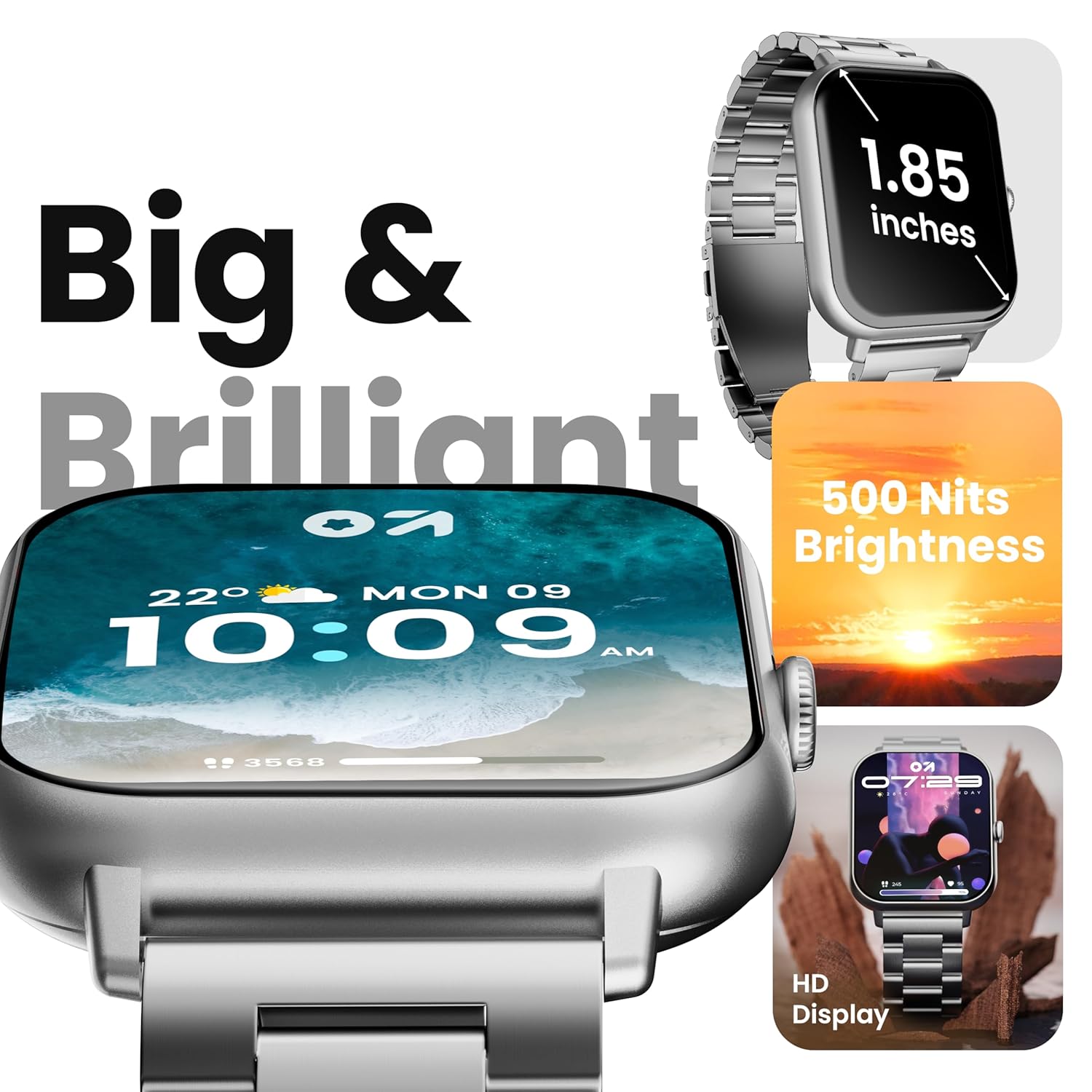
Image 4.1: The 1.85-inch HD display of the smart watch.
4.2 Bluetooth-opkald
Once paired with your smartphone, the Drift+ Smart Watch allows you to make and receive calls directly from your wrist. The watch is equipped with a built-in speaker and microphone for clear audio communication.
- Besvarelse af opkald: Når du modtager et opkald, skal du trykke på det grønne svarikon på urskærmen.
- Foretage opkald: Access the dialer or contacts through the watch menu to initiate a call.

Image 4.2: Bluetooth calling feature in use.
4.3 Tilpasning af urskiver
The watch supports over 150 cloud-based watch faces and custom watch face options. To change your watch face:
- Tryk længe på den aktuelle urskive på dit ur.
- Swipe left or right to browse pre-installed watch faces.
- For more options, open the GOBOULT app on your smartphone and navigate to the 'Watch Faces' section to download and apply new designs.

Image 4.3: Customizing watch faces.
4.4 sportstilstande
The GOBOULT Drift+ offers over 100 sports modes to track various physical activities. To access and use sports modes:
- From the watch's main menu, select the 'Sports' or 'Workout' icon.
- Choose your desired activity from the list (e.g., running, cycling, walking).
- Tryk for at starte sporing. Uret registrerer data såsom skridt, distance, forbrændte kalorier og puls.
- To end a workout, swipe right or press the side button and select 'End'.

Image 4.4: Tracking activities with sports modes.
4.5 Sundhedsovervågning
The watch provides comprehensive health insights, including:
- 24/7 Pulsovervågning: Sporer kontinuerligt din puls.
- SpO2 Blood Oxygen Tracking: Måler blodets iltmætning.
- Blodtryksovervågning: Giver estimerede blodtryksmålinger.
- Kvindelig menstruationscyklussporing: Hjælper med at spore og forudsige menstruationscyklusser.
- Påmindelser om at drikke vand: Beder dig om at holde dig hydreret.
- Stillesiddende påmindelser: Fremmer bevægelse efter perioder med inaktivitet.
Access these features through the health menu on the watch or view detailed data in the GOBOULT app.

Image 4.5: Health monitoring features.
4.6 AI-stemmeassistent
Activate the AI voice assistant on your watch for hands-free assistance. This feature allows you to perform tasks, ask questions, and control certain functions using voice commands. Ensure your watch is connected to your smartphone for full functionality.
4.7 Smarte notifikationer
Receive notifications from your favorite social apps, messages, and calls directly on your watch. Configure notification settings within the GOBOULT app on your smartphone.
5. Vedligeholdelse
5.1 Vandtæthed
The GOBOULT Drift+ Smart Watch is IP68 water resistant, meaning it is protected against dust and can withstand immersion in water up to 1.5 meters for up to 30 minutes. It is suitable for daily use, such as hand washing or light rain exposure. However, it is not recommended for swimming, diving, or exposure to hot water/steam.

Image 5.1: IP68 Water Resistance.
5.2 Rengøring
To clean your smart watch, gently wipe the screen and strap with a soft, damp, lint-free cloth. Avoid using harsh chemicals or abrasive materials, as these can damage the device.
5.3 Pleje af batterier
For at forlænge batterilevetiden:
- Undgå ekstreme temperaturer.
- Oplad uret regelmæssigt, men undgå at lade det være fuldt opladet eller helt afladet i længere perioder.
- Reduce screen brightness and disable unnecessary features when not in use.
The watch offers up to 7 days of battery life in regular mode, 2-3 days with heavy Bluetooth calling, and an impressive 25 days in standby mode.
6. Fejlfinding
| Spørgsmål | Mulig løsning |
|---|---|
| Uret tænder ikke | Sørg for, at uret er fuldt opladet. Tilslut det til opladeren i mindst 30 minutter. |
| Kan ikke parres med smartphone | Check if Bluetooth is enabled on your phone. Restart both the watch and phone. Ensure the GOBOULT app is updated. |
| Bluetooth calling not working | Verify that the watch is properly connected for both media and call audio in your phone's Bluetooth settings. Check app permissions. |
| Unøjagtige sundhedsdata | Ensure the watch is worn snugly on your wrist, not too tight or too loose. Clean the sensors on the back of the watch. Note that smart watch data is for reference and not for medical diagnosis. |
| Kort batterilevetid | Reduce screen brightness, disable 'Always-On Display' if active, limit frequent heart rate monitoring, and turn off unnecessary notifications. |
7. Specifikationer
| Feature | Detalje |
|---|---|
| Modelnavn | Drift+ |
| Skærmstørrelse | 1.85 tommer HD |
| Lysstyrke | 500 nit |
| Vandmodstand | IP68 |
| Trådløs type | Bluetooth 5.1 |
| Operativsystemkompatibilitet | iOS, Android |
| Batteritype | Lithium polymer |
| Batteriopladningstid | Ca. 2.5 timer |
| Typisk brug Batterilevetid | Op til 7 dage |
| Heavy Usage (BT Calling) Battery Life | 2-3 dage |
| Standby tid | Op til 25 dage |
| Varens vægt | 38 g |
| Inkluderede komponenter | Smartwatch, opladningskabel, brugermanual, garantikort |
8. Garanti og support
Your GOBOULT Drift+ Smart Watch comes with a manufacturer's warranty. Please refer to the included Warranty Card for detailed terms and conditions, including warranty period and coverage.
For technical support, service, or further inquiries, please visit the official GOBOULT website or contact customer service using the information provided on your Warranty Card or the product packaging.
Manufacturer: Exotic Mile Private Limited, Boult Audio, B-67 Wazirpur Industrial Area, New Delhi 110052, India.


