1. Introduktion
The MiBOXER PZ5 5-in-1 LED Controller is a versatile device designed for managing various LED lighting systems. It integrates Zigbee 3.0 and 2.4GHz wireless technologies, providing flexible control options for single color, dual white (CCT), RGB, RGBW, and RGB+CCT LED setups. This manual provides detailed instructions for the installation, operation, and maintenance of your PZ5 controller.
2. Nøglefunktioner
- 5-i-1-kompatibilitet: Supports Single Color, Dual White (CCT), RGB, RGBW, and RGB+CCT LED configurations.
- Zigbee 3.0 Standard Protocol: Ensures compatibility with Zigbee-enabled hubs and smart home platforms.
- 2.4G RF Remote Control: Offers stable wireless operation with a control distance of up to 30 meters.
- Høj outputkapacitet: Supports a maximum output of 20A, suitable for various LED installations.
- Color and Brightness Control: Provides 16 million colors, adjustable color temperature, brightness, and saturation.
- PUSH-dæmpning understøtter: Allows for direct dimming control.
- Hukommelsesfunktion: Recalls the last-used settings automatically.
3. Produktet er slutview
The MiBOXER PZ5 controller features clearly labeled input and output terminals, an indicator light, and a 'SET' button for configuration.
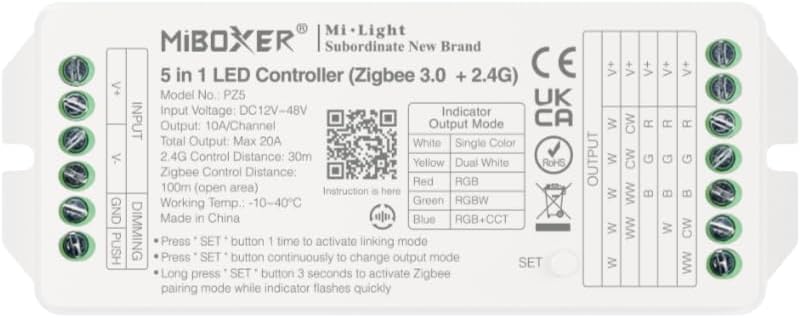
Figur 3.1: Front view of the MiBOXER PZ5 controller, showing input/output terminals, indicator, and SET button.
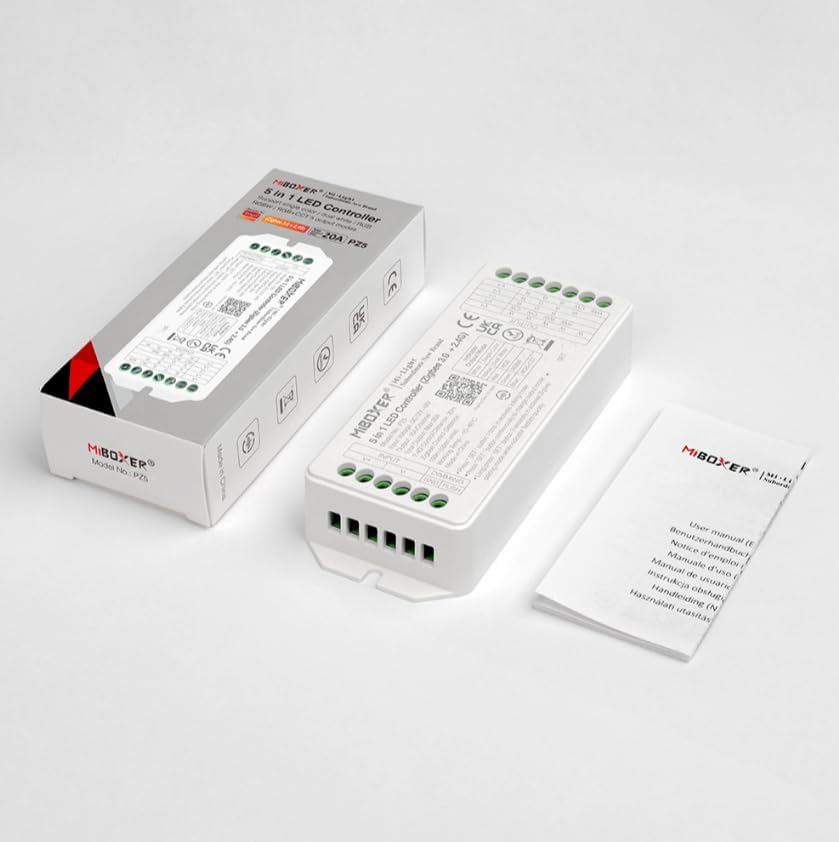
Figur 3.2: The MiBOXER PZ5 controller shown alongside its retail packaging and included instruction manual.
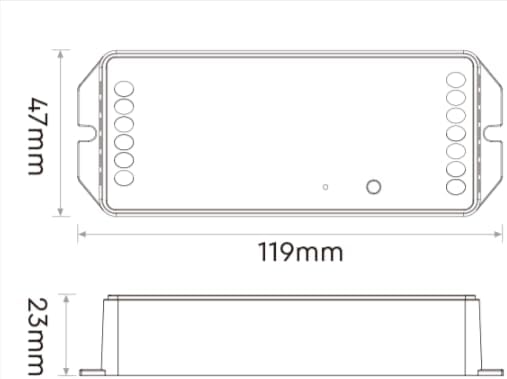
Figur 3.3: Dimensional drawing of the MiBOXER PZ5 controller, indicating its length (119mm), width (47mm), and height (23mm).
4. Specifikationer
| Parameter | Værdi |
|---|---|
| Modelnummer | PZ5 |
| Input bindtage | DC12-24V |
| Udgangsstrøm | Max 20A |
| Zigbee-kontrolafstand | 100m (åbent område) |
| 2.4G RF-kontrolafstand | 30m |
| Arbejdstemperatur | -10~40°C |
| Pakkedimensioner | 4.5 x 2 x 1 tommer |
| Varens vægt | 3.2 ounce |
| Antal kanaler | 5 |
5. Opsætning og installation
5.1 Ledningsinstruktioner
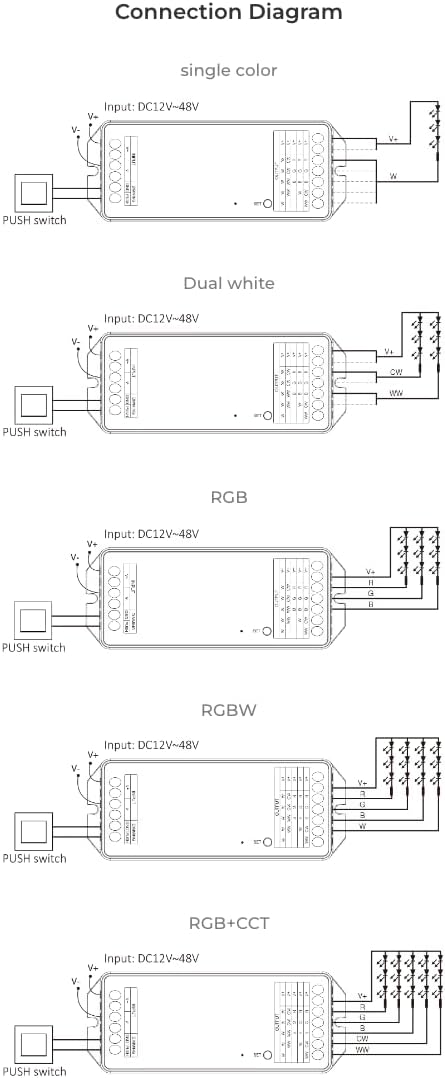
Ensure power is disconnected before performing any wiring. Connect the LED strips to the output terminals and the power supply to the input terminals as shown in the diagrams below. The PZ5 controller supports various LED strip types.
Video 5.1: This video demonstrates the wiring process for a MiBOXER LED controller, showing how to connect power input and LED strip outputs to the terminal blocks.

Figur 5.1: Connection diagrams illustrating wiring for single color, dual white, RGB, RGBW, and RGB+CCT LED strips with the MiBOXER PZ5 controller, including PUSH switch connections.
- Connect the DC12-24V power supply to the "V+" and "V-" input terminals.
- Connect your LED strip(s) to the corresponding output terminals (V+, W, CW, R, G, B) based on your LED type (Single Color, Dual White, RGB, RGBW, or RGB+CCT). Refer to Figure 5.1 for specific wiring configurations.
- If using PUSH dimming, connect the PUSH switch to the designated terminals.
6. Betjeningsvejledning
6.1 Output Mode Switching
The PZ5 controller supports five output modes. To switch between modes:
- Press the "SET" button continuously to cycle through the output modes. The indicator light will change color to show the current mode:
- Hvid: Ensfarvet
- Gul: Dobbelt hvid
- Rød: RGB
- Grøn: RGBW
- Blå: RGB+CCT
6.2 Linking and Pairing
The controller can be linked with Mi-Light/MiBoxer 2.4GHz remotes or paired with Zigbee gateways.
- 2.4G RF Remote Linking: Press the "SET" button once to activate linking mode. Follow the instructions for your specific 2.4G remote to link it with the controller.
- Zigbee-parring: Long press the "SET" button for 3 seconds to activate Zigbee pairing mode. The indicator light will flash quickly. Then, initiate the pairing process on your Zigbee gateway or smart home app.
6.3 Smart Home-integration
The PZ5 controller is compatible with various Zigbee 3.0 gateways and smart home platforms, enabling app and voice control.
Figur 6.1: Illustration of the MiBOXER PZ5 controller's compatibility with the Tuya smart app and a MiBOXER gateway for smart control. A Zigbee 3.0 gateway is required for this functionality.
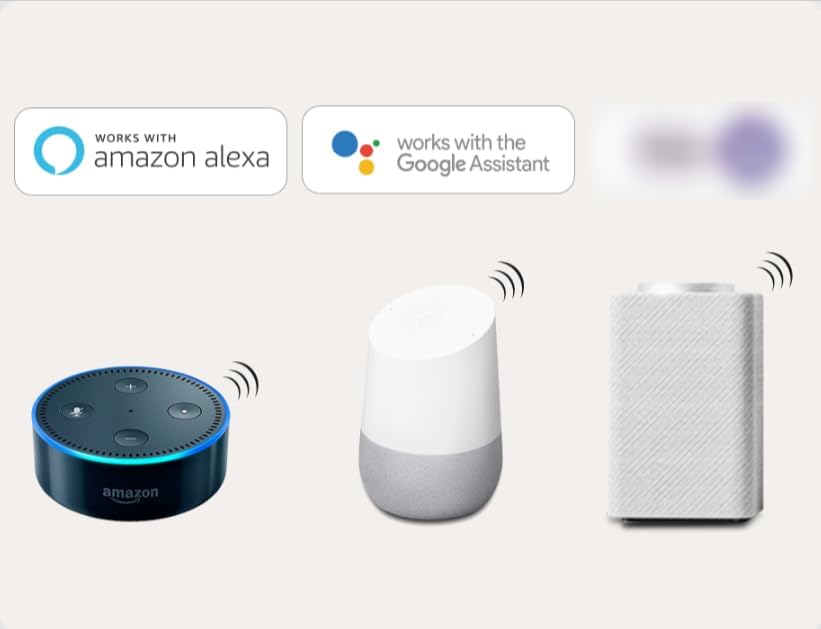
Figur 6.2: The MiBOXER PZ5 controller supports third-party voice control through Amazon Alexa and Google Assistant, requiring a Zigbee 3.0 gateway.
It can integrate with standard Zigbee 3.0 gateways such as Philips Hue, IKEA TRÅDFRI, Amazon Echo Plus (2nd Gen), Echo (4th Gen), Echo Studio, and Echo Show (2nd Gen).
7. Vedligeholdelse
To ensure the longevity and optimal performance of your MiBOXER PZ5 controller, follow these maintenance guidelines:
- Opbevar enheden et tørt sted, væk fra fugt og ekstreme temperaturer.
- Rengør ydersiden med en blød, tør klud. Brug ikke skrappe kemikalier eller slibende rengøringsmidler.
- Avoid exposing the controller to direct sunlight for extended periods.
- Sørg for korrekt ventilation omkring enheden for at forhindre overophedning.
8. Fejlfinding
If you encounter issues with your MiBOXER PZ5 controller, refer to the following common problems and solutions:
- LEDs not lighting up:
- Check all wiring connections for secure contact.
- Kontroller, at strømforsyningen er korrekt tilsluttet og leverer den korrekte lydstyrke.tage (DC12-24V).
- Ensure the LED strip itself is functional.
- Confirm the output mode of the controller matches your LED strip type.
- Fjernbetjeningen reagerer ikke:
- Ensure the remote is within the 30m control range.
- Re-link the remote with the controller (press SET button once on controller, then follow remote's linking instructions).
- Tjek fjernbetjeningens batteri.
- Zigbee pairing failed:
- Ensure the controller is in Zigbee pairing mode (long press SET for 3 seconds, indicator flashes quickly).
- Verify your Zigbee gateway is in pairing mode and within range.
- Kontroller for interferens fra andre 2.4 GHz-enheder.
- Try resetting the controller and the gateway, then attempt pairing again.
- Incorrect colors or dimming issues:
- Confirm the controller's output mode is correctly set for your LED strip (e.g., RGB+CCT for full control).
- Check the wiring for correct polarity and channel connections.
9. Garanti og support
For garantioplysninger og teknisk support henvises til den officielle MiBOXER webwebstedet eller kontakt din forhandler. Gem din købskvittering som købsbevis.


