1. Introduktion
This manual provides detailed instructions for the proper use and maintenance of your OPPO Enco Air4 Wireless Bluetooth TWS Earbuds. Please read this manual thoroughly before using the product to ensure optimal performance and longevity. Keep this manual for future reference.
2. Pakkens indhold
Bekræft, at alle varer er til stede i din produktpakke:
- OPPO Enco Air4 Wireless Earbuds
- Trådløs opladningsetui
- Ørepuder (forskellige størrelser)
- Brugervejledning (dette dokument)
3. Produktet er slutview
The OPPO Enco Air4 earbuds are designed for a comfortable fit and high-quality audio experience, featuring Active Noise Cancellation and intuitive touch controls. The charging case provides extended battery life and convenient storage.
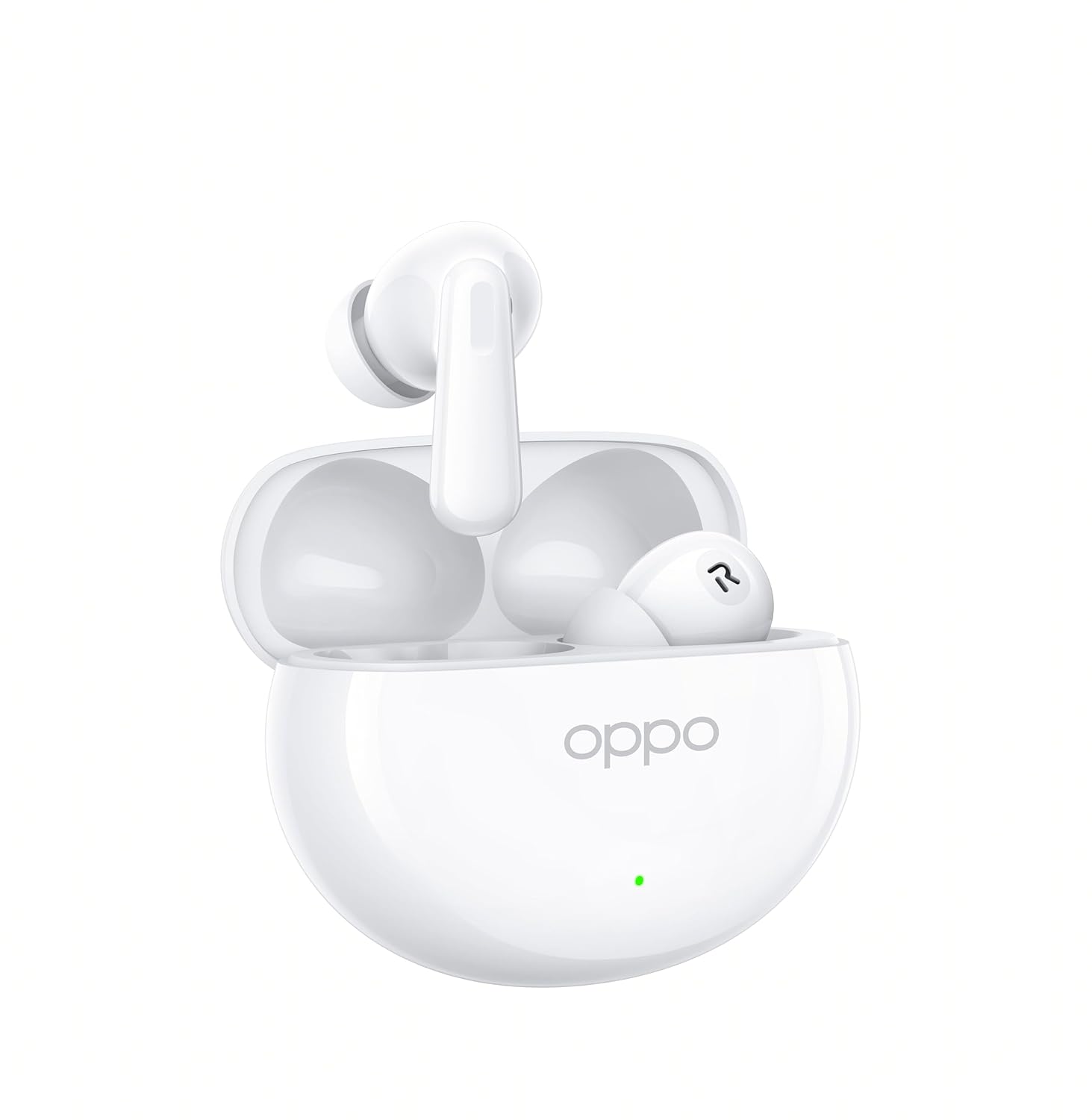
Figure 3.1: OPPO Enco Air4 Earbuds in their open charging case. The earbuds are white, with the OPPO logo visible on the case. A small LED indicator is also visible on the front of the case.

Figur 3.2: Forside view of the two OPPO Enco Air4 earbuds. They are white, with a stem design and silicone ear tips. The speaker grilles are visible.
4. Opsætning
4.1 Opladning af øretelefoner og etuiet
Oplad ørepropperne og opladningsetuiet helt inden første brug. Opladningsetuiet fungerer som en bærbar powerbank til dine ørepropper.
- Placer ørepropperne i opladningsetuiet, og sørg for, at de er korrekt isat.
- Connect the charging case to a power source using a compatible USB-C cable (not included).
- The LED indicator on the case will show the charging status. A full charge is indicated when the LED remains solid.
Note: A USB-C charging cable is required and typically not included in the package. Use a standard 5V charger.
4.2 Bluetooth -parring
To connect your OPPO Enco Air4 earbuds to a device:
- Sørg for, at ørepropperne er i opladningsetuiet, og at låget er åbent.
- Press and hold the function button on the charging case (usually located inside or on the back) for 2 seconds until the indicator light flashes white, indicating pairing mode.
- Aktiver Bluetooth på din enhed (smartphone, tablet, bærbar computer), og søg efter tilgængelige enheder.
- Select "OPPO Enco Air4" from the list of found devices.
- Once connected, the indicator light on the case will turn off or display a solid color.
Ørepropperne genopretter automatisk forbindelse til den sidst parrede enhed, når de tages ud af etuiet, hvis Bluetooth er aktiveret på enheden.
5. Betjeningsvejledning
5.1 Tryk på kontrolelementer
The OPPO Enco Air4 earbuds feature customizable touch controls. The default functions are:
| Handling | Fungere |
|---|---|
| Dobbelttryk (på en af øretelefonerne) | Afspil/Sæt musik på pause, Besvar/Afslut opkald |
| Tredobbelt tryk (på en af øretelefonerne) | Næste nummer |
| Tryk og hold nede (en af øretelefonerne) | Skift støjkontroltilstand (ANC til/fra/transparens) |
| Press and hold (left earbud) | Activate Voice Assistant (e.g., Google Assistant) |
Note: Specific touch control functions may be customized via the HeyMelody app (if available for your region/model).
5.2 Aktiv støjreduktion (ANC)
The OPPO Enco Air4 features 32dB Active Noise Cancellation to reduce ambient noise. To cycle through noise control modes (ANC On, ANC Off, Transparency Mode), press and hold either earbud for approximately 2 seconds. Transparency Mode allows you to hear your surroundings while still enjoying audio.
6. Vedligeholdelse
Korrekt vedligeholdelse sikrer dine øreproppers levetid og ydeevne.
- Rensning: Regularly clean the earbuds and charging case with a soft, dry, lint-free cloth. Do not use harsh chemicals or abrasive materials. Gently clean the ear tips and speaker grilles to prevent wax buildup.
- Opbevaring: Når ørepropperne ikke er i brug, skal de opbevares i deres opladningsetui for at beskytte dem mod støv og skader. Opbevares køligt og tørt, væk fra direkte sollys og ekstreme temperaturer.
- Vandtæthed: The earbuds have an IP55 rating for water and dust resistance. This means they are protected against limited dust ingress and low-pressure water jets. They are not designed for swimming or showering. Avoid submerging them in water.
7. Fejlfinding
If you encounter issues with your OPPO Enco Air4 earbuds, refer to the following common solutions:
- Ørepropper parrer ikke:
- Sørg for, at ørepropperne er opladet.
- Place earbuds in the case, close the lid, then open it and press the function button to enter pairing mode.
- Deaktiver og genaktiver Bluetooth på din enhed.
- Prøv at parre med en anden enhed for at udelukke enhedsspecifikke problemer.
- Ingen lyd fra den ene øreprop:
- Sørg for, at begge øretelefoner er opladet.
- Rengør opladningskontakterne på både ørepropperne og etuiet.
- Try resetting the earbuds (refer to the device's specific reset procedure, often involves holding the function button for an extended period).
- Lav lydstyrke eller dårlig lydkvalitet:
- Juster lydstyrken på din tilsluttede enhed.
- Ensure ear tips are correctly sized and form a good seal in your ear canal.
- Rengør eventuelt snavs fra øreproppernes højttalergitre.
- Opladeretuiet oplader ikke:
- Ensure the USB-C cable is securely connected to both the case and the power adapter.
- Prøv et andet USB-C-kabel og en anden strømadapter.
8. Specifikationer
| Feature | Detalje |
|---|---|
| Modelnavn | Enco Air4 |
| Modelnummer | 110070330264 |
| Forbindelsesteknologi | Trådløs (Bluetooth) |
| Bluetooth version | 4.0 |
| Hardware-interface | Bluetooth 5 |
| Støjkontrol | Aktiv støjreduktion (32 dB) |
| Audio driver type | Dynamisk driver (12.4 mm) |
| Batterilevetid (ørepropper) | Op til 12 timer |
| Samlet spilletid (med etui) | Op til 43 timer |
| Kontrolmetode | Røre |
| Vandmodstandsniveau | IP55 (øretelefoner) |
| Vægt (pr. øreprop) | 4.2 gram |
| Kompatible enheder | Mobiltelefoner, stationære computere, bærbare computere, smartwatches, tablets |
| Inkluderede komponenter | Ear Cushions, Wireless Charging Case |
9. Sikkerhedsoplysninger
Overhold følgende sikkerhedsretningslinjer for at forhindre skader på din enhed eller personskade på dig selv:
- Produktet må ikke skilles ad, repareres eller modificeres.
- Hold produktet væk fra ekstreme temperaturer, fugtighed og ætsende miljøer.
- Avoid exposing the product to open flames or direct sunlight for prolonged periods.
- Brug ikke produktet ved høj lydstyrke i længere perioder for at undgå høreskader.
- Opbevares utilgængeligt for børn og kæledyr. Små dele kan udgøre en kvælningsfare.
- Dispose of the product and its battery responsibly, following local regulations.
10. Garanti og support
For warranty information, technical support, or customer service inquiries, please refer to the official OPPO website or contact your local OPPO customer service center. Ensure you have your product model number and proof of purchase available when seeking support.
Du kan besøge den officielle OPPO-butik for at få flere oplysninger: OPPO Official Store


