1. Introduktion
Welcome to the EIGIIS K22 Smartwatch user manual. This guide provides essential information for setting up, operating, and maintaining your new smartwatch. The EIGIIS K22 is a robust military-grade smartwatch designed for active lifestyles, featuring an AMOLED HD Always On Display, Bluetooth calling, comprehensive health monitoring, and over 100 sports modes.

Image: EIGIIS K22 Smartwatch, showcasing dens robuste design og livlige skærm.
2. Hvad er der i æsken
Kontroller venligst pakkens indhold ved udpakning:
- EIGIIS K22 Smartwatch (with 1 Watch Band)
- Ladekabel
- Brugervejledning (dette dokument)
3. Indledende opsætning
3.1 Opladning af smartwatchet
Before first use, fully charge your EIGIIS K22 Smartwatch. The device features a 400mAh battery that typically charges in approximately 2 hours.
- Tilslut det magnetiske opladningskabel til opladningskontakterne på bagsiden af smartwatchet.
- Sæt USB-enden af kablet i en standard USB-strømadapter (5V/1A anbefales) eller en computers USB-port.
- Urets display vil vise opladningsstatus.

Image: The smartwatch displaying its charging status, indicating a 400mAh battery capacity and charging time.
3.2 Appinstallation
For at få adgang til dit smartwatchs fulde funktionalitet skal du downloade og installere FitCloudPro app på din smartphone.
- Scan the QR code provided in the quick start guide or search for "FitCloudPro" in your smartphone's app store (Google Play Store for Android, Apple App Store for iOS).
- Install the app and grant necessary permissions for optimal performance.
3.3 Parring med din smartphone
After installing the app, pair your smartwatch with your phone via Bluetooth.
- Sørg for, at Bluetooth er aktiveret på din smartphone.
- Åbn FitCloudPro-appen, og følg instruktionerne på skærmen for at tilføje en ny enhed.
- Select the EIGIIS K22 from the list of available devices.
- Bekræft parringsanmodningen på både din telefon og smartwatchet.
4. Betjening af smartwatchet
4.1 Display og navigation
The EIGIIS K22 features a 1.43-inch AMOLED HD Always On Display. You can navigate the watch interface using touch gestures and the physical buttons.
- Stryg op/ned: Få adgang til hurtigindstillinger eller notifikationer.
- Stryg til venstre/højre: Cycle through widgets like activity data, heart rate, weather, etc.
- Tryk på sideknappen: Gå tilbage til startskærmen eller åbn appmenuen.

Image: Close-up of the 1.43-inch AMOLED display, showing a detailed watch face with time and activity data.
4.2 Bluetooth Calling and Smart Notifications
The smartwatch allows you to make and receive calls directly from your wrist and receive notifications from your paired smartphone.
- Foretage opkald: Use the built-in dialer or access your contacts through the watch interface.
- Modtagelse af opkald: Answer or reject incoming calls directly on the watch.
- Meddelelser: Receive alerts for messages, social media, and other app notifications. Ensure notification permissions are enabled in the FitCloudPro app.

Image: The smartwatch displaying an incoming call and various app notification icons, illustrating its Bluetooth call and smart notification capabilities.
4.3 sportstilstande
The EIGIIS K22 supports over 100 sports modes to track your physical activities. Data such as calories burned, steps taken, and distance covered are recorded and synced to the FitCloudPro app.
- Access the Sports menu on your watch.
- Select your desired activity (e.g., Running, Cycling, Basketball).
- Uret vil begynde at spore dine træningsdata.

Image: A user hiking while the smartwatch displays workout metrics like calories, distance, and steps, alongside icons for various sports modes.
4.4 Sundhedsovervågning
The smartwatch continuously monitors key health metrics.
- Puls: Pulsmåling i realtid.
- Blodtryk: Estimerer blodtryksniveauer.
- Blodilt (SpO2): Måler blodets iltmætning.
- Søvnovervågning: Analyzes sleep patterns (Awake, Light Sleep, Deep Sleep) to provide insights into sleep quality.
All health data is synced to the FitCloudPro app for detailed analysis and historical trends.
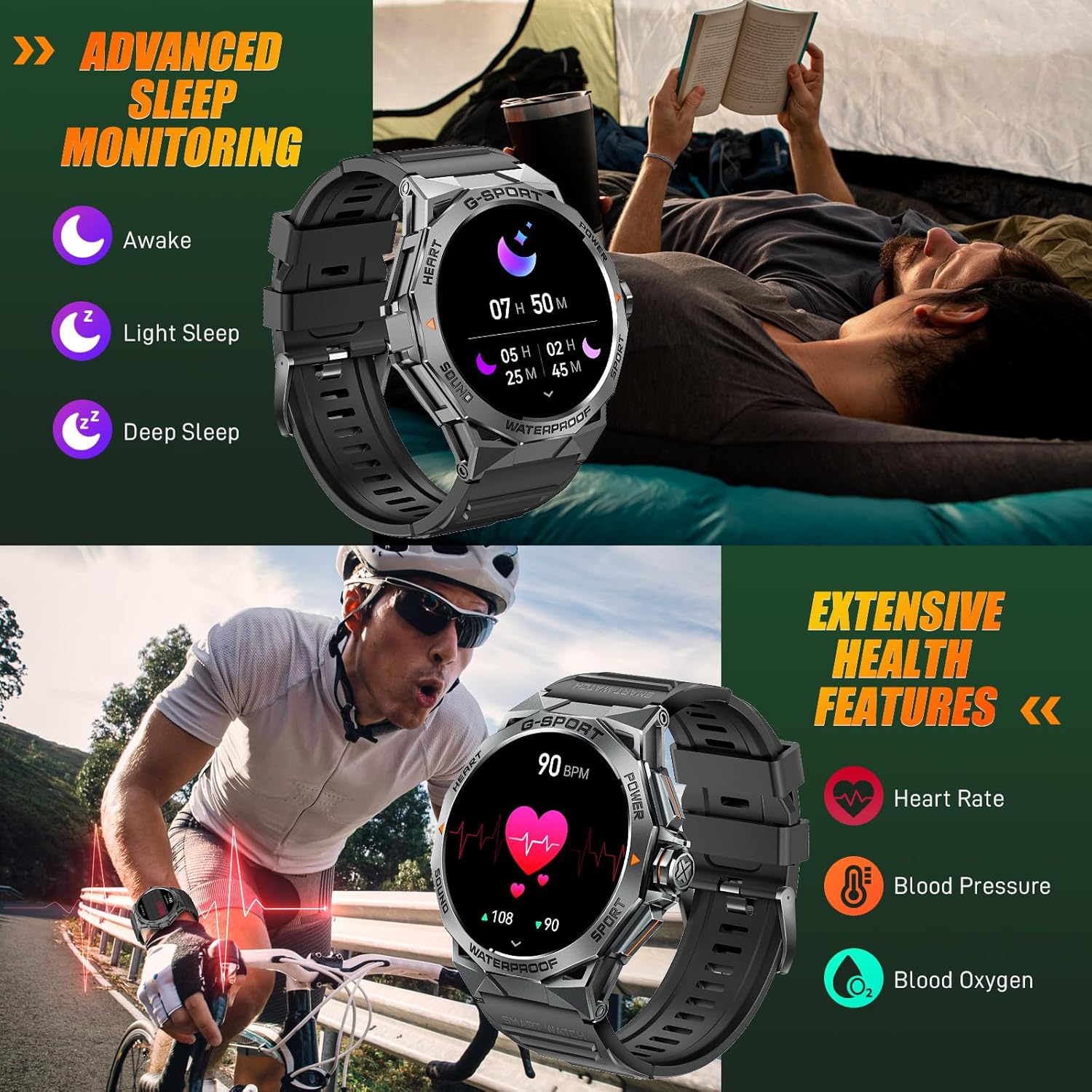
Image: The smartwatch displaying sleep data and heart rate monitoring, with icons for heart rate, blood pressure, and blood oxygen.
4.5 Andre smarte funktioner
The EIGIIS K22 offers several additional features to enhance daily convenience:
- Musik kontrol: Styr musikafspilning på din smartphone.
- Fjernbetjening til kamera: Brug dit ur som fjernbetjent udløser til din telefons kamera.
- Vejropdateringer: Få vejrudsigter i realtid.
- Vækkeur: Indstil alarmer direkte fra dit håndled.
- Find telefon: Find din forlagte smartphone.
- Stillesiddende påmindelser: Modtag beskeder om at flytte dig efter perioder med inaktivitet.
- Stemmeassistent: Få adgang til din telefons stemmeassistent.

Image: A collage showing the smartwatch controlling music, acting as a camera remote, displaying weather, and featuring stopwatch, alarm, and 'find phone' functions.
5. Vedligeholdelse og pleje
5.1 Vandtæthed (IP68)
The EIGIIS K22 Smartwatch is IP68 waterproof, meaning it is resistant to dust and can withstand immersion in water up to 1.5 meters for 30 minutes. It is suitable for daily use, including washing hands and swimming.
- Avoid prolonged exposure to hot water, steam, or high-pressure water jets.
- Betjen ikke knapper under vandet.
- Tør uret grundigt efter udsættelse for vand.

Image: A person swimming while wearing the EIGIIS K22 Smartwatch, highlighting its IP68 waterproof rating.
5.2 Optimering af batterilevetid
The 400mAh battery provides 4-7 days of typical usage and up to 25 days on standby. To maximize battery life:
- Juster skærmens lysstyrke til en lavere indstilling.
- Limit the use of the Always On Display feature if extended battery life is critical.
- Deaktiver unødvendige notifikationer.
- Close background apps on the watch when not in use.
5.3 Rengøring
Regularly clean your smartwatch and watch band to prevent skin irritation and maintain performance.
- Wipe the watch and band with a soft, damp klæde.
- Undgå at bruge skrappe kemikalier eller slibende materialer.
6. Fejlfinding
If you encounter issues with your EIGIIS K22 Smartwatch, refer to the following common solutions:
| Problem | Mulig løsning |
|---|---|
| Uret tænder ikke | Sørg for, at uret er fuldt opladet. Tilslut det til opladeren i mindst 30 minutter. |
| Kan ikke parres med smartphone | Ensure Bluetooth is enabled on your phone. Restart both the watch and phone. Make sure the FitCloudPro app has Bluetooth permissions. |
| Notifikationer ikke modtaget | Check notification settings in the FitCloudPro app and your phone's system settings. Ensure the app is running in the background. |
| Kort batterilevetid | Disable the Always On Display feature. Reduce screen brightness. Limit frequent heart rate monitoring. See Section 5.2 for more tips. |
| Bluetooth audio defaults to watch speaker | This is a common behavior for smartwatches with built-in speakers. In your phone's Bluetooth settings, you may be able to disconnect the watch's audio profile while keeping the data connection. Alternatively, some apps allow you to select the audio output device. |
| Unøjagtige sundhedsdata | Ensure the watch is worn snugly on your wrist, about one finger's width above the wrist bone. Avoid excessive movement during measurements. Note that smartwatches are not medical devices and readings are for reference only. |
7. Specifikationer
| Feature | Detalje |
|---|---|
| Modelnummer | K22 |
| Vise | 1.43 Inches AMOLED HD Always On Display |
| Batterikapacitet | 400 mAh |
| Batterilevetid | 4-7 days (typical use), up to 25 days (standby) |
| Opladningstid | Cirka 2 timer |
| Vandmodstand | IP68 |
| Forbindelse | Bluetooth |
| Operativsystem | Bær OS |
| Kompatibilitet | Android 4.4 og nyere, iOS 8.0 og nyere |
| Varens vægt | 50 gram (1.76 ounce) |
| Produktdimensioner | 6.69 x 4.33 x 1.18 tommer |
8. Garanti og support
8.1 Produktgaranti
The EIGIIS K22 Smartwatch comes with a 12 måneders kvalitetsgaranti from the date of purchase. This warranty covers manufacturing defects and issues arising from normal use. It does not cover damage caused by misuse, accidents, unauthorized modifications, or failure to follow instructions.
8.2 Kundesupport
For any questions, technical assistance, or warranty claims, please contact EIGIIS customer support through the following channels:
- Refer to the contact information provided with your product packaging.
- Visit the official EIGIIS webwebsted for supportressourcer.
- Contact the seller directly through the platform where you purchased the product.
Please have your purchase receipt and product model number (K22) ready when contacting support.


