1. Introduktion
Tak for købetasing the GHB Baby Monitor with Camera. This device is designed to provide a secure and reliable way to monitor your baby, offering high-definition video, two-way audio, and various features for peace of mind. Please read this manual carefully before using the product to ensure proper operation and safety.

Figur 1.1: GHB Baby Monitor system, showing the parent unit with a 5-inch HD screen displaying a baby, and the camera unit.
2. Pakkens indhold
Kontroller venligst pakkens indhold ved udpakning:
- Forældreenhed (monitor)
- Babyenhed (kamera)
- Strømadaptere (x2)
- Wall Mount Bracket with adjustable angle
- Brugermanual
3. Vigtige sikkerhedsoplysninger
- Opbevar produktet utilgængeligt for børn.
- Do not place the camera or cords within 1 meter of the crib.
- Brug kun de medfølgende strømadaptere.
- Udsæt ikke produktet for vand eller fugt.
- Sørg for tilstrækkelig ventilation i begge enheder.
- Dette produkt er ikke en erstatning for ansvarlig voksenovervågning.
4. Produktet er slutview
4.1 Forældreenhed (monitor)
- 5-inch HD display (1080P resolution)
- Indbygget 4000 mAh batteri
- Microphone for two-way talk
- Højttaler
- Control buttons (Menu, OK, Navigation, VOX, Talk, Zoom)
- Antenne
4.2 Babyenhed (kamera)
- 1080P HD Camera lens
- Infrarøde LED'er til nattesyn
- Mikrofon
- Højttaler
- Temperaturføler
- Parringsknap
- Strømindgang
- 1/4 inch screw hole for mounting
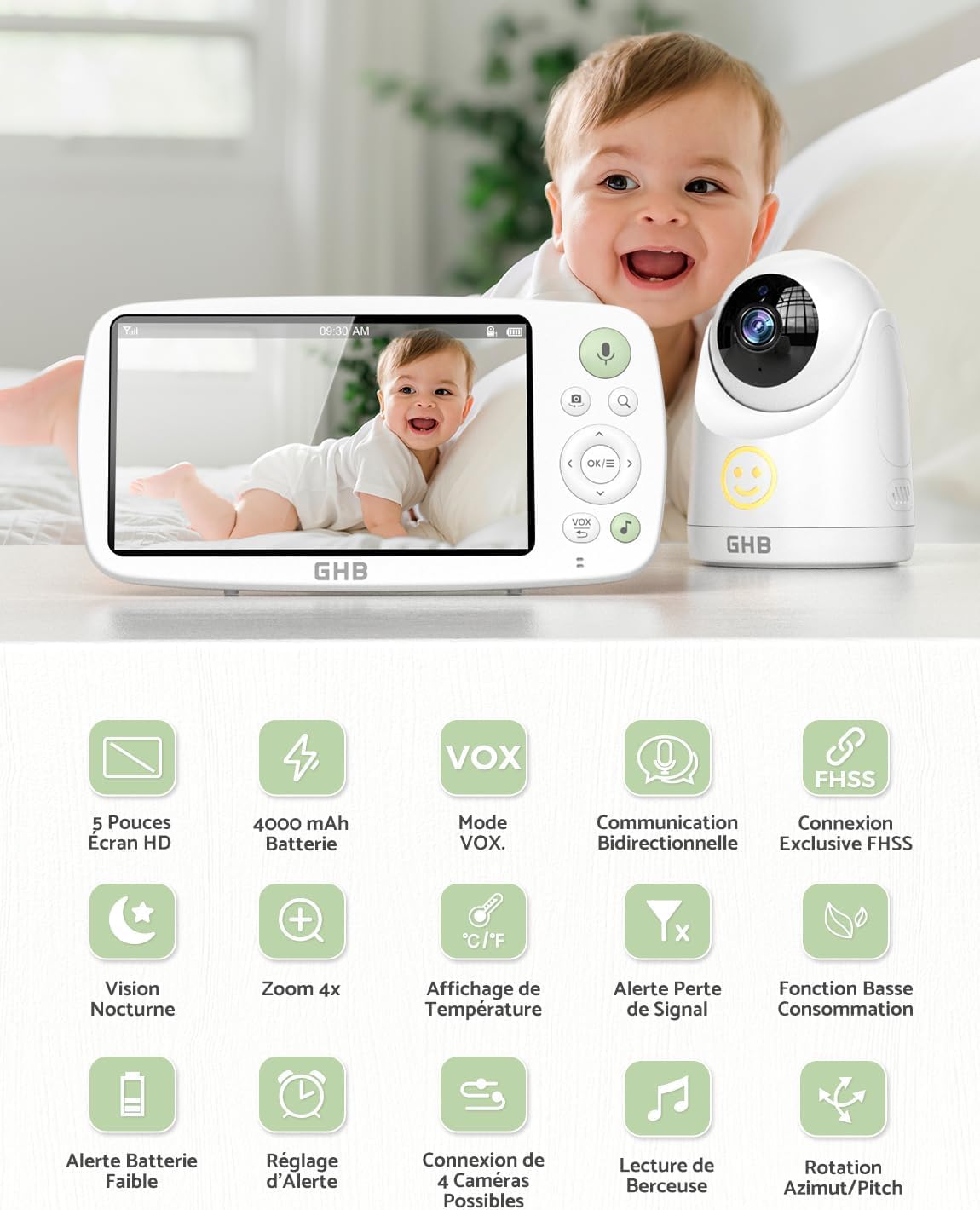
Figur 4.1: Overview of GHB Baby Monitor features including 5-inch HD screen, 4000 mAh battery, VOX mode, two-way communication, FHSS connection, night vision, 4x zoom, temperature display, signal loss alert, low power function, battery alert, alarm setting, 4 camera connection, lullaby playback, and pan/tilt rotation.
5. Opsætning
5.1 Opladning af forældreenheden
- Connect the power adapter to the parent unit and a power outlet.
- Charge the unit for at least 4 hours before first use. The battery icon on the screen will indicate charging status.
5.2 Strømforsyning til babyenheden (kamera)
- Connect the power adapter to the baby unit and a power outlet.
- The baby unit does not have a built-in battery and must be continuously connected to power.

Figur 5.1: The GHB baby camera unit shown with its 1/4 inch screw hole for versatile mounting options, including a wall-mounted bracket. The image emphasizes that the camera requires continuous power connection.
5.3 Placering af babyenheden (kamera)
- Place the baby unit on a flat surface or mount it to a wall using the provided bracket.
- Ensure the camera is at least 1 meter away from the baby's crib to prevent entanglement hazards from the power cord.
- Juster kameravinklen for at få det bedste view of your baby. The camera offers 350° rotation and 110° wide-angle view.
5.4 Parring (hvis nødvendigt)
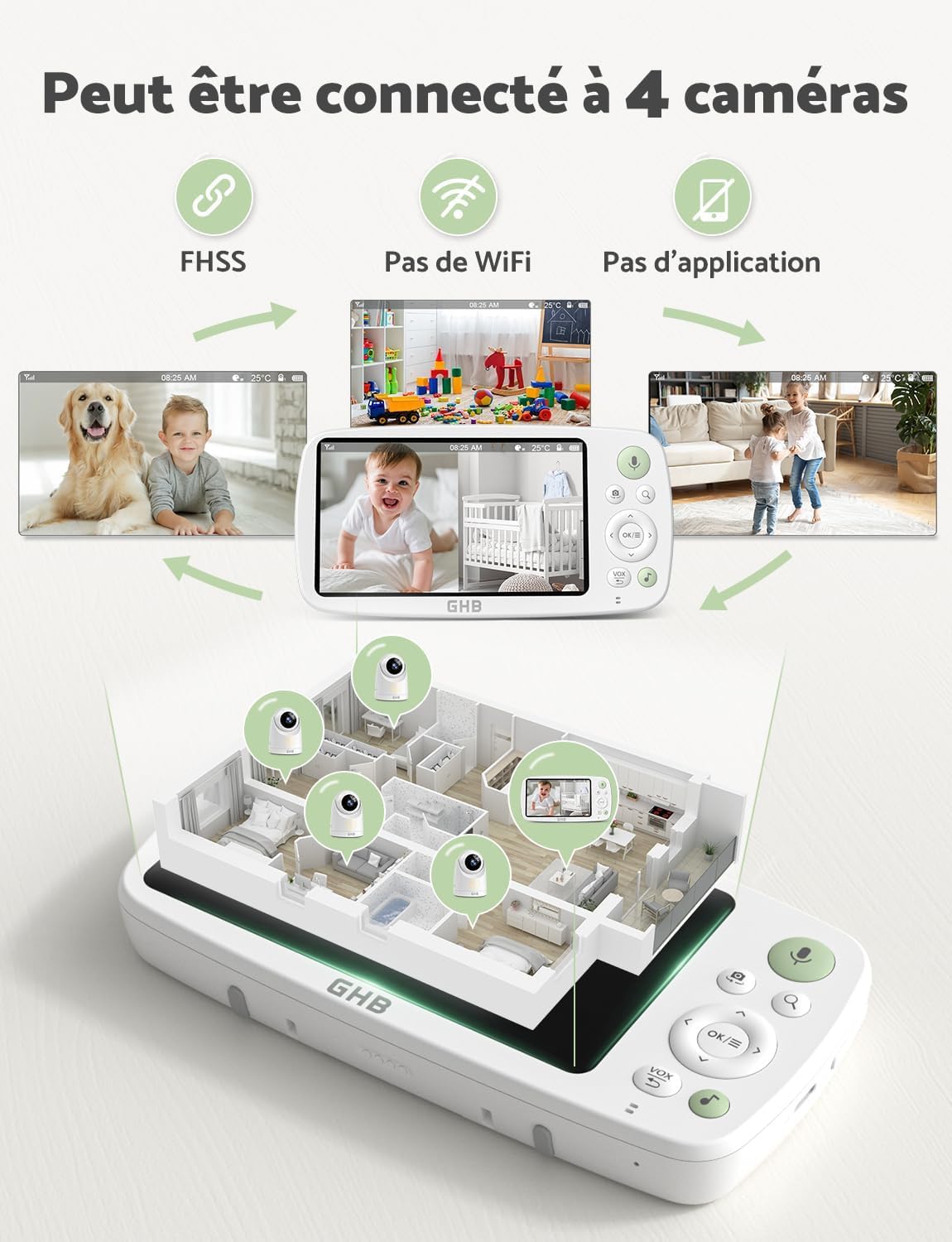
The units are pre-paired at the factory. If pairing is lost or you are adding additional cameras (up to 4 cameras supported):
- Turn on both the parent unit and the baby unit.
- On the parent unit, navigate to the "Camera" menu.
- Select "Add Camera" and follow the on-screen instructions.
- Press the pairing button on the back of the baby unit within 10 seconds.
- A successful connection will be indicated on the parent unit screen.

Figur 5.2: The GHB Baby Monitor system demonstrating the ability to connect up to 4 cameras simultaneously, displaying views from different rooms on the parent unit. It highlights the use of FHSS technology, no Wi-Fi, and no app requirement.
6. Betjeningsvejledning
6.1 Tænd/sluk
- Forældreenhed: Tryk og hold tænd/sluk-knappen nede i 3 sekunder.
- Babyenhed: Connect to power to turn on. Disconnect from power to turn off.
6.2 Screen Display and Navigation
The 5-inch HD screen displays live video from the camera. Use the navigation buttons (Up, Down, Left, Right) and OK button to navigate menus and adjust settings.
6.3 VOX-tilstand (stemmestyret central)
The VOX mode conserves battery by turning off the screen when no sound is detected. The screen will automatically turn on when sound is detected from the baby's room.
- Tryk på VOX button on the parent unit to activate/deactivate VOX mode.
- Adjust VOX sensitivity (Low, Mid, High, Highest) in the menu settings.

Figur 6.1: The GHB Baby Monitor parent unit displaying the VOX mode settings (Low, Mid, High, Highest) and indicating extended battery life of 7x24 hours in VOX energy-saving mode. A baby is shown sleeping in the background.

Figur 6.2: Illustration of the GHB Baby Monitor's VOX Economic Mode. When the environment is quiet, the screen automatically turns off to save energy. When sound is detected, the screen turns on, showing the baby. This mode does not detect movement.
6.4 Tovejssamtale
To speak to your baby:
- Tryk og hold på Tale button (microphone icon) on the parent unit.
- Tal tydeligt ind i mikrofonen på forældreenheden.
- Slip knappen for at høre din baby igen.

Figur 6.3: The GHB Baby Monitor demonstrating its clear two-way talk function with low background noise. An adult is shown speaking into the parent unit, and a baby is shown responding from the camera's location.
6.5 Zoomfunktion
The parent unit supports 2x and 4x digital zoom.
- Tryk på Zoom button (magnifying glass icon) to cycle through 1x, 2x, and 4x zoom levels.

Figur 6.4: The GHB Baby Monitor parent unit showcasing its 2x and 4x digital zoom capabilities, allowing for closer observation of the baby.
6.6 Nattesyn
The baby unit automatically activates infrared night vision in low-light conditions, providing a clear black and white image of your baby.

Figur 6.5: Comparison of GHB 1080P HD Night Vision with other 720P monitors, demonstrating superior clarity. Icons indicate features like low background noise, VOX, lullabies, and temperature alerts.
6.7 Vuggeviser og temperaturovervågning
The monitor includes built-in lullabies and a temperature sensor in the baby unit.
- Access the menu to select and play lullabies.
- The current room temperature is displayed on the parent unit screen. You can set temperature alerts in the settings.
Figur 6.6: The GHB Baby Monitor camera unit positioned near a sleeping baby, illustrating its lullaby playback and temperature detection features. The parent unit displays the temperature and sound level.
7. Vedligeholdelse
- Rengør enhederne med en tør, blød klud. Brug ikke slibende rengøringsmidler eller opløsningsmidler.
- Sørg for, at kameralinsen er ren for at opnå optimal billedkvalitet.
- Keep ventilation openings free from dust and debris.
- Store the monitor in a dry place when not in use.
8. Fejlfinding
| Problem | Mulig årsag | Løsning |
|---|---|---|
| Intet billede/lyd på forældreenheden. | Enhederne er ikke tændt eller ikke parret. | Ensure both units are connected to power and turned on. Re-pair the units if necessary (refer to Section 5.4). |
| Dårlig billedkvalitet. | Camera lens is dirty; insufficient lighting; units are too far apart. | Clean the camera lens. Ensure adequate lighting or check night vision activation. Move units closer to each other. |
| Statisk elektricitet eller interferens. | Out of range; interference from other 2.4GHz devices. | Move the parent unit closer to the baby unit. Move other wireless devices away from the monitor. |
| Forældreenhedens batteri aflades hurtigt. | Screen always on; high brightness; frequent use of two-way talk. | Activate VOX mode. Reduce screen brightness. Limit continuous screen-on time. |
| VOX mode not working. | VOX-følsomheden er indstillet for lavt. | Increase VOX sensitivity in the menu settings. |
9. Specifikationer
- Model: GB5200
- Skærmstørrelse: 5 tommer HD
- Kameraopløsning: 1080P
- Battery (Parent Unit): 4000 mAh Lithium Ion
- VOX Mode Battery Life: Up to 7 x 24 hours
- Display Mode Battery Life: Cirka 10 timer
- Trådløs teknologi: 2.4 GHz FHSS
- Antal kanaler: 4
- Zoom: 2x, 4x Digital Zoom
- Nattesyn: HD Infrared
- To-vejs snak: Ja
- Temperatursensor: Ja
- Vuggeviser: Ja
- Kamerarotation: 350° Pan, 110° Tilt (Wide Angle)
- Monteringstype: Vægmontering
- Produktdimensioner: 24 x 17 x 11 cm
- Varens vægt: 950 g
10. Garanti og support
GHB products are designed and manufactured to the highest quality standards. For warranty information, technical support, or customer service, please refer to the warranty card included in your package or visit the official GHB webwebsted. Gem venligst din købsbevis til garantikrav.
For further assistance, you may contact GHB customer support via their official webwebsted: GHB Official Store


