Indledning
This manual provides essential instructions for the setup, operation, and maintenance of your XIAOMI 34 inch 180Hz Curved Gaming Monitor. Please read this manual thoroughly before using the product to ensure proper function and safety. Keep this manual for future reference.
Sikkerhedsoplysninger
Overhold følgende sikkerhedsforanstaltninger for at forhindre beskadigelse af skærmen og sikre brugerens sikkerhed:
- Udsæt ikke skærmen for regn eller fugt.
- Åbn ikke skærmen casing. Overlad al service til kvalificeret personale.
- Ensure proper ventilation around the monitor. Maintain adequate space for airflow.
- Use only the power adapter supplied with the monitor. Using an incorrect adapter may cause damage.
- Avoid placing heavy objects on the power cord. Protect the power cord from being walked on or pinched.
- Disconnect the power plug during lightning storms or when the unit is unused for long periods.
- Hold skærmen væk fra direkte sollys, varmekilder og ekstreme temperaturer.
Pakkens indhold
Before proceeding with the setup, please verify that all the following items are present in your product package:
- Display Monitor x1
- Base Suite x1
- Base Mount Suite x1
- DP kabel x1
- Strømadapter x1
- Skruesæt x1
- Brugervejledning x1
Produkt overview og funktioner
The XIAOMI 34 inch Curved Gaming Monitor offers an immersive visual experience with advanced features designed for gaming and productivity.
Nøglefunktioner:
- 34-inch WQHD Ultrawide Curved Display: A 3440 x 1440 resolution with a 21:9 aspect ratio and 1500R curvature for an expansive and immersive view.
- Høj opdateringshastighed og responstid: Up to 180Hz refresh rate and 1ms GTG response time for smooth, fluid motion and reduced ghosting.
- FreeSync Premium Technology: Ensures tear-free and stutter-free gaming by synchronizing the monitor's refresh rate with your graphics card.
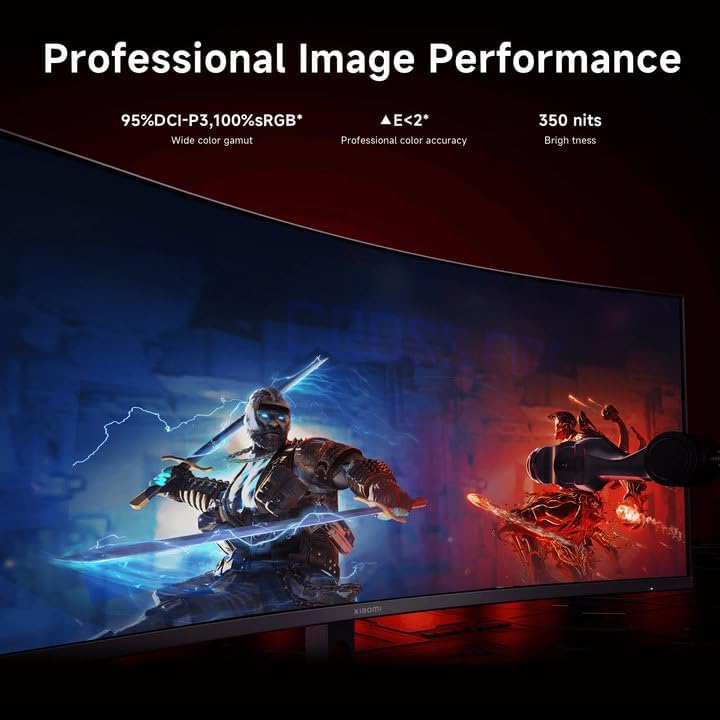
- Farvenøjagtighed: 95% DCI-P3 and 100% sRGB wide color gamut for vibrant and realistic colors.
- Øjenbeskyttelse: TÜV Low Blue Light Certification and DC dimming to reduce eye strain and flicker.
- Fleksibel tilslutning: Multiple ports including DP1.4 x2 and HDMI2.0 x2.

Front view of the XIAOMI 34 inch Curved Gaming Monitor, highlighting its ultrawide display and key specifications like 180Hz refresh rate and FreeSync.

En illustrationsudstillingasing the XIAOMI Curved Gaming Monitor G34WQi, emphasizing its immersive curved screen and 180Hz refresh rate for esports.

En overview of nine key features of the monitor, including wide color gamut, WQHD ultrawide screen, 1ms response, and 180Hz refresh rate.

Visual representation of the 1500R golden curvature, illustrating how it provides an immersive viewing experience by matching the human eye's natural curve.

Comparison showing the expanded view of a 21:9 ultrawide screen with WQHD resolution compared to a standard 16:9 display.

Demonstration of the monitor's professional image performance, highlighting 95% DCI-P3, 100% sRGB, professional color accuracy, and 350 nits brightness.

A visual emphasizing the 180Hz refresh rate and 1ms response time, crucial for smooth and responsive gaming.

An image illustrating the effect of FreeSync Premium Anti-tearing Technology, showing a smooth image with FreeSync ON versus a torn image with FreeSync OFF.

A visual demonstrating the Comfortable Low Blue Light feature and DC dimming for eye protection, showing the difference between normal and low blue light modes.

An image detailing the flexible connectivity options, including DP port x2, HDMI port x2, Audio port x1, and DC IN power port x1.
Opsætning
1. Samling af stativet
- Tag forsigtigt skærmens og stativets komponenter ud af emballagen.
- Fastgør stativets base til stativets hals med de medfølgende skruer.
- Secure the assembled stand to the back of the monitor until it clicks into place or is firmly screwed.
2. Tilslutning af skærmen
The monitor supports various input options. Ensure your computer's graphics card supports the desired resolution and refresh rate.
- DisplayPort (DP): For optimal performance (up to 3440x1440 at 180Hz), connect the supplied DP cable from your computer's graphics card to one of the DP ports on the monitor.
- HDMI: Connect an HDMI cable from your computer or other device to one of the HDMI ports on the monitor. Note that HDMI 2.0 may have limitations on refresh rate at WQHD resolution.
- Magt: Connect the power adapter to the monitor's DC IN port, then plug the power adapter into a wall outlet.
- Lyd: Connect external speakers or headphones to the audio output port if desired.
Et nærbillede view of the monitor's rear ports, including DisplayPort, HDMI, audio out, and power input.
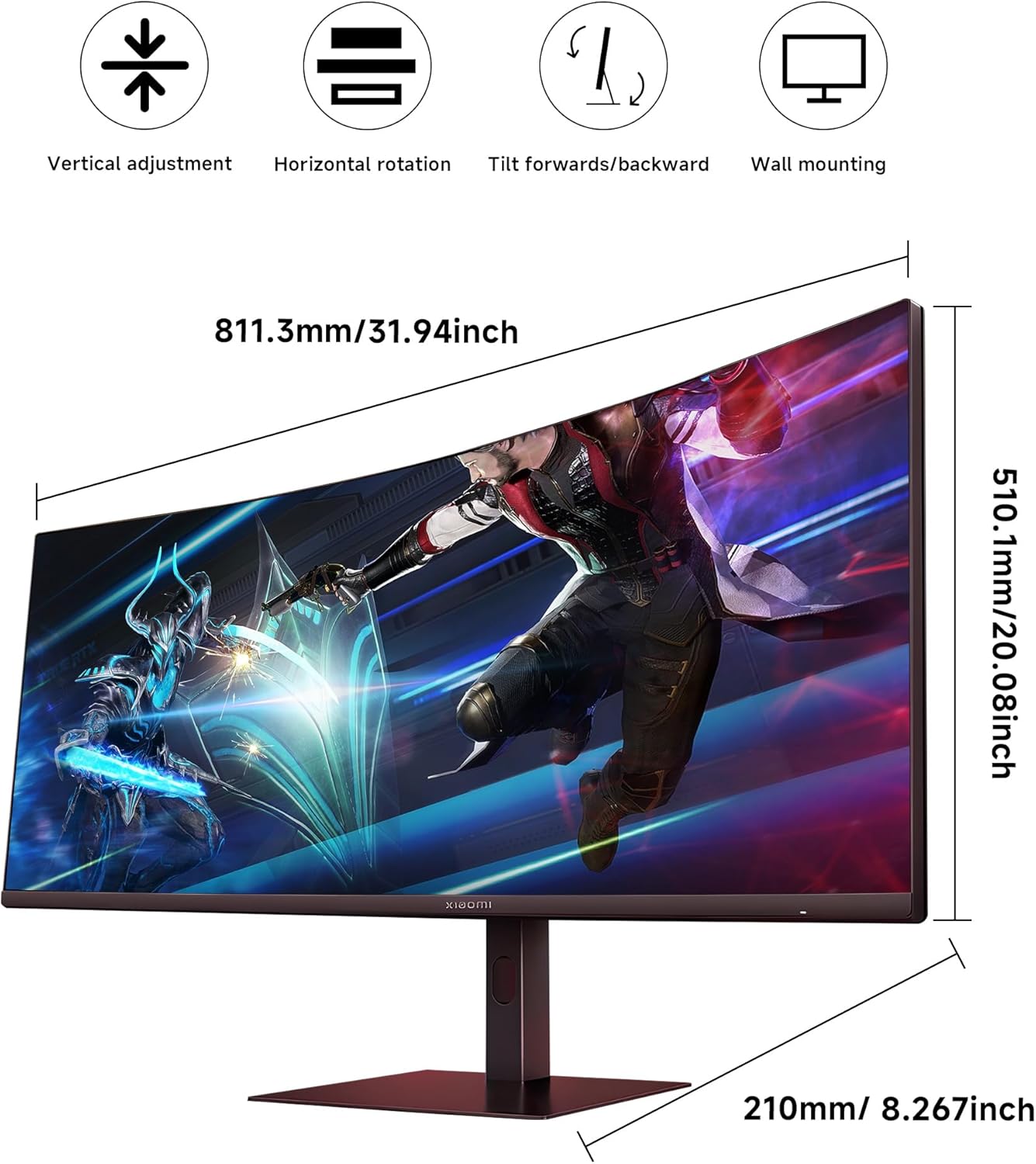
Diagram showing the physical dimensions of the monitor and its stand, along with icons indicating vertical adjustment, horizontal rotation, tilt, and wall mounting capabilities.

An image showing the monitor's VESA mount compatibility for easy wall mounting, offering flexibility in setup.
Betjeningsvejledning
1. Tænd/sluk
Press the power button, usually located on the back or bottom of the monitor, to turn it on or off.

A close-up of the joystick control, indicating its function for convenient operation and fast control of the OSD menu.
2. On-Screen Display (OSD) menu
The OSD menu allows you to adjust various monitor settings. Access it using the joystick control.
Almindelige OSD-indstillinger:
- Billede: Adjust Brightness, Contrast, Sharpness, and Color Temperature.
- Vise: Select the input source (DP1, DP2, HDMI1, HDMI2).
- Spil: Configure settings like Overdrive, FreeSync Premium (ensure this is enabled for compatible graphics cards), and Response Time.
- Øjenpleje: Enable Low Blue Light mode for reduced eye strain.
- System: Set Language, OSD Timeout, or Reset to Factory Settings.
To enable Low Blue Light mode, navigate to the OSD menu, select "Image mode", then "Low blue light".
Opretholdelse
Rengøring af skærmen
For at bevare skærmens udseende og ydeevne skal du følge disse rengøringsretningslinjer:
- Skærm: Tør forsigtigt skærmen af med en blød, fnugfri klud. Tør forsigtigt genstridige mærker afampen the cloth with water or a non-ammonia, non-alcohol based screen cleaner. Sprøjt ikke rengøringsmiddel direkte på skærmen.
- Casing: Brug en blød, tør klud til at tørre skærmen afasing. Avoid abrasive cleaners or solvents that could damage the finish.
Opbevaring
If storing the monitor for an extended period, disconnect it from power, pack it in its original packaging, and store it in a cool, dry place away from direct sunlight and extreme temperatures.
Fejlfinding
Dette afsnit omhandler almindelige problemer, du kan støde på med din skærm. Hvis problemet fortsætter, bedes du kontakte kundesupport.
- Ingen strøm: Ensure the power cable is securely connected to both the monitor and the power outlet. Check if the power adapter is functioning correctly.
- Intet signal: Verify that the video cable (DP or HDMI) is correctly connected to both the monitor and your computer. Ensure the correct input source is selected in the OSD menu.
- Flimrende skærm: Kontroller videokablets forbindelse. Sørg for, at dine grafikkortdrivere er opdaterede. Prøv at justere opdateringshastigheden i din computers skærmindstillinger.
- Image Tearing (in games): Ensure FreeSync Premium is enabled in both the monitor's OSD menu and your graphics card settings (if using an AMD GPU).
- Forkert opløsning/opdateringshastighed: Check your computer's display settings to ensure the desired resolution (3440x1440) and refresh rate (up to 180Hz) are selected. For 180Hz at WQHD, a DisplayPort connection is recommended.
- Pink Tint on Reds (without HDR): As noted by some users, a pink tint on reds might occur when HDR is not active. This is a known characteristic for some panels. Ensure HDR is enabled in your system settings and application if you wish to utilize it.
Specifikationer
| Feature | Specifikation |
|---|---|
| Modelnummer | P27FBB-RGGL-01 |
| Skærmstørrelse | 34 tommer |
| Opløsning | 3440 x 1440 Pixels (WQHD Ultrawide) |
| Aspektforhold | 21:9 |
| Krumning | 1500R |
| Opdateringshastighed | 180 Hz |
| Svartid | 1ms GTG |
| Farveskala | 95% DCI-P3, 100% sRGB |
| Lysstyrke | 350 Candela (nitter) |
| Forbindelse | 2x DisplayPort 1.4, 2x HDMI 2.0, 1x Audio Out |
| Øjenbeskyttelse | TÜV Low Blue Light, DC Dimming |
| Produktdimensioner | 8.27 x 31.94 x 20.08 tommer |
| Varens vægt | 20.5 pund |
Garanti og support
XIAOMI stands behind its products with a comprehensive warranty and dedicated customer support.
For any questions or suggestions regarding your monitor, please do not hesitate to contact customer support. We aim to reply within 24 hours to assist you.
For detailed warranty information, please refer to the warranty card included in your product packaging or visit the official XIAOMI support website for the most up-to-date terms and conditions.
Image representing customer support, showing a smiling representative with a headset ready to assist.


