1. Introduktion
This manual provides instructions for the safe and effective use of your HOTO Laser Measuring Tool Pro, Model HTH-D50. This device is designed for precise distance, angle, angular height, and area measurements, offering a range of up to 164 feet (50 meters).
2. Sikkerhedsoplysninger
WARNING: Laser Radiation
- Stir ikke direkte ind i laserstrålen.
- Ret ikke laserstrålen mod mennesker eller dyr.
- Undgå direkte øjeneksponering for laserstrålen.
- This device uses a Class 2 laser product.
- Opbevares utilgængeligt for børn.
Always operate the device in accordance with these instructions to prevent injury and ensure proper function.
3. Pakkens indhold
Bekræft at alle varer er til stede i din pakke:
- 1 x HOTO Laser Measuring Tool Pro (HTH-D50)
- 1 x USB-C opladningskabel
4. Produktet er slutview
The HOTO Laser Measuring Tool Pro features a compact design and weighs approximately 90g, making it comfortable to operate and easy to carry. It includes a 1.8-inch LED color screen for clear data display and a single multi-function button for operation.
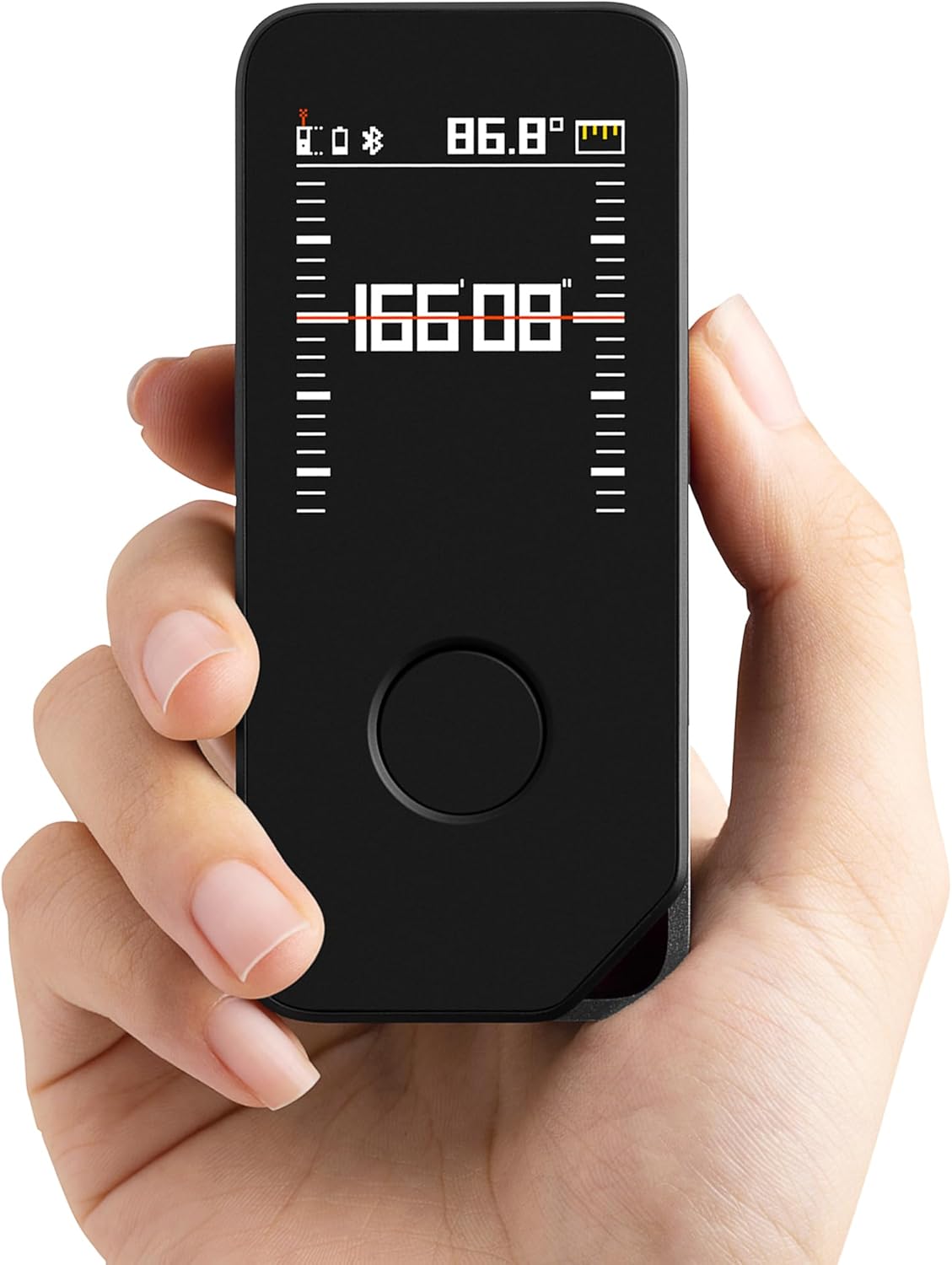
Image: The HOTO Laser Measuring Tool Pro, showing its compact size and digital display with a measurement.

Billede: En detaljeret view of the device's 1.8-inch LED color screen, displaying various measurement data and the laser emitter.
5. Opsætning
5.1 Opladning af enheden
The device is equipped with an 850mAh rechargeable Lithium-Ion battery. Before first use, fully charge the device.
- Find USB-C-opladningsporten på siden af enheden.
- Connect the provided USB-C cable to the device and a compatible USB power adapter (not included).
- The battery indicator on the LED screen will show charging status.
- A full charge allows for up to 2000 measurements.
Note: The tool does not measure during the charging process.

Image: The HOTO Laser Measuring Tool Pro being charged via its USB-C port.
5.2 Tænd/sluk
- For at tænde: Press and hold the main power/measure button until the screen illuminates.
- For at slukke: Press and hold the main power/measure button until the screen turns off. The device will also automatically turn off after 180 seconds of inactivity.
6. Betjeningsvejledning
6.1 Grundlæggende afstandsmåling
The device offers real-time measurement with a single button operation.
- Tænd for enheden.
- Ret laserstrålen mod måloverfladen.
- Short press the main power/measure button. The current distance will be displayed in real-time on the screen.
- The laser measurement accuracy is ±1/16" (2 mm).

Image: The device showing various measurement modes and results on its display, indicating one-button operation.
6.2 Måletilstande
The HOTO Laser Measuring Tool Pro supports five distinct measurement modes:
- Afstandsmåling: Standard punkt-til-punkt afstand.
- Vinkelmåling: Measures angles.
- Angular Height Measurement: Calculates height based on angles.
- Områdemåling: Calculates the area of a surface.
- Virtual Ruler: Provides virtual ruler functionality with an accuracy of ±1/8" (4 mm).
Refer to the on-screen interface for selecting and navigating between these modes.

Billede: Eksamples of the device's capabilities, including measuring lengths, angles, angular heights, and areas, as well as functioning as a virtual ruler.
6.3 Enhedsskift
The device supports switching between Meters (M), Inches (In), and Feet (Ft).
Note: Unit switching and measurement reference point settings (front or base of the tool) are primarily controlled via the companion mobile application.
6.4 Bluetooth Connectivity and Mobile Application
Connect the device to your smartphone via Bluetooth to access extended features, including:
- Extended memory for measurement history.
- Blueprint design functionality.
- On-photo annotations.
- Changing measurement units (M/In/Ft).
- Adjusting the measurement reference point (from the front or base of the tool).
- Download the official HOTO application from your smartphone's app store.
- Ensure Bluetooth is enabled on your smartphone and the measuring tool.
- Open the HOTO app and follow the on-screen instructions to pair your device.

Image: The laser measuring tool displaying data alongside a smartphone running the HOTO app, illustrating smart measurement and mobile control features.
7. Vedligeholdelse
- Rensning: Brug en blød, damp klud til at rengøre enheden. Brug ikke slibende rengøringsmidler eller opløsningsmidler.
- Opbevaring: Opbevar enheden et køligt, tørt sted væk fra direkte sollys og ekstreme temperaturer.
- Beskyttelse: While the device has an IPX5 rating for water resistance, it is not fully waterproof. Avoid submerging it in water. Handle with care to prevent damage to the laser components.
8. Fejlfinding
| Problem | Mulig årsag | Løsning |
|---|---|---|
| Enheden tænder ikke. | Lavt batteri. | Oplad enheden ved hjælp af det medfølgende USB-C-kabel. |
| Upræcise målinger. | Unstable surface, obstruction, or incorrect reference point setting. | Ensure a stable measurement surface. Check for obstructions. Verify the reference point setting in the app. |
| Cannot connect to mobile app via Bluetooth. | Bluetooth disabled, app not installed, or pairing issue. | Ensure Bluetooth is active on both devices. Download and install the official HOTO app. Follow in-app pairing instructions. Restart both devices if necessary. |
| Measurement units or reference point cannot be changed on device. | These settings are app-controlled. | Use the HOTO mobile application to adjust measurement units (M/In/Ft) and the measurement reference point (front or base). |
9. Specifikationer
| Feature | Detalje |
|---|---|
| Mærke | Hoto |
| Modelnavn | HTH-D50 |
| Måleområde | 164 fod (50 m) |
| Lasermålingsnøjagtighed | ±1/16" (2 mm) |
| Virtual Ruler Measurement Accuracy | ±1/8" (4 mm) |
| Vise | 1.8-tommer LED-farveskærm |
| Batteritype | Lithium-ion |
| Batterikapacitet | 850mAh |
| Opladningsport | USB-C |
| Varens vægt | 0.13 kilo |
| Materiale | PC+ABS |
| Farve | Sort+grå |
| International Protection Rating | IPX5 |
| Automatisk sluk | 180 sekunders inaktivitet |
10. Garanti og support
Garanti: The HOTO Laser Measuring Tool Pro (HTH-D50) comes with a 1-year warranty from the date of purchase.
For technical support, warranty claims, or further assistance, please refer to the contact information provided with your product packaging or visit the official HOTO webwebsted.
11. Officielle produktvideoer
No official product videos from the seller meeting the specified criteria (m3u8 format and 'Seller' creator type) were found in the provided data for embedding.


