Indledning
This manual provides detailed instructions for the setup, operation, and maintenance of your ATTACK SHARK L80 Wireless Gaming Headset. Please read this manual thoroughly before using the product to ensure proper function and longevity.
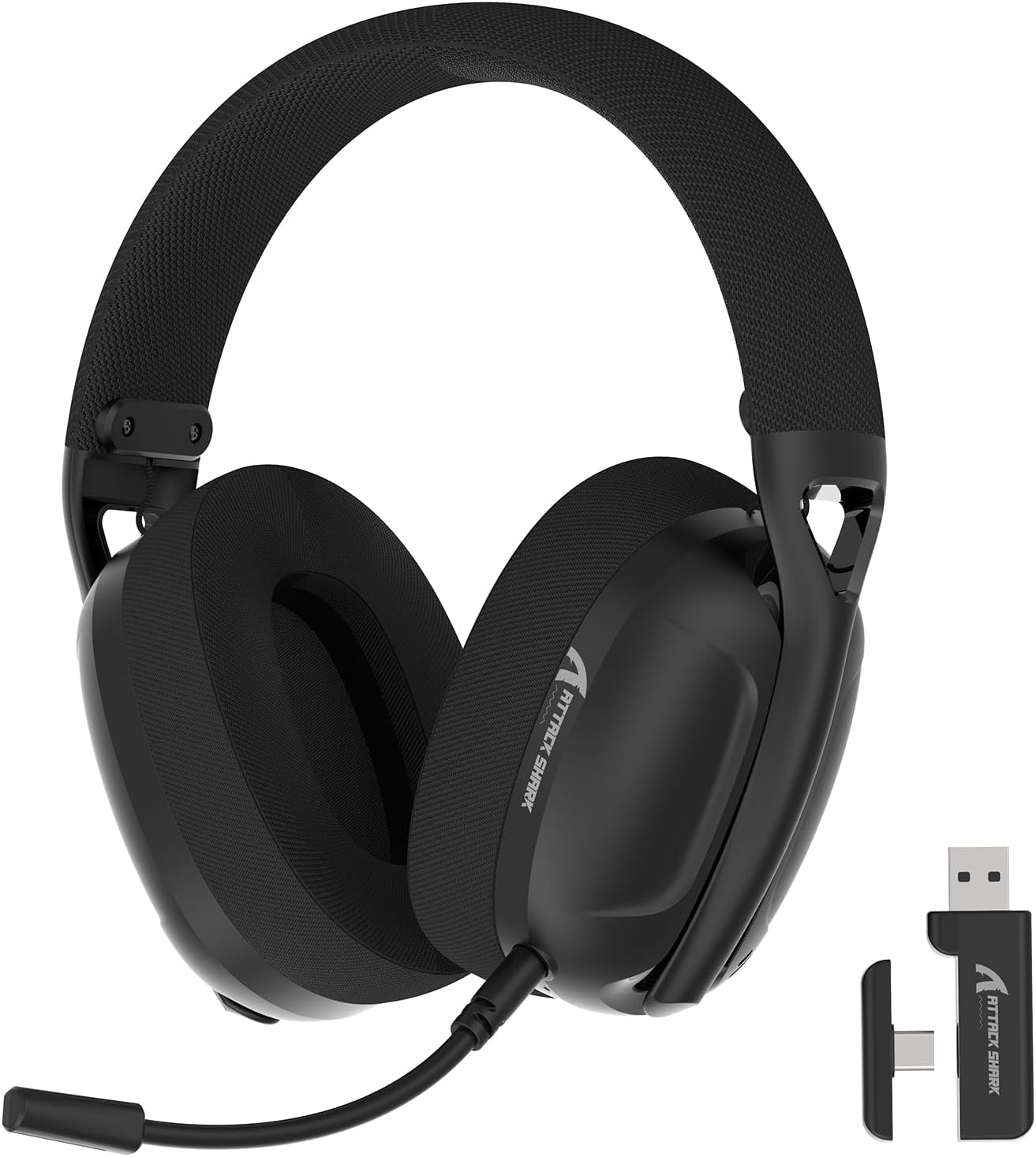
Image: The ATTACK SHARK L80 Wireless Gaming Headset, featuring over-ear cups, a flexible microphone, and a USB dongle.
Pakkens indhold
Bekræft, at alle varer er til stede i din produktpakke:
- ATTACK SHARK L80 Wireless Gaming Headset
- Detachable Omni-directional Microphone
- 2.4GHz USB Wireless Dongle (USB-A)
- USB-C til USB-A opladerkabel
- 3.5 mm lydkabel
- Brugervejledning (dette dokument)

Image: All components included in the ATTACK SHARK L80 headset package: headset, detachable microphone, 2.4GHz USB dongle, USB-C charging cable, and 3.5mm audio cable.
Produkt overview
Headset Controls and Ports
Familiarize yourself with the headset's controls and connection points:

Image: Close-up of the ATTACK SHARK L80 headset's left earcup, showing the power button, mode switch button, volume up/previous track button, volume down/next track button, and microphone mute button.
- Power knap: Press and hold for 3 seconds to power ON/OFF. Short press to answer/end calls or play/pause media.
- Mode Switch knap: Short press 3 times in succession to switch between Bluetooth and 2.4G wireless modes.
- Volume Up / Previous Song: Short press for Volume+, Long press for Previous Song.
- Volume Down / Next Song: Short press for Volume-, Long press for Next Song.
- Mikrofon mute knap: Short press to toggle microphone ON/OFF.
- Mikrofonport: Til tilslutning af den aftagelige mikrofon.
- 3.5 mm lydstik: Til kablet forbindelse.
- USB-C opladningsport: Til opladning af headsettet.
- Indikatorlys: Viser forbindelsesstatus og batteriniveau.
Aftagelig mikrofon
The L80 headset features a detachable, omni-directional microphone with noise reduction capabilities. It can be adjusted 360 degrees for optimal positioning.

Image: The ATTACK SHARK L80 headset with its detachable, 360-degree adjustable, noise-cancelling microphone attached.
Opsætning
The ATTACK SHARK L80 headset offers three connection modes: 2.4GHz wireless, Bluetooth 5.2, and 3.5mm wired. Choose the appropriate method for your device.
1. 2.4GHz Wireless Connection (for PC, PS5, PS4, Nintendo Switch Docked)
- Insert the 2.4GHz USB wireless dongle into an available USB port on your PC, PS5, PS4, or Nintendo Switch dock.
- Power on the L80 headset by pressing and holding the Power Button for 3 seconds.
- The headset will automatically attempt to connect to the dongle. The indicator light will show a stable color once connected.
- On your device, ensure the audio output is set to "ATTACK SHARK L80" or similar.

Image: Diagram illustrating 2.4GHz USB dongle connection to a PS4 and a USB-C dongle connection to a portable device, alongside Bluetooth connectivity for phones.
2. Bluetooth 5.2 Connection (for Phones, Tablets, Laptops)
- Power on the L80 headset by pressing and holding the Power Button for 3 seconds.
- If not already in Bluetooth mode, short press the Mode Switch Button three times in quick succession to enter Bluetooth pairing mode. The indicator light will flash, indicating it is discoverable.
- On your device (phone, tablet, laptop), go to Bluetooth settings and search for available devices.
- Select "ATTACK SHARK L80" from the list to pair. The indicator light will become stable once connected.
3. 3.5mm Wired Connection (for various devices)
- Connect one end of the 3.5mm audio cable to the 3.5mm audio jack on the L80 headset.
- Tilslut den anden ende af 3.5 mm lydkablet til lydudgangsporten på din enhed.
- The headset will function in wired mode. Note that volume control via the headset buttons may not be available in wired mode, depending on the connected device.

Image: The ATTACK SHARK L80 headset displayed among various compatible platforms including PlayStation consoles, Nintendo Switch, Xbox, PC, tablets, and smartphones.
Betjeningsvejledning
Tænd/sluk
- Tænd: Tryk på tænd/sluk-knappen og hold den nede i cirka 3 sekunder, indtil indikatorlampen lyser.
- Sluk: Tryk på tænd/sluk-knappen og hold den nede i cirka 3 sekunder, indtil indikatorlampen slukker.
Lydstyrkekontrol
- Forøg lydstyrke: Tryk kort på lydstyrke op-knappen.
- Skru ned for lydstyrken: Tryk kort på lydstyrke ned-knappen.
Medieafspilningskontrol
- Afspil/pause: Tryk kort på tænd/sluk-knappen.
- Forrige sang: Tryk længe på lydstyrke op-knappen.
- Næste sang: Tryk længe på lydstyrke ned-knappen.
Opkaldsstyring
- Besvar/afslut opkald: Tryk kort på tænd/sluk-knappen.
Mikrofonbrug
- Attach the detachable microphone to the designated port on the headset.
- Juster mikrofonens position for optimal stemmeoptagelse.
- Slå mikrofon til/fra: Short press the Microphone Mute Button.
Skift af tilstand
- To switch between 2.4GHz wireless mode and Bluetooth mode, short press the Mode Switch Button three times in quick succession.
Opladning af headsettet
The headset provides up to 50 hours of playtime at 50% volume and takes approximately 3 hours for a full charge.
- Connect the USB-C end of the charging cable to the headset's USB-C port.
- Connect the USB-A end of the charging cable to a USB power source (e.g., computer USB port, wall adapter).
- The indicator light will show charging status. A red light alert indicates battery level below 10%.

Image: Visual representation of the ATTACK SHARK L80 headset's battery features, including 45-50 hours gaming time, red light alert for low battery, 3 hours charging time, and electricity saving standby.
Opretholdelse
- Rensning: Brug en blød, tør klud til at rengøre headsettet. Brug ikke skrappe kemikalier eller slibende materialer.
- Opbevaring: Opbevar headsettet et køligt, tørt sted væk fra direkte sollys og ekstreme temperaturer.
- Batteripleje: For at forlænge batteriets levetid bør du undgå at aflade headsettet helt ofte. Oplad det regelmæssigt, selvom det ikke er i brug i længere perioder.
- Kabelstyring: Undgå skarpe bøjninger eller knæk på kablerne for at forhindre skader.

Image: Close-up of the headset's ultra-soft mesh earmuffs, highlighting their breathable and comfortable design for extended wear.
Fejlfinding
| Problem | Mulig årsag | Løsning |
|---|---|---|
| Ingen lyd fra headsettet. | Headset not powered on, not connected, or volume too low. |
|
| Mikrofon virker ikke. | Microphone muted, not properly attached, or incorrect input device selected. |
|
| Kan ikke oprette forbindelse via 2.4 GHz trådløst. | Dongle not inserted, headset not in 2.4GHz mode, or interference. |
|
| Kan ikke oprette forbindelse via Bluetooth. | Headset not in pairing mode, Bluetooth off on device, or previously paired device interfering. |
|
| Headsettet oplader ikke. | Charging cable faulty, power source issue, or charging port obstruction. |
|
Specifikationer
| Feature | Detalje |
|---|---|
| Modelnavn | L80 headset |
| Forbindelsesteknologi | 2.4Ghz Wireless, Bluetooth 5.2, 3.5mm Wired |
| Audio driver størrelse | 40 mm |
| Frekvensområde | 20 Hz - 20,000 Hz |
| Impedans | 30 Ohm |
| Støjkontrol | Lydisolering |
| Mikrofon | Detachable, Omni-directional, Noise-reduction |
| Batterilevetid | Op til 50 timer (ved 50 % volumen) |
| Opladningstid | Cirka 3 timer |
| Vægt | 12 ounce (ca. 340 gram) |
| Materiale | Plast |
| Kompatible enheder | PC, PS5, PS4, Nintendo Switch, Laptops, Tablets, Phones |

Billede: Udsnit view of the ATTACK SHARK L80 headset's earcup, highlighting the powerful 40mm audio drivers responsible for high-fidelity sound.
Garanti og support
For garantioplysninger og teknisk support henvises til den officielle ATTACK SHARK webwebstedet eller kontakt deres kundeservice. Gem din købskvittering som købsbevis i tilfælde af garantikrav.
Fabrikant: ANGREDE HAJ
Kontakte: Besøg venligst ATTACK SHARK Butik på Amazon for further assistance or to find contact information.


