Indledning
This instruction manual provides essential information for the safe and efficient use of your Samsung HW-Q65C/ZA 5.1 Channel Sound Bar with Wireless Subwoofer. Please read this manual thoroughly before operating the device and retain it for future reference.
The Samsung HW-Q65C/ZA system delivers a 5.1 channel audio experience with Dolby Atmos support, Q-Symphony integration for compatible Samsung TVs, and a wireless subwoofer for enhanced bass. It also includes rear speakers for a complete surround sound setup.
Hvad er der i æsken
Kontroller, at alle komponenter er til stede i emballagen:
- Soundbar
- Subwoofer
- Rear Speakers (2 units)
- Wireless Module (for rear speakers)
- HDMI kabel
- Vægmonteringssæt
- Strømadapter
- Remote Controller with Batteries
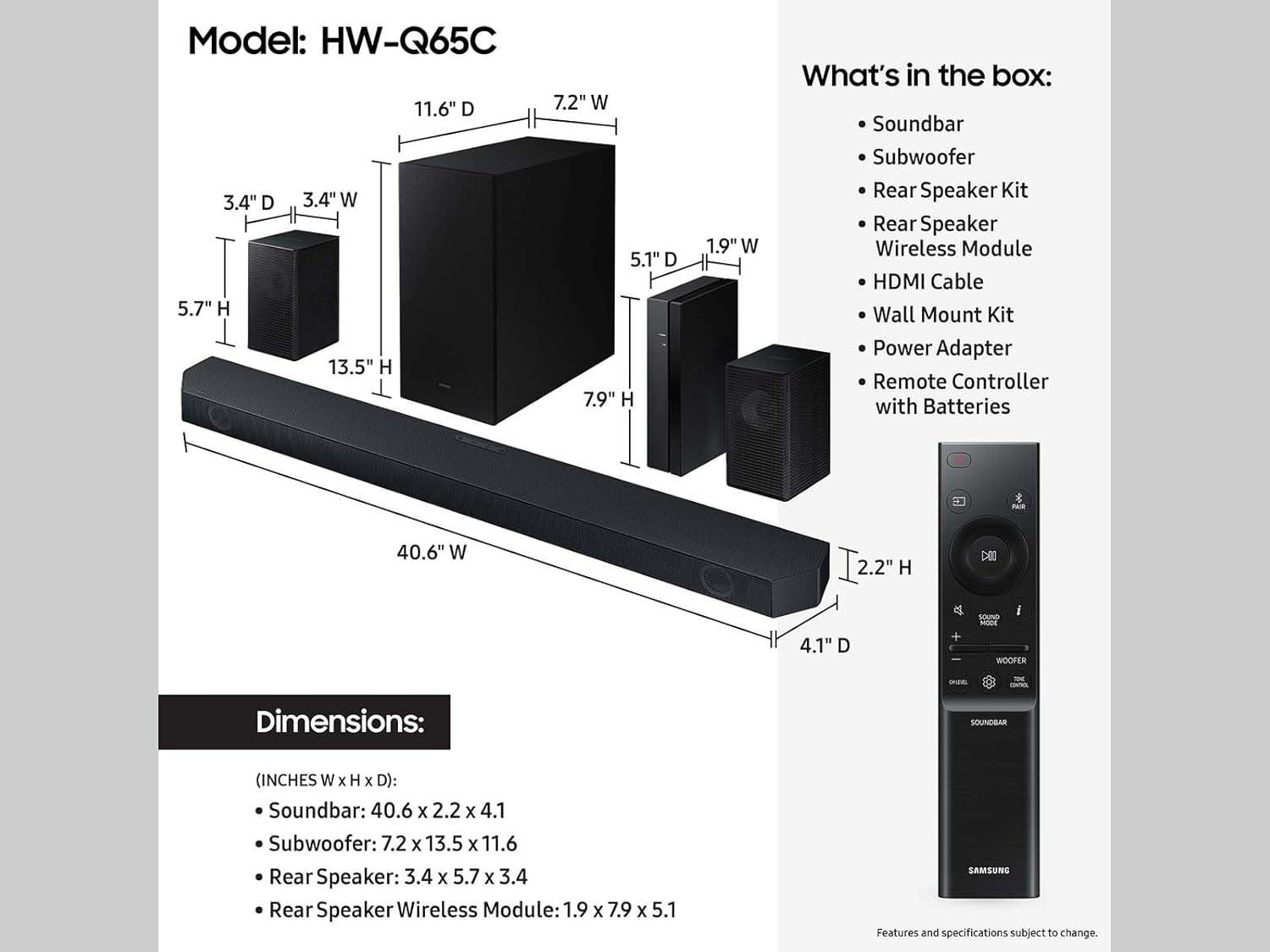
This graphic provides detailed dimensions for the soundbar, subwoofer, rear speakers, and wireless module, alongside a list of all items included in the product packaging, including the remote control.
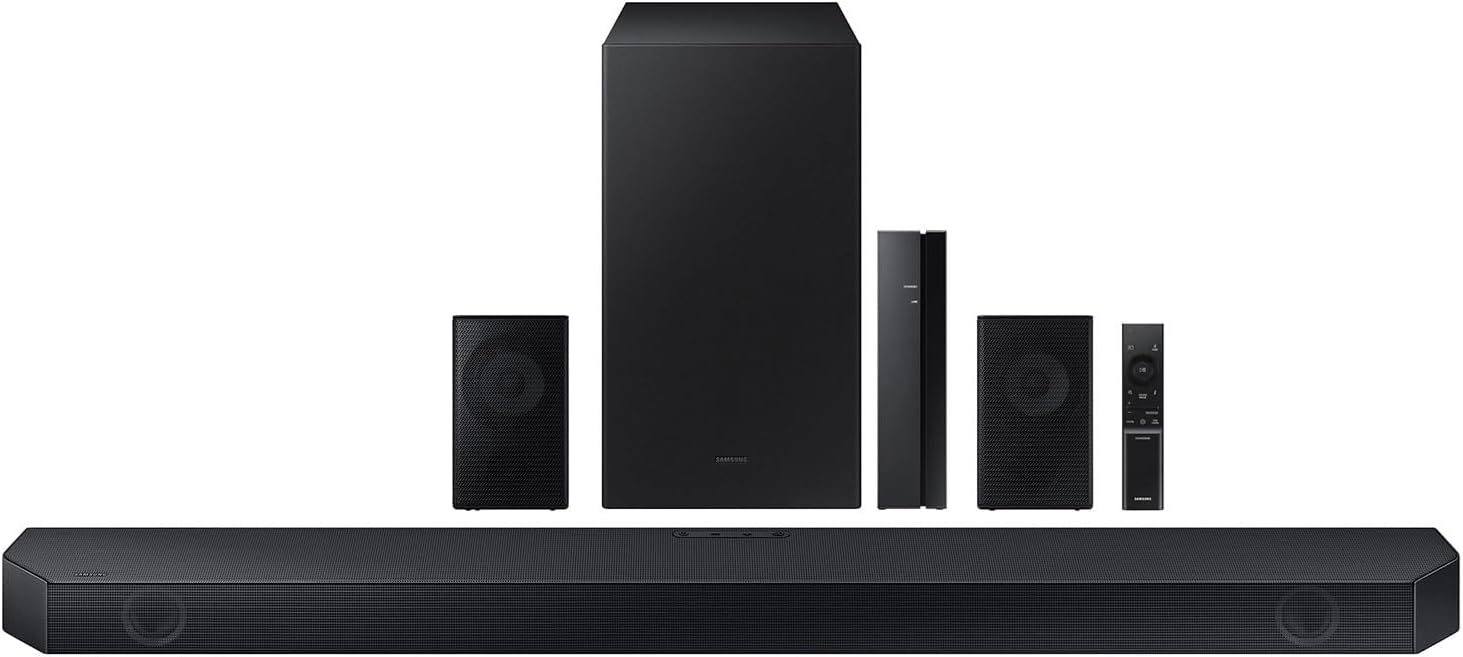
This image displays all components included in the Samsung HW-Q65C/ZA sound bar system: the main soundbar unit, wireless subwoofer, two rear speakers, a wireless module, and the remote control.
Opsætning
1. Placering af komponenter
Position the soundbar centrally below your television. Place the wireless subwoofer in a suitable location for optimal bass response, typically near the soundbar. The rear speakers should be placed behind the listening area, ideally equidistant from the listener, for effective surround sound. Connect the rear speakers to the wireless module using the provided wires.
2. Strømtilslutning
Connect the power adapter to the soundbar, subwoofer, and wireless module, then plug them into a power outlet.
3. Connecting to TV (HDMI eARC Recommended)
For the best audio quality, connect the soundbar to your TV using the HDMI eARC port. This single cable connection supports advanced audio formats like Dolby Atmos.
- Connect one end of the HDMI cable to the HDMI OUT (TV-eARC) port on the soundbar.
- Connect the other end of the HDMI cable to the HDMI IN (eARC) port on your television.
- Ensure your TV's audio output is set to HDMI eARC or external speakers.
Note: An HDMI eARC-compatible TV is required for full functionality.
4. Wireless Subwoofer and Rear Speaker Pairing
The subwoofer and wireless module for the rear speakers should automatically pair with the soundbar upon power-up. If pairing does not occur automatically:
- Ensure the soundbar, subwoofer, and wireless module are powered on.
- On the back of the subwoofer and the wireless module, locate the "ID SET" or "PAIRING" button.
- Press and hold the "ID SET" or "PAIRING" button on the subwoofer/wireless module until the indicator light blinks rapidly.
- With the soundbar powered off, press and hold the "UP" button on the soundbar's remote control for 5 seconds.
- The soundbar display will show "ID SET" and then "PAIRING". Once connected, the indicator light on the subwoofer/wireless module will turn solid blue.
Tip: Some users find pressing the "UP" button next to the volume button on the remote helps with pairing.
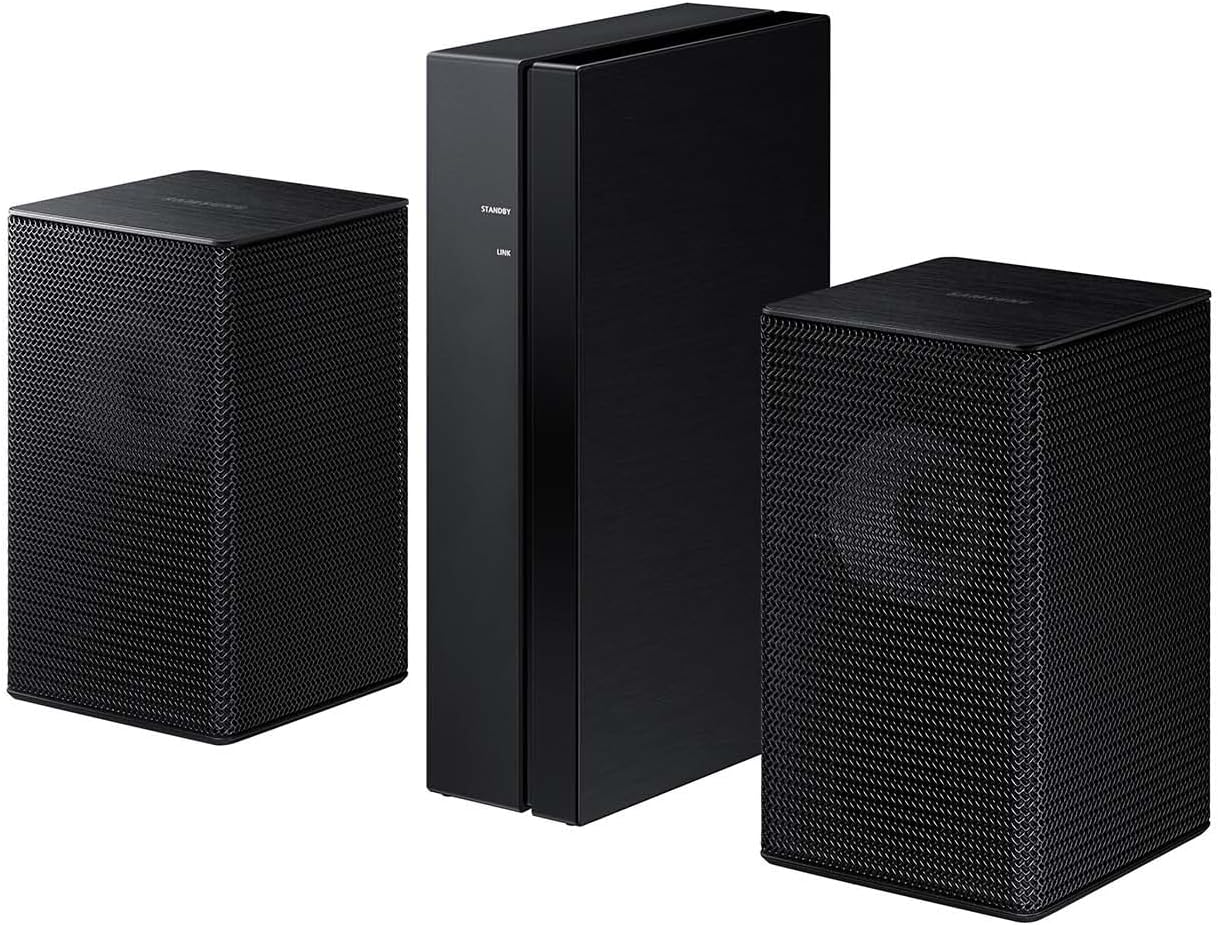
Nærbillede view of the two rear speakers and the central wireless module, which connects them to the main soundbar system.
5. Bluetooth Multi Connection
You can connect two smart devices simultaneously via Bluetooth to share control of the soundbar. This allows for convenient music playback from different devices without repeated disconnections.
- Press the "PAIR" button on the soundbar remote or the "Source" button on the soundbar until "BT PAIRING" appears.
- On your first smart device, search for and select "Samsung Soundbar HW-Q65C" from the Bluetooth device list.
- Once connected, repeat step 2 for the second smart device.
Note: Soundbar mobile connection is not available when connected to the TV via HDMI. Requires Bluetooth-compatible devices.
Betjeningsvejledning
1. Grundlæggende kontroller
Use the provided remote control to manage power, volume, input source, and sound modes. The soundbar also features integrated buttons for basic functions.
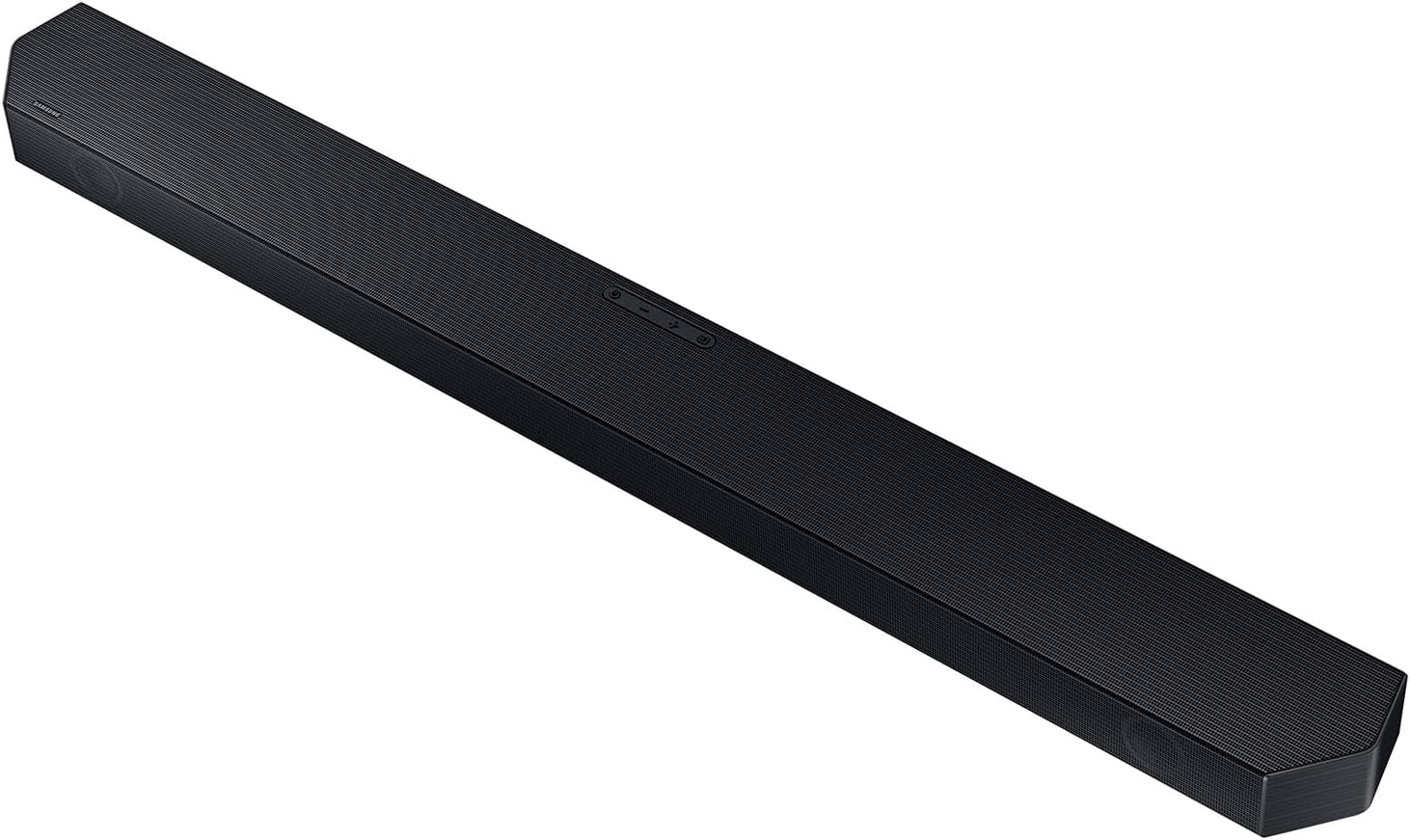
En detaljeret view of the soundbar's top surface, showing its textured finish and integrated control buttons.
2. Q-Symfoni
When connected to a compatible Samsung TV, Q-Symphony allows the soundbar and TV speakers to operate simultaneously, creating a more expansive and immersive sound experience. This feature is automatically enabled when a compatible TV is detected and connected via HDMI eARC.
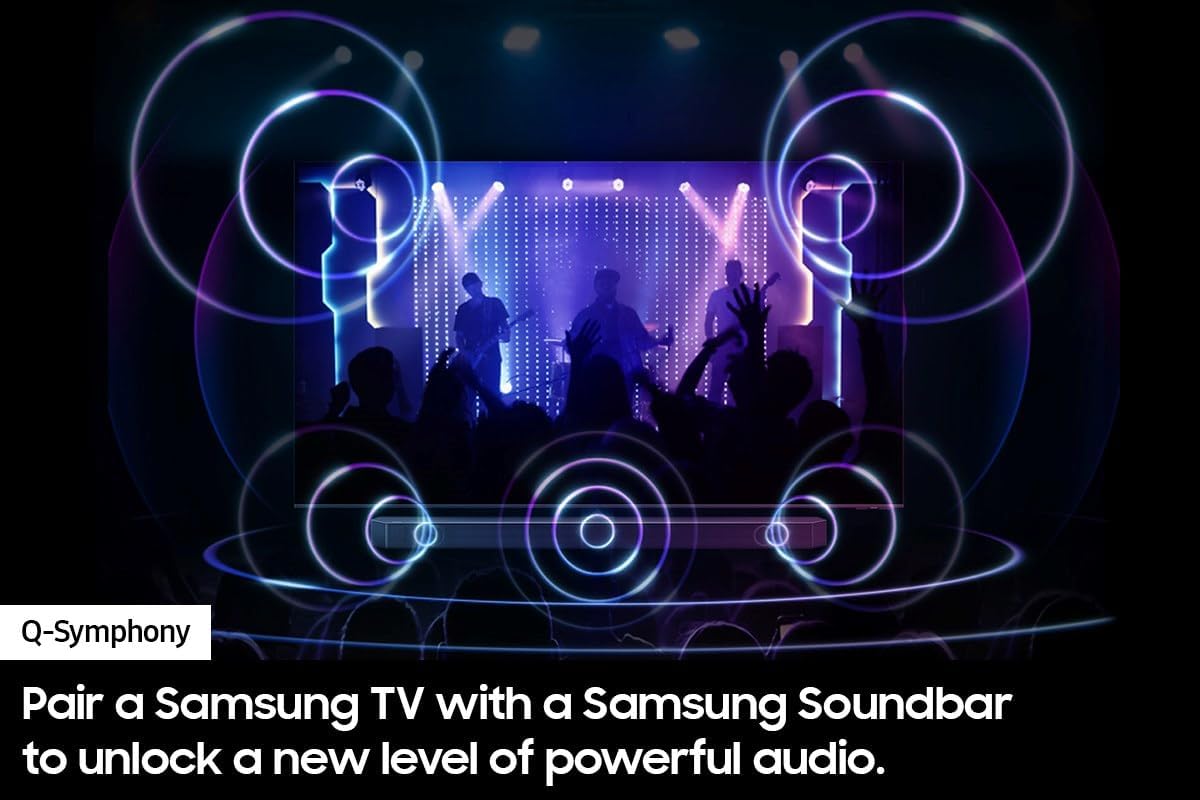
This diagram shows how Q-Symphony integrates the soundbar with a compatible Samsung TV, creating an expanded soundstage.
3. Dolby Atmos Sound
The 5.1 channel configuration with Dolby Atmos delivers three-dimensional audio, allowing sound to move around you for a more realistic and engaging listening experience. Ensure your content source supports Dolby Atmos for optimal effect.
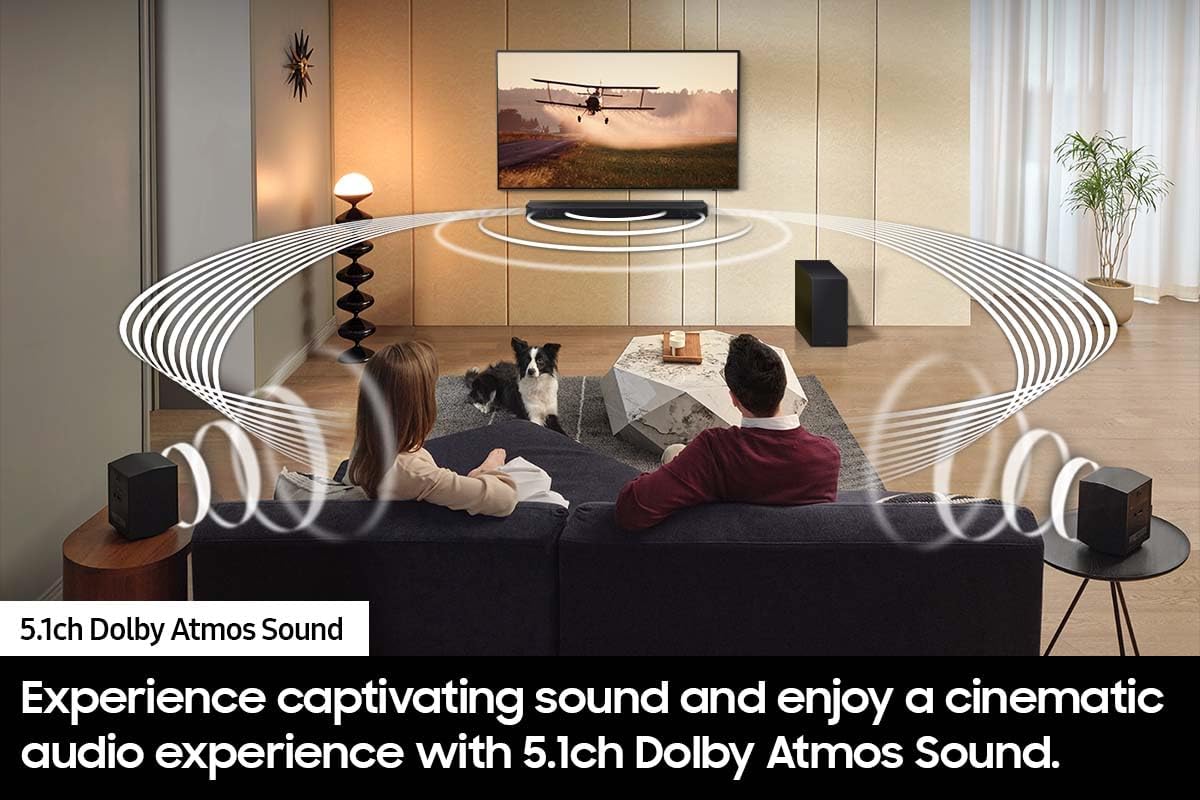
This image depicts a living room environment with the soundbar and rear speakers positioned to deliver an immersive 5.1 channel Dolby Atmos audio experience.
4. Lydtilstande
- Adaptiv lyd Lite: This mode dynamically optimizes audio and enhances voice clarity by analyzing scenes in real-time. It adjusts sound based on the content type (e.g., movies, news, music) to amplify important audio elements.
- Spiltilstand: Designed for gaming, this mode optimizes audio for perfectly synced directional sound that corresponds with on-screen action. It aims to reduce distractions and enhance the gaming experience. Compatible with Gaming Hub and select gaming consoles (e.g., Xbox X, PS5).
Opretholdelse
Rensning
To clean the soundbar, subwoofer, and speakers, use a soft, dry cloth. Do not use liquid cleaners, sprays, or abrasive materials, as these can damage the finish or internal components. Ensure the device is unplugged before cleaning.
Opbevaring
Hvis enheden skal opbevares i længere tid, skal den afbrydes fra strømforsyningen og opbevares et køligt, tørt sted væk fra direkte sollys og ekstreme temperaturer.
Fejlfinding
If you encounter issues with your Samsung HW-Q65C/ZA Sound Bar, refer to the following common solutions:
| Problem | Mulig årsag/løsning |
|---|---|
| Ingen lyd fra soundbar. |
|
| Subwooferen eller baghøjttalerne producerer ikke lyd. |
|
| Problemer med Bluetooth-forbindelse. |
|
| Lydkvaliteten er dårlig eller forvrænget. |
|
Specifikationer
| Feature | Detalje |
|---|---|
| Modelnavn | HW-Q65C/ZA |
| Højttaler type | Soundbar |
| Surround Sound Kanalkonfiguration | 5.1 |
| Højttaler Maksimal udgangseffekt | 460 watt |
| Forbindelsesteknologi | Bluetooth, HDMI, Optisk |
| Subwoofer tilslutningsteknologi | Wired (to wireless module) |
| Særlige funktioner | 5.1 CH. DOLBY ATMOS SOUND, Adaptive Sound Lite, HDMI eARC, One Remote Control, Q-SYMPHONY |
| Kompatible enheder | Gaming Console, Home Theater, Projector, Smartphone, Tablet, Laptop, Television |
| Produktmål (Soundbar) | 2.2" D x 40.5" B x 4.1" H |
| Varens vægt | 44 pund (hele systemet) |
| Farve | Sort |
| Materiale | Metal |
| Input bindtage | 120 volt (AC) |
| UPC | 887276869278 |
Garantioplysninger
Dette produkt leveres med en Begrænset garanti from Samsung. For specific terms, conditions, and duration of your warranty, please refer to the warranty card included in your product packaging or visit the official Samsung support webwebsted.
Støtte
For further assistance, technical support, or to download the latest version of this manual, please visit the official Samsung support webwebsted:
You may also contact Samsung customer service directly for personalized assistance.