Indledning
This manual provides comprehensive instructions for the proper installation, use, and maintenance of your Spigen Tough Armor (Ai) MagFit Case designed for the Samsung Galaxy S25 Ultra. Please read this manual thoroughly before using the product to ensure optimal performance and protection.
Nøglefunktioner
- AI-enhanced XRD Foam Placement: Optimized via LS-DYNA Test for superior impact absorption.
- Militærbeskyttelse: Features raised edges for screen and camera protection, achieved through Extreme Protection Technology.
- Indbygget støtteben: All-new revamped design with an integrated kickstand for convenient hands-free viewing.
- Fast Wireless Charging Compatibility: Designed to work seamlessly with chargers made for Galaxy devices.
- MagFit Compatibility: Integrated MagFit technology for secure attachment of magnetic accessories.
Opsætning og installation
Follow these steps to properly install your Spigen Tough Armor (Ai) MagFit Case onto your Samsung Galaxy S25 Ultra.
- Forbered din enhed: Ensure your Samsung Galaxy S25 Ultra is clean and free of dust or debris.
- Separate Case Components (if applicable): The Tough Armor case typically consists of a soft TPU inner layer and a hard PC outer shell. Gently separate these components if they are pre-assembled.
- Insert Device into Inner Layer: Place your Galaxy S25 Ultra into the soft TPU inner layer, ensuring all edges and corners are properly seated.
- Fastgør yderstof: Align the hard PC outer shell with the TPU inner layer and snap it securely into place. Ensure all clips and edges are flush.
- Bekræft pasform: Check that all buttons are responsive and all ports are accessible. The case should fit snugly without any gaps.

Image: Front, back, and inner views of the Spigen Tough Armor (Ai) MagFit Case, demonstrating its multi-layered design and integrated kickstand.

Image: The Spigen Tough Armor (Ai) MagFit Case alongside a Samsung Galaxy S25 Ultra, emphasizing its perfect fit and design for the specific model.
Betjeningsvejledning
Brug af støtteben
The integrated kickstand allows for convenient hands-free viewi både stående og liggende retning.
- For at implementere: Gently pull the kickstand outwards from its recessed position on the back of the case until it clicks into place.
- For at trække tilbage: Push the kickstand back into its recessed slot until it is flush with the case surface.

Image: The built-in kickstand of the Spigen Tough Armor (Ai) MagFit Case in use, providing a stable horizontal viewing angle for the Samsung Galaxy S25 Ultra.
Trådløs opladning
The case is designed to be compatible with fast wireless charging for Galaxy devices. Place your device with the case on a compatible wireless charger. Ensure proper alignment for efficient charging.
Video: Demonstration of the Spigen Tough Armor (Ai) MagFit Case on a Samsung Galaxy S25 Ultra, showcasing its compatibility with wireless charging.
MagFit Accessory Use
The integrated MagFit ring allows for secure attachment of various magnetic accessories.
- Align your MagFit-compatible accessory with the magnetic ring on the back of the case until it snaps securely into place.
- Ensure the accessory is firmly attached before use.
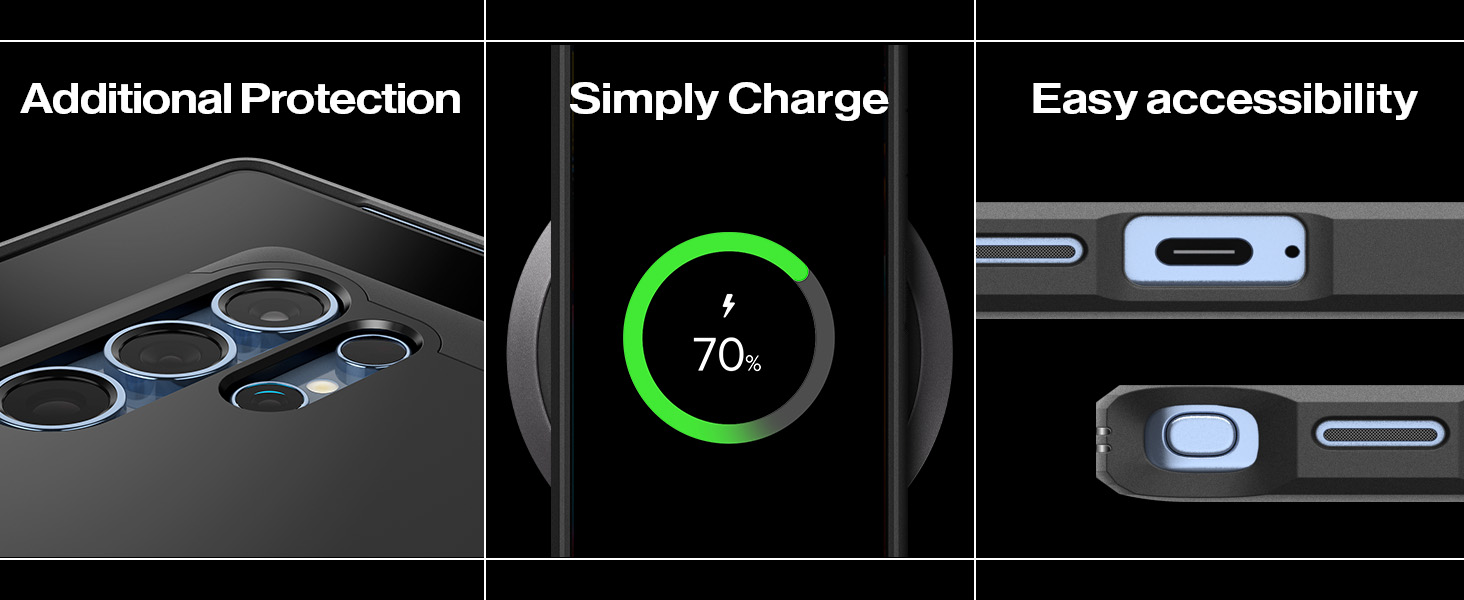
Image: The Spigen Tough Armor (Ai) MagFit Case demonstrating its magnetic compatibility with various accessories, including a magnetic wallet and charger.
Pleje og vedligeholdelse
- Rensning: To clean your case, remove it from your device. Use a soft, damp klud med mild sæbe og vand. Undgå barske kemikalier eller slibende materialer.
- Opbevaring: Opbevar etuiet et køligt, tørt sted, væk fra direkte sollys, når det ikke er i brug.
- Inspektion: Periodically inspect the case for any signs of wear or damage. Replace the case if it shows significant damage to ensure continued protection.
Fejlfinding
| Spørgsmål | Mulig årsag | Løsning |
|---|---|---|
| Etuiet passer ikke ordentligt. | Forkert model eller forkert installation. | Ensure the case is designed specifically for the Samsung Galaxy S25 Ultra. Re-install the case following the "Setup and Installation" steps. |
| Trådløs opladning virker ikke. | Misalignment on charger, incompatible charger, or foreign objects. | Adjust phone position on the wireless charger. Ensure your charger is compatible with Galaxy devices. Remove any metal objects between the phone and charger. |
| Kickstand is loose or not staying open. | Slid eller overdreven kraft. | If the kickstand is damaged, it may need replacement. Avoid applying excessive force when deploying or retracting. |
Produktspecifikationer
- Model: ACS08964
- Kompatibilitet: Samsung Galaxy S25 Ultra
- Materiale: Polycarbonat, termoplastisk polyurethan (TPU)
- Farve: Sort
- Dimensioner: 6.66 x 3.31 x 0.49 tommer
- Varens vægt: 2.14 ounce
- Særlige funktioner: Heavy Duty Protection, Built-in Kickstand, MagFit Compatible
Garanti og support
Spigen products are covered by a manufacturer's warranty. For detailed warranty information, product support, or to register your product, please visit the official Spigen webhjemmeside eller kontakt deres kundeservice direkte.
Fabrikant: Spigen
Webwebsted: www.spigen.com


