Indledning
Thank you for choosing the PRT S1 Mini Thermal Printer. This compact and portable device is designed for convenient printing of stickers, labels, notes, and pictures directly from your smartphone or tablet via Bluetooth. This manual provides essential information on setting up, operating, maintaining, and troubleshooting your printer to ensure optimal performance and longevity.
Hvad er der i æsken
Kontroller venligst, at alle varer er til stede i pakken:
- 1 x PRT S1 Mini Printer
- 1 x rulle termopapir
- 1 x strømkabel
- 1 x brugsanvisning
Opsætning
Indledende opsætning
- Pak printeren ud: Tag forsigtigt printeren og alt tilbehør ud af emballagen.
- Oplad printeren: Connect the power cord to the printer and a suitable power source. Ensure the printer is fully charged before first use for optimal battery life.
- Ilæg termisk papir:

Image Description: A four-panel image illustrating the steps to prepare and load paper into the PRT S1 Mini Printer. Step 1 shows opening the top cover. Step 2 shows placing the paper roll inside the printer. Step 3 shows pressing the power button. Step 4 shows connecting the app via Bluetooth.
- Open the top cover of the printer by gently pressing the release button or lifting the lid.
- Insert the thermal paper roll into the paper compartment, ensuring the smooth side of the paper faces upwards and the paper feeds out correctly.
- Luk topdækslet godt, indtil det klikker på plads.
Betjeningsvejledning
Tilslutning til appen
The PRT S1 Mini Printer operates via the "HerePrinter" mobile application. Follow these steps to connect your device:
- Download appen: Download the "HerePrinter" app from your device's app store (available for Android and iOS). You can also scan the QR code below or visit hereprint.hprt.com/app/hereprint.

Image Description: An image showing the PRT S1 Mini Printer, a smartphone displaying the HerePrinter app interface, and a tablet. A QR code for downloading the HerePrinter app is prominently displayed, along with a Bluetooth symbol indicating wireless connectivity.
- Tænd printeren: Press and hold the power button on the printer until the indicator light turns on.
- Aktiver Bluetooth: Sørg for, at Bluetooth er aktiveret på din smartphone eller tablet.
- Opret forbindelse i appen: Open the "HerePrinter" app. The app will automatically search for available printers. Select "PRT-S1" or a similar device name from the list to establish a connection. The indicator light on the printer may change to confirm connection.
Trykning
Once connected, you can begin printing various content:
- Vælg indhold: Within the HerePrinter app, choose the type of content you wish to print (e.g., text, images, labels, templates).

Image Description: The PRT S1 Mini Printer is shown centrally, surrounded by various examples of its printed output, including study notes, diagrams, coloring pages, photos, and labels, demonstrating its versatility. A roll of thermal paper and a smartphone with the app interface are also visible.
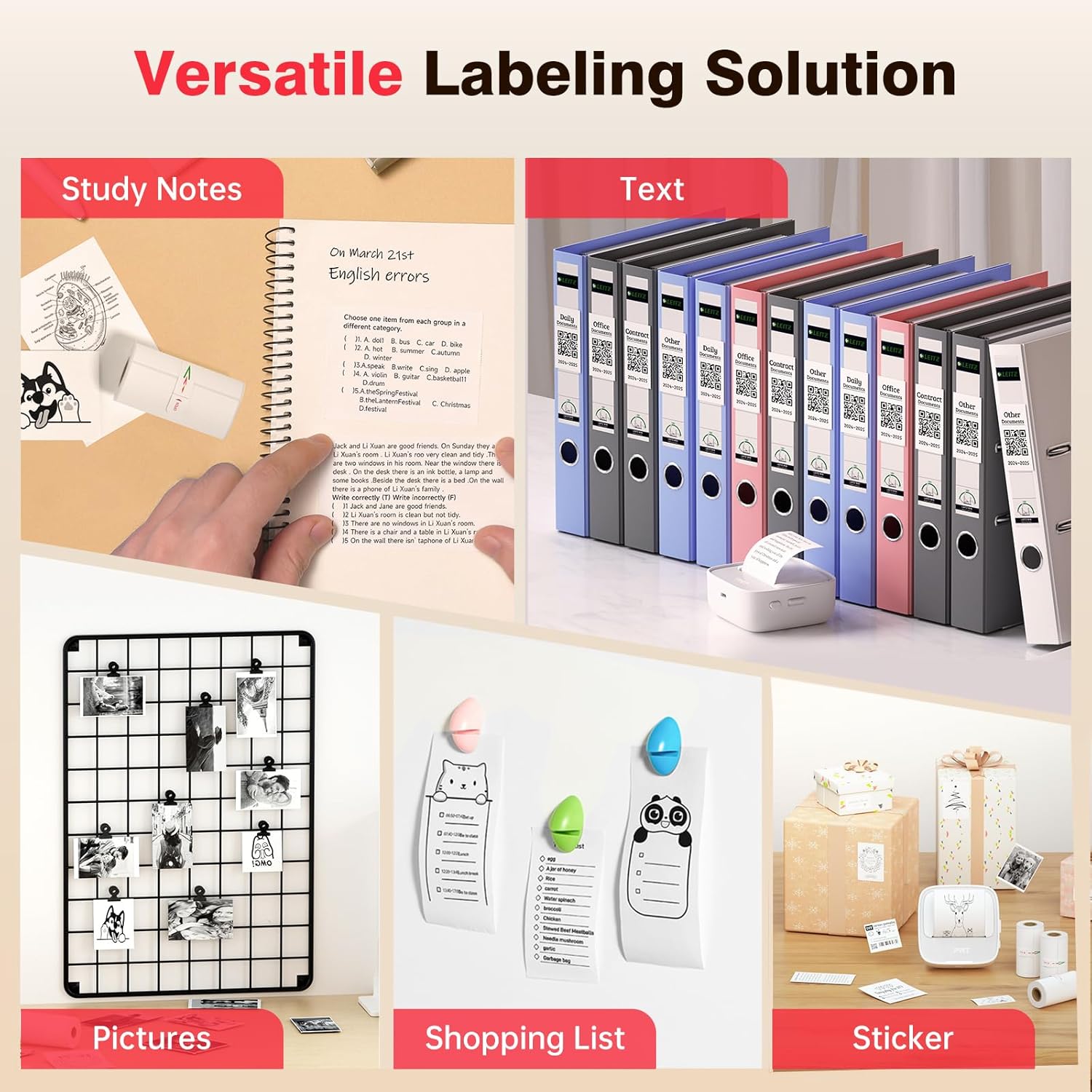
Image Description: A collage showcasing various applications of the PRT S1 Mini Printer. Examples include printing study notes in a notebook, text for binder labels, small pictures for a photo grid, shopping lists, and custom stickers for gifts.
- Tilpas (valgfrit): Use the app's editing tools to customize your print, such as adjusting size, adding frames, or applying filters.
- Trykke: Tap the print button in the app. The printer will feed the paper and print the selected content.
- Tear Off: Once printing is complete, gently tear the paper upwards against the printer's serrated edge.
App brug
The HerePrinter app offers a wide range of features to enhance your printing experience:
- DIY-tilpasning: Design your own stickers and labels with various text, image, and graphic options.

Image Description: A wide image showing the PRT S1 Mini Printer next to a smartphone displaying the HerePrinter app. The app interface shows various design elements like text, images, and templates, highlighting the DIY customization features for creating stickers.
- Skabeloner og skrifttyper: Access a library of pre-designed templates for different purposes (e.g., study notes, to-do lists, labels) and a variety of fonts to personalize your prints.

Image Description: A wide image showcasing multiple smartphone screens, each displaying different templates and font options available within the HerePrinter app. This illustrates the wide variety of design choices users have for their prints.
- Billedudskrivning: Print photos and images directly from your device's gallery. Note that the printer produces black and white thermal prints.
- Webpage Printing: Udskriv indhold direkte fra web sider.
Opretholdelse
Proper maintenance ensures the longevity and performance of your PRT S1 Mini Thermal Printer:
- Rengøring af printhovedet:
- Sluk printeren, og tag netledningen ud.
- Åbn topdækslet.
- Gently wipe the thermal print head (the black strip inside the printer) with a cotton swab lightly dampmed isopropylalkohol. Lad det tørre helt, før du lukker låget.
- Rengør printhovedet regelmæssigt, især hvis udskriftskvaliteten forringes.
- Papirhåndtering:
- Use only high-quality thermal paper designed for mini printers.
- Store thermal paper in a cool, dry place away from direct sunlight and heat to prevent fading.
- Avoid touching the thermal paper surface excessively, as oils from your skin can affect print quality.
- Batteripleje:
- Oplad printeren regelmæssigt, selvom den ikke bruges ofte, for at opretholde batteriets sundhedstilstand.
- Undgå at aflade batteriet helt ofte.
Fejlfinding
If you encounter issues with your PRT S1 Mini Thermal Printer, refer to the table below for common problems and solutions:
| Problem | Mulig årsag | Løsning |
|---|---|---|
| Printeren tænder ikke | Lavt batteri; Tænd/sluk-knappen er ikke trykket korrekt ind | Oplad printeren; Tryk på tænd/sluk-knappen og hold den nede i et par sekunder. |
| Kan ikke oprette forbindelse via Bluetooth | Bluetooth slået fra på enhed; Printeren er ikke i parringstilstand; App-problem | Ensure Bluetooth is enabled on your phone/tablet; Restart printer and app; Forget device in Bluetooth settings and re-pair. |
| No print or blank page | No paper; Paper loaded incorrectly (upside down); Print head dirty | Load new paper; Ensure smooth side of paper faces up; Clean the print head. |
| Poor print quality (faint, lines) | Print head dirty; Low battery; Old/poor quality thermal paper | Clean the print head; Charge the printer; Replace thermal paper with a new roll. |
| Papirstop | Paper loaded incorrectly; Foreign object inside | Turn off printer, open cover, carefully remove jammed paper; Check for obstructions. |
Specifikationer
Key technical specifications for the PRT S1 Mini Thermal Printer:
| Feature | Detalje |
|---|---|
| Modelnavn | PRT-S1 |
| Udskrivningsteknologi | Termisk |
| Forbindelsesteknologi | Bluetooth |
| Maksimal sort/hvid printopløsning | 203dpi Dots Per Inch |
| Maksimal mediestørrelse | 2 tommer |
| Kompatible enheder | Android, Smartphones, iPhone |
| Kontrolmetode | App |
| Produktdimensioner | 7.09 x 4.33 x 1.57 tommer |
| Varens vægt | 8.1 ounce |
| Batterier | 1 A-batterier påkrævet (medfølger) |
Garanti og support
The PRT S1 Mini Thermal Printer comes with a limited warranty. For specific details regarding the warranty period and coverage, please refer to the warranty card included in your product packaging or contact PRT customer support.
For technical support, troubleshooting assistance, or inquiries about replacement parts and accessories, please visit the official PRT webwebstedet eller kontakt deres kundeserviceafdeling. Kontaktoplysninger kan typisk findes på produktemballagen eller mærkets officielle online tilstedeværelse.
Note: No official seller videos were provided in the product data.


