1. Introduktion
This manual provides detailed instructions for the proper use and maintenance of your BOBLOV F2 Body Camera. The F2 is a versatile recording device designed for various applications, including security, law enforcement, and personal documentation. It features dual screens, 2K video recording, 40MP photo capabilities, and integrated GPS functionality.
2. Pakkens indhold
Bekræft, at alle nedenstående varer er inkluderet i din pakke. Hvis der mangler eller er beskadigede varer, bedes du kontakte kundesupport.
- BOBLOV F2 Body Camera
- Langt klip
- Kort klip
- Bilsugningsholder
- Dual-Shoulder Chest Vest
- Bil oplader
- USB-C kabel
- Brugervejledning (dette dokument)
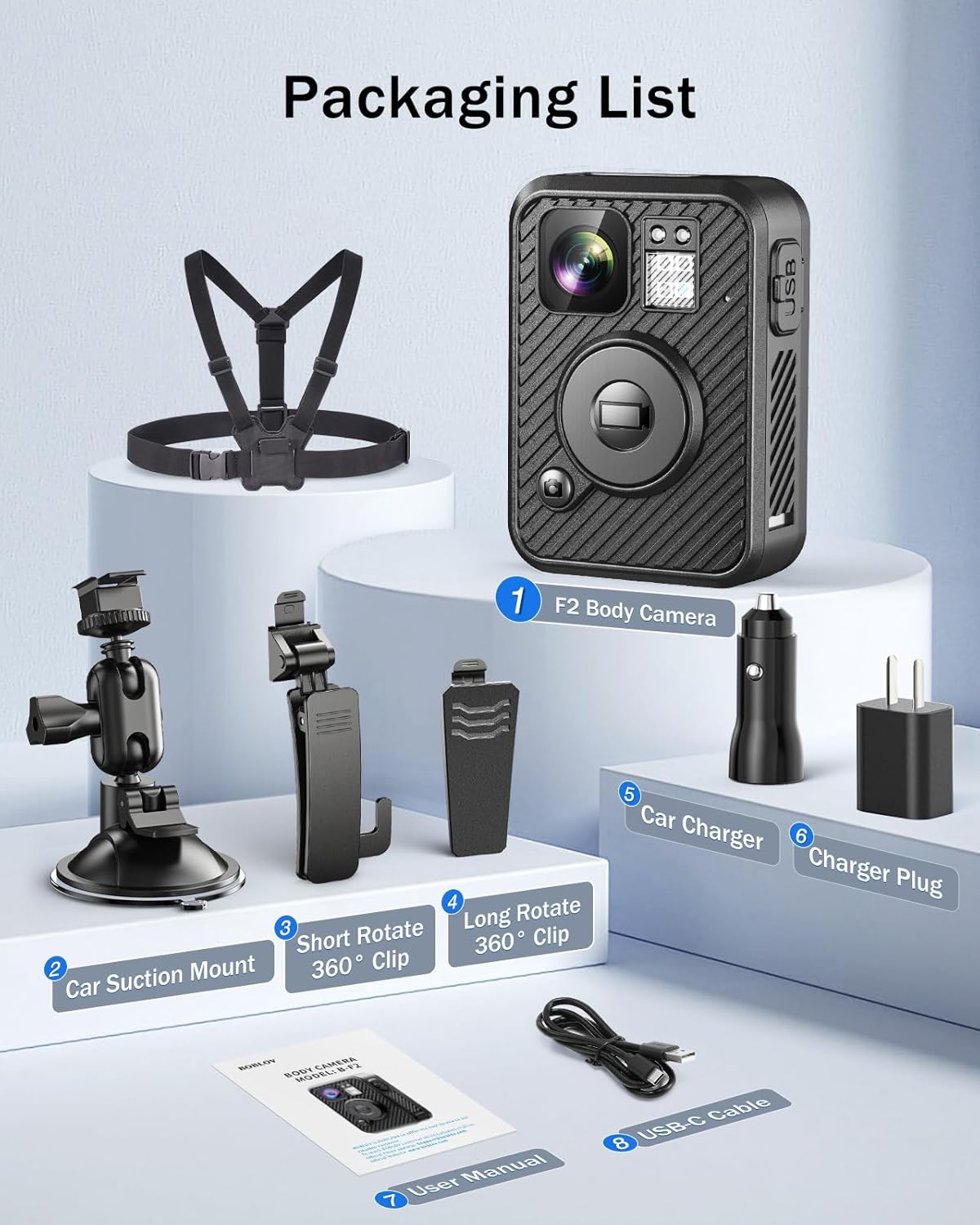
Image: Contents of the BOBLOV F2 Body Camera package.
3. Produktet er slutview
The BOBLOV F2 Body Camera is equipped with several features for effective recording and monitoring.
3.1 Nøglefunktioner
- Dobbelt skærme: A 0.66-inch top screen displays real-time status (battery, storage, GPS, recording) and a 2.0-inch main screen for live view og afspilning.
- Høj opløsning optagelse: Captures video in 2K/1440P and photos at 40MP.
- GPS funktionalitet: Built-in GPS for tracking routes and location data.
- Intuitive kontroller: Large, distinct buttons for easy operation of recording, snapshot, and audio functions.
- Lang batterilevetid: Integrated 3000mAh battery provides 8-10 hours of continuous recording.
- Alsidig montering: Includes a double-shoulder chest vest, long clip, short clip, and car suction mount for various applications.
- Dash Cam Mode: Can be used as a dash camera with the included car mount.

Image: BOBLOV F2 Dual-Screen Innovation.
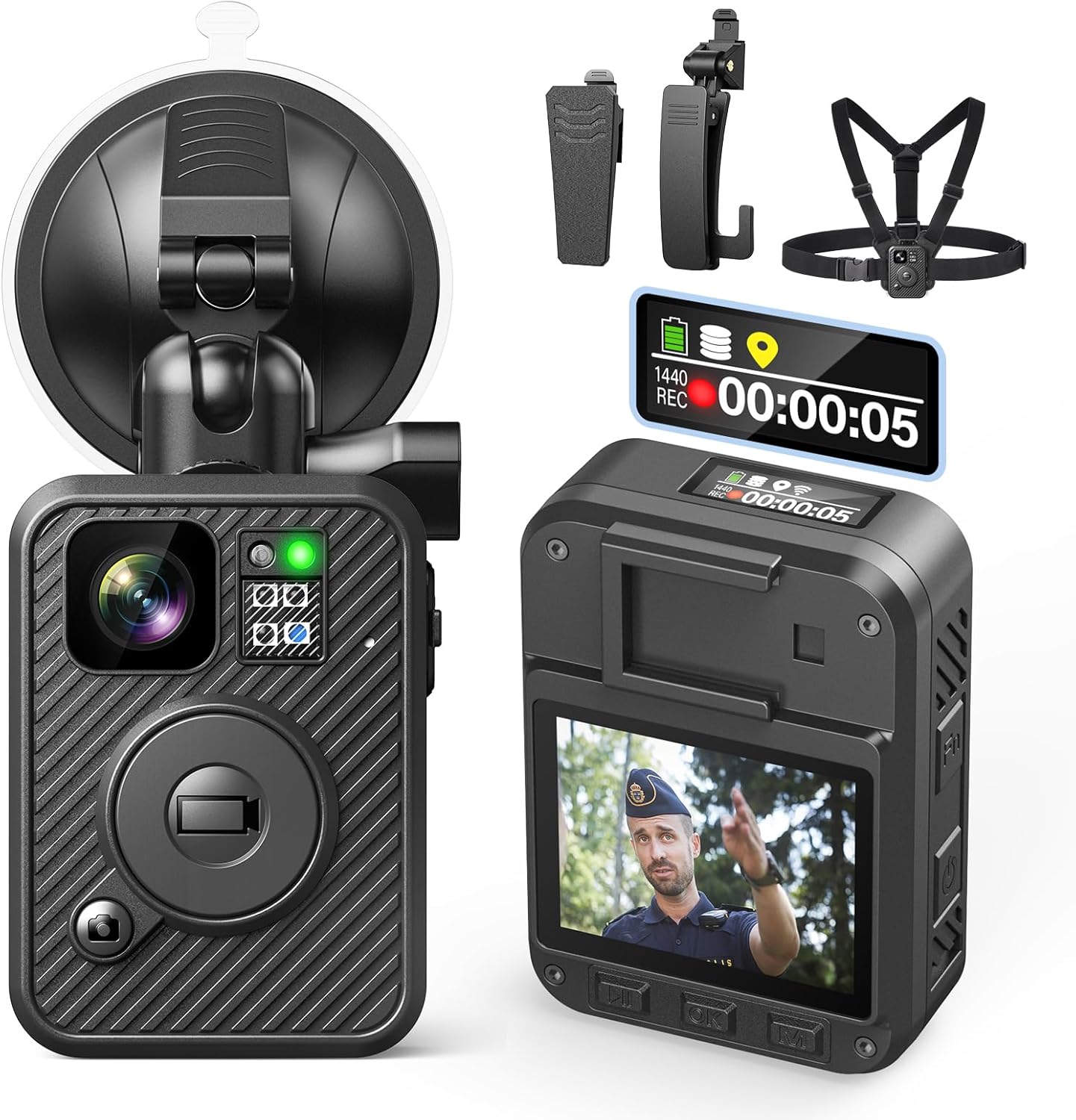
Image: BOBLOV F2 Body Camera with accessories.
4. Opsætning
4.1 Opladning af batteriet
- Connect the USB-C cable to the camera's charging port.
- Connect the other end of the USB-C cable to the car charger or a standard USB power adapter (not included).
- The camera's indicator light will be blue while charging.
- Once fully charged (approximately 4-6 hours), the indicator light will turn white.

Image: Charging the BOBLOV F2 Body Camera.
4.2 Montering af kameraet
The F2 camera offers multiple attachment options for various scenarios.
- Using Clips: Attach the long or short clip to the back of the camera. These clips can rotate 360 degrees for flexible positioning on clothing, belts, or bags.
- Using Chest Vest: For maximum stability, secure the camera to the included double-shoulder chest vest. This is ideal for active use and ensures a hands-free setup.
- Using Car Suction Mount: For dash cam functionality, attach the camera to the car suction mount and secure it to your vehicle's windshield.
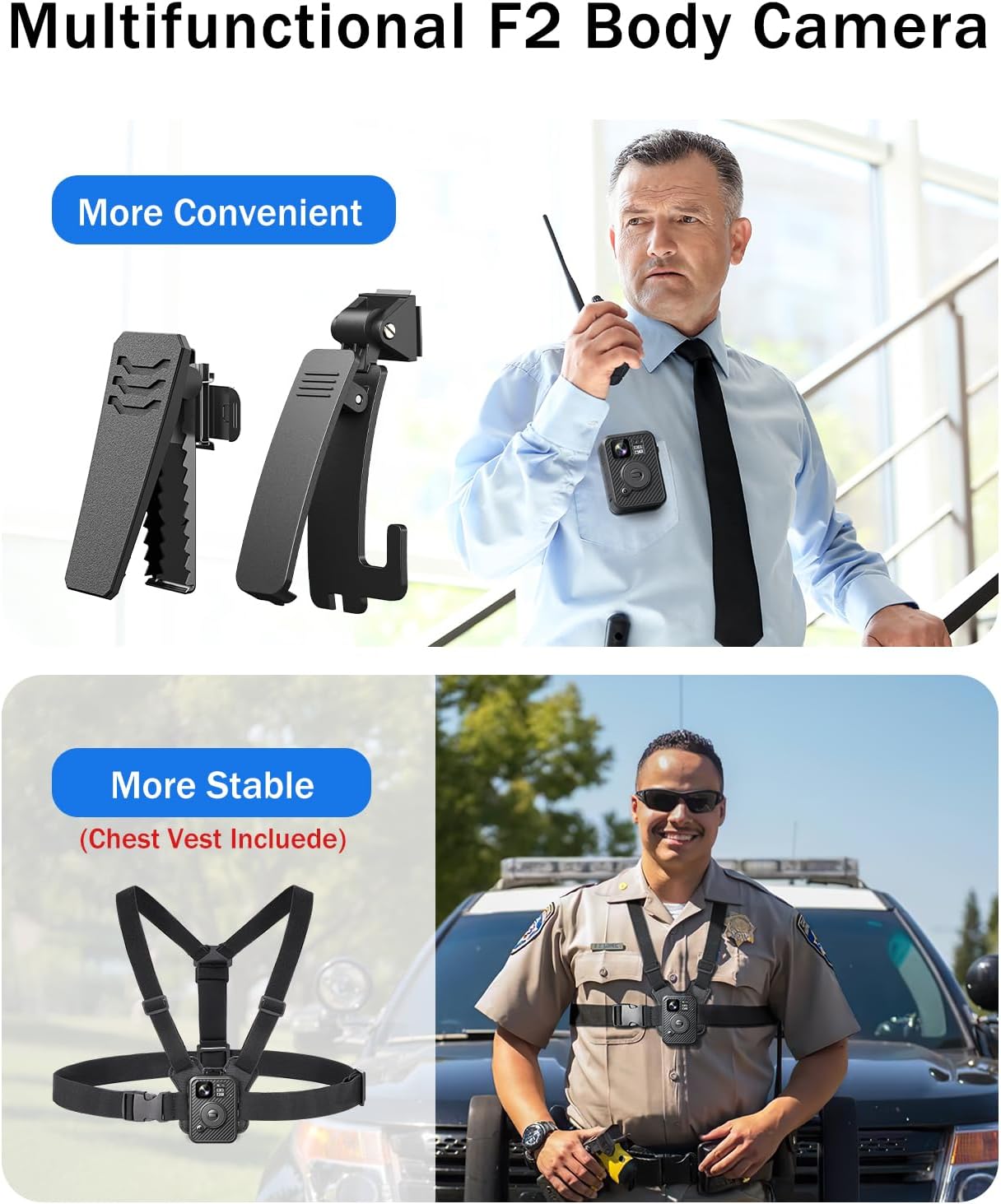
Image: BOBLOV F2 Body Camera with clips and chest vest.
4.3 Første opstart og grundlæggende indstillinger
- Press and hold the Power button to turn on the camera.
- Navigate the menu using the control buttons (Up, Down, OK, Menu) to set the correct date, time, and desired language.
- Ensure GPS is enabled in the settings for location tracking.
5. Betjening
5.1 Videooptagelse
Sådan starter du optagelse af video:
- Sørg for, at kameraet er tændt.
- Tryk på den store Optage button on the front of the camera. The top screen will indicate "REC" and the recording duration.
- Tryk på for at stoppe optagelsen Optage knappen igen.
- The camera supports 2K/1440P video resolution.

Image: BOBLOV F2 capturing 2K video and 40MP photos.
5.2 Optagelse af billeder
Sådan optager du et stillbillede:
- While in standby or recording mode, press the Snapshot button (usually marked with a camera icon).
- The camera will capture a 40MP photo.
5.3 Lydoptagelse
To record audio only:
- Tryk på Lyd button (usually marked with an 'Fn' or microphone icon).
- Press it again to stop audio recording.

Image: F2 applications and button functions.
5.4 GPS-funktionalitet
The built-in GPS module records location data with your video files. This data can be reviewed on the camera or a computer.
- Ensure GPS is enabled in the camera settings.
- When connected to a computer, use compatible software to view recorded routes and location information.

Image: GPS function in action, showing route tracking on a computer.
5.5 Tilslutning til en computer
At overføre files or review GPS data:
- Connect the camera to your computer using the provided USB-C cable.
- The camera will appear as a removable disk drive.
- You can access video, photo, and audio files direkte.
- For GPS data review, use compatible playback software on Windows or Mac.
6. Vedligeholdelse
6.1 Rengøring
- Tør kamerahuset af med en blød kludamp klæde.
- Brug en specialklud og -opløsning til linsen for at undgå ridser.
- Brug ikke skrappe kemikalier eller slibende materialer.
6.2 Opbevaring
- Opbevar kameraet et køligt og tørt sted, væk fra direkte sollys og ekstreme temperaturer.
- Sørg for, at batteriet er delvist opladet (ca. 50%) inden langtidsopbevaring for at forlænge dets levetid.
6.3 Pleje af batterier
- Undgå at aflade batteriet helt ofte.
- Charge the camera regularly, even if not in use, to maintain battery health.
7. Fejlfinding
| Problem | Mulig årsag | Løsning |
|---|---|---|
| Kameraet tænder ikke. | Lavt batteri. | Charge the camera for at least 30 minutes. |
| Kan ikke optage video/tage billeder. | Utilstrækkelig lagerplads. | Slet gammel files or transfer them to a computer to free up space. |
| GPS-data registreres ikke. | GPS function disabled or poor signal. | Enable GPS in settings. Ensure camera has a clear view af himlen. |
| Computer does not recognize camera. | Defekt USB-kabel eller port. | Try a different USB-C cable or a different USB port on your computer. |
| Video footage er rystet. | Lack of image stabilization. | Ensure the camera is securely mounted and minimize sudden movements during recording. |
8. Specifikationer
| Feature | Detalje |
|---|---|
| Modelnavn | F2 |
| Videooptagelsesopløsning | 2K/1440P |
| Foto opløsning | 40 MP |
| Linsevinkel | 120° vidvinkel |
| Batterikapacitet | 3000mAh Lithium Polymer |
| Optagelsestid | 8-10 hours (continuous) |
| Opladningstid | 4-6 timer |
| Forbindelse | USB-C |
| Særlige funktioner | GPS, Night Vision, Dual-Screen |
| Dimensioner (L x B x H) | 2.36 x 3.15 x 3.94 tommer (ca.) |
| Varens vægt | 1.81 pund (ca.) |
| Vandmodstandsniveau | Waterproof (general usage, not for submersion) |
9. Garanti og support
9.1 Produktgaranti
BOBLOV provides a 24-month product coverage for its customers. This warranty covers manufacturing defects and issues arising from normal use. Please retain your proof of purchase for warranty claims.
9.2 Kundesupport
For technical assistance, troubleshooting, or warranty inquiries, please contact BOBLOV customer support. We aim to provide quick responses within 24 hours and offer lifetime technical support.
You can visit the official BOBLOV store for more information and contact details: BOBLOV-butik på Amazon


