1. Introduktion
This manual provides essential information for the setup, operation, maintenance, and troubleshooting of your MINISFORUM MS-A1 Workstation Barebone Mini PC. The MS-A1 is designed as a high-performance barebone system, offering flexibility for users to customize components such as the CPU, RAM, SSD, and operating system.

Image: The MINISFORUM MS-A1 Workstation Mini PC, showcasing its compact design and various ports from front and side perspectives.
2. Sikkerhedsoplysninger
- Afbryd altid strømmen, før du udfører nogen form for installation eller vedligeholdelse.
- Handle internal components with care to avoid electrostatic discharge. Use an anti-static wrist strap if available.
- Sørg for korrekt ventilation omkring enheden for at forhindre overophedning.
- Udsæt ikke enheden for fugt eller ekstreme temperaturer.
- Brug kun den medfølgende strømadapter og det medfølgende kabel.
3. Pakkens indhold
Bekræft at alle varer er til stede i din pakke:
- 1x MS-A1 Mini Workstation
- 1x strømadapter
- 1x netledning
- 1 x HDMI kabel
- 1x Manual (dette dokument)
4. Setup & Hardware Installation
As a barebone system, the MS-A1 requires user installation of the CPU, RAM, SSD, and operating system. Follow these steps for initial setup and component installation:
4.1. Component Installation (DIY)
The MS-A1 supports AMD AM5 Socket CPUs. For memory, it features two DDR5-5200 slots, allowing for up to 96GB of RAM. Storage options include one M.2 2280 PCIe4.0 SSD slot (compatible with RAID0 and RAID1) and three additional M.2 NVMe SSD slots for extensive storage capacity.
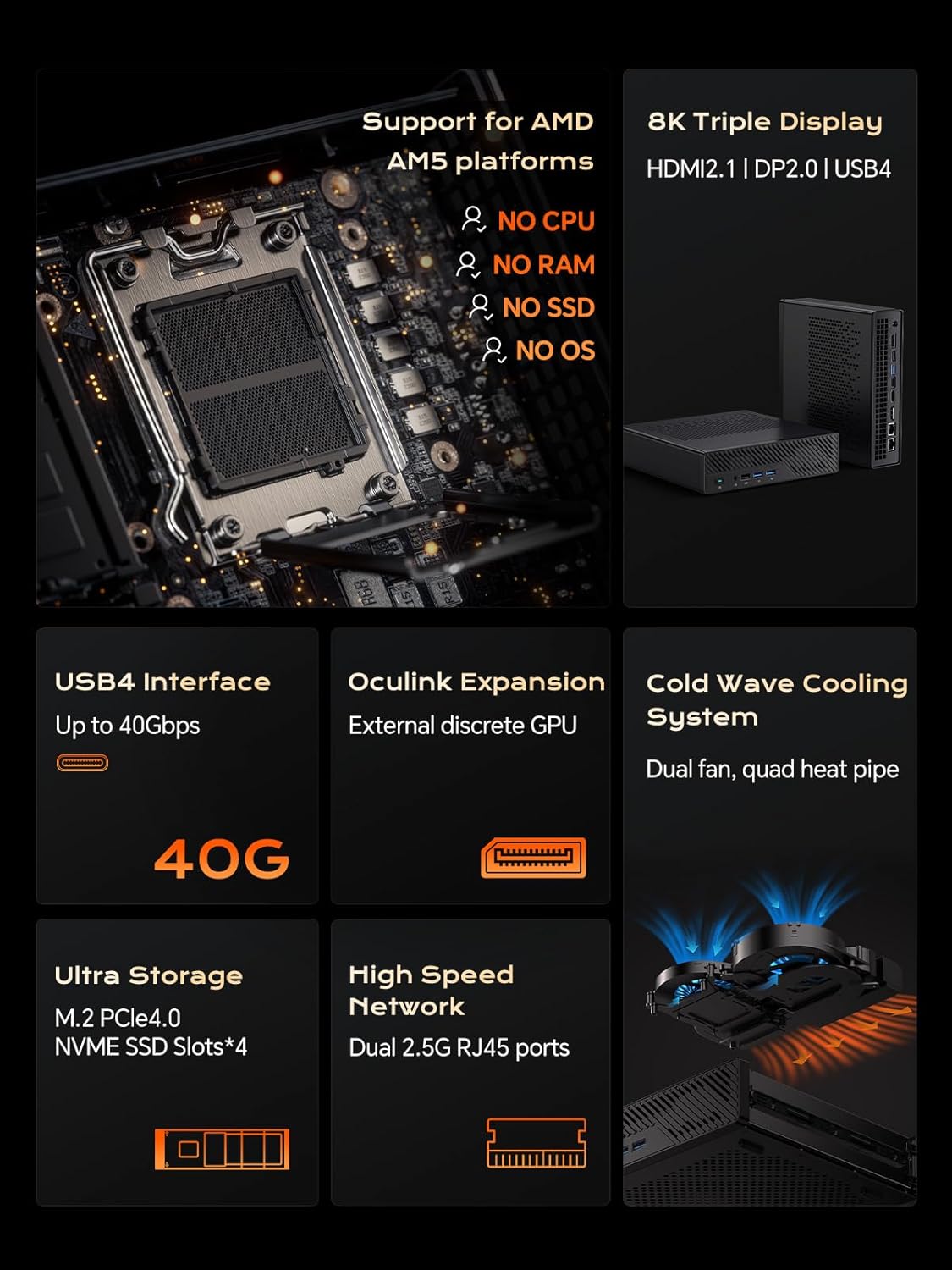
Billede: Intern view of the MS-A1, highlighting the AMD AM5 CPU socket, DDR5 RAM slots, and M.2 SSD expansion slots.
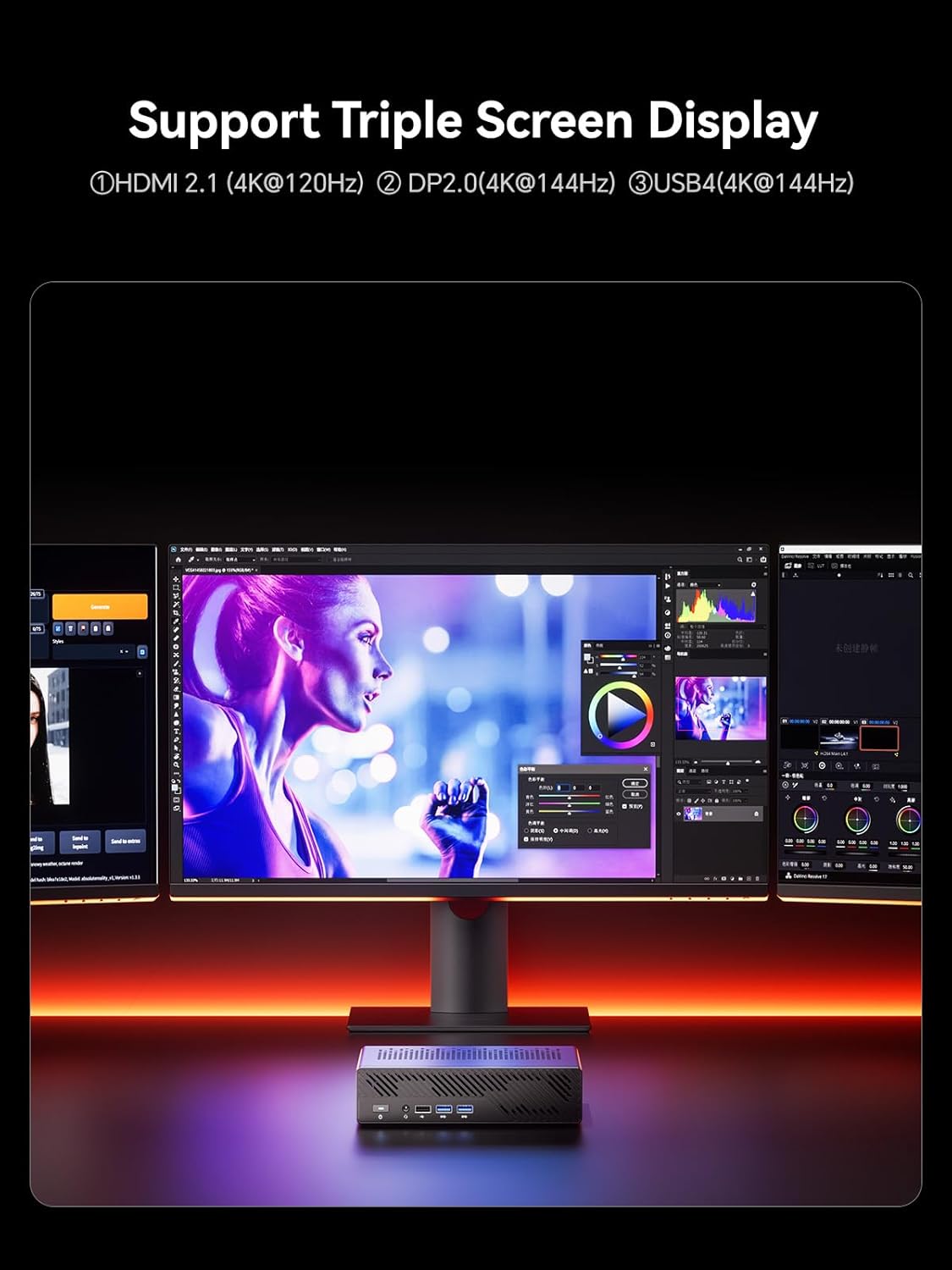
Billede: Detaljeret view of the MS-A1's storage capabilities, showing flexible expansion with multiple M.2 PCIe4.0 NVMe SSD slots.
4.2. Eksterne forbindelser
Connect your peripherals and displays to the available ports:
- Display udgange: 1x HDMI (4K@60Hz), 1x DP (4K@144Hz), 1x USB-C (Alt DP, 4K@144Hz) for triple display support.
- USB-porte: Multiple USB 2.0 and USB 3.0 ports for connecting keyboards, mice, and other USB devices.
- Netværk: 2x 2.5G RJ45 LAN ports for high-speed wired network connections.
- Lyd: 3.5mm Combo Jack for headphones/microphone.
- Magt: Connect the provided power adapter to the DC-in port.
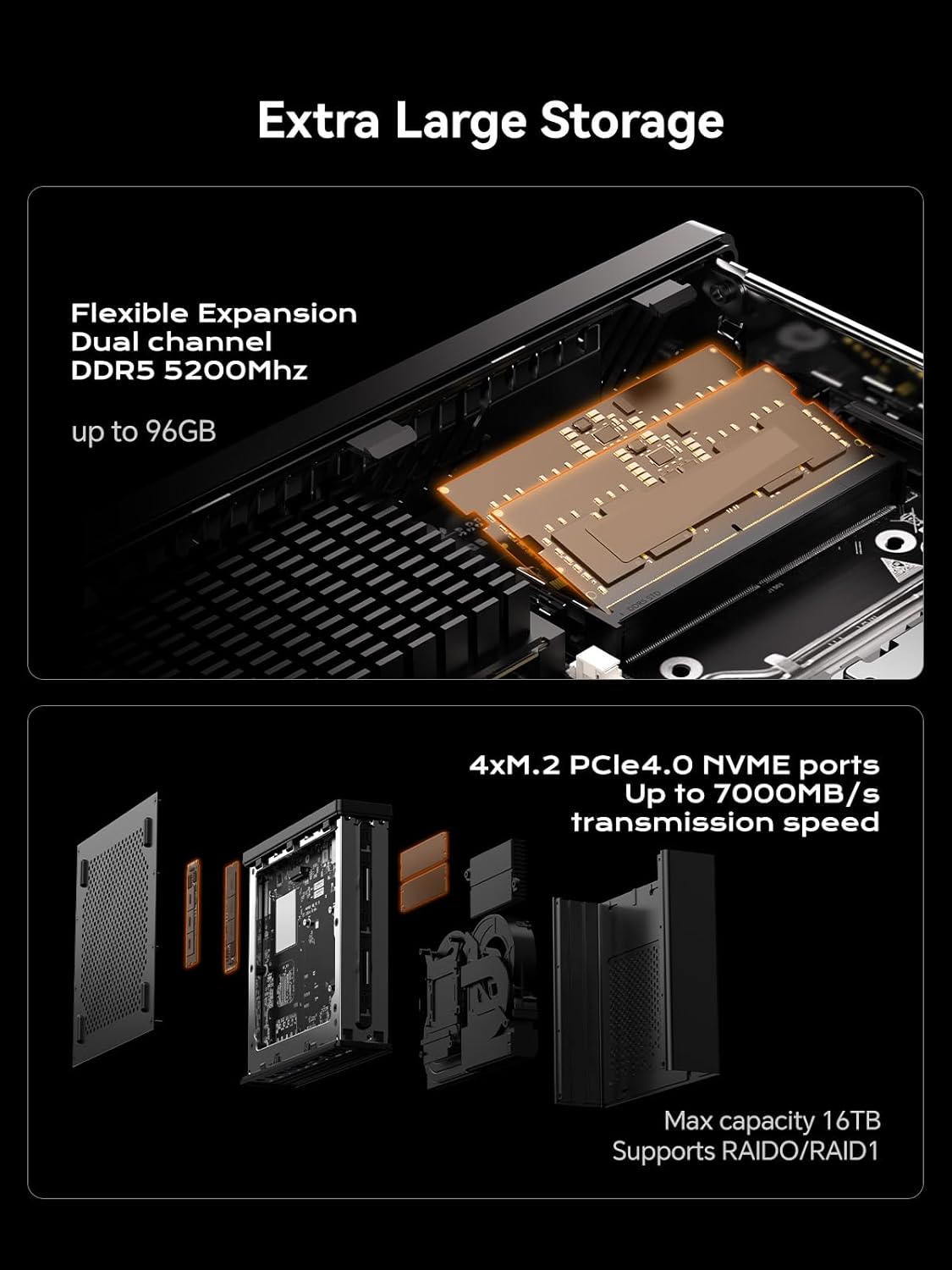
Image: A diagram illustrating the layout of all front and rear ports on the MINISFORUM MS-A1 Workstation.

Image: Close-up of the dual 2.5Gbps RJ45 Ethernet ports and a full-capacity USB4 Speed Port on the MS-A1.
For en visuel oversigtview of the workstation, refer to the following video:
Video: En kort gennemgangview of the MINISFORUM MS-A1 Workstation, demonstrating its compact size and various connectivity options.
5. Operating Your MS-A1
5.1. Tænd/sluk
Press the power button located on the front panel to turn the device on or off. A short press will initiate power-on, while a longer press (typically 5 seconds) will force a shutdown.
5.2. Skærmkonfiguration
The MS-A1 supports up to three independent displays simultaneously, utilizing its HDMI, DisplayPort, and USB-C (Alt DP) outputs. This allows for an expanded workspace and improved multitasking capabilities.

Image: The MS-A1 connected to three monitors, demonstrating its triple display output capability for an expansive visual experience.
5.3. Netværksforbindelse
Utilize the dual 2.5G RJ45 LAN ports for robust and high-speed wired network connections. The device also includes Dual Band WiFi and Bluetooth 5.2 for wireless connectivity to networks and peripherals.
6. Vedligeholdelse
Regular maintenance ensures the longevity and optimal performance of your MS-A1 Workstation.
- Fjernelse af støv: Periodically clean the ventilation grilles and internal components (if comfortable opening the chassis) to prevent dust buildup, which can hinder cooling performance.
- Kølesystem: The workstation features an upgraded dual-fan 4-heat pipe cooling system. Ensure that the fans are not obstructed and are operating correctly.

Image: A diagram illustrating the internal components of the MS-A1's Cold Wave Pro Cooling System, featuring dual fans and four heat pipes.
7. Fejlfinding
If you encounter issues with your MS-A1, consider the following common solutions:
- Ingen strøm: Ensure the power adapter is securely connected to both the device and a working power outlet. Verify the power cord is properly seated.
- Ingen visning: Check all display cable connections (HDMI, DP, USB-C). Ensure your monitor is set to the correct input source.
- Driverproblemer: After installing an operating system, ensure all necessary drivers are installed. MINISFORUM typically provides drivers on their official webwebsted.
- SSD Speed: If experiencing slower-than-expected SSD performance, check the BIOS settings under "Advanced" -> "AMD PBS" to ensure M.2 NVMe SSD slots are configured for Gen4 speed if your SSD supports it. Note that setting Gen4 mode may increase heat.
- Overheating/Noise: Ensure the device has adequate airflow. Consider adjusting fan settings in the BIOS (e.g., "Quiet" or "Balance" mode) or disabling CPU boost if sustained high loads cause excessive heat or noise.
8. Specifikationer
| Feature | Detalje |
|---|---|
| Mærke | MINIFORUM |
| Modelnavn | DeskMini (MS-A1) |
| CPU socket | AMD AM5 Socket (CPU not included) |
| Hukommelsestype | DDR5 RAM (2x SODIMM slots, up to 96GB, 5200 MHz) |
| Opbevaring | 1x M.2 2280 PCIe4.0 SSD slot (RAID0/RAID1), 3x additional M.2 NVMe SSD slots (Max 16TB) |
| Grafikoutput | 1x HDMI (4K@60Hz), 1x DP (4K@144Hz), 1x USB-C (Alt DP, 4K@144Hz) |
| Netværk | 2x 2.5G RJ45 LAN Ports, Dual Band WiFi, Bluetooth 5.2 |
| USB-porte | 2x USB 2.0, 3x USB 3.0, 1x USB-C (USB4, 40Gbps) |
| Kølesystem | Dual-fan 4-heat pipe cooling (noise levels as low as 37 dB) |
| Dimensioner | 9.92 x 9.92 x 7.64 tommer (pakke) |
| Vægt | 7.98 pund (vare) |
| Farve | Sort |
9. Garanti og support
For warranty information and technical support, please refer to the official MINISFORUM webwebstedet eller kontakt deres kundeservice direkte. Gem din købskvittering til garantikrav.
MINISFORUM is committed to providing innovative products and customer satisfaction. For driver downloads or further assistance, visit the official MINISFORUM support page.
Relaterede dokumenter - MS-A1
 |
MINISFORUM MS-A1 Ny generation Mini-arbejdsstationsserie brugermanual Brugermanual og installationsvejledning til MINISFORUM MS-A1 New Gen Mini Workstation-serien. Dækker opsætning, sikkerhed, interface og komponentinstallation. |
 |
Miniforum Mini PC brugermanual og installationsvejledning Brugermanual til Miniforum Mini-pc'er, med detaljerede oplysninger om opsætning, portfunktioner (USB4, HDMI, DisplayPort, OCulink), installation af DDR og SSD samt betjeningsvejledninger. Indeholder oplysninger om FCC-overholdelse. |
 |
Miniforum UM760 Mini PC Brugermanual Brugermanual til Miniforum UM760 Mini PC, med detaljer om pakkens indhold, hardware overview, grænsefladespecifikationer, opsætningsvejledning, gør-det-selv-installation af RAM og SSD og monteringsvejledning. |
 |
Minisforum MGP01 Switch trådløs controller brugermanual og specifikationer Omfattende guide til den trådløse Minisforum MGP01-controller med detaljerede oplysninger om dens funktioner, tilslutningsmuligheder til Switch, PC, Android og iOS, makroprogrammering, Turbo-funktion, vibrationsindstillinger og tekniske specifikationer. |
 |
MINISFORUM MKB i83 mekanisk tastatur med tre tilstande – hurtigstartguide Kortfattet guide til det mekaniske MINISFORUM MKB i83-tastatur, der dækker opsætning, tilslutningsmuligheder (Bluetooth, 2.4G, kablet), funktionstaster, baggrundsbelysning og specifikationer. |
 |
MINISFORUM Ny Gen Venus-serie Mini PC Brugermanual Omfattende brugermanual til MINISFORUM New Gen Venus Series Mini PC. Få detaljerede oplysninger om pakkens indhold, systemoversigtview, porte, grænseflader og sikkerhedsretningslinjer for din MINISFORUM minicomputer. |