1. Introduktion
This manual provides detailed instructions for the proper use and maintenance of your ORDRO G930 5K 64MP Digital Camera. Please read this manual thoroughly before operating the camera to ensure optimal performance and to prevent damage. Keep this manual for future reference.
2. Pakkens indhold
Verify that all items listed below are included in your camera package. If any items are missing or damaged, please contact your retailer.
- ORDRO G930 Digital Camera Body
- Linse
- 2 x lithium-ion batterier
- 64 GB hukommelseskort
- USB kabel
- Fjernbetjening
- Brugervejledning (dette dokument)

Image 2.1: The ORDRO G930 Digital Camera shown with its standard accessories, including two batteries, a 64GB memory card, and a remote control.
3. Produktet er slutview
3.1 Kamerakomponenter og betjeningselementer
Familiarize yourself with the various parts and controls of your ORDRO G930 camera.

Image 3.1: Labeled diagram illustrating the rear and top controls of the ORDRO G930 camera, including the Menu button, Function key, Self-timer/UP button, Lock Exposure/Left button, AFL/Right button, Exposure/Down button, Playback button, Delete key, Manual Focus Wheel, Zoom Wheel Key, Photo Key, Mode Key, Rotating Function Dial, Hot Shoe Interface, Display Mode button, Recording key, and Power button.

Image 3.2: Labeled diagram showing the side ports of the ORDRO G930 camera, including the Shoulder Strap Loop, MIC Connector, Type-C USB connector, and HD connector. Also depicted is the 270-degree 3.2-inch flip LCD screen in various positions.
4. Opsætning
4.1 Batteriinstallation
- Åbn batteridækslet, der er placeret i bunden af kameraet.
- Insert a fully charged Lithium-Ion battery, ensuring the correct orientation as indicated inside the compartment.
- Luk batterirummets dæksel forsvarligt.
4.2 Indsættelse af hukommelseskort
- Find hukommelseskortstikket, typisk i nærheden af batterirummet eller på siden.
- Insert the provided 64GB memory card with the metal contacts facing the correct direction until it clicks into place.
- For at fjerne det, tryk forsigtigt kortet indad, indtil det springer ud.
4.3 Indledende tænding
- Press and hold the Power button until the LCD screen illuminates.
- Følg eventuelle vejledninger på skærmen for at indstille dato, klokkeslæt og sprog.
5. Betjeningsvejledning
5.1 Grundlæggende betjening
- Tænd/sluk: Tryk på Power-knappen.
- Udløserknap: Half-press to focus, fully press to capture a photo or start/stop video recording.
- Tilstandstast: Use to cycle through different camera modes.
- Menu-knap: Få adgang til kameraindstillinger og -muligheder.
5.2 Optagelsestilstande
The ORDRO G930 offers various shooting modes to suit different scenarios:
- Program Auto: Camera automatically sets exposure.
- Lukkerprioritet: You set the shutter speed, camera adjusts aperture.
- Landskabstilstand: Optimized for landscape shots.
- Makrotilstand: For close-up photography.
- Scenetilstande: Includes options like Portrait, Sport, Night Portrait, Night Scenery, Food, Sunset, Backlight, and High Sensitivity for specific conditions.

Image 5.1: Visual representation of the diverse shooting modes available on the ORDRO G930 camera, including Intelligent Auto, Program Auto, Shutter Priority, Video, Scene Selection, and Macro mode.
5.3 Focus Modes
Select the appropriate focus mode for your subject:
- Autofokus (AF): The camera automatically focuses on the subject.
- Manuel fokus (MF): Allows for precise manual adjustment of focus using the focus wheel.
- AF+MF: Combines autofocus speed with manual fine-tuning.
- AF+MF2: An enhanced AF+MF mode that includes focus magnification for greater precision.
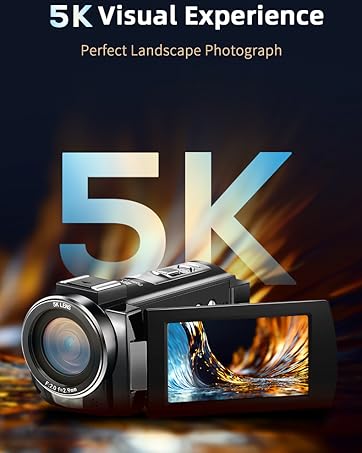
Image 5.2: Illustrations demonstrating the four flexible focus modes: Autofocus (AF) for fast and precise focusing, Manual Focus (MF) for precision control, AF+MF for combined speed and manual adjustment, and AF+MF2 which adds focus magnification.
5.4 Videooptagelse
To record video, switch to video mode using the Mode key, then press the Shutter button to start and stop recording. The camera supports 5K video resolution.
5.5 Webcam Funktionalitet
The ORDRO G930 can function as a webcam for live streaming and video calls.
- Tilslut kameraet til din computer ved hjælp af det medfølgende USB-kabel.
- Vælg "Webcam" mode on the camera when prompted.
- Din computer burde genkende kameraet som en webcam, allowing its use with compatible applications.
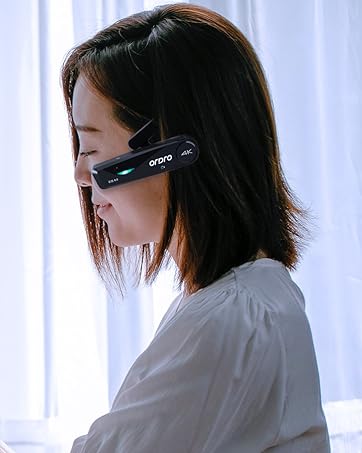
Image 5.3: The ORDRO G930 camera demonstrating its use as a webcam for live streaming and its HDMI output capability for connecting to a TV.
5.6 Wi-Fi-forbindelse
Utilize the camera's Wi-Fi feature for instant photo and video sharing.
- Enable Wi-Fi in the camera's menu.
- Connect your smartphone or tablet to the camera's Wi-Fi network.
- Use the dedicated ORDRO app (if available) or a compatible file transfer app to browse and transfer media.

Image 5.4: The ORDRO G930 camera wirelessly connected to a smartphone, illustrating the instant photo and video sharing capability via Wi-Fi.
5.7 Kreative funktioner
Enhance your photos and videos with built-in creative tools:
- Filtre: Apply various artistic filters to your images.
- Farvetemperaturjustering: Manually adjust the color temperature (K value) from 3000K to 9000K to achieve desired color tones.
- White Balance Adjustment: Correct color casts to ensure accurate colors under different lighting conditions.
- Eksponeringskompensation: Adjust exposure levels from -3.0 to +3.0 to brighten or darken your images.

Image 5.5: Visual guide showing 15 types of filters, a color temperature adjustment scale from 3000K to 9000K, and instructions for white balance adjustment to customize color parameters.
6. Vedligeholdelse
Proper care and maintenance will prolong the life of your camera.
- Rensning: Use a soft, lint-free cloth to clean the camera body. For the lens, use a specialized lens cleaning cloth and solution. Avoid harsh chemicals.
- Opbevaring: Opbevar kameraet et køligt og tørt sted, væk fra direkte sollys og ekstreme temperaturer. Fjern batterierne, hvis det opbevares i længere perioder.
- Batteripleje: Charge batteries fully before use. Avoid overcharging. Dispose of old batteries responsibly.
- Hukommelseskort: Format the memory card regularly to maintain optimal performance. Back up important data before formatting.
7. Fejlfinding
If you encounter issues with your ORDRO G930 camera, refer to the following common problems and solutions:
| Problem | Mulig årsag | Løsning |
|---|---|---|
| Kameraet tændes ikke | Batteriet er afladet eller isat forkert. | Ensure battery is charged and inserted correctly. Try a different charged battery. |
| Kan ikke tage billeder/videoer | Hukommelseskortet er fuldt, låst eller ikke isat. | Check memory card status. Ensure it is unlocked and has sufficient space. Reinsert or replace card. |
| Billeder er slørede | Forkert fokus, kamerarystelser eller snavset objektiv. | Verify focus mode and ensure proper focus. Use a tripod or faster shutter speed. Clean the lens. |
| Wi-Fi-forbindelse mislykkes | Wi-Fi is disabled or incorrect password. | Ensure Wi-Fi is enabled on camera and device. Re-enter Wi-Fi password. |
Hvis problemet fortsætter efter at have prøvet disse løsninger, bedes du kontakte kundesupport.
8. Specifikationer
Key technical specifications for the ORDRO G930 Digital Camera:
| Feature | Specifikation |
|---|---|
| Modelnavn | ORDRO G930 |
| Fotosensor opløsning | 64 MP |
| Video opløsning | 5K (4320p) |
| Optisk zoom | 5x |
| Skærmstørrelse | 3.2 Inches (Articulating LCD) |
| Billedstabilisering | Digital |
| Fokus Type | Autofocus (Contrast Detection) |
| Forbindelse | Wi-Fi, HDMI, USB Type-C, 3.5mm Audio Jack |
| Understøttet File Formater | JPEG (stillbilleder), MP4 (video) |
| Batteritype | Lithium-ion (2 medfølger) |
| Understøttelse af hukommelseskort | 64 GB (inkluderet) |
| Særlige funktioner | Webcam Function, Time-lapse, Slow Motion, Remote Control |
9. Garanti og support
The ORDRO G930 Digital Camera comes with a one-year manufacturer's warranty. For warranty claims or technical support, please refer to the contact information provided with your purchase or visit the official ORDRO brand store.
ORDRO Brand Store: Besøg ORDRO-butikken på Amazon


