1. Introduktion
This manual provides essential instructions for the safe and efficient use of your DALI IO-8 Wireless/Wired Hi-Fi Headphones. Please read this manual thoroughly before using the product and retain it for future reference. The DALI IO-8 headphones are designed to deliver a high-fidelity audio experience with advanced features such as Active Noise Cancellation (ANC), Bluetooth AptX Adaptive connectivity, and a long-lasting battery.
2. Produktet er slutview
Familiarize yourself with the components and controls of your DALI IO-8 headphones.

Figur 2.1: Front view af DALI IO-8 hovedtelefonerne, vistasing the caramel and white color scheme and overall design.

Figur 2.2: Top-down view of the DALI IO-8 headphones, highlighting the earcups and visible control buttons on the side.
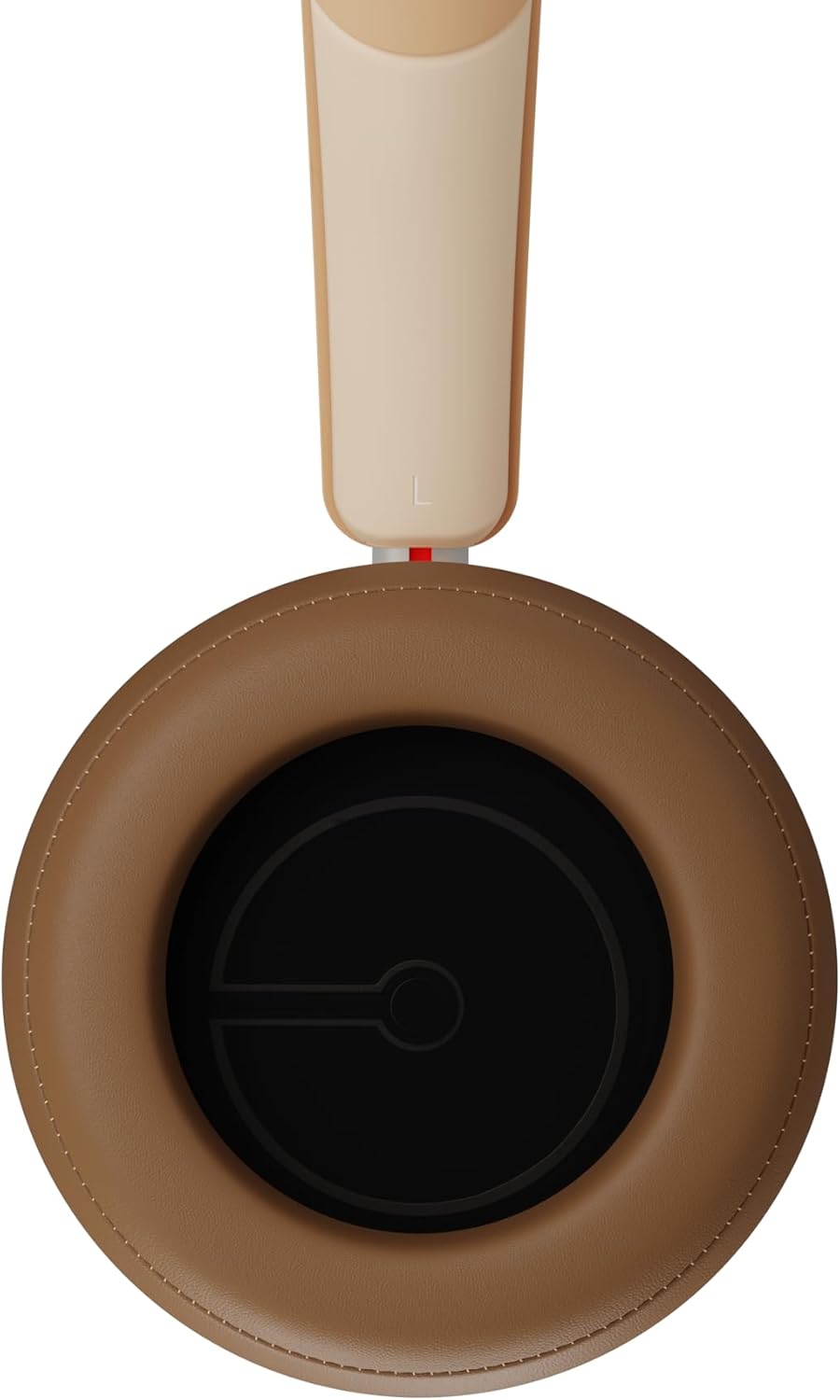
Figur 2.3: Indre view of a DALI IO-8 earcup, showing the soft padding and driver grille, designed for comfort and sound delivery.

Figur 2.4: Nærbillede view of the DALI IO-8 earcup, showing the USB-C charging port and other control buttons.
2.1 Pakkens indhold
- DALI IO-8 hovedtelefoner
- USB-C ladekabel
- 3.5 mm lydkabel
- Rejsetui (hvis inkluderet)
- Brugervejledning (dette dokument)
2.2 Hovedtelefonkomponenter

Figur 2.5: eksploderede view illustrating the internal components of the DALI IO-8 headphones, including the 50mm driver, circuitry, and earcup structure.
- Headband (Adjustable)
- Earcups (Over-ear design with genuine leather)
- 50mm Driver (SMC Driver Technology)
- Control Buttons (Power, Volume, ANC, Multifunction)
- USB-C Port (Charging and Wired Audio)
- 3.5mm Audio Jack (Wired Audio)
- Microphones (for ANC and calls)
3. Opsætning
3.1 Opladning af hovedtelefonerne
Before initial use, fully charge your DALI IO-8 headphones.
- Connect the supplied USB-C cable to the USB-C port on the headphone earcup.
- Tilslut den anden ende af USB-C-kablet til en kompatibel USB-strømkilde (f.eks. en computers USB-port eller en USB-vægadapter).
- The LED indicator will show charging status. A full charge provides up to 35 hours of playback with ANC enabled.
- Når det er fuldt opladet, skal du frakoble kablet.
3.2 Tænd/sluk
- For at tænde: Press and hold the Power button for approximately 2 seconds until the LED indicator illuminates.
- For at slukke: Tryk på tænd/sluk-knappen og hold den nede i cirka 3 sekunder, indtil LED-indikatoren slukker.
3.3 Bluetooth -parring
The DALI IO-8 supports Bluetooth AptX Adaptive for high-quality wireless audio.
- Sørg for, at hovedtelefonerne er slukket.
- Press and hold the Power button for approximately 5 seconds until the LED indicator flashes blue rapidly. This indicates pairing mode.
- Aktiver Bluetooth på din lydenhed (smartphone, tablet, computer) og søg efter tilgængelige enheder.
- Select "DALI IO-8" from the list of found devices.
- Once paired, the LED indicator will glow solid blue or flash slowly.
- Hovedtelefonerne vil automatisk forsøge at genoprette forbindelsen til den sidst parrede enhed, når de tændes.
3.4 Kabelforbindelse
The DALI IO-8 can be used with a wired connection via the 3.5mm audio jack or USB-C.
- 3.5 mm lydkabel: Connect one end of the supplied 3.5mm audio cable to the headphone's 3.5mm jack and the other end to your audio source's headphone output. The headphones can be used passively in this mode, or actively with ANC and amplification if powered on.
- USB-C lyd: Connect the supplied USB-C cable to the headphone's USB-C port and the other end to a compatible USB audio output on your computer or device. This mode allows for digital audio transmission and charging simultaneously.
4. Betjening af hovedtelefonerne
4.1 Aktiv støjreduktion (ANC)
The DALI IO-8 features three distinct ANC modes and wind noise suppression.
- Press the dedicated ANC button to cycle through the available modes:
- ANC til: Maksimal støjreduktion.
- Gennemsigtighedstilstand: Allows ambient sounds to pass through for situational awareness.
- ANC slukket: Active noise cancellation is disabled.
- Wind noise suppression is automatically engaged in ANC modes to reduce interference from wind.
4.2 lydtilstande
Customize your listening experience with two sound profiles.
- Press the Sound Mode button (if available, or refer to specific button on device) to switch between:
- Hi-Fi Mode: Delivers a balanced and neutral sound signature.
- Bastilstand: Enhances low-frequency response for a more impactful bass.
4.3 Playback and Volume Control
Use the control buttons on the earcup for media playback and volume adjustments.
- Lydstyrke op: Tryk på '+'-knappen.
- Skrue ned for lyden: Tryk på '-' knappen.
- Afspil/pause: Tryk én gang på multifunktionsknappen.
- Næste nummer: Double-press the Multifunction button.
- Forrige nummer: Triple-press the Multifunction button.
4.4 Opkaldshåndtering
Manage phone calls when connected via Bluetooth.
- Besvar/afslut opkald: Tryk én gang på multifunktionsknappen.
- Afvis opkald: Tryk og hold multifunktionsknappen nede i 2 sekunder.
- Aktiver stemmeassistent: Press and hold the Multifunction button for 2 seconds (when not on a call).
5. Vedligeholdelse
5.1 Rengøring
- Tør hovedtelefonerne af med en blød, tør og fnugfri klud.
- Brug ikke slibende rengøringsmidler, opløsningsmidler eller kemiske spraymidler.
- Tør forsigtigt ørekopperne af med en let dip.amp klud om nødvendigt, og tør derefter straks.
- Ensure no moisture enters the ports or openings.
5.2 Opbevaring
- Når hovedtelefonerne ikke er i brug, skal de opbevares i deres beskyttende rejseetui for at forhindre skader.
- Undgå at udsætte hovedtelefonerne for ekstreme temperaturer, fugtighed eller direkte sollys.
6. Fejlfinding
| Problem | Mulig årsag | Løsning |
|---|---|---|
| Ingen strøm | Batteriet er afladet. | Oplad hovedtelefonerne med det medfølgende USB-C-kabel. |
| Kan ikke parres via Bluetooth | Hovedtelefoner er ikke i parringstilstand; enhedens Bluetooth er slået fra; for langt fra enheden. | Ensure headphones are in pairing mode (rapid blue LED flash). Turn on Bluetooth on your device. Move headphones closer to the device. Forget "DALI IO-8" on your device and re-pair. |
| Ingen lyd | Volume too low; incorrect input source; headphones not connected. | Increase volume on headphones and source device. Check Bluetooth connection or wired cable. Ensure the correct audio output is selected on your device. |
| ANC fungerer ikke effektivt | ANC mode off; poor earcup seal. | Ensure ANC is enabled. Adjust headphones for a proper seal around your ears. |
7. Specifikationer
| Feature | Detalje |
|---|---|
| Modelnavn | DALI IO-8 |
| Mærke | DALI |
| Forbindelsesteknologi | Kablet, trådløs (Bluetooth) |
| Trådløs kommunikationsteknologi | Bluetooth (AptX Adaptive) |
| Støjreduktion | Active Noise Suppression (ANC) with Wind Noise Suppression |
| Øreplacering | Over-øre |
| Driver størrelse | 50mm (SMC Driver Technology) |
| Impedans | 25 ohm |
| Hovedtelefonstik | 3.5 mm |
| Batterilevetid | Op til 35 timer (med ANC) |
| Materialer | Genuine Leather (earcups) |
8. Sikkerhedsoplysninger
Please observe the following safety guidelines to ensure safe operation and prevent damage to your headphones or injury to yourself.
- Do not expose the headphones to water, rain, or moisture.
- Undgå ekstreme temperaturer.
- Do not disassemble, repair, or modify the headphones. This voids the warranty.
- Lyt ved moderat lydstyrke for at undgå høreskader.
- Opbevares utilgængeligt for børn.
- Bortskaf produktet ansvarligt i henhold til lokale regler.
9. Garanti og support
DALI products are manufactured to high standards and are covered by a limited warranty. For specific warranty terms and conditions, please refer to the warranty card included with your product or visit the official DALI website. For technical support, troubleshooting assistance, or service inquiries, please contact your authorized DALI dealer or DALI customer support.

Figur 9.1: A person wearing the DALI IO-8 headphones, demonstrating their comfortable fit and use in a real-world environment.


