1. Introduktion
This manual provides essential information for setting up, operating, and maintaining your XIAOMI 14T Pro Ai 5G smartphone. Please read it carefully to ensure optimal performance and longevity of your device.
Hvad er der i æsken
- XIAOMI 14T Pro Smartphone
- USB Type-C-kabel
- SIM skub pin ud
- Telefon etui
- Hurtig startvejledning og garantibevis

Image: The XIAOMI 14T Pro smartphone, USB cable, SIM eject pin, phone case, and user manual as packaged in the retail box.
2. Enhed overview
The XIAOMI 14T Pro features a premium design with an aluminum alloy metallic frame, offering both durability and a sophisticated feel. Its ultra-thin bezel design provides an immersive viewoplevelse.
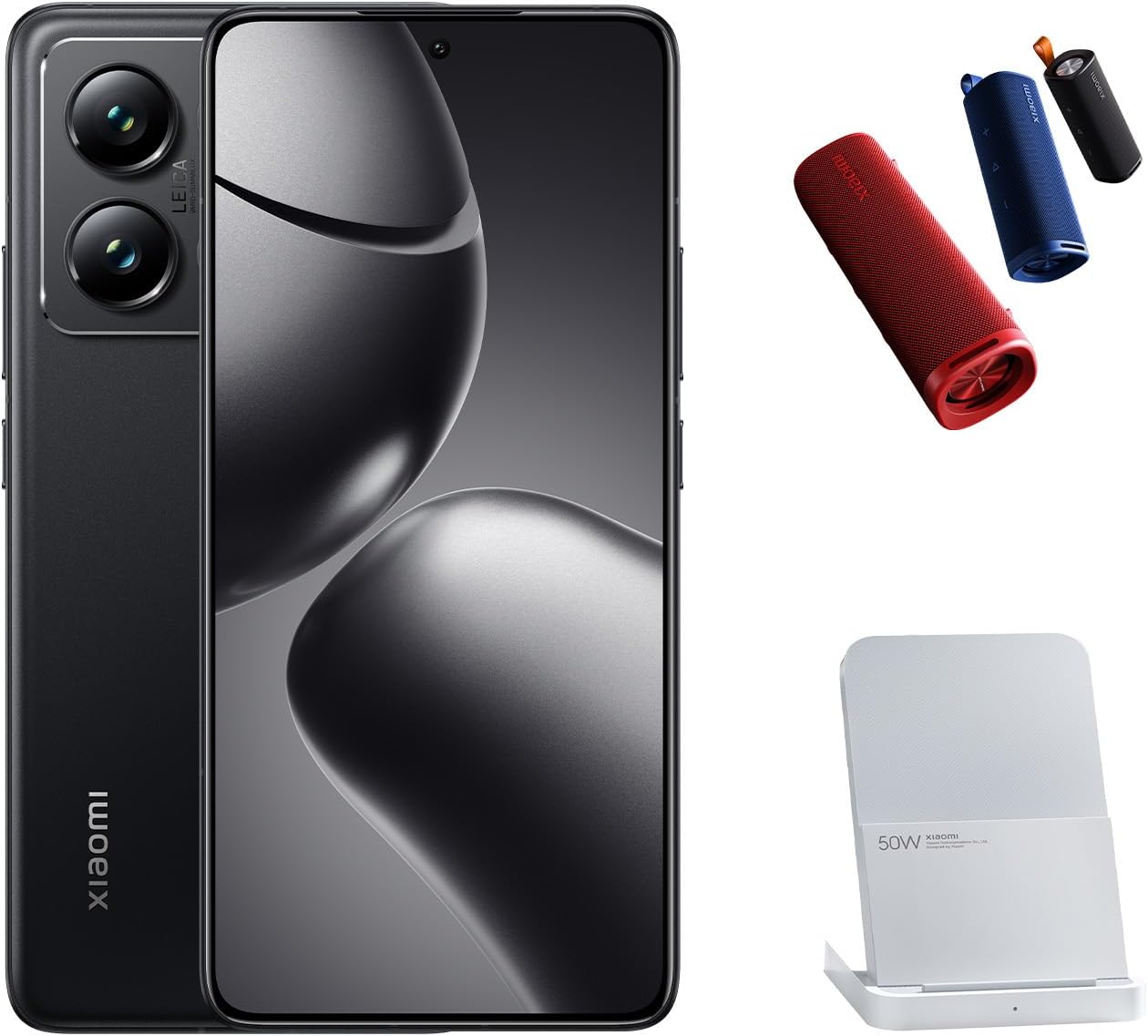
Image: The XIAOMI 14T Pro smartphone, displaying its sleek design and prominent camera array.
Nøglefunktioner
- Vise: 6.67-inch 144Hz AI AMOLED display with 2712 x 1220 resolution and 4000 nits peak brightness.
- Processor: MediaTek Dimensity 9300+ 4nm power-efficient manufacturing process.
- Kamerasystem: 50MP Triple Pro Leica Camera (Main, Telephoto, Ultra-wide) with Light Fusion 900 sensor.
- Batteri: 5000mAh (typ) battery with 120W HyperCharge support.
- Operativsystem: Android 14 with Xiaomi HyperOS.
- Forbindelse: Dual Nano SIM 5G + eSIM, Wi-Fi 7, Bluetooth 5.4, NFC.
- AI funktioner: Circle to Search with Google, Google Gemini AI Interpreter, AI Notes, AI Recorder, AI Subtitles, AI Film, AI image editing, AI Portrait.
3. Opsætning
3.1 Indledende tænding
- Ensure your device has sufficient charge. If not, connect it to the provided USB cable and a power adapter.
- Tryk og hold på Power-knap (located on the right side of the device) until the XIAOMI logo appears.
- Follow the on-screen instructions to complete the initial setup, including language selection, Wi-Fi connection, and Google account sign-in.
3.2 SIM Card and eSIM Installation
The XIAOMI 14T Pro supports Dual Nano SIM and eSIM functionality.
- Find SIM-kortbakken på siden af din enhed.
- Insert the SIM eject pin into the small hole on the SIM tray and gently push until the tray pops out.
- Place your Nano SIM card(s) into the tray with the gold contacts facing down. Ensure they are correctly seated.
- Sæt forsigtigt SIM-kortbakken tilbage i enheden.
- For eSIM-aktivering skal du navigere til Indstillinger > Netværk og internet > SIM-kort and follow the instructions to add an eSIM profile.

Image: The right side of the XIAOMI 14T Pro, highlighting the SIM card tray slot and physical buttons.
4. Betjening af din enhed
4.1 Display og navigation
The 6.67-inch AI AMOLED display offers vibrant colors and deep contrasts. Its 144Hz refresh rate ensures smooth scrolling and fluid animations, enhancing your overall user experience. The touch sampling rate of up to 480Hz provides highly responsive interaction.
4.2 Kamerafunktioner
The XIAOMI 14T Pro features a professional Leica co-engineered triple-lens camera system, designed to capture exceptional images in various conditions.
- Hovedkamera: 50MP with Leica Summilux optical lens, Light Fusion 900 image sensor, OIS, and f/1.6 aperture for excellent low-light performance.
- Telekamera: 50MP with f/2.0 aperture, ideal for detailed zoomed shots.
- Ultravidvinkelkamera: 12MP with f/2.2 aperture and 120° FOV for expansive landscape and group photos.
- Fotografiske funktioner: Leica Authentic Look, Leica Vibrant Look, Leica filters, Master-lens system (35mm Documentary, 50mm Swirly bokeh, 75mm Portrait, 90mm Soft focus), Digital zoom up to 30x.
- Forreste kamera: 32MP in-display selfie camera with f/2.0 aperture, Night mode, HDR, and Portrait mode.

Billede: Detaljeret view of the XIAOMI 14T Pro's advanced Leica camera system.
4.3 AI-funktioner
Leverage the integrated AI capabilities for enhanced productivity and creativity:
- Ring om for at søge med Google: Circle, highlight, or tap anything on your screen to get instant search results.
- Google Gemini AI Interpreter: Real-time language translation.
- AI Notes & AI Recorder: Smart note-taking and transcription features.
- AI Film & AI Image Editing: Advanced tools for video creation and photo enhancement.
5. Vedligeholdelse
5.1 Batteristyring
The 5000mAh battery provides extended usage. Utilize the 120W HyperCharge for rapid charging. To prolong battery life, avoid extreme temperatures and fully discharging the battery frequently.
5.2 Softwareopdateringer
Regularly check for and install system updates to ensure your device has the latest features, security patches, and performance improvements. Updates are typically found under Indstillinger > Om telefonen > MIUI-version (or HyperOS version).
5.3 Rengøring og pleje
Use a soft, lint-free cloth to clean your device. Avoid harsh chemicals or abrasive materials. The device features LiquidCool Technology for thermal management; ensure proper ventilation during heavy use.
6. Fejlfinding
6.1 Fælles problemer
- Enheden tænder ikke: Ensure the battery is charged. If the issue persists, try a forced restart by holding the Power button for 10-15 seconds.
- Problemer med netværksforbindelse: Check SIM card insertion, ensure mobile data is enabled, or try toggling Airplane Mode. Verify your carrier settings.
- Apps der går ned eller fryser: Clear the app's cache (Settings > Apps > [App Name] > Storage > Clear cache) or reinstall the app. Ensure your device's software is up to date.
- Fingeraftrykssensoren virker ikke: Sørg for, at din finger er ren og tør. Registrer dine fingeraftryk igen i Indstillinger.
6.2 Fabriksindstilling
If you encounter persistent software issues, a factory reset may be necessary. Advarsel: Dette vil slette alle data på din enhed. Sikkerhedskopier vigtige data, før du fortsætter.
- Gå til Indstillinger > Om telefonen > Fabriksindstilling.
- Tryk på Slet alle data and confirm your decision.
7. Specifikationer
| Feature | Detalje |
|---|---|
| Modelnavn | 14T Pro |
| Varemodelnummer | MZB0HIYEU |
| Operativsystem | Android 14 (with Xiaomi HyperOS) |
| Skærmstørrelse | 6.67 tommer |
| Skærmopløsning | 2712 x 1220 (446 ppi) |
| Opdateringshastighed | Op til 144Hz |
| Processor | MediaTek Dimensity 9300+ |
| RAM-hukommelse | 12 GB |
| Lagerkapacitet | 1024 GB (Internal, no SD card slot) |
| Hovedkamera | 50MP Leica Summilux optical lens |
| Telefoto kamera | 50 MP |
| Ultravidvinkelkamera | 12 MP |
| Forreste kamera | 32 MP |
| Batterikapacitet | 5000 mAh |
| Opladning | 120W HyperCharge (wired), Wireless Charging supported |
| Forbindelse | 5G, Wi-Fi 7, Bluetooth 5.4, NFC, GPS |
| Sensorer | Fingerprint (under display, optical), accelerometer, proximity, gyro, compass, color spectrum |
| Dimensioner | 6.31 x 2.96 x 0.33 tommer |
| Varens vægt | 7.9 ounce |
| Farve | Titan Sort |
8. Garanti og support
Please note that this is an International Model and may not include warranty coverage in the US. For warranty details specific to your region, please refer to the warranty card included in your product packaging or contact your local XIAOMI authorized service center.
For further assistance, visit the official XIAOMI support website or contact their customer service. You can find more information and products on the XIAOMI Butik.


