1. Introduktion
Tak for købetasing the Karlsson Alarm Clock Duo. This manual provides detailed instructions for setting up, operating, and maintaining your new alarm clock. Please read this manual thoroughly before use and retain it for future reference.
2. Sikkerhedsoplysninger
- Hold enheden væk fra vand og høj luftfugtighed.
- Udsæt ikke enheden for direkte sollys eller ekstreme temperaturer.
- Forsøg ikke selv at skille enheden ad eller reparere den. Overlad al service til kvalificeret personale.
- Brug kun den angivne batteritype. Sørg for korrekt polaritet, når du isætter batterierne.
- Fjern batterierne, hvis enheden ikke skal bruges i en længere periode.
3. Pakkens indhold
Kontroller venligst, at alle varer er til stede:
- Karlsson Alarm Clock Duo (Model KA5954BK)
- Brugervejledning (dette dokument)
Bemærk: Batterier er ikke inkluderet og skal købes separat.
4. Produktet er slutview
The Karlsson Alarm Clock Duo features a classic analog clock face combined with a modern digital display for temperature and humidity. Its compact design makes it suitable for various settings.

Figur 1: Front view of the Karlsson Alarm Clock Duo. The top section features an analog clock with a white face and black numbers, while the bottom section has a digital display showing temperature (e.g., 22.0 °C) and relative humidity (e.g., 58%).

Figur 2: The alarm clock viewed from the side, demonstrating its compact size and matte black finish. It is shown on a surface next to a white desk lamp, indicating its suitability for bedside tables or desks.
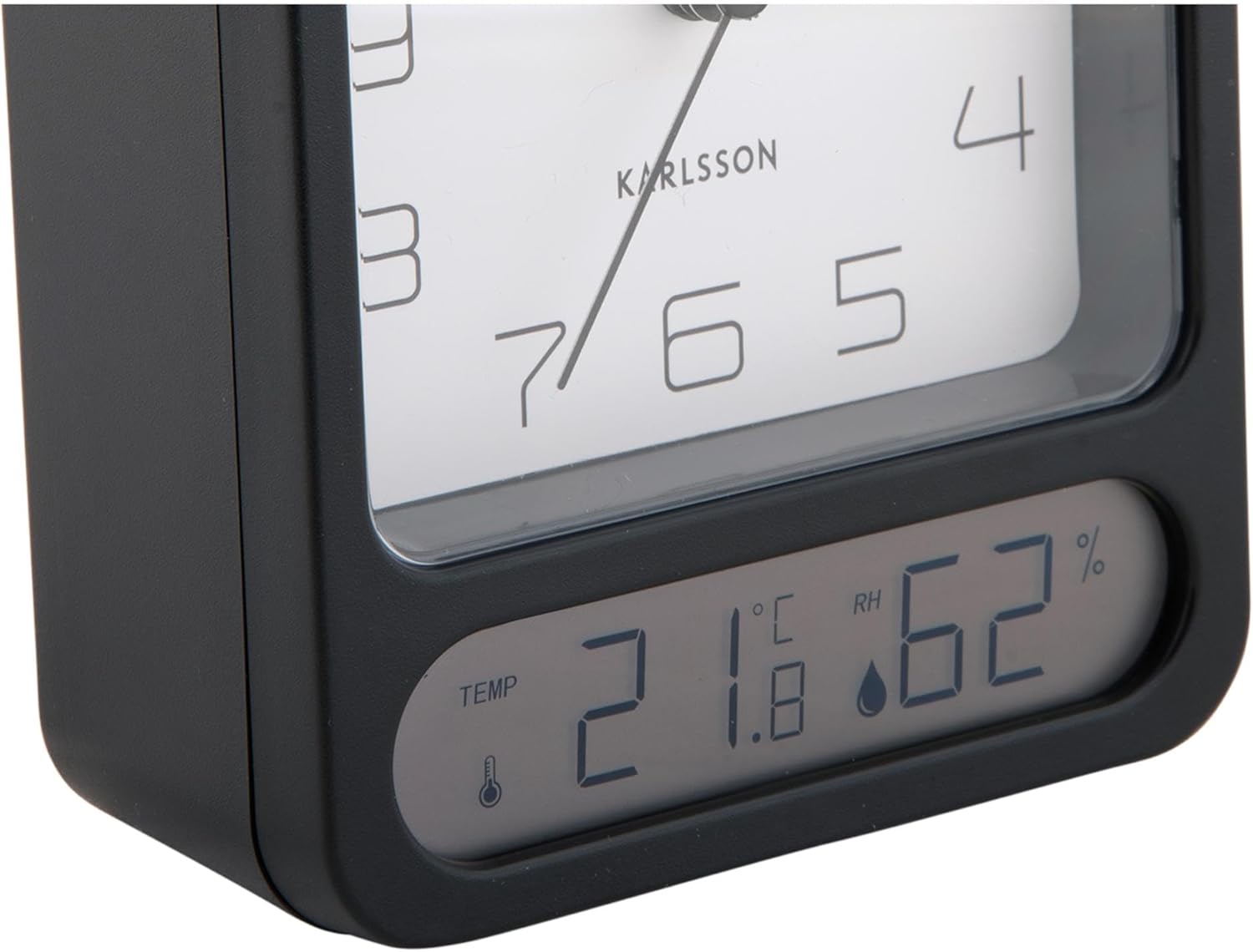
Figur 3: A detailed close-up of the digital display, clearly showing the temperature in Celsius (e.g., 21.8 °C) and the relative humidity percentage (e.g., 62% RH). Small icons for temperature and humidity are also visible.

Figur 4: An angled perspective of the alarm clock, providing a comprehensive view of its design, including the square analog clock face and the rectangular digital display below it, all encased in a matte black frame.
5. Opsætning
5.1. Batteriinstallation
- Find batteridækslet på bagsiden af vækkeuret.
- Remove the cover by sliding or lifting it according to the markings.
- Insert the required batteries (typically 1x AA for the analog clock and 2x AAA for the digital display, though specific types may vary - refer to the compartment markings) ensuring correct polarity (+ and -).
- Sæt batterirummets dæksel på igen.
5.2. Indstilling af tid
- On the back of the clock, locate the time setting knob (usually labeled "TIME SET" or similar).
- Rotate the knob in either direction to adjust the hour and minute hands to the current time.
5.3. Indstilling af alarmen
- Locate the alarm setting knob (usually labeled "ALARM SET" or similar) on the back of the clock.
- Rotate this knob to set the alarm hand to your desired alarm time.
- Locate the alarm ON/OFF switch (often a small slider or button). Slide it to the "ON" position to activate the alarm.
6. Betjeningsvejledning
6.1. Aflæsning af tiden
The current time is displayed on the analog clock face with hour, minute, and second hands.
6.2. Reading Temperature and Humidity
The digital display at the bottom of the clock shows the current room temperature (in Celsius or Fahrenheit, depending on model) and relative humidity percentage. There may be a button (e.g., "°C/°F") to switch between temperature units if applicable.
6.3. Alarm funktion
- When the alarm is set to "ON", it will sound at the designated alarm time.
- To stop the alarm, slide the alarm ON/OFF switch to the "OFF" position.
- Snooze-funktion: If your model includes a snooze button (often a large button on top), pressing it during an active alarm will temporarily silence the alarm for a few minutes before it sounds again.
7. Vedligeholdelse
7.1. Rensning
Wipe the clock with a soft, dry cloth. Do not use abrasive cleaners or solvents, as these may damage the finish or display.
7.2. Udskiftning af batteri
Replace batteries when the clock hands slow down, the alarm becomes weak, or the digital display fades or stops working. Follow the battery installation steps in Section 5.1.
8. Fejlfinding
| Problem | Mulig årsag | Løsning |
|---|---|---|
| Clock not working / Digital display off | Døde eller forkert isatte batterier. | Udskift batterierne, og sørg for korrekt polaritet. |
| Alarmen lyder ikke | Alarm is not activated (OFF position) or set incorrectly. | Ensure alarm switch is ON and alarm time is set correctly. |
| Forkert tid vist | Time was not set correctly or batteries are low. | Reset the time. Replace batteries if necessary. |
| Upræcis temperatur/fugtighed | Sensor obstruction or extreme environmental conditions. | Ensure the clock is in a well-ventilated area, away from direct heat sources or drafts. Allow time for readings to stabilize. |
9. Specifikationer
| Modelnummer | KA5954BK |
| Mærke | Karlsson |
| Dimensioner (L x B x H) | 9.7 x 4.5 x 12 cm |
| Vægt | 600 g |
| Strømkilde | Batteri (medfølger ikke) |
| ASIN | B0DHL8TMB6 |
10. Garanti og support
This Karlsson product is covered by a manufacturer's warranty. Please refer to the warranty card included with your purchase or visit the official Karlsson webhjemmeside for detaljerede garantivilkår.
For technical support, troubleshooting assistance, or inquiries regarding your product, please contact Karlsson customer service through their official webwebstedet eller de kontaktoplysninger, der følger med din købsdokumentation.


