1. Produktet er slutview
The SoundPEATS Clear Dot Wireless Earbuds offer a high-quality audio experience with advanced features. This manual provides instructions for setup, operation, maintenance, and troubleshooting to ensure optimal use of your earbuds.
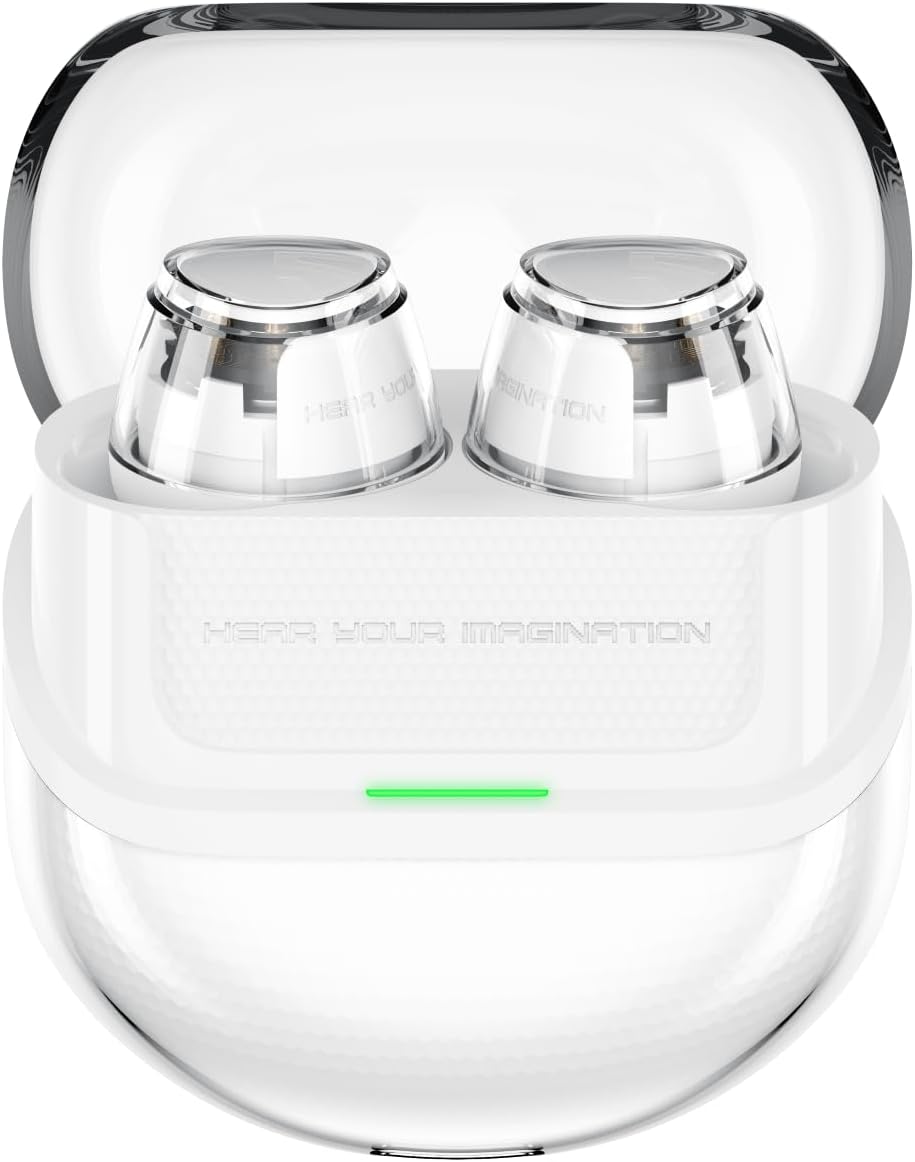
Image: SoundPEATS Clear Dot Wireless Earbuds in their transparent charging case, showcasing the design and charging indicator light.
Pakkeindhold:
- SoundPEATS Clear Dot Wireless Earbuds (L/R)
- Opladningsetui
- USB-C ladekabel
- Brugermanual
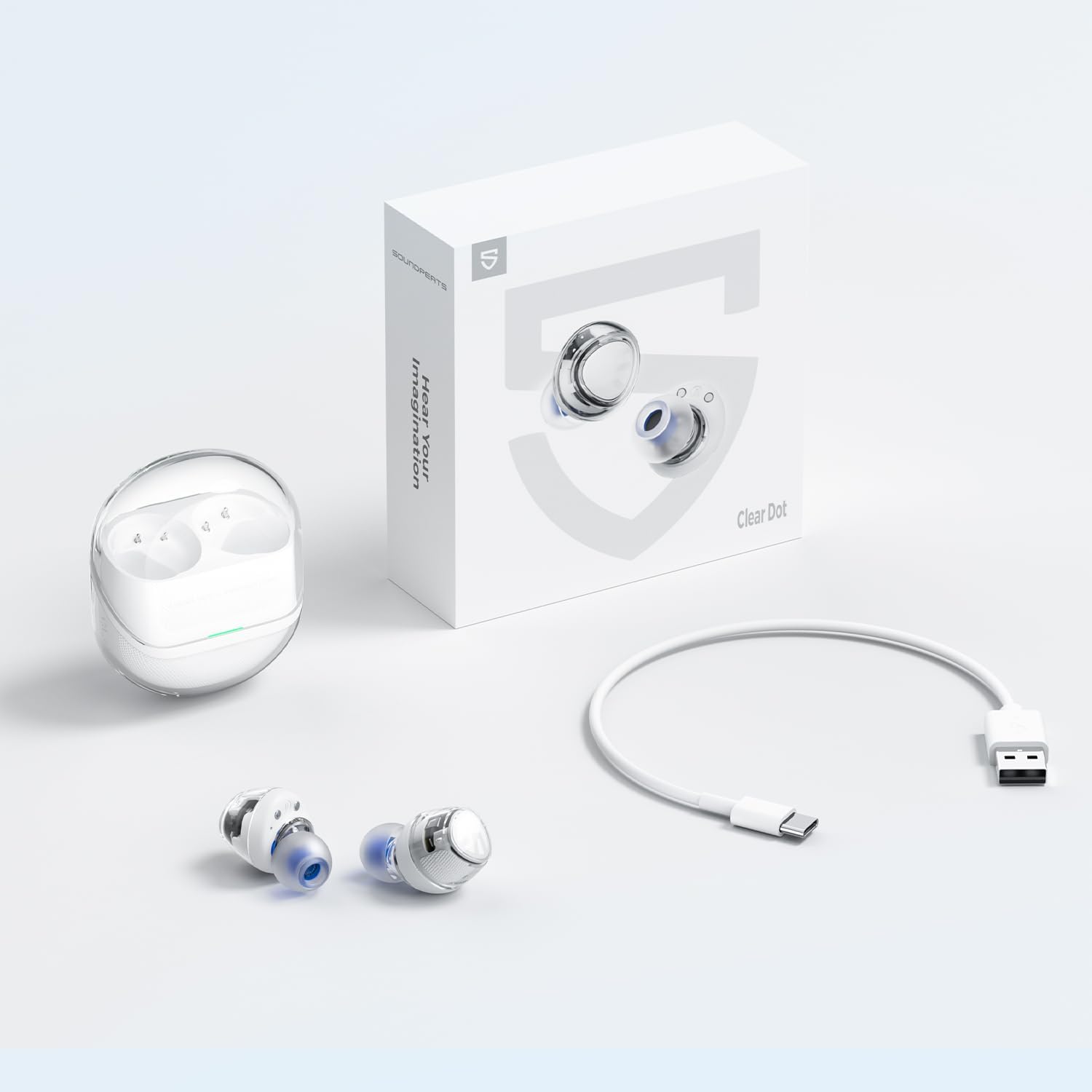
Image: The SoundPEATS Clear Dot earbuds, charging case, USB-C cable, and product box, illustrating all items included in the package.
2. Opsætning
2.1 Indledende opladning
Before first use, fully charge the earbuds and the charging case. Connect the USB-C charging cable to the charging port on the case and a power source. The indicator light on the case will show charging status.
2.2 Parring med din enhed
- Sørg for, at ørepropperne er i opladningsetuiet, og at etuiet har tilstrækkelig strøm.
- Open the charging case lid. The earbuds will automatically enter pairing mode, indicated by a flashing light (refer to LED indicator section for specific patterns).
- Gå til Bluetooth-indstillinger på din enhed (smartphone, tablet osv.), og aktiver Bluetooth.
- Select "SoundPEATS Clear Dot" from the list of available devices.
- Når forbindelsen er oprettet, vil en stemmemeddelelse bekræfte den gennemførte parring.
The earbuds feature a Hall Switch Design, allowing for quick and automatic connection to the last paired device when the case lid is opened.
2.3 PeatsAudio App Installation
For enhanced features and customization, download the official PeatsAudio app from your device's app store. The app allows you to adjust audio profiles, monitor battery life, and customize touch controls.

Image: Screenshots of the PeatsAudio app interface on a smartphone, showing options for touch control customization and equalizer presets.
3. Betjeningsvejledning
3.1 Sådan tager du ørepropperne på
Gently insert the earbuds into your ears and rotate them slightly to find a comfortable and secure fit. Ensure the ear tips create a good seal for optimal sound quality and noise isolation.
3.2 Tryk på kontrolelementer
The SoundPEATS Clear Dot earbuds feature touch-sensitive areas for control. Specific functions can be customized via the PeatsAudio app.
- Enkelt tryk: Afspil/pause, besvar/afslut opkald
- Dobbelttryk (venstre øretelefon): Lydstyrke ned
- Dobbelttryk (højre øretelefon): Lydstyrke op
- Tredobbelt tryk (venstre øreprop): Forrige spor
- Triple Tap (Right Earbud): Næste spor
- Long Press (Left Earbud): Aktiver Voice Assistant
- Long Press (Right Earbud): Skift spiltilstand
Note: These are default controls. Refer to the PeatsAudio app for customization options.
3.3 Spiltilstand
Activate Game Mode for reduced audio latency, providing a more synchronized experience for gaming. Toggle Game Mode by long-pressing the right earbud's touch area or through the PeatsAudio app.
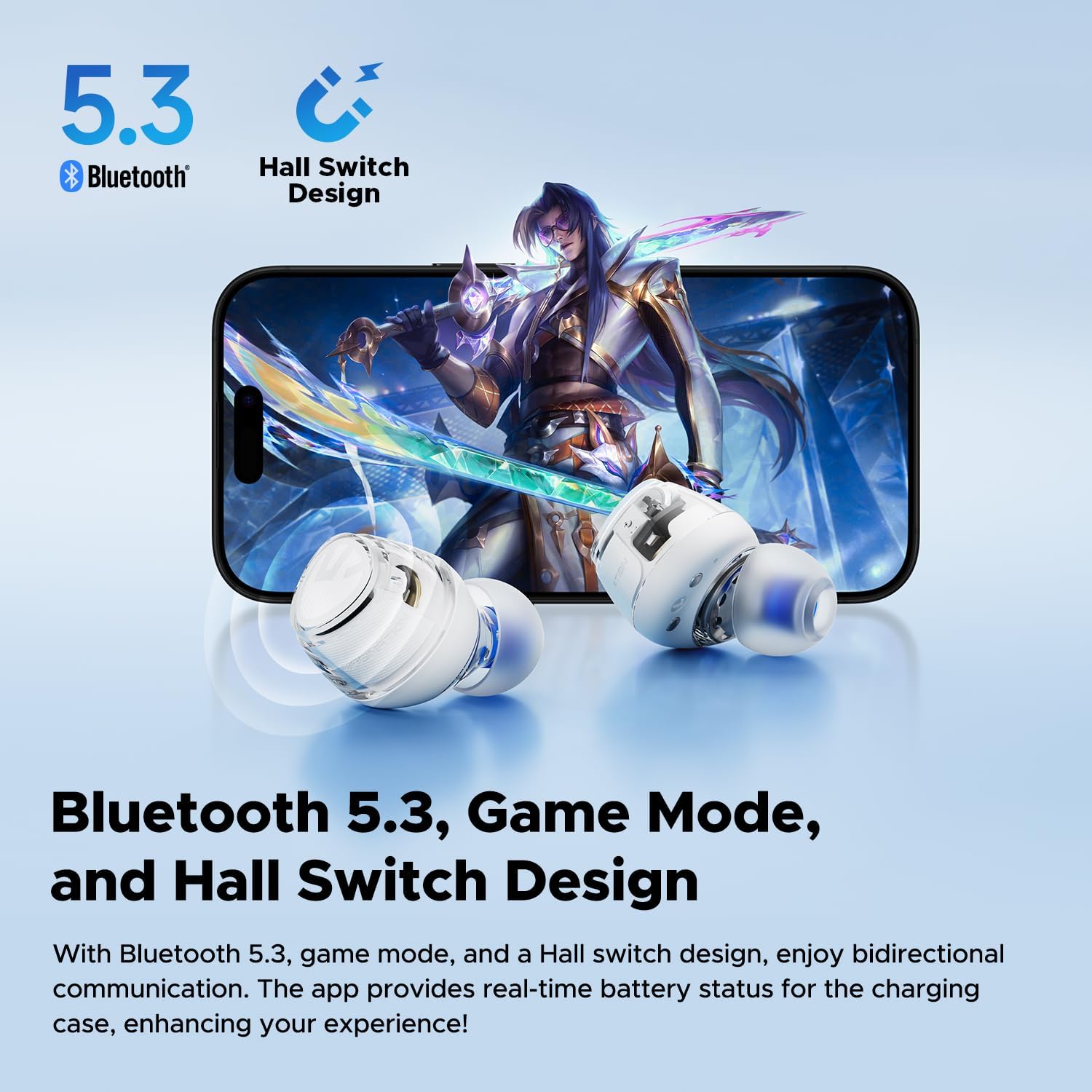
Image: SoundPEATS Clear Dot earbuds positioned next to a smartphone displaying a game, highlighting Bluetooth 5.3 connectivity and Game Mode functionality.
3.4 Call Handling with AI Noise Cancellation
The earbuds are equipped with dual microphones and AI-powered noise cancellation to ensure clear calls by reducing background noise. Simply tap an earbud to answer or end a call.

Image: A diagram illustrating the dual microphone placement on the earbuds and the concept of AI call noise cancellation, with people making calls in noisy environments.
4. Vedligeholdelse
4.1 Rengøring
- Rengør regelmæssigt ørepropperne og opladningsetuiet med en blød, tør og fnugfri klud.
- Brug ikke slibende rengøringsmidler, opløsningsmidler eller aerosolspray.
- Gently remove any earwax or debris from the ear tips and speaker mesh using a small, clean brush or cotton swab.
4.2 Pleje af batterier
For at forlænge batterilevetiden skal du undgå at aflade ørepropperne og opladningsetuiet helt ofte. Opbevar dem et køligt og tørt sted, når de ikke er i brug.

Image: Illustrations showing the battery life of the SoundPEATS Clear Dot earbuds (6 hours per earbud, 27 hours total with case) alongside people using the earbuds in various daily activities.
4.3 Vandtæthed
The earbuds are designed with water resistance. However, they are not waterproof for submersion. Avoid exposing them to excessive moisture, rain, or sweat for prolonged periods. Do not use them while swimming or showering.
5. Fejlfinding
5.1 Ørepropper parrer ikke
- Sørg for, at begge øretelefoner er opladet.
- Sæt ørepropperne tilbage i etuiet, luk låget, vent et par sekunder, og åbn derefter låget for at aktivere parringstilstand igen.
- Sluk og tænd for din enheds Bluetooth.
- If previously paired, forget "SoundPEATS Clear Dot" from your device's Bluetooth list and try pairing again.
5.2 No Sound from One Earbud
- Check if both earbuds are charged.
- Try placing both earbuds back into the charging case, closing the lid, and then taking them out again.
- Perform a factory reset (refer to the reset procedure below).
5.3 Fabriksindstilling
Hvis du oplever vedvarende problemer, kan en fabriksnulstilling muligvis løse dem:
- Placer begge ørepropper i opladningsetuiet.
- Sørg for, at opladningsetuiet har strøm.
- Press and hold the button on the charging case for approximately 10 seconds until the indicator light flashes (specific pattern may vary, refer to product documentation for exact details).
- Close the case, then open it again. The earbuds are now reset and ready for a new pairing.
6. Specifikationer
| Modelnavn | SoundPEATS Clear Dot trådløse øretelefoner |
| Varemodelnummer | Klar prik |
| Driver størrelse | 10mm Dynamic Driver with Composite Bio-Fiber Diaphragm |
| Bluetooth version | 5.3 |
| Spilletid for øretelefoner | Op til 6 timer pr. Opladning |
| Samlet spilletid (med etui) | Op til 27 timer |
| Mikrofoner | Dual-Mic with AI Call Noise Cancellation |
| App support | PeatsAudio-appen |
| Forbindelsesteknologi | Trådløs (Bluetooth) |
| Materiale | Acrylonitril Butadien Styren (ABS) |
| Øreplacering | In Ear |
| Formfaktor | In Ear |
| Pakkedimensioner | 10.4 x 10.4 x 3.9 cm |
| Varens vægt | 160 g |

Billede: En eksploderet view of the SoundPEATS Clear Dot earbud, highlighting the 10mm dynamic driver and composite bio-fiber diaphragm components.
7. Garanti og support
SoundPEATS products come with a standard warranty. For detailed warranty information, product support, or technical assistance, please visit the official SoundPEATS webhjemmeside eller kontakt deres kundeservice direkte.
You can typically find contact information and FAQs on the manufacturer's webwebsted: www.soundpeatsaudio.com


