Indledning
This manual provides detailed instructions for the proper use and maintenance of your boAt Airdopes 141 Pro Buds. Please read this manual thoroughly before using the product to ensure optimal performance and longevity. Keep this manual for future reference.
Hvad er der i æsken
- boAt Airdopes 141 Pro Buds (Left and Right Earbuds)
- Trådløs opladningsetui
- USB opladningskabel
- Brugermanual

Image: boAt Airdopes 141 Pro Buds with their charging case.
Produkt overview
The boAt Airdopes 141 Pro Buds are true wireless stereo (TWS) earbuds designed for audio playback and communication. They feature 13mm drivers for sound output, quad microphones with ENx Technology for clear calls, and a metallic finish for durability. The earbuds are housed in a portable charging case.

Image: Visual representation of key features including 13mm drivers, metallic finish, quad mics with ENx technology, and 60 hours of playback.
Opsætning
1. Første opladning
Before first use, fully charge the Airdopes 141 Pro Buds and their charging case. Connect the USB charging cable to the charging port on the case and to a power source. The LED indicator on the case will show charging status.
2. Tænd og parring
- Open the lid of the charging case. The earbuds will automatically power on and enter pairing mode (Insta Wake N’Pair - IWP).
- Aktiver Bluetooth på din enhed (smartphone, tablet osv.).
- Søg efter available Bluetooth devices and select "Airdopes 141 Pro" from the list.
- Når der er forbindelse, afspilles en bekræftelseslyd, og ørepropperne er klar til brug.

Image: Illustration of the Insta Wake N'Pair (IWP) function, demonstrating automatic connection upon opening the case.
Betjeningsvejledning
Tænd/sluk
- Tænd: Open the charging case lid. The earbuds will power on automatically.
- Sluk: Sæt ørepropperne tilbage i opladningsetuiet, og luk låget. De slukker automatisk.
Tryk på kontrolelementer
The Airdopes 141 Pro Buds feature intuitive touch controls on each earbud.
- Afspil/pause: Et enkelt tryk på begge øretelefoner.
- Næste nummer: Dobbelttryk på den højre øreprop.
- Forrige nummer: Dobbelttryk på den venstre øreprop.
- Besvar/afslut opkald: Et enkelt tryk på begge øretelefoner.
- Afvis opkald: Langt tryk på en af øretelefonerne.
- Aktiver stemmeassistent: Triple tap on either earbud (Siri, Google Assistant).
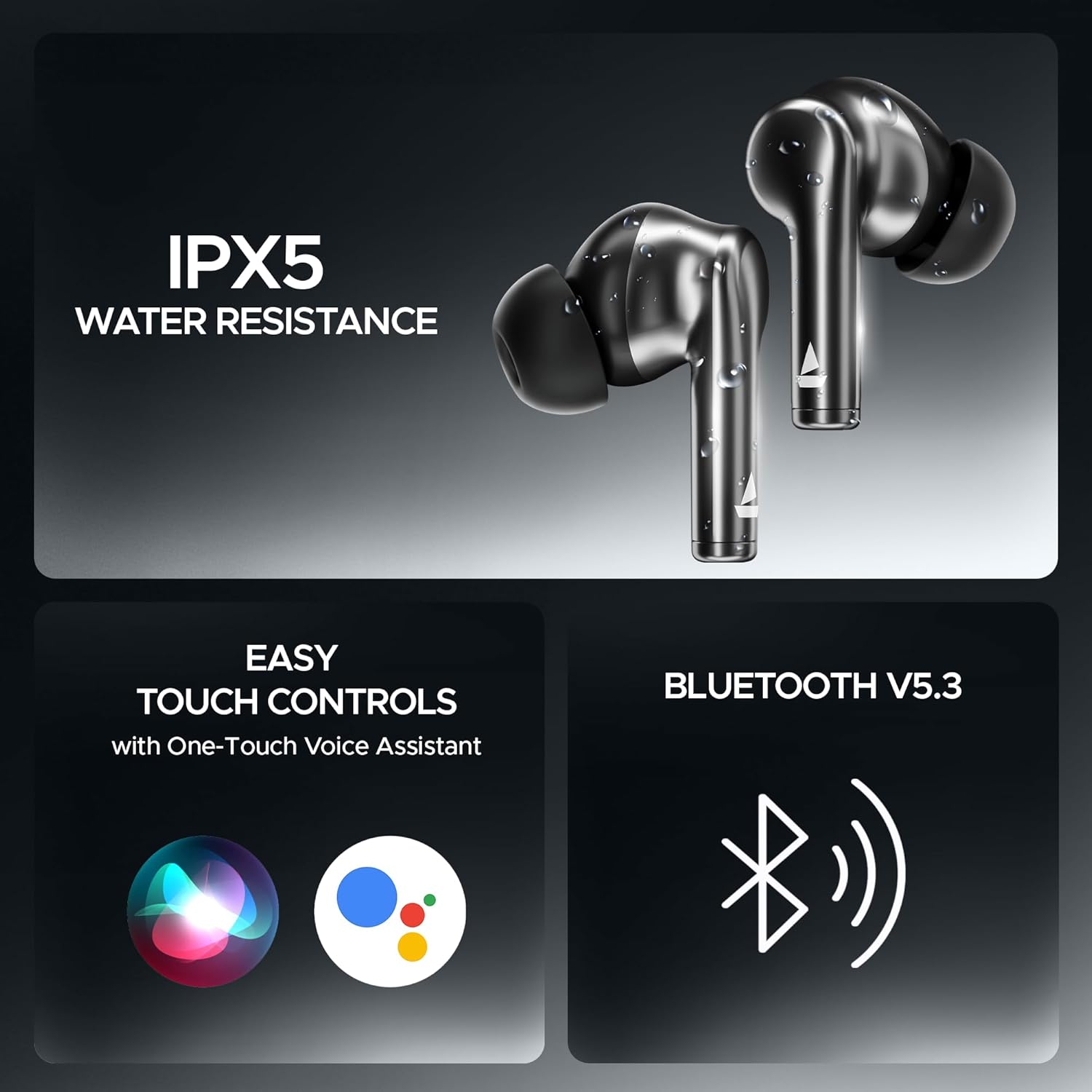
Image: Features including IPX5 water resistance, easy touch controls, and Bluetooth v5.3 connectivity.
Opladning
- høretelefoner Place the earbuds into the charging case. They will charge automatically.
- Opladningsetui: Connect the USB charging cable to the case and a power source. The case supports ASAP Charge for quick power-ups.

Image: The ASAP Charge feature, indicating that a 10-minute charge provides 180 minutes of playback.
Særlige funktioner
- Insta Wake N’Pair (IWP): The earbuds connect automatically to your last paired device as soon as you open the charging case lid.
- Uhyretilstand: Activate BEAST Mode for low-latency audio, ideal for gaming and video playback. Refer to the quick start guide for activation steps.
- ENx Technology: The quad microphones utilize ENx Technology to suppress environmental noise, ensuring clear voice calls.
- IPX5 vandtæthed: The earbuds are rated IPX5 for water resistance, protecting them from splashes and sweat. They are not designed for submersion.

Image: BEAST Mode in action, illustrating its low-latency benefits for gaming and entertainment.
Opretholdelse
- Rensning: Brug en blød, tør klud til at rengøre ørepropperne og opladningsetuiet. Brug ikke slibende rengøringsmidler, og læg dem ikke i vand.
- Opbevaring: Opbevar øretelefonerne i deres opladningsetui, når de ikke er i brug for at beskytte dem og holde dem opladet.
- Batteripleje: To preserve battery life, avoid exposing the device to extreme temperatures. Charge regularly, even if not used frequently.
Fejlfinding
| Problem | Løsning |
|---|---|
| Øretelefoner parrer ikke | Ensure earbuds are charged. Place them back in the case, close, then open the lid. Turn off and on Bluetooth on your device. Forget the device and re-pair. |
| Ingen lyd fra et ørepropp | Check battery level of both earbuds. Try resetting the earbuds (refer to manufacturer's webwebsted for specifikke nulstillingsinstruktioner). |
| Ladeetui oplader ikke | Verify the charging cable and power adapter are working. Ensure the cable is securely connected. |
| Problemer med opkaldskvaliteten | Ensure microphones are not obstructed. Move to an area with less background noise. Check device's network connection. |
Specifikationer
| Feature | Detalje |
|---|---|
| Modelnavn | Airdopes 141 Pro |
| Forbindelsesteknologi | Trådløs (Bluetooth v5.3) |
| Øreplacering | In Ear |
| Formfaktor | In Ear |
| Chauffører | 13 mm |
| Mikrofoner | Quad Mics with ENx Technology |
| Spilletid | Op til 60 timer (med opladningsetui) |
| Opladningsfunktion | ASAP opladning |
| Vandmodstand | IPX5 |
| Varens vægt | 4.2 ounces (120 gram) |
| Produktdimensioner | 2.36 x 0.79 x 1.97 tommer |
| Batterier | 1 Lithium Polymer batteri (medfølger) |
Garanti og support
Your boAt Airdopes 141 Pro Buds come with a standard manufacturer's warranty. For detailed warranty information, terms, and conditions, please refer to the warranty card included with your product or visit the official boAt webwebsted.
For technical support, service requests, or further assistance, please contact boAt customer support through their official website or designated service channels. Ensure you have your product model and purchase details available when seeking support.


