1. Introduktion
Velkommen til brugermanualen til din nye CUBOT KINGKONG ES Rugged Smartphone. This device is engineered for durability and performance, featuring an Android 14 operating system, a robust 5100 mAh batteri, og en 6.56-inch HD+ display. It is designed to withstand challenging environments with IP68/IP69K water and dust resistance og MIL-STD-810H certification. This manual provides essential information on setting up, operating, maintaining, and troubleshooting your smartphone.

Billede 1.1: Overview of the CUBOT KINGKONG ES Rugged Smartphone highlighting its robust design and key specifications like 16GB RAM, 128GB ROM, 48MP camera, and 5100mAh battery.
2. Sikkerhedsoplysninger
Læs venligst dette afsnit omhyggeligt, inden du bruger din enhed, for at sikre sikker og korrekt drift.
- Batterisikkerhed: Do not attempt to replace the internal battery yourself. Use only CUBOT-approved chargers and cables. Avoid exposing the battery to extreme temperatures or direct sunlight.
- Vand- og støvmodstand: While the device is IP68/IP69K rated, ensure all ports are securely closed before exposure to water or dust. Avoid prolonged submersion or high-pressure water jets. If the device gets wet, dry it thoroughly before charging.
- Temperatur: Operate the device within a temperature range of -35°C to 75°C. Extreme temperatures can affect performance and battery life.
- Bortskaffelse: Bortskaf enheden og dens batteri på en ansvarlig måde i henhold til lokale regler. Må ikke bortskaffes i husholdningsaffaldet.
3. Pakkens indhold
Bekræft, at din pakke indeholder følgende varer:
- CUBOT KINGKONG ES Smartphone
- USB Type-C-kabel
- Strømadapter
- SIM-udskubningsværktøj
- Brugervejledning (dette dokument)
4. Enhedslayout
Familiarize yourself with the physical components of your CUBOT KINGKONG ES smartphone.

Image 4.1: Front, back, and side views of the CUBOT KINGKONG ES, showing button placement and camera module.
- Front: 6.56-inch HD+ display, 16MP front camera.
- Højre side: Power button, Volume Up/Down buttons.
- Venstre side: SIM/TF card tray.
- Tilbage: 48MP main camera, 2MP macro camera, LED flash, CUBOT branding.
- Bund: USB Type-C port.
5. Opsætning
5.1. Installation af SIM-/TF-kort
To use cellular services and expand storage, install your SIM and/or TF (microSD) cards.
- Find SIM-kortbakken på venstre side af enheden.
- Sæt SIM-kortudkastningsværktøjet i det lille hul ved siden af bakken, og tryk godt ned, indtil bakken springer ud.
- Træk forsigtigt bakken ud.
- Place your Nano-SIM card(s) and/or TF card into the designated slots on the tray, ensuring the gold contacts face down. The device supports Dual Nano SIM or one Nano SIM and one TF card.
- Gently push the tray back into the slot until it is flush with the device's side.

Image 5.1: Diagram showing the correct placement of SIM and TF cards in the tray.
5.2. Første opstart og konfiguration
After installing your cards, you can power on and set up your device.
- Tryk og hold på Power-knap on the right side until the CUBOT logo appears.
- Follow the on-screen prompts to select your language, connect to a Wi-Fi network, set up your Google account, and configure other initial settings.
6. Betjening af din enhed
6.1. Grundlæggende navigation
The CUBOT KINGKONG ES uses standard Android gestures for navigation:
- Tryk på: Vælg et element, eller åbn en app.
- Stryg: Rul gennem skærme eller lister.
- At klemme: Zoom ind eller ud på fotos og web sider.
- Langt tryk: Få adgang til kontekstmenuer eller flyt ikoner.
6.2. Opkald og beskeder
For at foretage et opkald skal du åbne Telefon appen og ring nummeret eller vælg en kontakt. For at sende en besked skal du åbne Beskeder app and compose your text.
6.3. Kamerabetjening
Your device is equipped with a 48 MP hovedkamera, a 16 MP frontkamera, og en 2 MP makro kamera for versatile photography.
- Åbn Kamera app.
- Vælg den ønskede tilstand (Foto, Video, Portræt, Makro osv.).
- Tap the shutter button to capture an image or start/stop recording a video.

Image 6.1: Details of the CUBOT KINGKONG ES camera system, highlighting the 48MP main camera and 2MP macro camera capabilities.
6.4. Forbindelse
Enheden understøtter forskellige tilslutningsmuligheder:
- Wi-Fi: Opret forbindelse til trådløse netværk for at få internetadgang.
- Bluetooth: Pair with wireless headphones, speakers, or other devices.
- GPS: Utilize global positioning for navigation and location services. The device supports GPS, GLONASS, Galileo, and Beidou for enhanced accuracy.
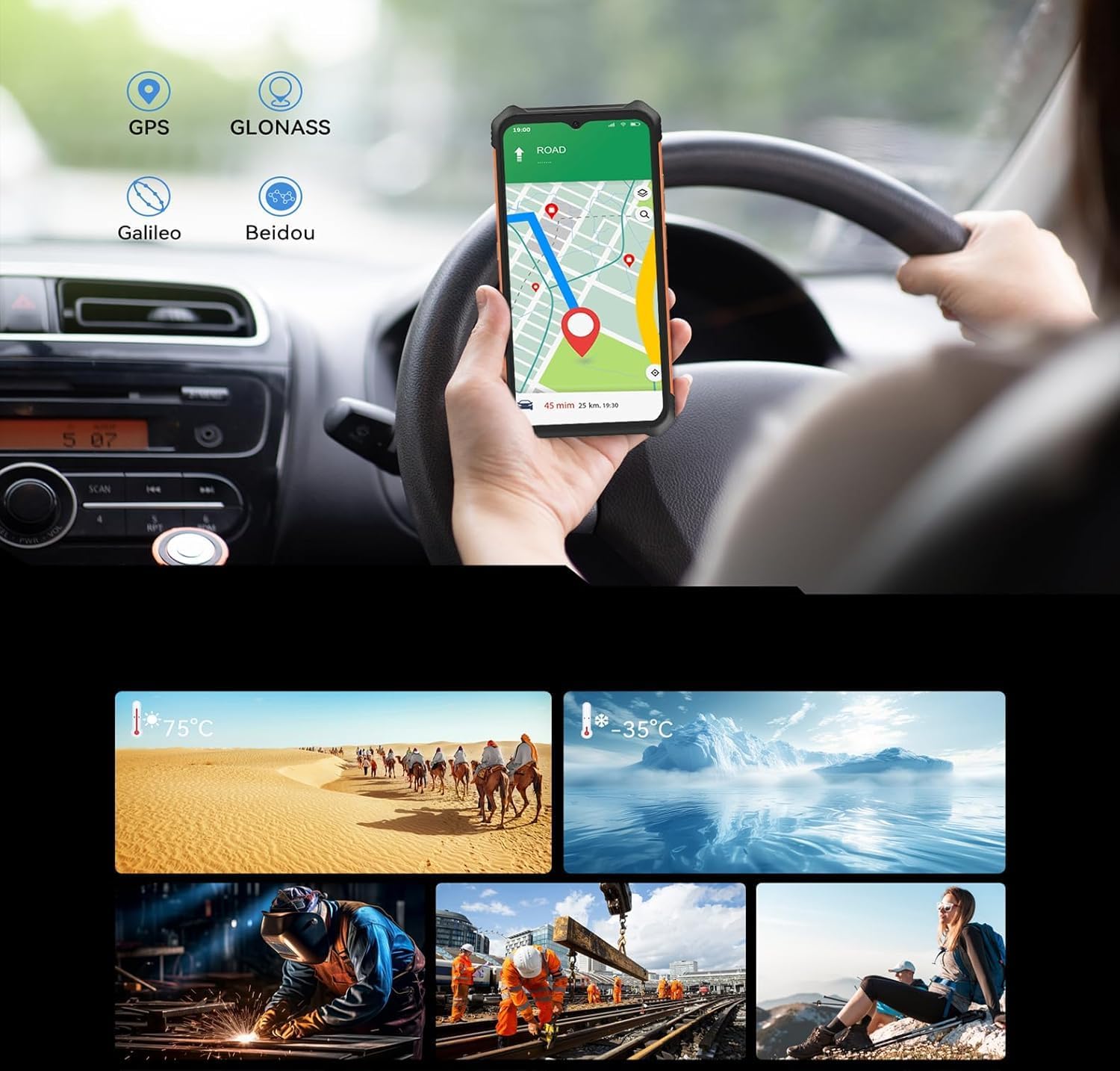
Image 6.2: The CUBOT KINGKONG ES displaying a navigation map, illustrating its GPS capabilities.
6.5. Batteristyring
De 5100 mAh batteri provides extended usage. To charge, connect the USB Type-C cable to the device and the power adapter to a wall outlet.
- To optimize battery life, reduce screen brightness, disable unused features like Bluetooth or GPS, and close background applications.
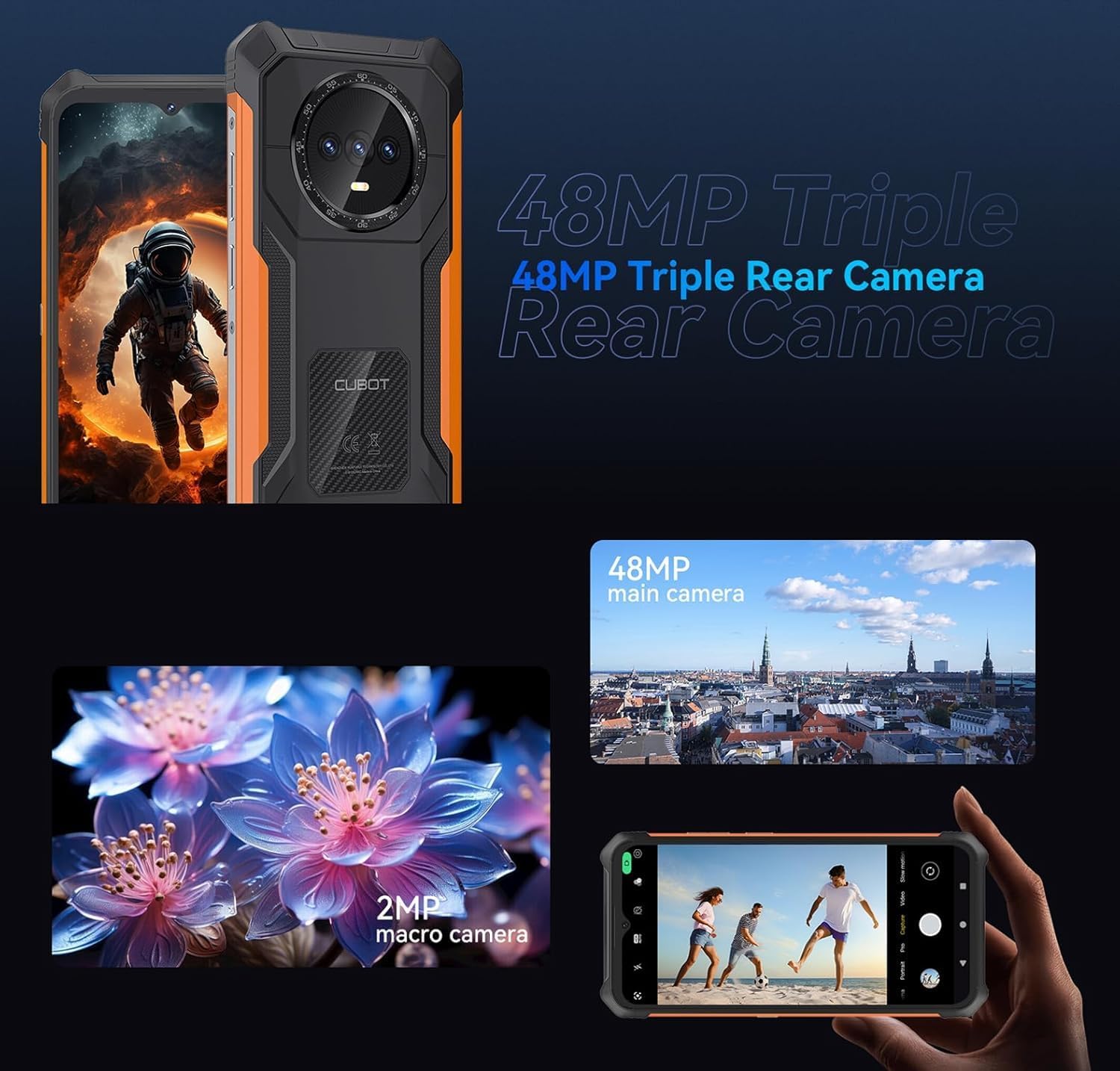
Image 6.3: An illustration of the 5100mAh battery's endurance, showing estimated hours for standby, calling, music playback, and video playback.
6.6. Robuste funktioner
The CUBOT KINGKONG ES is built to endure with IP68/IP69K ratings for water and dust resistance, and MIL-STD-810H certification for shock and extreme conditions.
- Ensure all port covers are sealed tightly before exposing the device to water or dusty environments.
- Avoid dropping the device from excessive heights, despite its rugged design.
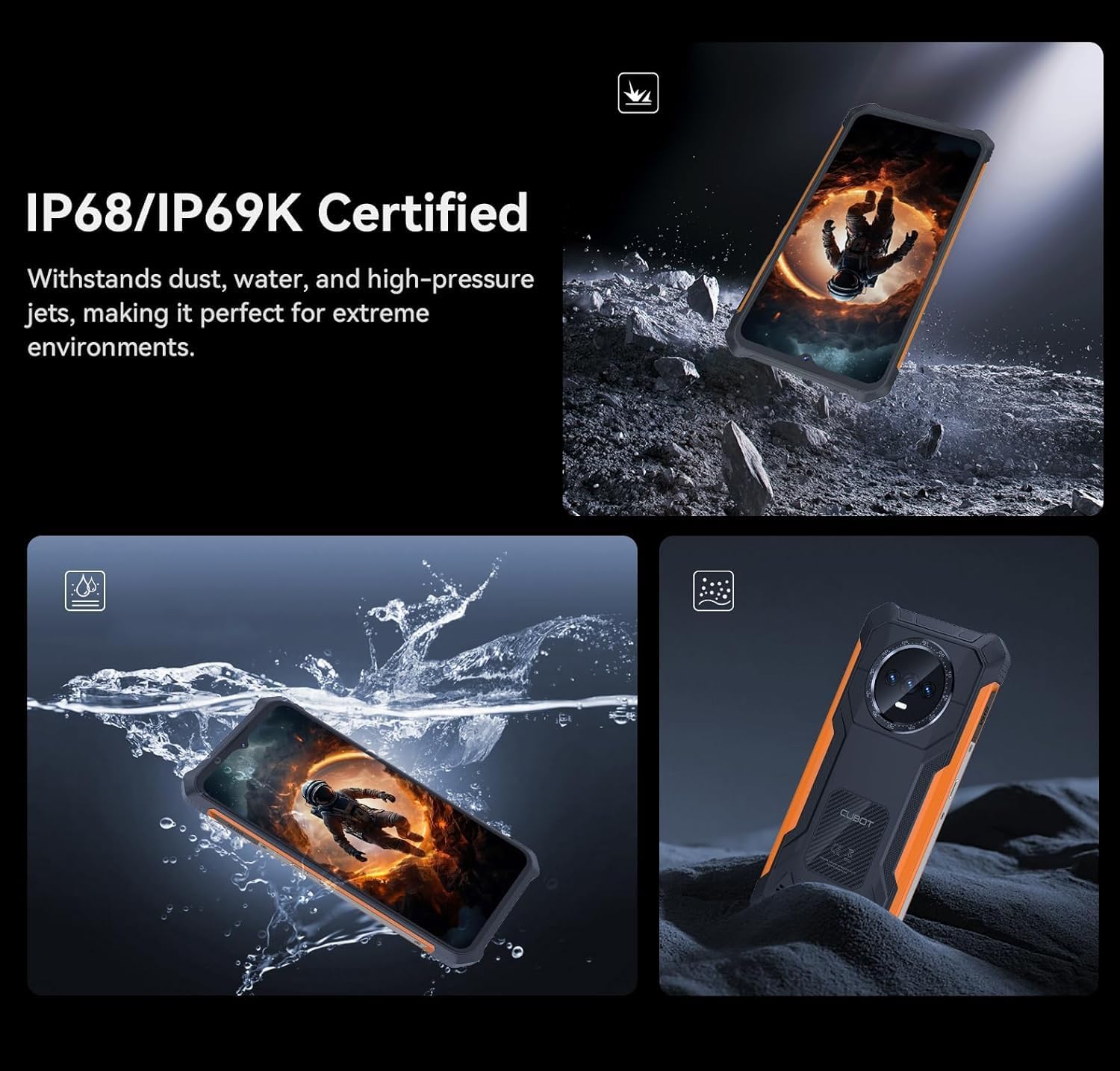
Image 6.4: The CUBOT KINGKONG ES submerged in water and covered in dust, illustrating its IP68/IP69K certified resistance.

Image 6.5: Collage showing the CUBOT KINGKONG ES being used in diverse extreme conditions, from desert heat to icy cold, and various demanding work or outdoor environments.
7. Vedligeholdelse
7.1. Rengøring af din enhed
To clean your smartphone, use a soft, lint-free cloth. For stubborn dirt, a slightly damp klud kan bruges. Undgå barske kemikalier eller slibende materialer.
7.2. Softwareopdateringer
Søg regelmæssigt efter og installer softwareopdateringer for at sikre optimal ydeevne, sikkerhed og adgang til nye funktioner. Gå til Indstillinger > System > Systemopdatering for at søge efter opdateringer.
8. Fejlfinding
Dette afsnit omhandler almindelige problemer, du kan støde på.
- Enheden tænder ikke: Ensure the battery is charged. Connect the charger and wait a few minutes before attempting to power on again. If the issue persists, perform a forced restart by holding the Power button for 10-15 seconds.
- Dårligt netværkssignal: Check if your SIM card is correctly inserted. Move to an area with better network coverage. Restart the device.
- Batteriet aflades hurtigt: Close unused apps running in the background. Reduce screen brightness. Disable Wi-Fi, Bluetooth, or GPS when not in use. Check battery usage in Settings to identify power-hungry apps.
- Skærmen reagerer ikke: Perform a forced restart. If the screen remains unresponsive, contact customer support.
- Water/Dust exposure issues: If the device has been exposed to water, ensure all ports are dry before charging. If functionality is affected, power off the device and allow it to dry completely.
9. Specifikationer
Key technical specifications for the CUBOT KINGKONG ES:
| Feature | Specifikation |
|---|---|
| Modelnavn | Kingkong ES |
| Operativsystem | Android 14 |
| Processor | T606 Octa-core (1.6 GHz) |
| VÆDDER | 6 GB (Extendable to 10 GB) |
| Intern opbevaring | 128 GB |
| Udvidelig opbevaring | Op til 1 TB (TF-kort) |
| Skærmstørrelse | 6.56 tommer |
| Opløsning | 720 x 1612 HD+ |
| Opdateringshastighed | 90 Hz |
| Hovedkamera | 48 MP |
| Forreste kamera | 16 MP |
| Makro kamera | 2 MP |
| Batterikapacitet | 5100 mAh |
| Vand/støv modstand | IP68/IP69K |
| Holdbarhedsstandard | MIL-STD-810H |
| SIM-kort support | Dobbelt nano-SIM-kort |
| Dimensioner | 20.8 x 18.6 x 3.7 cm (pakke) |
| Vægt | 510 g (pakke) |
10. Garanti og support
Your CUBOT KINGKONG ES smartphone comes with a standard manufacturer's warranty. For specific warranty terms and conditions, please refer to the warranty card included in your package or visit the official CUBOT website. For technical support or service inquiries, please contact CUBOT customer service through their official channels.


