1. Introduktion
Thank you for choosing the Panasonic Frost Free Refrigerator NR-BB64PV1XA. This manual provides essential information for the safe and efficient use of your appliance. Please read it thoroughly before installation and operation, and keep it for future reference.
This refrigerator features advanced technologies such as Smartsense for daily usage monitoring with artificial intelligence, an Antibacteria Ag System to keep your refrigerator free of bacteria, and an intuitive EasyTouch LED Panel for convenient control.
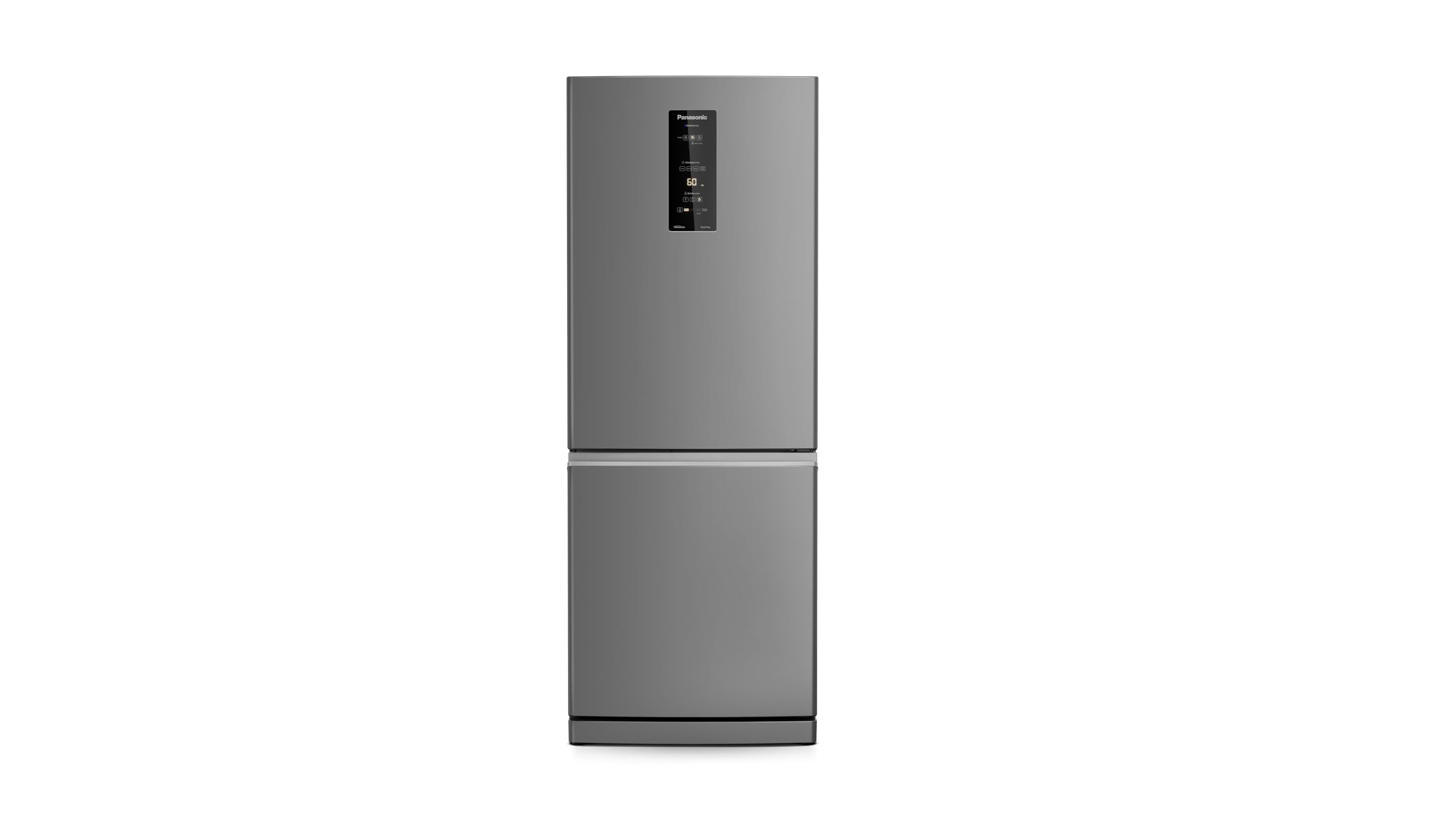
Billede: Forside view of the Panasonic NR-BB64PV1XA Frost Free Refrigerator in brushed steel finish.
2. Opsætning og installation
2.1 Udpakning
- Fjern forsigtigt alle emballagematerialer, inklusive tape og beskyttelsesfilm.
- Inspect the refrigerator for any damage incurred during transit. Do not operate if damaged.
- Hold emballagemateriale utilgængeligt for børn.
2.2 Placering
- Placer køleskabet på et fast, plant gulv.
- Ensure adequate ventilation around the appliance. Maintain at least 10 cm (4 inches) clearance from walls on the sides and back, and 30 cm (12 inches) at the top.
- Avoid direct sunlight or heat sources (e.g., stoves, radiators) as this can affect cooling performance and energy consumption.
2.3 Nivellering
- Juster nivelleringsfødderne nederst foran på køleskabet for at sikre, at det er stabilt og i vater. Dette forhindrer vibrationer og sikrer korrekt dørtætning.
2.4 Elektrisk tilslutning
- Ensure the power supply matches the refrigerator's voltage (127 volt).
- Plug the refrigerator into an exclusive, grounded wall outlet. Do not use extension cords or adapters.
- After plugging in, wait at least 2-4 hours before loading food to allow the refrigerant to settle and the appliance to reach optimal temperature.
3. Betjeningsvejledning
3.1 EasyTouch LED Panel
The refrigerator features an intuitive EasyTouch LED panel on the door for temperature control and feature activation.

Billede: Detaljeret view of the EasyTouch LED control panel on the refrigerator door.
3.2 Temperaturkontrol
- Use the temperature control buttons on the LED panel to adjust the desired temperature for the refrigerator and freezer compartments.
- Refer to the display for current temperature settings.
3.3 Smartsense Technology
Smartsense monitors daily usage patterns and adjusts cooling automatically using artificial intelligence to optimize energy consumption and maintain ideal temperatures.

Image: Diagram showing the Smartsense technology and its sensors for intelligent monitoring.
3.4 Antibacteria Ag System
The integrated Antibacteria Ag System helps eliminate 99.9% of bacteria, ensuring a hygienic environment for your food storage.

Billede: Interiør view of the refrigerator highlighting the Antibacteria Ag feature, with food items stored.
3.5 Inverterteknologi
This refrigerator utilizes Inverter technology for energy efficiency, quieter operation, and faster food freezing.

Image: Diagram illustrating the energy efficiency benefits of Inverter technology compared to traditional systems.
3.6 Indretning
The refrigerator is designed with multiple shelves and compartments for efficient storage. The freezer compartment offers ampplads til frostvarer.

Billede: Interiør view of the refrigerator compartment, showing shelves, drawers, and door bins filled with various food items.

Billede: Interiør view of the freezer compartment, showing clear storage containers for organized freezing.
4. Vedligeholdelse og pleje
4.1 Rengøring af indersiden
- Tag altid stikket ud af køleskabet før rengøring.
- Rengør indersiden regelmæssigt med en blød kludampafsluttet med en mild rengøringsmiddelopløsning.
- Tør grundigt efter for at undgå lugt og meldug.
- Aftagelige hylder og skuffer kan vaskes med varmt sæbevand.
4.2 Rengøring af ydersiden
- Tør de udvendige overflader af med en blød, damp cloth. For brushed steel, wipe in the direction of the grain.
- Avoid abrasive cleaners or solvents that can damage the finish.
4.3 Frost Free Feature
- This refrigerator is Frost Free, meaning manual defrosting is not required. The system automatically prevents ice buildup.
4.4 Power Outage
- Under en magt outage, keep the refrigerator and freezer doors closed to maintain temperature for as long as possible.
5. Fejlfinding
Før du kontakter service, bedes du kontrollere følgende almindelige problemer:
| Problem | Mulig årsag | Løsning |
|---|---|---|
| Køleskabet køler ikke | Ikke tilsluttet; strømmen er slukkettage; temperature setting too high; door left open. | Check power connection; verify power supply; adjust temperature setting; ensure door is fully closed. |
| Usædvanlig støj | Køleskabet er ikke i vater; genstande vibrerer indeni; kompressorstøj (normal). | Juster apparatet; flyt tingene om; normal drift kan frembringe lyde. |
| Vand på gulvet | Afløbsrør tilstoppet; døren tætner ikke ordentligt. | Clear drain tube (refer to full manual); check door gasket for obstructions or damage. |
| Lugt indeni | Food not properly sealed; interior needs cleaning. | Seal all food containers; clean the interior thoroughly. |
6. Specifikationer
| Feature | Detalje |
|---|---|
| Mærke | Panasonic |
| Model | NR-BB64PV1XA |
| Produktmål (H x B x D) | 194 cm x 76 cm x 80 cm (approx. 77 kg) |
| Samlet kapacitet | 459.99 liter |
| Fryser kapacitet | 151 liter |
| Voltage | 127 volt |
| Afrimningstype | Automatisk (frostfri) |
| Energieffektivitet | A+++ (INMETRO Certified) |
| Årligt energiforbrug | 434.4 kilowatttimer |
| Installationstype | Frit stående |
| Hylder | 3 |

Image: Energy efficiency label indicating A+++ rating for the refrigerator.
7. Garantioplysninger
This Panasonic refrigerator comes with a standard manufacturer's warranty. The duration and terms of the warranty may vary by region and purchase date. Please refer to the warranty card included with your product or visit the official Panasonic webwebsted for detaljerede oplysninger.
Extended warranty options may be available from your retailer at the time of purchase.
8. Support
For technical assistance, spare parts, or further inquiries, please contact Panasonic customer support:
- Webwebsted: Besøg den officielle Panasonic webwebsted for din region.
- Telefon: Refer to your product documentation for local service numbers.
- Servicecentre: A list of authorized service centers can be found on the Panasonic webwebsted.
When contacting support, please have your model number (NR-BB64PV1XA) and serial number ready.


