1. Introduktion
Welcome to the user manual for the lightmaXX VEGA Dusk BSW Moving Head Beam. This versatile lighting fixture offers strong light intensity and a wide range of effects, designed for professional stage and event lighting. This manual provides essential information for safe and efficient operation, setup, maintenance, and troubleshooting.
2. Sikkerhedsinstruktioner
Read all instructions carefully before operating the device. Failure to follow these instructions may result in injury or damage to the product.
- Ensure proper ventilation. The device features a temperature-controlled fan.
- Connect to a grounded power outlet.
- Må ikke udsættes for regn eller fugt.
- Undgå direkte øjeneksponering for lysstrålen.
- Afbryd strømmen før rengøring eller service.
- Kun kvalificeret personale bør udføre reparationer.
- Hold en sikker afstand til brændbare materialer.
3. Pakkens indhold
Bekræft at alle varer er til stede ved udpakning:
- 1x lightmaXX VEGA Dusk BSW Moving Head Beam unit
- 1x strømkabel
- 2x monteringsbeslag
- 1x Brugermanual (dette dokument)
4. Produktet er slutview
The lightmaXX VEGA Dusk BSW is a high-performance moving head fixture designed for dynamic lighting applications.

Figur 1: Forside view of the lightmaXX VEGA Dusk BSW Moving Head Beam, showcasing its robust design and vibrant light output.

Figur 2: Bagside view of the moving head, highlighting the integrated cooling fan for temperature regulation and the model identification.
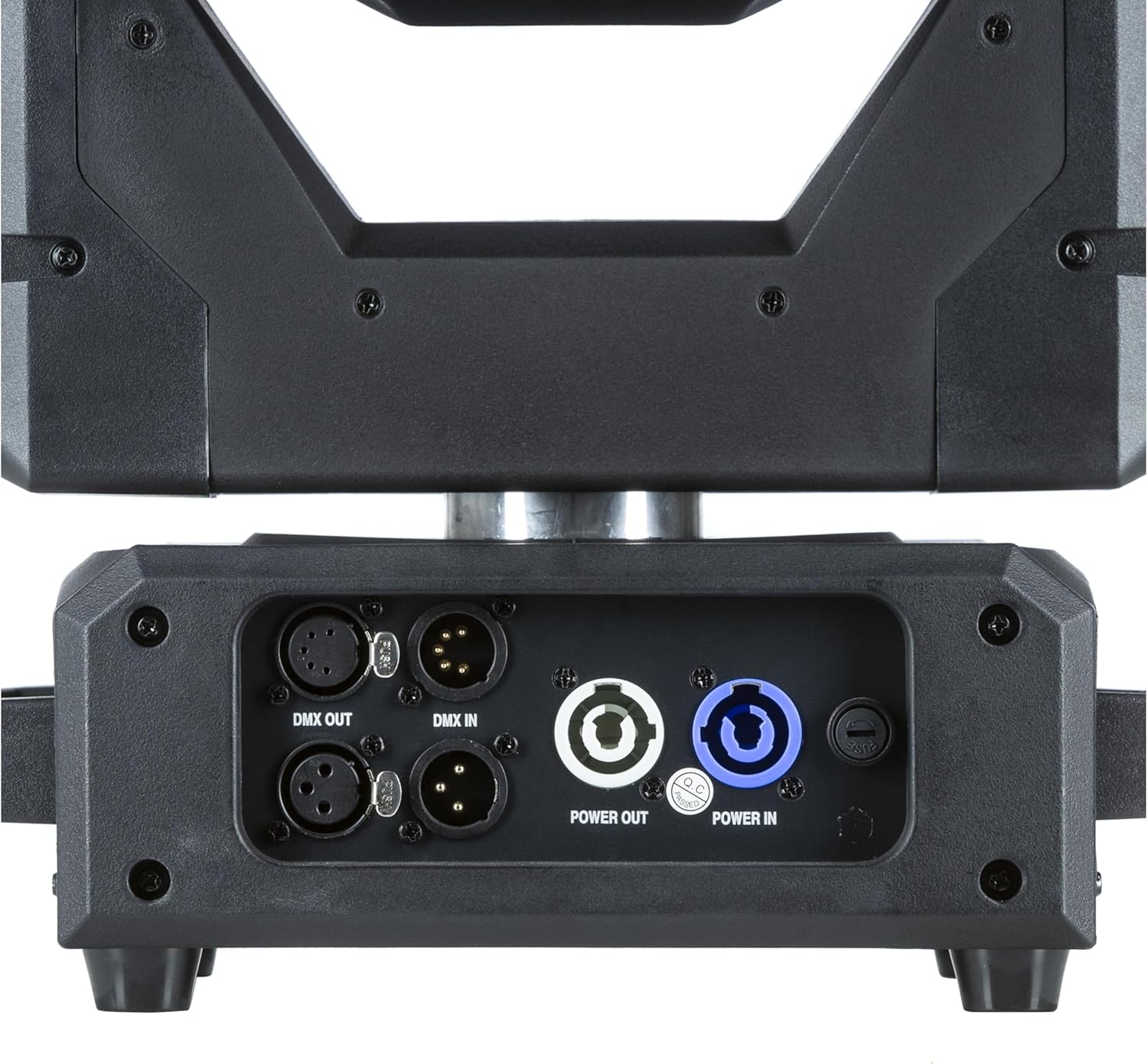
Figur 3: Detaljeret view of the input/output panel, including DMX In/Out and Power In/Out connectors for versatile integration.

Figure 4: Included mounting brackets for secure installation of the moving head fixture.
5. Opsætning
5.1 Montering
The VEGA Dusk BSW can be mounted in various orientations (e.g., truss, floor). Use the provided mounting brackets for secure installation.
- Attach the mounting brackets securely to the fixture using the designated points.
- Ensure the mounting surface or truss is capable of supporting the fixture's weight (refer to specifications).
- Use safety cables as an additional precaution.
5.2 Forbindelser
Connect the fixture as follows:
- Magt: Connect the power cable to the "Power IN" connector and then to a suitable power outlet. Use the "Power OUT" connector to daisy-chain power to other compatible fixtures if needed.
- DMX kontrol: Connect a DMX controller to the "DMX IN" connector. Use the "DMX OUT" connector to daisy-chain DMX signal to other fixtures. Ensure proper DMX termination for stable signal.
6. Betjeningsvejledning
6.1 Kontrolpanel
The fixture features an intuitive control panel with an LCD display and navigation buttons (MENU, ENTER, UP, DOWN).

Figure 5: The control panel display, showing menu navigation and parameter adjustments.
6.2 Menunavigation
Use the MENU button to cycle through main menu options. Use UP/DOWN to navigate within a menu and ENTER to select or confirm.
6.3 DMX-drift
The VEGA Dusk BSW can be controlled via DMX512. Set the DMX address using the control panel. Refer to the DMX channel chart, typically found in a separate appendix or on the manufacturer's website, for detailed channel assignments.
6.4 Pre-programmed Shows
The fixture includes pre-programmed shows for standalone operation. These can be accessed and selected via the control panel.
6.5 Effects and Features
The VEGA Dusk BSW offers a variety of effects, including:
- Beam effects
- Gobo patterns
- Farveblanding
- Pan and Tilt movement
- Strobe effekter

Figure 6: The moving head producing a vibrant green light beam.
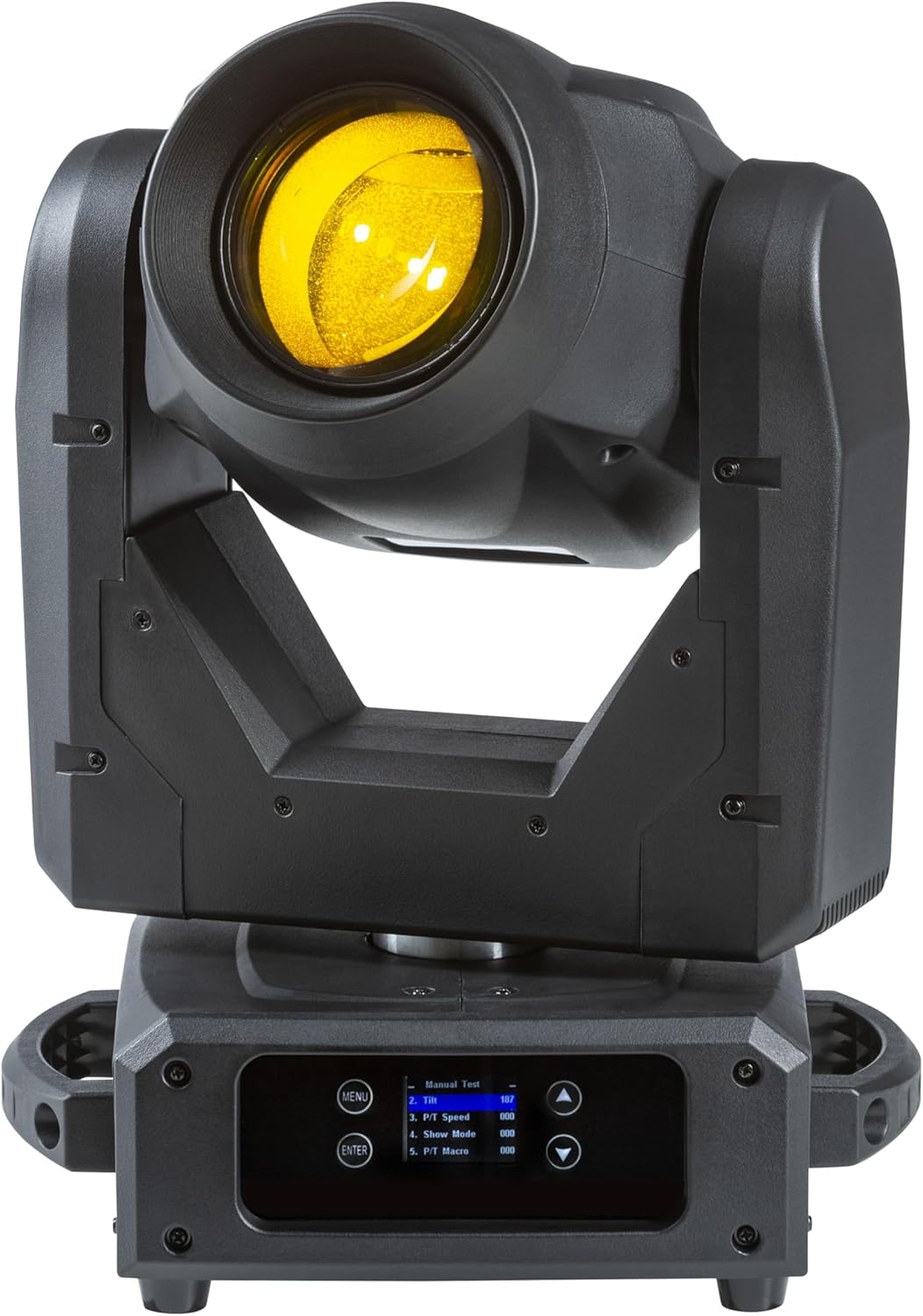
Figure 7: The moving head producing a bright yellow light beam.
7. Vedligeholdelse
Regular maintenance ensures optimal performance and extends the lifespan of your fixture.
- Rensning: Periodically clean the lenses and exterior with a soft, lint-free cloth. Do not use abrasive cleaners.
- Ventilator og ventilationsåbninger: Ensure the cooling fan and ventilation openings are free from dust and debris. Use compressed air if necessary.
- Lyskilde: The light source is designed for long-term use. If replacement is ever required, contact qualified service personnel.
- Firmwareopdateringer: Tjek producentens webwebsted for tilgængelige firmwareopdateringer.
8. Fejlfinding
This section addresses common issues you might encounter with your lightmaXX VEGA Dusk BSW.
| Problem | Mulig årsag | Løsning |
|---|---|---|
| Ingen strøm | Power cable disconnected; No power from outlet; Blown fuse. | Check power cable connection; Test outlet; Replace fuse (if accessible and safe). |
| Ingen DMX kontrol | Forkert DMX-adresse; Defekt DMX-kabel; Intet DMX-signal; Manglende terminator. | Verify DMX address; Check DMX cables; Ensure DMX controller is sending signal; Add DMX terminator. |
| Fixture Overheating | Blocked ventilation; Excessive ambient temperature. | Clear vents; Ensure adequate airflow around the fixture; Operate within specified temperature range. |
| Erratic Movement | DMX interference; Mechanical obstruction. | Check DMX signal quality; Ensure no physical obstructions to pan/tilt. |
9. Tekniske specifikationer
| Feature | Detalje |
|---|---|
| Model | VEGA Dusk BSW |
| Producentreference | LIG0019407-000 |
| Dimensioner (L x B x H) | 49.5 x 38.5 x 33.3 cm (19.5 x 15.2 x 13.1 tommer) |
| Varens vægt | 13.49 kg (29.74 lbs) |
| Mærke | lightmaXX |
| Første ledige dato | 10. september 2024 |
| Oprindelsesland | Tyskland |
| Kontrolprotokol | DMX512 |
| Køling | Temperaturstyret ventilator |
10. Garanti og support
For warranty information and technical support, please contact your authorized lightmaXX dealer or visit the official lightmaXX webwebstedet. Behold din købskvittering som købsbevis.
Fabrikant: lightmaXX
Sælger: MUSIC STORE Professional


