1. Introduktion
The FREEWOLF A2 is a transparent wireless gaming mouse designed for versatility and performance. It features dual-mode connectivity (2.4G wireless and Bluetooth 5.0), a PixArt 3212 optical sensor with adjustable DPI, a built-in rechargeable battery with a digital display, and customizable RGB backlighting. Its ergonomic design ensures comfort during extended use across various operating systems like Windows, Mac, and Linux.

Image 1.1: The FREEWOLF A2 Transparent Wireless Gaming Mouse, showcasing its transparent shell and internal components.
2. Pakkens indhold
Kontroller venligst, at alle varer er til stede i pakken:
- FREEWOLF A2 Wireless Gaming Mouse
- USB Receiver (2.4G dongle)
- USB-C ladekabel
- Brugervejledning (dette dokument)
3. Produktet er slutview
Familiarize yourself with the various components and features of your FREEWOLF A2 mouse.

Image 3.1: Exploded diagram illustrating the internal components of the FREEWOLF A2 mouse, including the transparent shell, battery, PCB board, and switches.

Billede 3.2: Top-down view of the FREEWOLF A2 mouse with key components labeled, including the 2.4G receiver storage, DPI switch, power switch, and dimensions.
Nøglefunktioner:
- Dobbelttilstandsforbindelse: 2.4G Wireless and Bluetooth 5.0.
- PixArt 3212 Sensor: High sensitivity and accuracy.
- Justerbar DPI: 5 levels up to 4000 DPI.
- Genopladeligt batteri: Built-in 400 mAh battery with USB-C charging.
- Digital skærm: Viser batteriprocenttage and DPI level.
- RGB-baggrundsbelysning: Tilpassede lyseffekter.
- Ergonomisk design: Comfortable for various grip styles.
4. Opsætning
4.1. Opladning af musen
Before first use, it is recommended to fully charge the mouse. Connect the provided USB-C charging cable to the mouse's charging port and the other end to a USB power source (e.g., computer USB port, USB wall adapter). The digital screen will display the battery percentage under opladning.
Note: The USB-C cable is for charging only and does not provide a wired connection for mouse operation.

Image 4.1: Close-up of the FREEWOLF A2 mouse showing the digital screen displaying battery percentage.
4.2. Connecting via 2.4G Wireless
- Locate the USB receiver (dongle) stored in the compartment on the underside of the mouse.
- Sæt USB-modtageren i en ledig USB-port på din computer.
- Slide the power switch on the underside of the mouse to the '2.4G' position.
- The mouse should connect automatically. Your computer will typically install the necessary drivers.
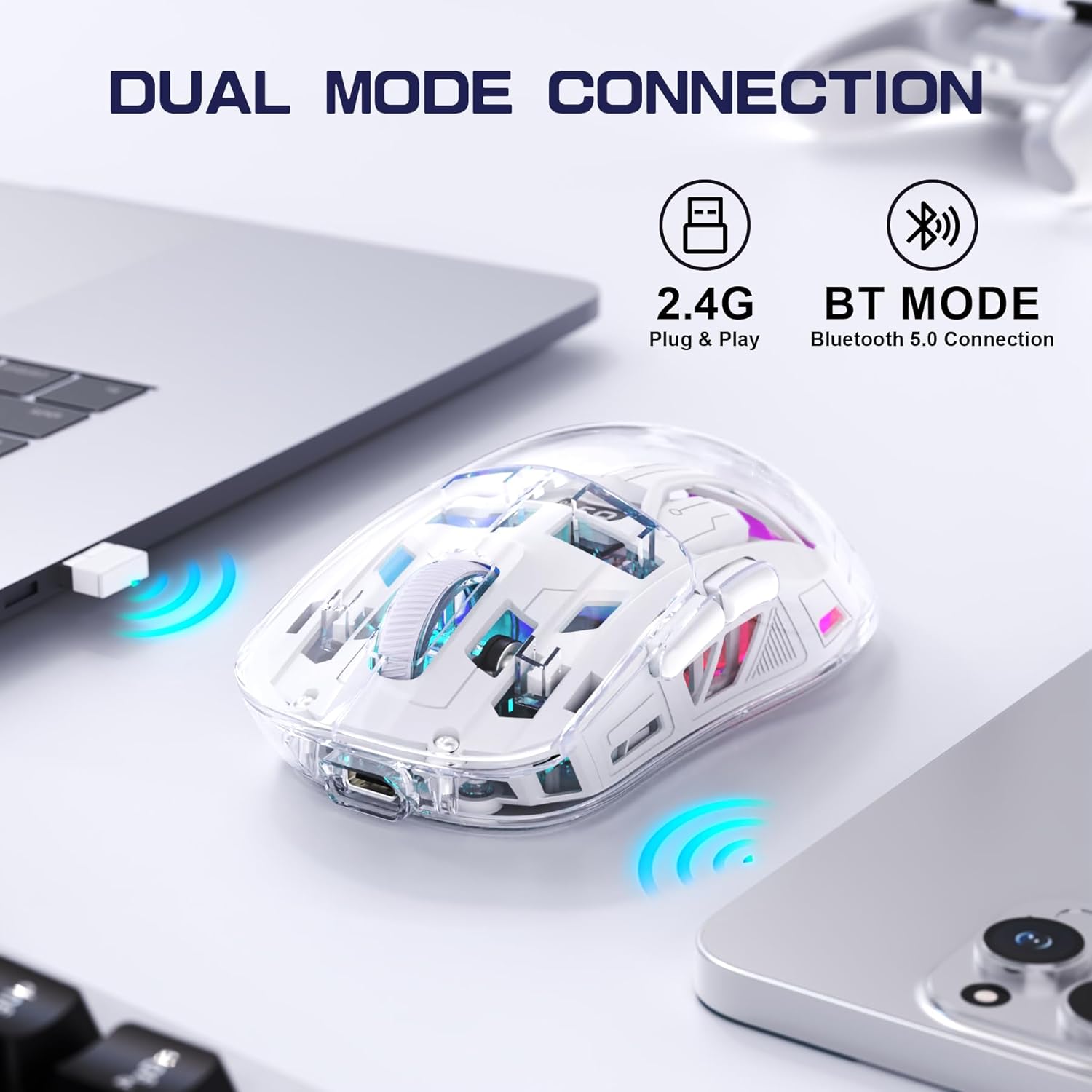
Image 4.2: The FREEWOLF A2 mouse connected to a laptop via its 2.4G wireless USB receiver.
4.3. Forbindelse via Bluetooth 5.0
- Slide the power switch on the underside of the mouse to the 'BT' (Bluetooth) position.
- Åbn Bluetooth-indstillingerne på din computer eller enhed.
- Søg efter new devices. The mouse should appear as 'FREEWOLF A2' or similar.
- Vælg den mus, der skal parres. Følg eventuelle instruktioner på skærmen.
5. Betjeningsvejledning
5.1. DPI-justering
The mouse features 5 adjustable DPI levels (1200-4000 DPI) to suit different tasks and preferences. To change the DPI, press the DPI button located on the underside of the mouse. The digital screen will briefly display the current DPI setting.

Image 5.1: Diagram illustrating the 5 adjustable DPI levels (1200, 1600, 2000, 2400, 4000) available on the FREEWOLF A2 mouse.
5.2. RGB-baggrundsbelysningskontrol
The FREEWOLF A2 mouse features vibrant RGB backlighting. To cycle through different lighting effects or turn the backlight off, press and hold the scroll wheel button for a few seconds.

Image 5.2: Two FREEWOLF A2 mice on a desk, showcasing their cool RGB lighting effects in a low-light environment.
5.3. Batteridisplay
The integrated digital screen on the mouse continuously displays the current battery percentage, allowing you to monitor power levels and recharge as needed.
5.4. Ergonomisk design
The mouse is designed to conform to various hand grip styles (Palm Grip, Fingertip Grip, Claw Grip), reducing discomfort during prolonged use.
Image 5.3: A hand demonstrating a comfortable grip on the FREEWOLF A2 mouse, highlighting its ergonomic design.
6. Vedligeholdelse
- Rensning: Brug en blød, tør klud til at rengøre musen. Undgå at bruge skrappe kemikalier eller slibende materialer.
- Opbevaring: When not in use, store the mouse in a cool, dry place. If storing for an extended period, ensure the mouse is fully charged and turn off the power.
- Batteripleje: To prolong battery life, avoid fully discharging the mouse frequently. Recharge when the battery level is low.
7. Fejlfinding
- Musen svarer ikke:
- Ensure the mouse is powered on and the correct connection mode (2.4G or BT) is selected.
- Check battery level on the digital screen and recharge if necessary.
- For 2.4G mode, ensure the USB receiver is securely plugged into a working USB port. Try a different USB port.
- For Bluetooth mode, ensure Bluetooth is enabled on your device and the mouse is paired correctly. Try unpairing and re-pairing.
- Genstart din computer eller enhed.
- Cursor movement is erratic or frozen:
- Rengør den optiske sensor på undersiden af musen.
- Sørg for at bruge musen på en passende overflade (ikke meget reflekterende eller gennemsigtig).
- Tjek for interferens fra andre trådløse enheder.
- Adjust DPI settings to see if it resolves the issue.
- RGB backlight not working:
- Sørg for, at musen har tilstrækkelig batteriopladning.
- Press and hold the scroll wheel button to cycle through lighting modes or turn the backlight on/off.
- Opladningsproblemer:
- Sørg for, at USB-C-kablet er korrekt tilsluttet til både musen og strømkilden.
- Prøv et andet USB-C-kabel eller strømadapter.
- Bekræft, at strømkilden fungerer.
8. Specifikationer
| Feature | Detalje |
|---|---|
| Modelnummer | A2 |
| Forbindelsesteknologi | 2.4G trådløs, Bluetooth 5.0 |
| Bevægelsesdetekteringsteknologi | Optisk (PixArt 3212) |
| Justerbar DPI | 1200-4000 (5 niveauer) |
| Batterikapacitet | 400 mAh (indbygget) |
| Opladningsport | USB-C |
| Særlige funktioner | Ergonomic Design, LED Lights (RGB), Portable, Rechargeable, Digital Battery Display |
| Produktdimensioner | 6.89 x 4.53 x 0.04 tommer |
| Varens vægt | 4.9 ounce |
| Fabrikant | FRIULV |
9. Garanti og support
Specific warranty information for the FREEWOLF A2 Transparent Wireless Gaming Mouse is not provided in the available product data. Please refer to the product packaging or the retailer's webwebstedet for detaljer vedrørende garantidækning.
For technical support or further assistance, please contact the manufacturer or your point of purchase. Contact information may be available on the product packaging or the official FREEWOLF webwebsted.


